

Recensione MedTrainer: Pro, Contro, Caratteristiche e Prezzi
MedTrainer si distingue per la sua soluzione di conformità completa, rendendolo una scelta ideale per gli operatori sanitari che cercano strumenti affidabili per la conformità e la formazione.

Recensiamo gli strumenti in modo indipendente e le commissioni ci aiutano a finanziare i nostri test. Consulta la nostra politica sulla trasparenza, la nostra metodologia o suggerisci uno strumento.
MedTrainer is a healthcare compliance software built for healthcare organizations that need to manage staff training, credentialing, and policy management in one place. I'd consider it if your team is juggling those responsibilities across disconnected tools and needs a more unified system—especially if you've looked at HealthStream and it feels like more platform than your organization needs.
MedTrainer Evaluation Summary
4.4/5
- Pricing upon request
- Free demo available
Perché fidarsi dei nostri consigli sui software
6,700+
Reviews
20
Industry experts
16+
Evaluation factors
14
Years
Il nostro team testa e recensisce software dal 2012. In quanto leader di studi medici noi stessi, sappiamo quanto sia difficile — e importante — scegliere il software giusto.
Per questa guida, abbiamo valutato gli strumenti attraverso test pratici e ricerche indipendenti, assegnando un punteggio agli strumenti in base ai nostri criteri di selezione.
Le nostre recensioni riflettono il nostro giudizio editoriale umano, non un discorso di vendita.
MedTrainer Overview
In my opinion, MedTrainer stands out as a reliable choice for health care compliance needs. It offers an extensive set of features that simplify training, compliance and contract management, and credentialing. The platform shines with its user-friendly interface, making it an ideal choice for small and medium-sized health care facilities. While it excels in ease of use and customer support, it may not provide the extensive integrations some larger organizations might need. For teams that need a straightforward, effective compliance training solution, MedTrainer is worth considering. It’s particularly suited for environments that prioritize ease of onboarding and in-depth support.
Pros
- You can quickly track compliance and training requirements.
- It’s user-friendly and easy to navigate.
- Customer support is responsive and helpful.
Cons
- Some users find the reporting features limited.
- Occasional glitches might disrupt your workflow.
- Initial setup can be time-consuming.
Is MedTrainer Right For Your Needs?
Who Would be a Good Fit for MedTrainer?
MedTrainer is ideal for health care organizations, particularly compliance officers, HR personnel, and administrators. It excels at simplifying compliance tasks, making it a great choice for those in charge of regulatory adherence or accreditation. Features such as credentialing and policy management are tailored to improve operational efficiency and keep organizations audit-ready. Its AI tools and automated processes save time and boost compliance, which is why it's highly rated in user reviews.
- HospitalsMedTrainer's extensive compliance management and credentialing features support the complex regulatory needs of hospital environments.
- Urgent Care CentersIts real-time reporting and incident management tools ensure that urgent care centers stay compliant with minimal manual effort.
- Ambulatory Surgery CentersMedTrainer's policy management and automated onboarding smooth operations for surgery centers and reduce administrative burdens.
- Compliance OfficersThe AI Compliance Coach and Policy Guardian features help compliance officers stay ahead of regulatory changes.
- HR DepartmentsAutomated onboarding and all-in-one credentialing processes simplify HR tasks, ensuring a smooth flow of operations.
- Health Care AdministratorsMedTrainer's centralized platform and customizable dashboards give administrators the oversight needed to maintain compliance across teams.
Who Would be a Bad Fit for MedTrainer?
MedTrainer may not be ideal for small clinics or solo practices with limited budgets, as its extensive feature set might be excessive for their simpler compliance and training needs. You might find it limited if you work outside of the health care and wellness industry, as MedTrainer is specifically designed for health care compliance. If your team requires highly specialized functionalities and integrations, you might find the platform restrictive.
- Small ClinicsMedTrainer’s in-depth features could overwhelm a smaller medical practice that needs only basic compliance tools.
- Non-Health Care IndustriesMedTrainer is tailored for health care, making it unsuitable for industries with different compliance requirements.
- Budget-Conscious TeamsIf your budget is tight, MedTrainer’s extensive offerings could be more than you need, leading to unnecessary expenses
- Highly Specialized FunctionsHealth care professionals who need niche functionalities not covered by MedTrainer’s core features will find it restrictive.
- Solo PractitionersSolo health care providers may find MedTrainer’s extensive features excessive.
- Low-Tech EnvironmentsTeams without the necessary tech infrastructure might struggle to fully utilize MedTrainer’s capabilities.
Come testiamo e valutiamo gli strumenti
Abbiamo trascorso anni a costruire, perfezionare e migliorare il nostro sistema di test e valutazione del software. Il criterio è progettato per cogliere le sfumature della selezione del software e cosa rende uno strumento efficace, concentrandosi sugli aspetti critici del processo decisionale. Qui sotto puoi vedere esattamente come funzionano i nostri test e punteggi in base a sette criteri. Ci consente di offrire una valutazione obiettiva del software basata su funzionalità principali, caratteristiche distintive, facilità d’uso, onboarding, assistenza clienti, integrazioni, recensioni dei clienti e rapporto qualità-prezzo.
Funzionalità Principali (25% del punteggio finale)
Il punto di partenza della nostra valutazione sono sempre le funzionalità principali dello strumento. Ha le funzioni di base che un utente si aspetterebbe? Alcune di queste funzioni principali sono riservate a piani tariffari superiori? In sostanza, ci aspettiamo che uno strumento sia all’altezza delle capacità di base dei suoi concorrenti.
Caratteristiche Distintive (25% del punteggio finale)
Successivamente, valutiamo caratteristiche distintive e insolite che vanno oltre le funzionalità di base tipicamente presenti negli strumenti della stessa categoria. Un punteggio alto riflette funzionalità specializzate o uniche che rendono il prodotto più veloce, efficiente o offrono un valore aggiunto all’utente. Valutiamo anche quanto sia facile integrare con altri strumenti comunemente presenti nella stack tecnologica per espandere funzionalità e utilità del software. Gli strumenti che offrono numerose integrazioni native, connessioni di terze parti e accesso API per creare integrazioni personalizzate ottengono il punteggio migliore.
Facilità d’Uso (10% del punteggio finale)
Consideriamo quanto sia rapido e intuitivo eseguire i compiti definiti nelle funzionalità principali usando lo strumento. Il software con punteggi elevati è ben progettato, intuitivo, offre app mobili, fornisce modelli e fa sembrare semplici anche compiti complessi.
Onboarding (10% del punteggio finale)
Sappiamo quanto sia importante l’adozione rapida da parte del team per una nuova piattaforma, perciò valutiamo quanto sia facile imparare e usare uno strumento con una formazione minima. Valutiamo quanto tempo impiega un membro del team a configurarsi e iniziare a usare lo strumento senza esperienza. Le soluzioni che ottengono il punteggio più alto richiedono poco o nessun supporto.
Assistenza Clienti (10% del punteggio finale)
Esaminiamo quanto sia rapido e semplice sbloccarsi e trovare aiuto tramite telefono, chat dal vivo o knowledge base. Gli strumenti e le aziende che forniscono assistenza in tempo reale ottengono il punteggio migliore, mentre i chatbot ottengono il punteggio più basso.
Recensioni dei Clienti (10% del punteggio finale)
Oltre ai nostri test e valutazioni, consideriamo il net promoter score da parte di clienti attuali e passati. Esaminiamo la probabilità che, data la possibilità, scelgano nuovamente lo strumento per le sue funzioni principali. Un software con punteggio elevato riflette un alto net promoter score da parte di clienti attuali o passati.
Rapporto Qualità-Prezzo (10% del punteggio finale)
Infine, tenendo conto di tutti gli altri criteri, analizziamo il prezzo medio dei piani base rispetto alle caratteristiche principali e valutiamo il valore degli altri criteri. Il software che offre di più, a meno, otterrà un punteggio più alto.
Core Features
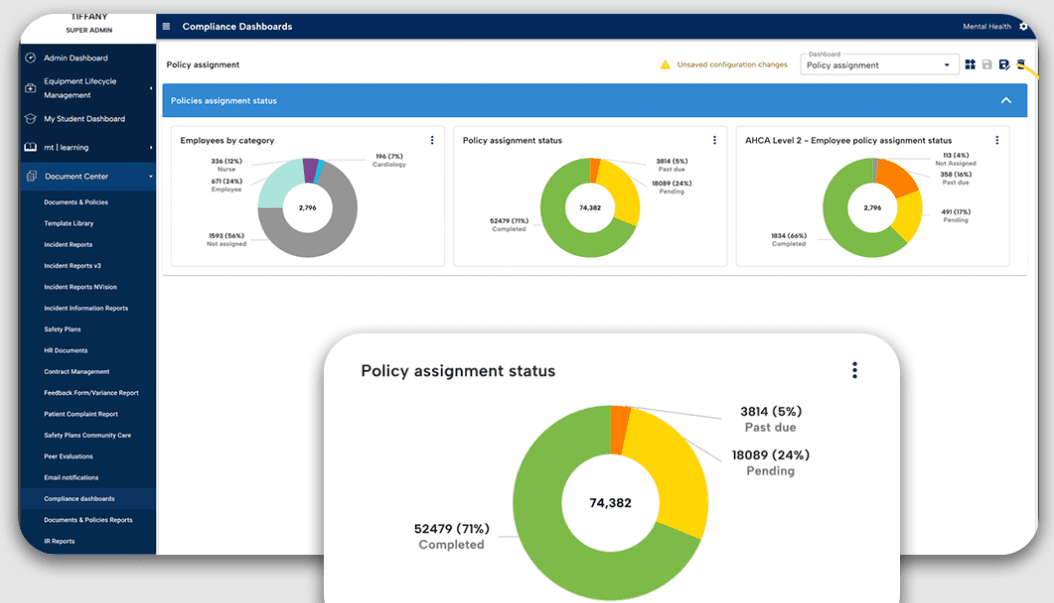
Compliance Management: You can keep your health care facility compliant with ever-changing regulations. The platform automatically updates policies and ensures your practices align with legal standards, reducing the risk of costly violations.
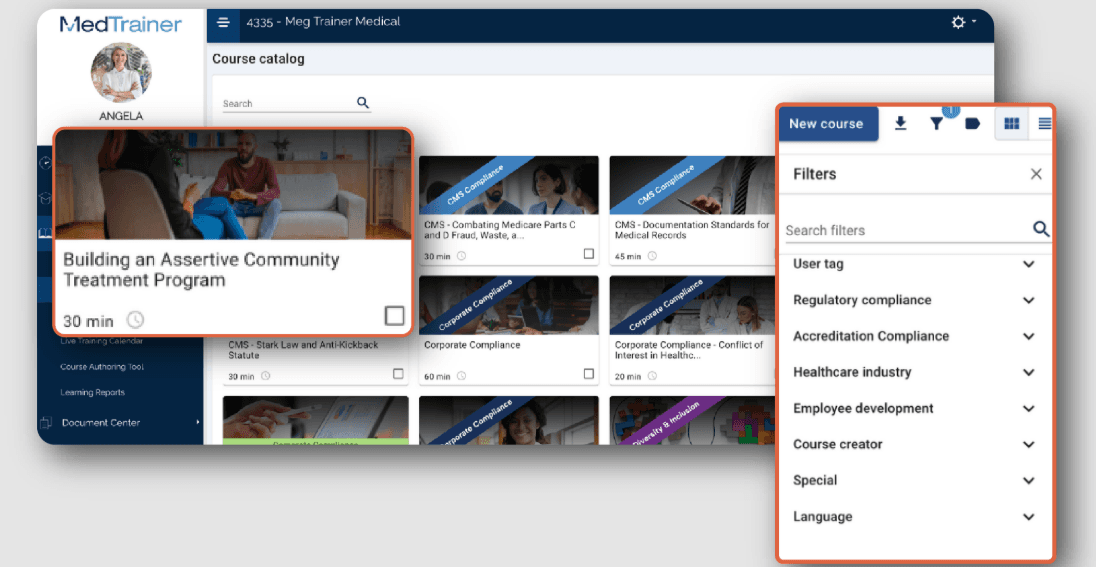
Learning Management System (LMS): Train your team with ease using built-in training modules on compliance and safety. The LMS tracks progress and completions, making it simple for you to manage certifications, continuing education, and training requirements.
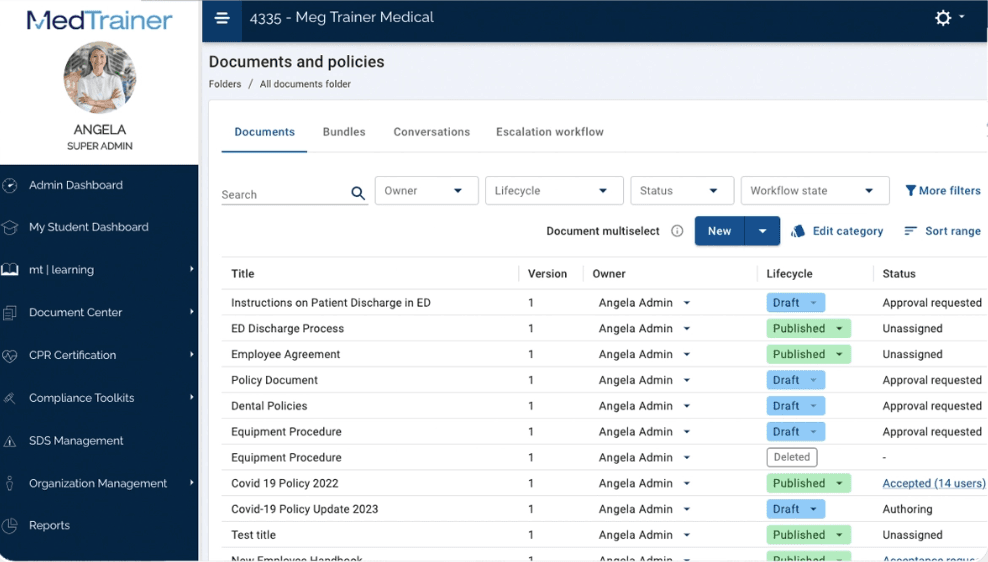
Document Management: Store, access, and organize vital documents in one secure location. This helps you maintain an organized system for your compliance documents and reduces the time spent searching for necessary files.
Incident Reporting: Report and track incidents with its easy-to-use interface. This functionality allows you to quickly address and document any issues and improve workplace safety and Occupational Safety and Health Administration (OSHA) compliance.
Credentialing Management: Simplify the process of managing staff credentials and licenses. Keep track of expiration dates and receive alerts to renew credentials on time, ensuring your team remains qualified.
Policy Management: Readily create, update, and distribute policies to your staff. This ensures everyone is aware of the latest procedures and practices necessary for maintaining compliance.
Ease of Use
MedTrainer's user-friendliness shines through its intuitive design, making navigation straightforward for your team. However, the array of features might initially feel overwhelming. The platform's structured layout allows you to find compliance tools quickly, though some users mention a learning curve. Compared to other health care compliance software, MedTrainer stands out for its accessible interface, but improving search functionality could further boost usability.
Integrations
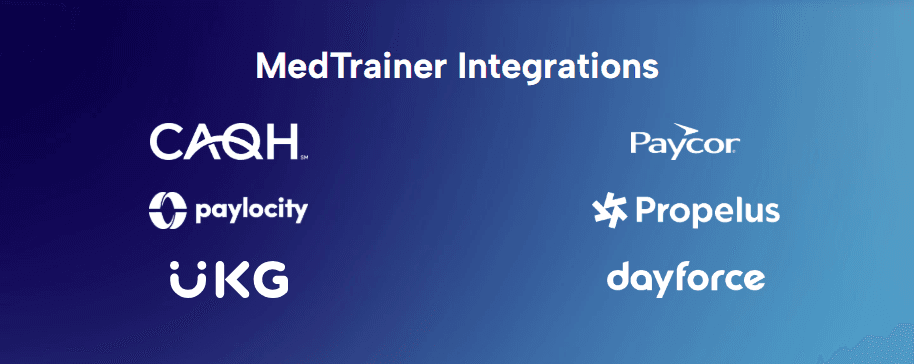
MedTrainer integrates with ADP, Dayforce, Paycor, Paylocity, UKG, Workday, Seamless PSV, CAQH, NPDB, and Propelus Data Solutions.
MedTrainer also offers an API and connects with third-party integration tools.
MedTrainer Specs
- 2-Factor Authentication: Yes
- Access Management: No
- API: Yes
- Approval Workflows: No
- Audit Management: Yes
- Balance Sheet: No
- Billing/Invoicing: No
- Budgeting: No
- Calendar Management: No
- Compliance Tracking: No
- CRM Integration: Yes
- Dashboard: Yes
- Data Export: Yes
- Data Import: Yes
- Data Visualization: Yes
- Document Management: No
- Employee Training: No
- Expense Tracking: No
- External Integrations: Yes
- Forecasting: Yes
- History/Version Control: No
- Incident Management: Yes
- Multi-Currency: No
- Multi-User: Yes
- Notifications: Yes
- P&L: No
- Policy Management: Yes
- Real-time Alerts: No
- Regulatory Alerts: No
- Risk Assessment: Yes
- Scheduling: Yes
- Tax Management: No
- Workflow Management: No


