

Recensione di ClinicSense: Pro, Contro, Funzionalità e Prezzi
ClinicSense riunisce la gestione della clinica in un’unica piattaforma: dalla programmazione degli appuntamenti e la fatturazione, alla comunicazione con i clienti, alle note SOAP e ai flussi di lavoro per la pratica del benessere.

Recensiamo gli strumenti in modo indipendente e le commissioni ci aiutano a finanziare i nostri test. Consulta la nostra politica sulla trasparenza, la nostra metodologia o suggerisci uno strumento.
ClinicSense is a clinic management software built for solo practitioners and small clinics in health and wellness fields like massage therapy and physiotherapy. It handles online booking, SOAP notes, invoicing, and client intake forms in one place. I'd look at it seriously if your practice is outgrowing a generic booking tool but doesn't need the full complexity of a platform like Jane App. ClinicSense keeps the setup light and approachable without dropping the clinical documentation features that matter most for day-to-day care.
ClinicSense Evaluation Summary

4/5
- From $39/month
- 14-day free trial
Perché fidarsi dei nostri consigli sui software
6,700+
Reviews
20
Industry experts
16+
Evaluation factors
14
Years
Il nostro team testa e recensisce software dal 2012. In quanto leader di studi medici noi stessi, sappiamo quanto sia difficile — e importante — scegliere il software giusto.
Per questa guida, abbiamo valutato gli strumenti attraverso test pratici e ricerche indipendenti, assegnando un punteggio agli strumenti in base ai nostri criteri di selezione.
Le nostre recensioni riflettono il nostro giudizio editoriale umano, non un discorso di vendita.
ClinicSense Overview
When I compare ClinicSense to other clinic management software, I think its clean interface, simple onboarding, and responsive support make it a top pick for solo practitioners and small clinics. The built-in SOAP notes, online booking, and automated reminders are easy to set up and use. Pricing is transparent, and you won’t get bogged down with features you don’t need.
However, if you want deep integrations or advanced reporting, you might find it limited. For straightforward scheduling, documentation, and billing, I’d suggest ClinicSense is a strong choice for practices prioritizing ease of use over customization.
Pros
- Automated appointment reminders help reduce client no-shows.
- Customer support responds quickly and resolves issues promptly.
- SOAP notes and intake forms are customizable for different practices.
Cons
- Reporting and analytics options are limited compared to others.
- Integrations with third-party tools are minimal or unavailable.
- Mobile app frequently logs users out and lacks full features.
Is ClinicSense Right For Your Needs?
Who Would be a Good Fit for ClinicSense?
ClinicSense is best for small healthcare teams, solo practitioners, and wellness clinics that want simple scheduling, SOAP notes, and payment tools without extra complexity. Its focus on core clinic management features makes it ideal for practices that don’t need deep integrations or advanced analytics.
If you need a system that’s easy to set up, offers responsive support, and helps reduce no-shows with automated reminders, ClinicSense is a strong choice.
- Wellness CentersThe system’s client management and billing features work well for wellness-focused teams.
- Acupuncture PracticesClinicSense’s intake forms and payment tools fit acupuncture clinics’ needs.
- Chiropractic OfficesAutomated reminders and SOAP notes support chiropractic workflows.
- Small Physical Therapy ClinicsCustomizable documentation and easy scheduling help small PT teams stay organized.
- Solo PractitionersThe platform’s simple setup and all-in-one features suit solo providers.
- Massage TherapistsClinicSense offers SOAP notes, intake forms, and appointment reminders tailored for massage practices.
Who Would be a Bad Fit for ClinicSense?
ClinicSense isn’t the best choice for large, multi-location organizations or teams needing advanced integrations, custom workflows, or in-depth analytics. If your clinic relies on connecting with other software, requires detailed reporting, or manages complex billing scenarios, you’ll likely find ClinicSense’s feature set too limited for your needs.
- Corporate Health DepartmentsClinicSense can’t handle large-scale employee health tracking or compliance reporting.
- Research ClinicsThe system doesn’t offer advanced data export or analytics for research needs.
- Medical Billing CompaniesClinicSense’s billing features are basic and not suited for third-party billing.
- Behavioral Health NetworksLimited integrations and documentation options restrict behavioral health teams.
- Multi-Disciplinary ClinicsThe platform doesn’t support complex workflows across multiple specialties.
- Large Hospital SystemsClinicSense lacks multi-location management and enterprise-level reporting.
Come testiamo e valutiamo gli strumenti
Abbiamo trascorso anni a costruire, perfezionare e migliorare il nostro sistema di test e valutazione del software. Il criterio è progettato per cogliere le sfumature della selezione del software e cosa rende uno strumento efficace, concentrandosi sugli aspetti critici del processo decisionale. Qui sotto puoi vedere esattamente come funzionano i nostri test e punteggi in base a sette criteri. Ci consente di offrire una valutazione obiettiva del software basata su funzionalità principali, caratteristiche distintive, facilità d’uso, onboarding, assistenza clienti, integrazioni, recensioni dei clienti e rapporto qualità-prezzo.
Funzionalità Principali (25% del punteggio finale)
Il punto di partenza della nostra valutazione sono sempre le funzionalità principali dello strumento. Ha le funzioni di base che un utente si aspetterebbe? Alcune di queste funzioni principali sono riservate a piani tariffari superiori? In sostanza, ci aspettiamo che uno strumento sia all’altezza delle capacità di base dei suoi concorrenti.
Caratteristiche Distintive (25% del punteggio finale)
Successivamente, valutiamo caratteristiche distintive e insolite che vanno oltre le funzionalità di base tipicamente presenti negli strumenti della stessa categoria. Un punteggio alto riflette funzionalità specializzate o uniche che rendono il prodotto più veloce, efficiente o offrono un valore aggiunto all’utente. Valutiamo anche quanto sia facile integrare con altri strumenti comunemente presenti nella stack tecnologica per espandere funzionalità e utilità del software. Gli strumenti che offrono numerose integrazioni native, connessioni di terze parti e accesso API per creare integrazioni personalizzate ottengono il punteggio migliore.
Facilità d’Uso (10% del punteggio finale)
Consideriamo quanto sia rapido e intuitivo eseguire i compiti definiti nelle funzionalità principali usando lo strumento. Il software con punteggi elevati è ben progettato, intuitivo, offre app mobili, fornisce modelli e fa sembrare semplici anche compiti complessi.
Onboarding (10% del punteggio finale)
Sappiamo quanto sia importante l’adozione rapida da parte del team per una nuova piattaforma, perciò valutiamo quanto sia facile imparare e usare uno strumento con una formazione minima. Valutiamo quanto tempo impiega un membro del team a configurarsi e iniziare a usare lo strumento senza esperienza. Le soluzioni che ottengono il punteggio più alto richiedono poco o nessun supporto.
Assistenza Clienti (10% del punteggio finale)
Esaminiamo quanto sia rapido e semplice sbloccarsi e trovare aiuto tramite telefono, chat dal vivo o knowledge base. Gli strumenti e le aziende che forniscono assistenza in tempo reale ottengono il punteggio migliore, mentre i chatbot ottengono il punteggio più basso.
Recensioni dei Clienti (10% del punteggio finale)
Oltre ai nostri test e valutazioni, consideriamo il net promoter score da parte di clienti attuali e passati. Esaminiamo la probabilità che, data la possibilità, scelgano nuovamente lo strumento per le sue funzioni principali. Un software con punteggio elevato riflette un alto net promoter score da parte di clienti attuali o passati.
Rapporto Qualità-Prezzo (10% del punteggio finale)
Infine, tenendo conto di tutti gli altri criteri, analizziamo il prezzo medio dei piani base rispetto alle caratteristiche principali e valutiamo il valore degli altri criteri. Il software che offre di più, a meno, otterrà un punteggio più alto.
Core Features
Online Booking
Clients can schedule appointments directly through your website or a booking link. This reduces admin time and helps fill your calendar automatically.
SOAP Notes
Create, store, and customize SOAP notes for each client visit. Notes are easy to access and update, supporting compliance and continuity of care.
Automated Appointment Reminders
Send email and SMS reminders to clients before their appointments. This helps reduce no-shows and keeps your schedule running smoothly.
Digital Intake Forms
Clients complete intake forms online before their visit. Forms are stored securely and linked to each client’s profile for easy reference.
Invoicing and Payment Processing
Generate invoices, accept payments, and track transactions within the platform. This streamlines billing and helps you stay on top of finances.
Client Management
Store client contact details, appointment history, and documents in one place. This centralizes information and makes it easy to manage ongoing care.
Ease of Use
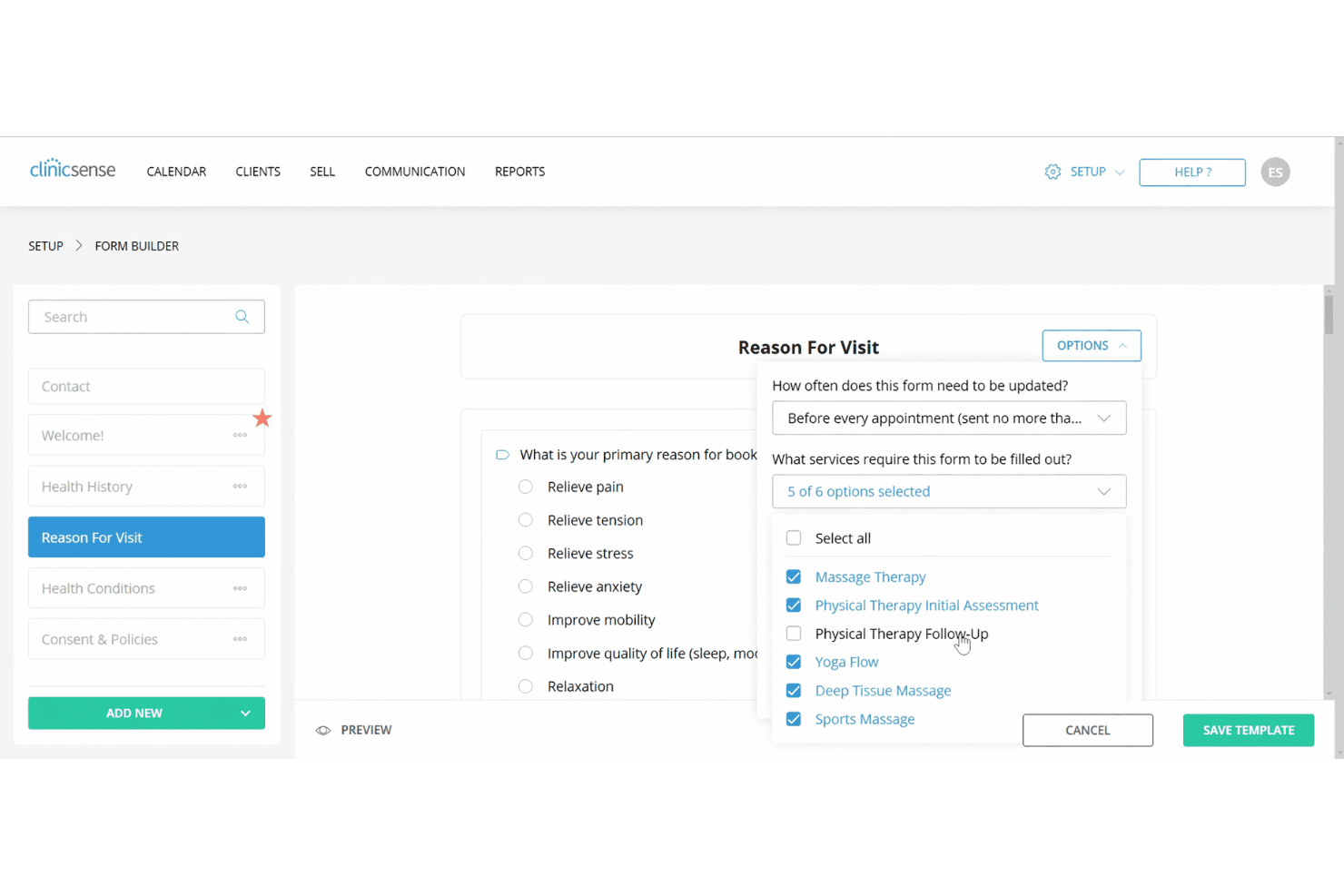
ClinicSense stands out for its clean, intuitive interface and straightforward navigation, making it easy for new users to get started without training. Most users say setup is quick, and features like online booking, SOAP notes, and reminders are simple to access and use daily.
The platform avoids clutter and unnecessary options, so you can focus on core tasks.
Integrations
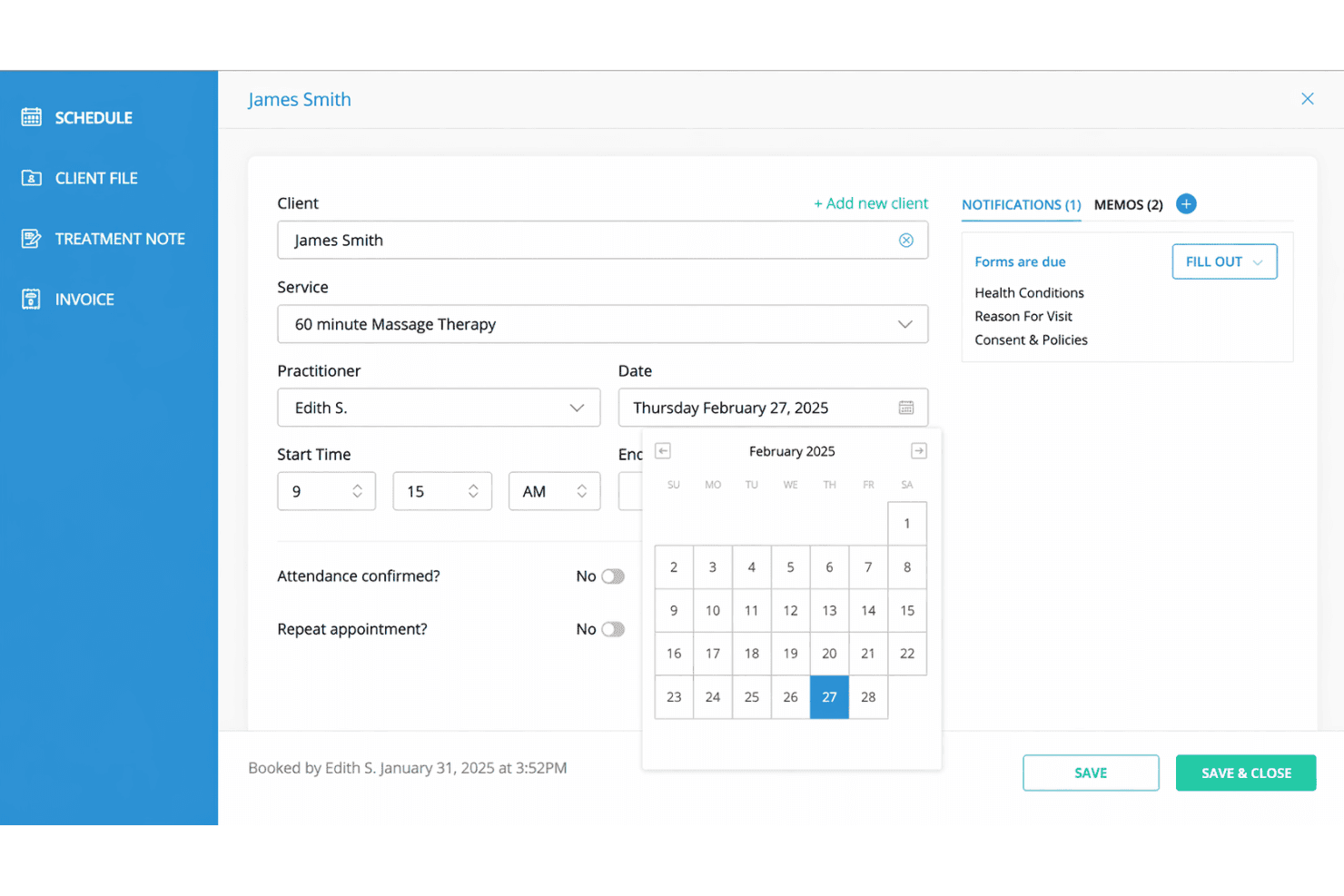
ClinicSense integrates with Square, TELUS Health eClaims, Google Calendar, Google Reviews, Mailchimp, Stripe, Zoom, QuickBooks, Outlook Calendar, and Facebook, among others.
ClinicSense does not currently offer a public API or direct connections with third-party integration tools.
ClinicSense Specs
- API: No
- Appointment Scheduling: Yes
- Athlete Management: No
- Audit Management: No
- Calendar Management: Yes
- Compliance Tracking: Yes
- Customer Management: Yes
- Dashboard: Yes
- Data Export: Yes
- Data Import: Yes
- Data Visualization: Yes
- Electronic Prescribing: No
- External Integrations: Yes
- File Sharing: Yes
- File Transfer: No
- Health Management: Yes
- HIPAA Compliance: Yes
- Inventory Tracking: No
- Multi-User: Yes
- Notifications: Yes
- Organization Management: Yes
- Patient Management: Yes
- Project Management: No
- Regulatory Alerts: No
- Risk Assessment: No
- Scheduling: Yes
- Supplier Management: No


