

Avis sur Pabau : Avantages, inconvénients, fonctionnalités et tarifs
Pabau regroupe la gestion du cabinet sur une seule plateforme, de la planification et la facturation à la communication patients, l’automatisation du marketing et la gestion quotidienne du flux de travail.

Nous évaluons les outils de manière indépendante, et les commissions aident à financer nos tests. Consultez notre politique de transparence, notre méthodologie, ou suggérez un outil.
Pabau is a clinic management software built for aesthetic clinics, med spas, and similar practices that need to manage appointments, patient records, consent forms, and invoicing in one system. I'd consider it over something like Cliniko if your clinic relies heavily on treatment notes, before/after photo documentation, and client marketing tools—features Pabau handles natively rather than through third-party add-ons.
Pabau Evaluation Summary
4.7/5
- From $65/user/month (billed annually)
- Free demo available
Pourquoi faire confiance à nos recommandations de logiciels
6,700+
Reviews
20
Industry experts
16+
Evaluation factors
14
Years
Notre équipe teste et évalue des logiciels depuis 2012. En tant que dirigeants de cabinets médicaux nous-mêmes, nous savons à quel point il est difficile — et important — de choisir le bon logiciel.
Pour ce guide, nous avons évalué les outils grâce à des tests pratiques et une recherche indépendante, en notant les outils selon nos critères de sélection.
Nos avis reflètent notre jugement éditorial humain, et non un argumentaire de vente.
Pabau Overview
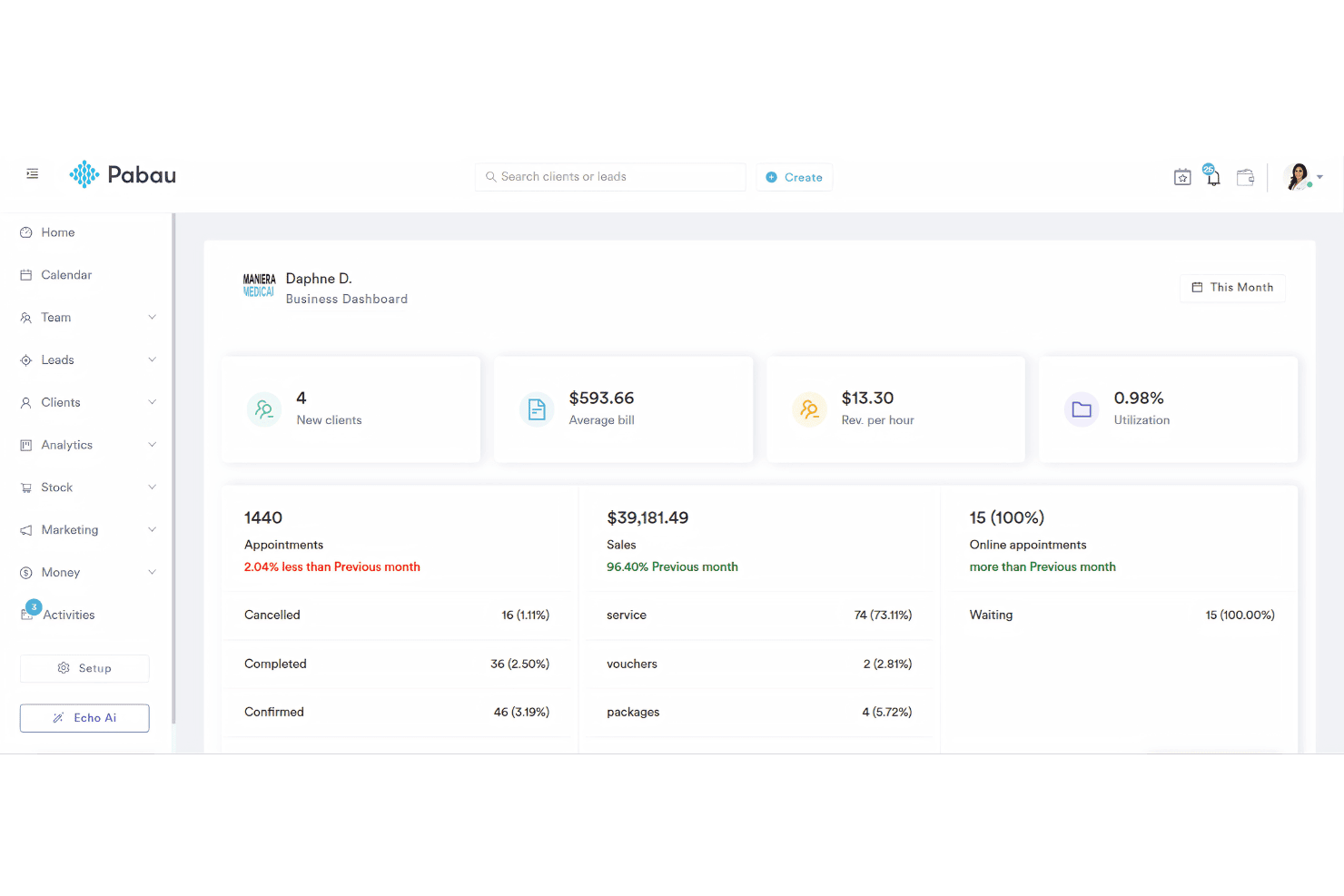
When judging clinic management software, I think Pabau stands out for its customizable scheduling, strong reporting, and easy patient communications. Its interface is more intuitive than most, and onboarding feels direct. Compared to peers, Pabau’s all-in-one approach and responsive support give it an edge, though integrations and pricing flexibility could be stronger.
I’d suggest it’s best for clinics focused on streamlining admin work who want everything—from digital forms to marketing tools, in a single system.
Pros
- Appointment reminders reduce no-shows for busy clinics.
- Digital consent forms simplify compliance and audits.
- Built-in marketing tools help attract and retain patients.
Cons
- Support wait times can be unpredictable during peak hours.
- Limited options for custom reporting configurations.
- Mobile app lacks key scheduling and chart features.
Is Pabau Right For Your Needs?
Who Would be a Good Fit for Pabau?
Pabau works best for clinics and practices that want one place for patient records, scheduling, charting, and marketing. I think it gives the most value to teams dealing with regular client flow, diverse services, or compliance demands. Whether supporting a single provider or managing multiple practitioners, Pabau’s all-in-one tools keep clinical, administrative, and outreach operations connected.
- Med SpasFrequent, appointment-based services and before/after photo tools align well with Pabau’s visual charting and digital consent workflows.
- Multi-Provider ClinicsCoordination of multiple practitioners, rosters, and clinical histories is simple with Pabau’s user permissions and centralized records.
- Allied Health PracticesPhysios, chiros, and therapists can automate consent, online bookings, and reminders without sacrificing detailed clinical notes.
- Cosmetic Surgery CentersPhoto diaries, consent, and post-treatment recall automate compliance and patient engagement for surgical workflows.
- Business Operations ManagersReporting dashboards, payment integration, and staff management dashboards let managers track KPIs and patient trends in one place.
- Marketing TeamsNative tools for reviews, loyalty programs, and targeted campaigns keep patients engaged and return rates up.
Who Would be a Bad Fit for Pabau?
Pabau isn’t ideal for every healthcare setting, especially if you need specialty features or have requirements outside of the outpatient/private clinic world. Highly specialized, large-budget, or niche organizations may want more advanced customization, deep specialty EMR/EHR features, or broad interoperability. If your workflows live elsewhere or most care is inpatient, you’ll likely find Pabau too limited.
- Large HospitalsPabau doesn’t offer complex inpatient management, bed tracking, or integration with lab and radiology systems typical in hospitals.
- Dental PracticesTooth charting and specialty dental workflows are missing, so dental teams will find essential tools lacking.
- Community Health CentersPublic health reporting, multi-payer billing, and integration with government health systems are outside Pabau’s core focus.
- Labs and Imaging CentersPabau lacks automation, barcode tracking, and PACS or LIS connectivity for diagnostic service workflows.
- Single-Session ProvidersIf your business relies on walk-ins or once-off visits with minimal patient tracking, Pabau’s feature set will feel unnecessary.
- Psychiatric PracticesSpecialized mental health documentation, outcome scoring, and telehealth tools needed for psychiatric clinics are not Pabau’s strength.
Comment nous testons et notons les outils
Nous avons passé des années à construire, affiner et améliorer notre système de test et de notation des logiciels. Cette grille est conçue pour saisir les nuances du choix des logiciels et ce qui rend un outil efficace, en se concentrant sur les aspects cruciaux du processus décisionnel. Ci-dessous, vous pouvez voir exactement comment nos tests et notations fonctionnent sur sept critères. Cela nous permet de proposer une évaluation impartiale des logiciels basée sur leurs fonctionnalités principales, fonctionnalités remarquables, facilité d’utilisation, intégration, support client, avis clients et rapport qualité/prix.
Fonctionnalité principale (25 % de la note finale)
Le point de départ de notre évaluation est toujours la fonctionnalité principale de l’outil. Dispose-t-il des fonctions de base que l’on est en droit d’attendre ? Certaines de ces fonctionnalités principales sont-elles limitées aux forfaits les plus chers ? Nous attendons d’un outil qu’il se mesure aux capacités essentielles de ses concurrents.
Fonctionnalités remarquables (25 % de la note finale)
Ensuite, nous évaluons les fonctionnalités remarquables, peu communes, qui vont au-delà des fonctions de base généralement présentes dans ce type d’outils. Une note élevée reflète des fonctionnalités uniques ou spécialisées qui rendent le produit plus rapide, plus efficace ou qui apportent une valeur ajoutée à l’utilisateur. Nous évaluons également la facilité d’intégration avec les autres outils présents dans l’écosystème numérique afin d’étendre la fonctionnalité et l’utilité du logiciel. Les outils offrant de nombreuses intégrations natives, des connexions tierces, et un accès API pour créer des intégrations personnalisées reçoivent de meilleures notes.
Facilité d’utilisation (10 % de la note finale)
Nous considérons la rapidité et la simplicité d’exécution des tâches définies dans la fonctionnalité principale à l’aide de l’outil. Un logiciel bien noté est bien conçu, intuitif, propose des applications mobiles, fournit des modèles et simplifie les tâches relativement complexes.
Onboarding (10 % de la note finale)
Nous savons à quel point il est important qu’une équipe adopte rapidement une nouvelle plateforme, nous évaluons donc la facilité d’apprentissage et d’utilisation d’un outil avec une formation minimale. Nous évaluons la rapidité avec laquelle un membre de l’équipe peut installer et commencer à utiliser l’outil sans expérience préalable. Les solutions les mieux notées requièrent peu ou pas de support.
Support client (10 % de la note finale)
Nous examinons la rapidité et la facilité pour se débloquer et obtenir de l’aide par téléphone, chat en direct ou base de connaissances. Les outils et entreprises proposant une assistance en temps réel obtiennent les meilleures notes, alors que les chatbots sont les moins bien notés.
Avis clients (10 % de la note finale)
Au-delà de nos propres tests et évaluations, nous considérons le score de recommandation net des clients actuels et passés. Nous évaluons leur probabilité, s’ils en avaient le choix, de sélectionner à nouveau l’outil pour ses fonctionnalités principales. Un logiciel bien noté reflète un haut score de recommandation net parmi la clientèle.
Rapport qualité/prix (10 % de la note finale)
Enfin, en tenant compte de tous les autres critères, nous examinons le prix moyen des offres de base au regard des fonctionnalités principales et des autres critères d’évaluation. Un logiciel qui en offre plus, pour moins, obtiendra une note supérieure.
Core Features
Online Appointment Scheduling
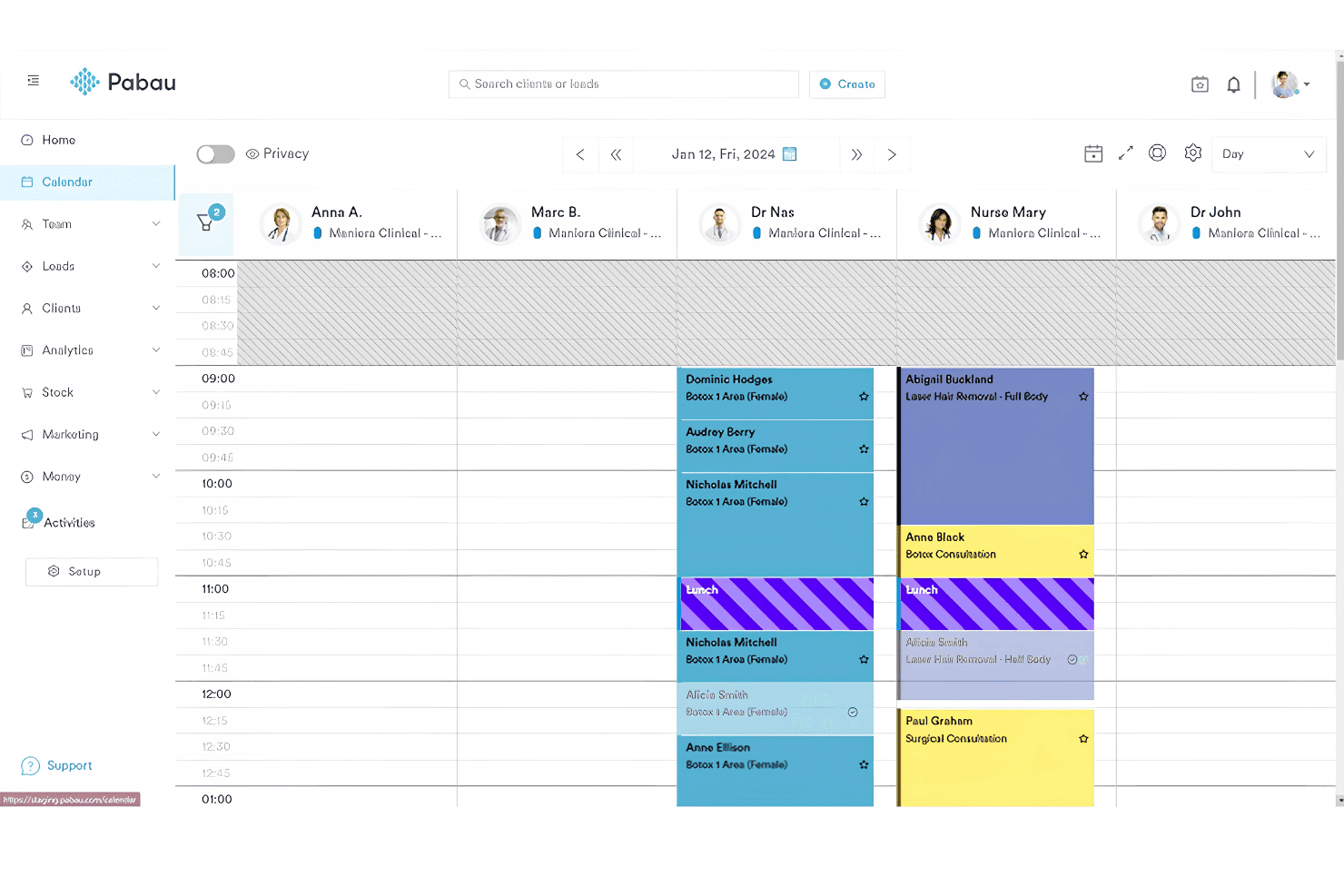
Patients can book, reschedule, or cancel appointments online anytime. This saves front desk time and reduces phone queues.
Automated Reminders and Recalls
Pabau sends SMS or email reminders to help patients remember appointments. This reduces no-shows and keeps schedules predictable.
Digital Consent Forms
Create, send, and securely store digital consent forms for every treatment. Forms are customizable and auto-attach to patient records for audits.
Patient Record Management
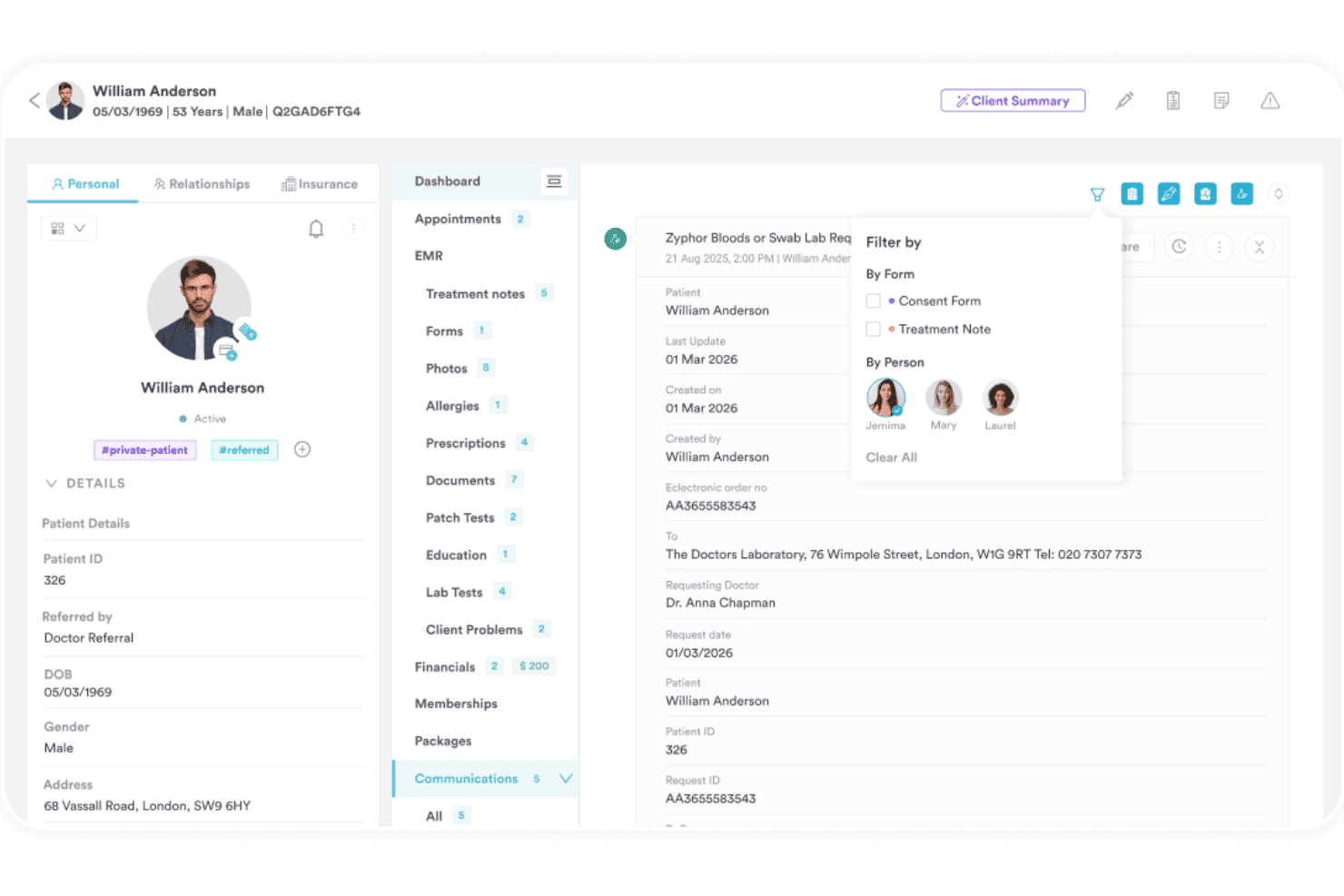
Access detailed, unified electronic patient records from any device. All notes, history, and images are stored in one place for quick review.
Clinical Charting Tools
Drag-and-drop charting and template tools make documentation faster. Clinicians can add diagrams, annotations, and notes with just a few clicks.
Reporting and Analytics Dashboard
Track revenue, staff performance, and appointment trends in a visual dashboard. Customizable reports help clinics measure what matters most.
Ease of Use
Pabau feels intuitive even for staff new to clinic software, with quick access to core tools from a clean dashboard. Users like the drag-and-drop charting, clear appointment booking workflows, and how patient documents are easy to find.
Some want more in-app guidance, but overall, the navigation and daily workflows require little training.
Integrations
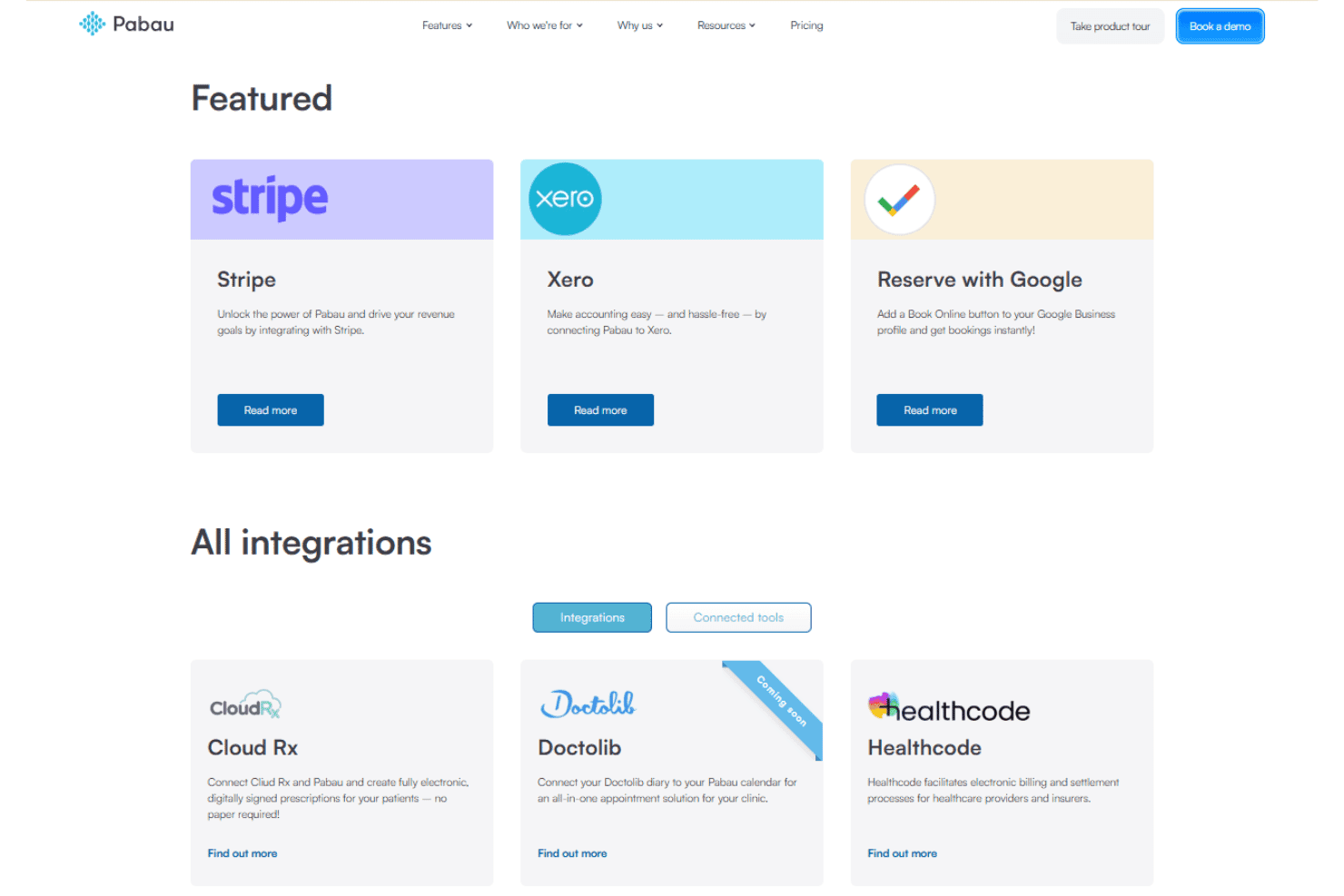
Pabau integrates with Stripe, Xero, Reserve with Google, Cloud Rx, Doctolib, Healthcode, iCal, PatientPerfect, The Doctor’s Lab, and Google Calendar, among others.
Pabau also offers an API and supports connections with select third-party tools.
Pabau Specs
- 2-Factor Authentication: Yes
- API: Yes
- Appointment Scheduling: Yes
- Batch Permissions & Access: Yes
- Billing/Invoicing: Yes
- Budgeting: No
- Customer Management: Yes
- Data Export: Yes
- Data Import: Yes
- Data Visualization: Yes
- Electronic Prescribing: Yes
- Expense Tracking: Yes
- External Integrations: Yes
- File Transfer: Yes
- HIPAA Compliance: Yes
- Multi-User: Yes
- Notifications: Yes
- Patient Management: Yes
- Report & Compliance: Yes
- Self-service Portal: Yes
- Task Scheduling/Tracking: Yes

