

Avis sur MedTrainer : Avantages, Inconvénients, Fonctionnalités et Tarification
MedTrainer se distingue par sa solution de conformité complète, en faisant un choix de premier ordre pour les prestataires de soins de santé recherchant des outils fiables de conformité et de formation.

Nous évaluons les outils de manière indépendante, et les commissions aident à financer nos tests. Consultez notre politique de transparence, notre méthodologie, ou suggérez un outil.
MedTrainer is a healthcare compliance software built for healthcare organizations that need to manage staff training, credentialing, and policy management in one place. I'd consider it if your team is juggling those responsibilities across disconnected tools and needs a more unified system—especially if you've looked at HealthStream and it feels like more platform than your organization needs.
MedTrainer Evaluation Summary
4.4/5
- Pricing upon request
- Free demo available
Pourquoi faire confiance à nos recommandations de logiciels
6,700+
Reviews
20
Industry experts
16+
Evaluation factors
14
Years
Notre équipe teste et évalue des logiciels depuis 2012. En tant que dirigeants de cabinets médicaux nous-mêmes, nous savons à quel point il est difficile — et important — de choisir le bon logiciel.
Pour ce guide, nous avons évalué les outils grâce à des tests pratiques et une recherche indépendante, en notant les outils selon nos critères de sélection.
Nos avis reflètent notre jugement éditorial humain, et non un argumentaire de vente.
MedTrainer Overview
In my opinion, MedTrainer stands out as a reliable choice for health care compliance needs. It offers an extensive set of features that simplify training, compliance and contract management, and credentialing. The platform shines with its user-friendly interface, making it an ideal choice for small and medium-sized health care facilities. While it excels in ease of use and customer support, it may not provide the extensive integrations some larger organizations might need. For teams that need a straightforward, effective compliance training solution, MedTrainer is worth considering. It’s particularly suited for environments that prioritize ease of onboarding and in-depth support.
Pros
- You can quickly track compliance and training requirements.
- It’s user-friendly and easy to navigate.
- Customer support is responsive and helpful.
Cons
- Some users find the reporting features limited.
- Occasional glitches might disrupt your workflow.
- Initial setup can be time-consuming.
Is MedTrainer Right For Your Needs?
Who Would be a Good Fit for MedTrainer?
MedTrainer is ideal for health care organizations, particularly compliance officers, HR personnel, and administrators. It excels at simplifying compliance tasks, making it a great choice for those in charge of regulatory adherence or accreditation. Features such as credentialing and policy management are tailored to improve operational efficiency and keep organizations audit-ready. Its AI tools and automated processes save time and boost compliance, which is why it's highly rated in user reviews.
- HospitalsMedTrainer's extensive compliance management and credentialing features support the complex regulatory needs of hospital environments.
- Urgent Care CentersIts real-time reporting and incident management tools ensure that urgent care centers stay compliant with minimal manual effort.
- Ambulatory Surgery CentersMedTrainer's policy management and automated onboarding smooth operations for surgery centers and reduce administrative burdens.
- Compliance OfficersThe AI Compliance Coach and Policy Guardian features help compliance officers stay ahead of regulatory changes.
- HR DepartmentsAutomated onboarding and all-in-one credentialing processes simplify HR tasks, ensuring a smooth flow of operations.
- Health Care AdministratorsMedTrainer's centralized platform and customizable dashboards give administrators the oversight needed to maintain compliance across teams.
Who Would be a Bad Fit for MedTrainer?
MedTrainer may not be ideal for small clinics or solo practices with limited budgets, as its extensive feature set might be excessive for their simpler compliance and training needs. You might find it limited if you work outside of the health care and wellness industry, as MedTrainer is specifically designed for health care compliance. If your team requires highly specialized functionalities and integrations, you might find the platform restrictive.
- Small ClinicsMedTrainer’s in-depth features could overwhelm a smaller medical practice that needs only basic compliance tools.
- Non-Health Care IndustriesMedTrainer is tailored for health care, making it unsuitable for industries with different compliance requirements.
- Budget-Conscious TeamsIf your budget is tight, MedTrainer’s extensive offerings could be more than you need, leading to unnecessary expenses
- Highly Specialized FunctionsHealth care professionals who need niche functionalities not covered by MedTrainer’s core features will find it restrictive.
- Solo PractitionersSolo health care providers may find MedTrainer’s extensive features excessive.
- Low-Tech EnvironmentsTeams without the necessary tech infrastructure might struggle to fully utilize MedTrainer’s capabilities.
Comment nous testons et notons les outils
Nous avons passé des années à construire, affiner et améliorer notre système de test et de notation des logiciels. Cette grille est conçue pour saisir les nuances du choix des logiciels et ce qui rend un outil efficace, en se concentrant sur les aspects cruciaux du processus décisionnel. Ci-dessous, vous pouvez voir exactement comment nos tests et notations fonctionnent sur sept critères. Cela nous permet de proposer une évaluation impartiale des logiciels basée sur leurs fonctionnalités principales, fonctionnalités remarquables, facilité d’utilisation, intégration, support client, avis clients et rapport qualité/prix.
Fonctionnalité principale (25 % de la note finale)
Le point de départ de notre évaluation est toujours la fonctionnalité principale de l’outil. Dispose-t-il des fonctions de base que l’on est en droit d’attendre ? Certaines de ces fonctionnalités principales sont-elles limitées aux forfaits les plus chers ? Nous attendons d’un outil qu’il se mesure aux capacités essentielles de ses concurrents.
Fonctionnalités remarquables (25 % de la note finale)
Ensuite, nous évaluons les fonctionnalités remarquables, peu communes, qui vont au-delà des fonctions de base généralement présentes dans ce type d’outils. Une note élevée reflète des fonctionnalités uniques ou spécialisées qui rendent le produit plus rapide, plus efficace ou qui apportent une valeur ajoutée à l’utilisateur. Nous évaluons également la facilité d’intégration avec les autres outils présents dans l’écosystème numérique afin d’étendre la fonctionnalité et l’utilité du logiciel. Les outils offrant de nombreuses intégrations natives, des connexions tierces, et un accès API pour créer des intégrations personnalisées reçoivent de meilleures notes.
Facilité d’utilisation (10 % de la note finale)
Nous considérons la rapidité et la simplicité d’exécution des tâches définies dans la fonctionnalité principale à l’aide de l’outil. Un logiciel bien noté est bien conçu, intuitif, propose des applications mobiles, fournit des modèles et simplifie les tâches relativement complexes.
Onboarding (10 % de la note finale)
Nous savons à quel point il est important qu’une équipe adopte rapidement une nouvelle plateforme, nous évaluons donc la facilité d’apprentissage et d’utilisation d’un outil avec une formation minimale. Nous évaluons la rapidité avec laquelle un membre de l’équipe peut installer et commencer à utiliser l’outil sans expérience préalable. Les solutions les mieux notées requièrent peu ou pas de support.
Support client (10 % de la note finale)
Nous examinons la rapidité et la facilité pour se débloquer et obtenir de l’aide par téléphone, chat en direct ou base de connaissances. Les outils et entreprises proposant une assistance en temps réel obtiennent les meilleures notes, alors que les chatbots sont les moins bien notés.
Avis clients (10 % de la note finale)
Au-delà de nos propres tests et évaluations, nous considérons le score de recommandation net des clients actuels et passés. Nous évaluons leur probabilité, s’ils en avaient le choix, de sélectionner à nouveau l’outil pour ses fonctionnalités principales. Un logiciel bien noté reflète un haut score de recommandation net parmi la clientèle.
Rapport qualité/prix (10 % de la note finale)
Enfin, en tenant compte de tous les autres critères, nous examinons le prix moyen des offres de base au regard des fonctionnalités principales et des autres critères d’évaluation. Un logiciel qui en offre plus, pour moins, obtiendra une note supérieure.
Core Features
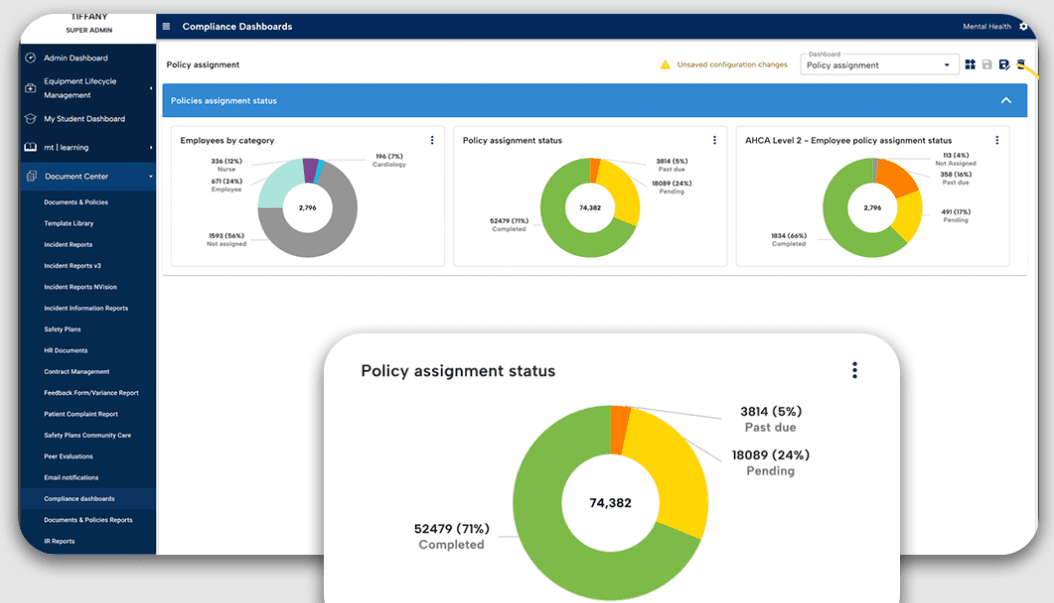
Compliance Management: You can keep your health care facility compliant with ever-changing regulations. The platform automatically updates policies and ensures your practices align with legal standards, reducing the risk of costly violations.
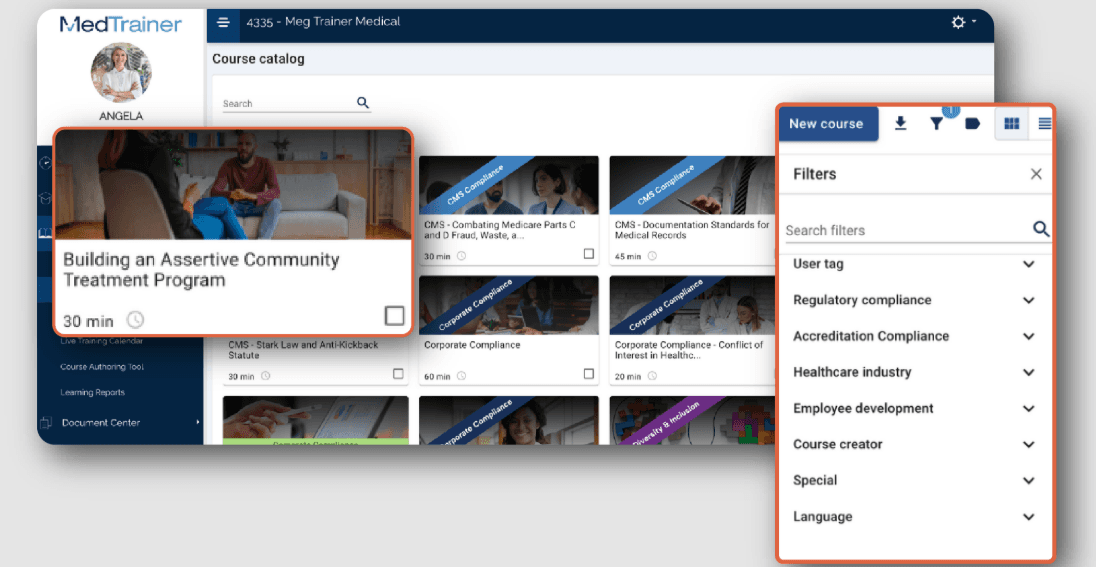
Learning Management System (LMS): Train your team with ease using built-in training modules on compliance and safety. The LMS tracks progress and completions, making it simple for you to manage certifications, continuing education, and training requirements.
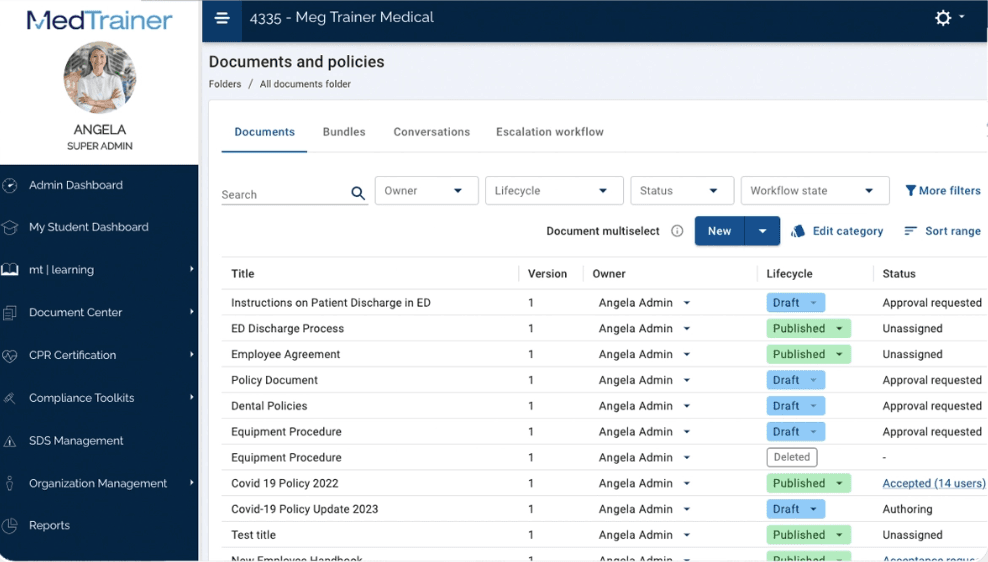
Document Management: Store, access, and organize vital documents in one secure location. This helps you maintain an organized system for your compliance documents and reduces the time spent searching for necessary files.
Incident Reporting: Report and track incidents with its easy-to-use interface. This functionality allows you to quickly address and document any issues and improve workplace safety and Occupational Safety and Health Administration (OSHA) compliance.
Credentialing Management: Simplify the process of managing staff credentials and licenses. Keep track of expiration dates and receive alerts to renew credentials on time, ensuring your team remains qualified.
Policy Management: Readily create, update, and distribute policies to your staff. This ensures everyone is aware of the latest procedures and practices necessary for maintaining compliance.
Ease of Use
MedTrainer's user-friendliness shines through its intuitive design, making navigation straightforward for your team. However, the array of features might initially feel overwhelming. The platform's structured layout allows you to find compliance tools quickly, though some users mention a learning curve. Compared to other health care compliance software, MedTrainer stands out for its accessible interface, but improving search functionality could further boost usability.
Integrations
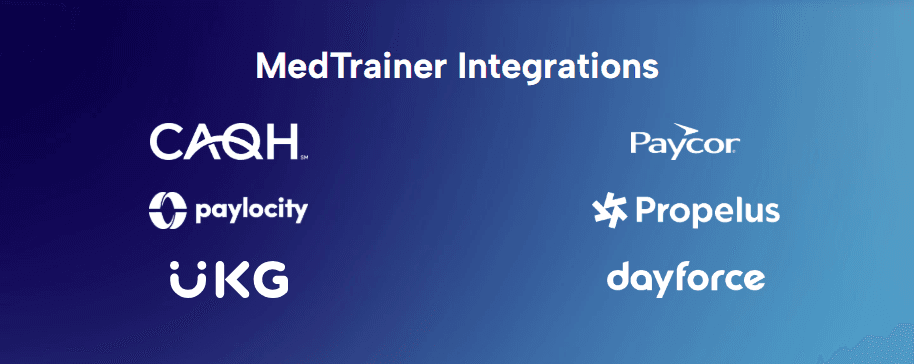
MedTrainer integrates with ADP, Dayforce, Paycor, Paylocity, UKG, Workday, Seamless PSV, CAQH, NPDB, and Propelus Data Solutions.
MedTrainer also offers an API and connects with third-party integration tools.
MedTrainer Specs
- 2-Factor Authentication: Yes
- Access Management: No
- API: Yes
- Approval Workflows: No
- Audit Management: Yes
- Balance Sheet: No
- Billing/Invoicing: No
- Budgeting: No
- Calendar Management: No
- Compliance Tracking: No
- CRM Integration: Yes
- Dashboard: Yes
- Data Export: Yes
- Data Import: Yes
- Data Visualization: Yes
- Document Management: No
- Employee Training: No
- Expense Tracking: No
- External Integrations: Yes
- Forecasting: Yes
- History/Version Control: No
- Incident Management: Yes
- Multi-Currency: No
- Multi-User: Yes
- Notifications: Yes
- P&L: No
- Policy Management: Yes
- Real-time Alerts: No
- Regulatory Alerts: No
- Risk Assessment: Yes
- Scheduling: Yes
- Tax Management: No
- Workflow Management: No


