
Reseña de Pabau: Ventajas, Desventajas, Características y Precios
Pabau integra la gestión de clínicas en una sola plataforma: desde programación y facturación hasta la comunicación con pacientes, automatización de marketing y la gestión diaria del flujo de trabajo de la clínica.

Revisamos herramientas de manera independiente, y las comisiones ayudan a financiar nuestras pruebas. Consulta nuestra política de transparencia, nuestra metodología o sugiere una herramienta.
Pabau is a clinic management software built for aesthetic clinics, med spas, and similar practices that need to manage appointments, patient records, consent forms, and invoicing in one system. I'd consider it over something like Cliniko if your clinic relies heavily on treatment notes, before/after photo documentation, and client marketing tools—features Pabau handles natively rather than through third-party add-ons.
Pabau Evaluation Summary
4.7/5
- From $65/user/month (billed annually)
- Free demo available
Por qué confiar en nuestras recomendaciones de software
6,700+
Reviews
20
Industry experts
16+
Evaluation factors
14
Years
Nuestro equipo lleva probando y evaluando software desde 2012. Como líderes de centros médicos, sabemos lo difícil —y lo importante— que es elegir el software adecuado.
Para esta guía, evaluamos las herramientas mediante pruebas prácticas e investigación independiente, puntuando las herramientas según nuestros criterios de selección.
Nuestras reseñas reflejan nuestro criterio editorial humano, no un discurso de ventas.
Pabau Overview
When judging clinic management software, I think Pabau stands out for its customizable scheduling, strong reporting, and easy patient communications. Its interface is more intuitive than most, and onboarding feels direct. Compared to peers, Pabau’s all-in-one approach and responsive support give it an edge, though integrations and pricing flexibility could be stronger.
I’d suggest it’s best for clinics focused on streamlining admin work who want everything—from digital forms to marketing tools, in a single system.
Pros
- Appointment reminders reduce no-shows for busy clinics.
- Digital consent forms simplify compliance and audits.
- Built-in marketing tools help attract and retain patients.
Cons
- Support wait times can be unpredictable during peak hours.
- Limited options for custom reporting configurations.
- Mobile app lacks key scheduling and chart features.
Is Pabau Right For Your Needs?
Who Would be a Good Fit for Pabau?
Pabau works best for clinics and practices that want one place for patient records, scheduling, charting, and marketing. I think it gives the most value to teams dealing with regular client flow, diverse services, or compliance demands. Whether supporting a single provider or managing multiple practitioners, Pabau’s all-in-one tools keep clinical, administrative, and outreach operations connected.
- Med SpasFrequent, appointment-based services and before/after photo tools align well with Pabau’s visual charting and digital consent workflows.
- Multi-Provider ClinicsCoordination of multiple practitioners, rosters, and clinical histories is simple with Pabau’s user permissions and centralized records.
- Allied Health PracticesPhysios, chiros, and therapists can automate consent, online bookings, and reminders without sacrificing detailed clinical notes.
- Cosmetic Surgery CentersPhoto diaries, consent, and post-treatment recall automate compliance and patient engagement for surgical workflows.
- Business Operations ManagersReporting dashboards, payment integration, and staff management dashboards let managers track KPIs and patient trends in one place.
- Marketing TeamsNative tools for reviews, loyalty programs, and targeted campaigns keep patients engaged and return rates up.
Who Would be a Bad Fit for Pabau?
Pabau isn’t ideal for every healthcare setting, especially if you need specialty features or have requirements outside of the outpatient/private clinic world. Highly specialized, large-budget, or niche organizations may want more advanced customization, deep specialty EMR/EHR features, or broad interoperability. If your workflows live elsewhere or most care is inpatient, you’ll likely find Pabau too limited.
- Large HospitalsPabau doesn’t offer complex inpatient management, bed tracking, or integration with lab and radiology systems typical in hospitals.
- Dental PracticesTooth charting and specialty dental workflows are missing, so dental teams will find essential tools lacking.
- Community Health CentersPublic health reporting, multi-payer billing, and integration with government health systems are outside Pabau’s core focus.
- Labs and Imaging CentersPabau lacks automation, barcode tracking, and PACS or LIS connectivity for diagnostic service workflows.
- Single-Session ProvidersIf your business relies on walk-ins or once-off visits with minimal patient tracking, Pabau’s feature set will feel unnecessary.
- Psychiatric PracticesSpecialized mental health documentation, outcome scoring, and telehealth tools needed for psychiatric clinics are not Pabau’s strength.
Cómo Probamos y Puntamos las Herramientas
Hemos pasado años construyendo, refinando y mejorando nuestro sistema de pruebas y puntuación de software. La rúbrica está diseñada para captar los matices de la selección de software y lo que hace que una herramienta sea eficaz, centrándose en los aspectos críticos del proceso de toma de decisiones. A continuación, puedes ver exactamente cómo funcionan nuestras pruebas y puntuaciones en siete criterios. Nos permite proporcionar una evaluación imparcial del software en función de funcionalidad principal, características destacadas, facilidad de uso, incorporación, soporte al cliente, integraciones, opiniones de clientes y relación calidad-precio.
Funcionalidad Principal (25% de la puntuación final)
El punto de partida de nuestra evaluación es siempre la funcionalidad principal de la herramienta. ¿Tiene las funciones y características básicas que un usuario esperaría? ¿Alguna de esas funciones principales está restringida a planes de precios superiores? En esencia, esperamos que una herramienta cumpla con las capacidades básicas frente a sus competidores.
Características Destacadas (25% de la puntuación final)
Luego, evaluamos características destacadas poco comunes que van más allá de la funcionalidad principal que normalmente se encuentra en herramientas similares. Una puntuación alta refleja funciones especializadas o únicas que hacen que el producto sea más rápido, eficiente o aporte valor adicional al usuario. También evaluamos lo fácil que es integrar la herramienta con otros sistemas normalmente utilizados en el entorno tecnológico para ampliar la funcionalidad y utilidad del software. Las herramientas que ofrecen abundantes integraciones nativas, conexiones de terceros y acceso a API para crear integraciones personalizadas obtienen mejores puntuaciones.
Facilidad de Uso (10% de la puntuación final)
Consideramos qué tan rápido y fácil es ejecutar las tareas definidas en la funcionalidad principal usando la herramienta. El software que tiene una alta puntuación está bien diseñado, es intuitivo de usar, ofrece aplicaciones móviles, plantillas y hace que las tareas relativamente complejas parezcan sencillas.
Incorporación (10% de la puntuación final)
Sabemos lo importante que es la rápida adopción del equipo para una nueva plataforma, así que evaluamos lo fácil que es aprender y usar una herramienta con mínimo entrenamiento. Analizamos cuán rápido un miembro del equipo puede configurarse y empezar a usar la herramienta sin experiencia previa. Las soluciones con mayor puntuación indican que se requiere poco o ningún soporte.
Soporte al Cliente (10% de la puntuación final)
Revisamos la rapidez y facilidad para encontrar ayuda por teléfono, chat en vivo o base de conocimientos. Las herramientas y empresas que ofrecen soporte en tiempo real obtienen mejor puntuación, mientras que los chatbots obtienen la peor.
Opiniones de Clientes (10% de la puntuación final)
Más allá de nuestras propias pruebas y evaluaciones, consideramos el puntaje neto del promotor de clientes actuales y anteriores. Revisamos la probabilidad de que, dado el caso, elegirían nuevamente la herramienta por su funcionalidad principal. Un software con alta puntuación refleja un alto puntaje neto de promotores de clientes actuales o pasados.
Relación Calidad-Precio (10% de la puntuación final)
Por último, considerando todos los demás criterios, revisamos el precio promedio de los planes de entrada frente a las funciones principales y consideramos el valor de los demás criterios de evaluación. El software que ofrece más por menos, obtiene una mayor puntuación.
Core Features
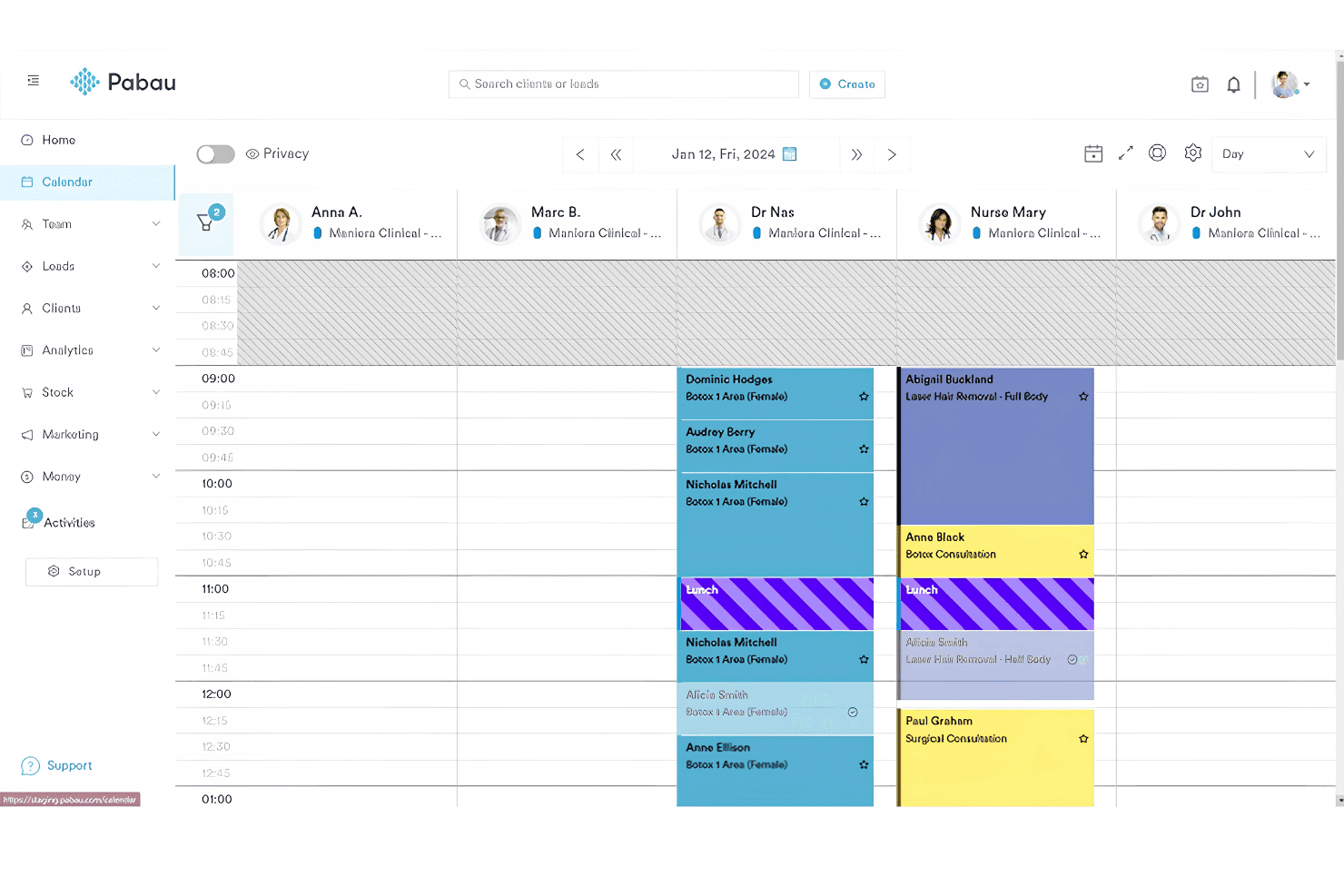
Online Appointment Scheduling
Patients can book, reschedule, or cancel appointments online anytime. This saves front desk time and reduces phone queues.
Automated Reminders and Recalls
Pabau sends SMS or email reminders to help patients remember appointments. This reduces no-shows and keeps schedules predictable.
Digital Consent Forms
Create, send, and securely store digital consent forms for every treatment. Forms are customizable and auto-attach to patient records for audits.
Patient Record Management
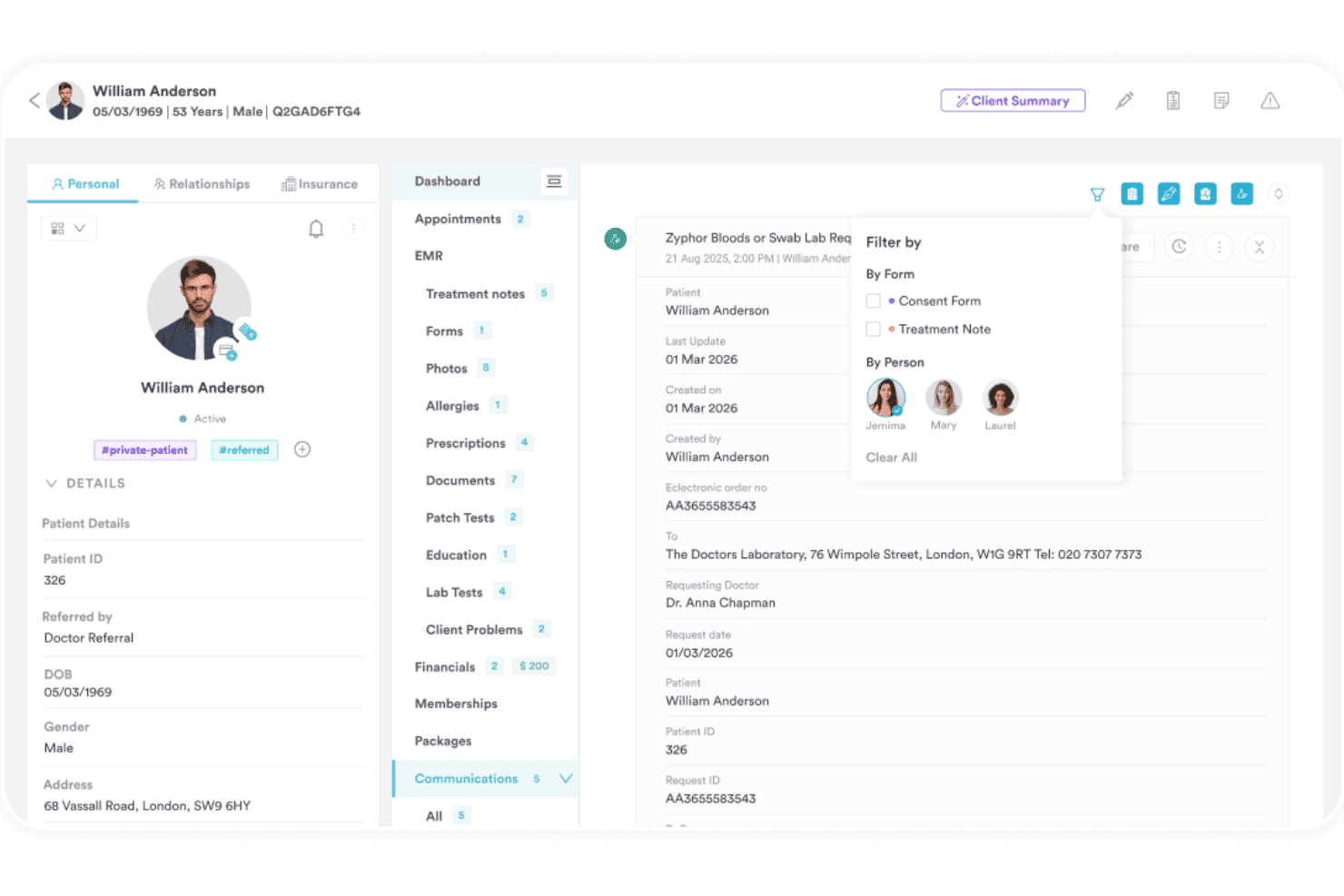
Access detailed, unified electronic patient records from any device. All notes, history, and images are stored in one place for quick review.
Clinical Charting Tools
Drag-and-drop charting and template tools make documentation faster. Clinicians can add diagrams, annotations, and notes with just a few clicks.
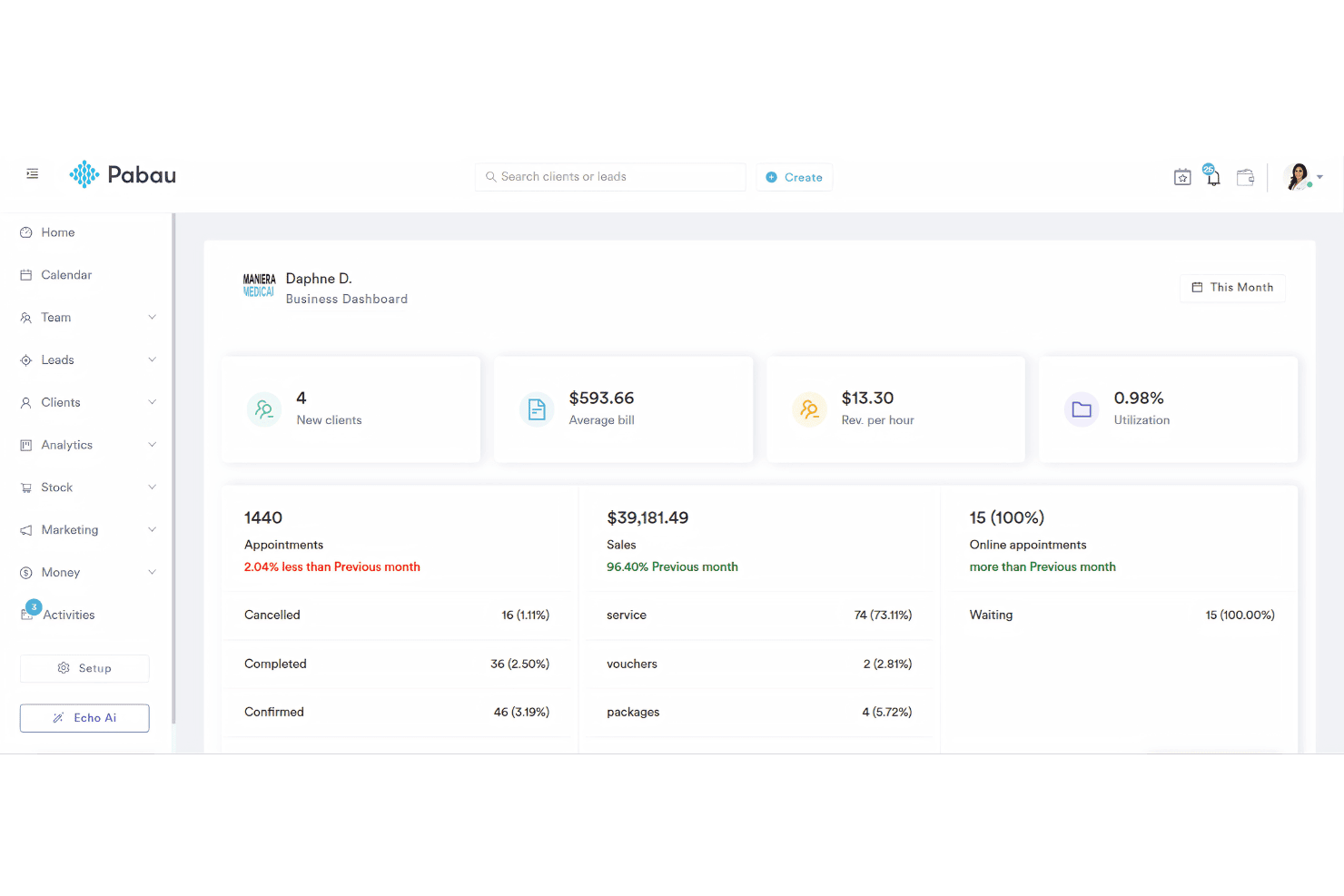
Reporting and Analytics Dashboard
Track revenue, staff performance, and appointment trends in a visual dashboard. Customizable reports help clinics measure what matters most.
Ease of Use
Pabau feels intuitive even for staff new to clinic software, with quick access to core tools from a clean dashboard. Users like the drag-and-drop charting, clear appointment booking workflows, and how patient documents are easy to find.
Some want more in-app guidance, but overall, the navigation and daily workflows require little training.
Integrations
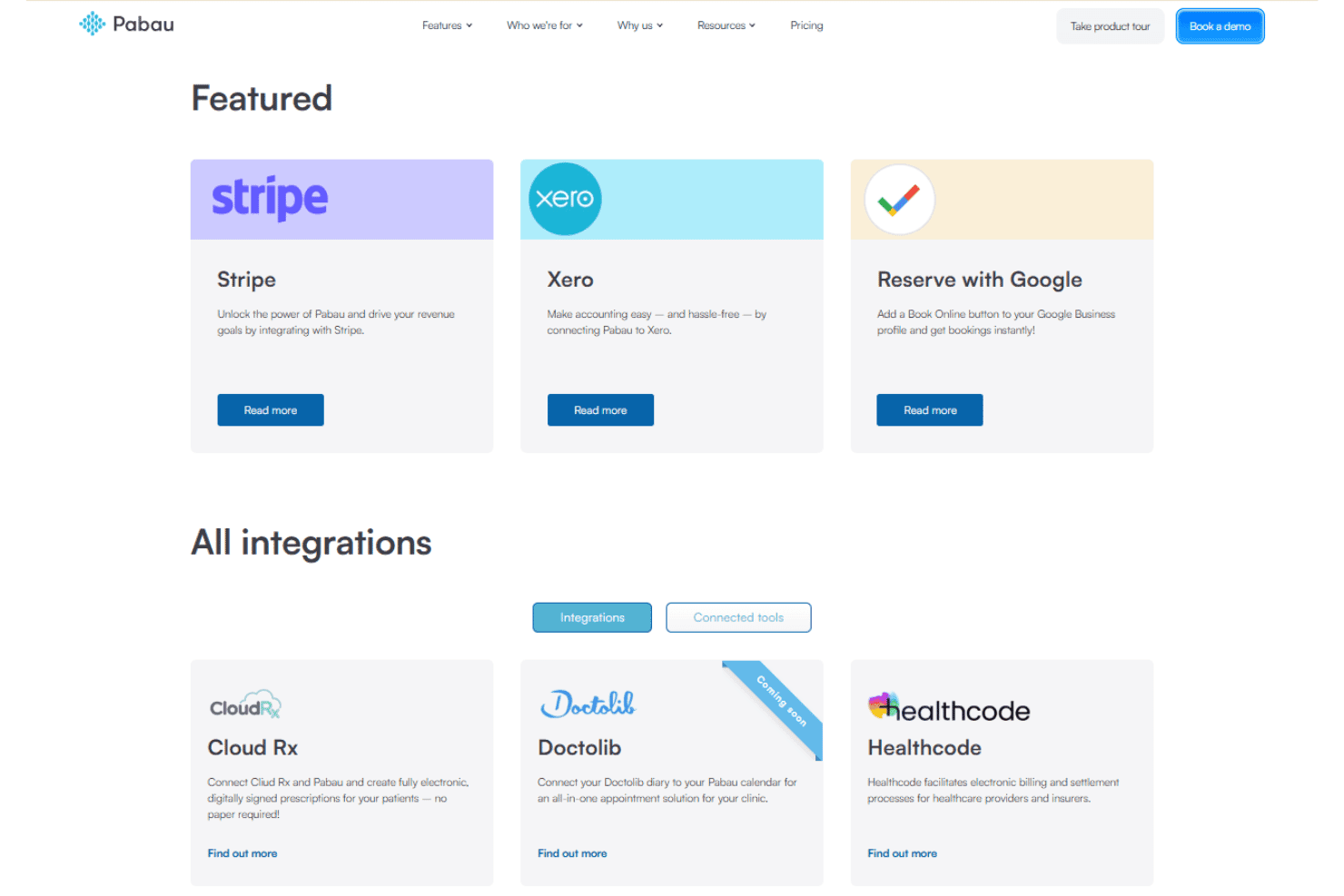
Pabau integrates with Stripe, Xero, Reserve with Google, Cloud Rx, Doctolib, Healthcode, iCal, PatientPerfect, The Doctor’s Lab, and Google Calendar, among others.
Pabau also offers an API and supports connections with select third-party tools.
Pabau Specs
- 2-Factor Authentication: Yes
- API: Yes
- Appointment Scheduling: Yes
- Batch Permissions & Access: Yes
- Billing/Invoicing: Yes
- Budgeting: No
- Customer Management: Yes
- Data Export: Yes
- Data Import: Yes
- Data Visualization: Yes
- Electronic Prescribing: Yes
- Expense Tracking: Yes
- External Integrations: Yes
- File Transfer: Yes
- HIPAA Compliance: Yes
- Multi-User: Yes
- Notifications: Yes
- Patient Management: Yes
- Report & Compliance: Yes
- Self-service Portal: Yes
- Task Scheduling/Tracking: Yes

