
Sevocity Bewertung: Vorteile, Nachteile, Funktionen und Preise
Sevocity EHR rationalisiert die Dokumentation mit anpassbaren Vorlagen und einer intuitiven Befunddokumentation. Das reduziert den Verwaltungsaufwand und verbessert die Patientenbindung für kleine bis mittelgroße Gesundheitspraxen.

Wir bewerten Tools unabhängig und Provisionen helfen, unsere Tests zu finanzieren. Siehe unsere Transparenz richtlinie, unsere Methodik oder schlagen Sie ein Tool vor.
Sevocity is a free EHR software built for independent and small-to-mid-sized practices that need ONC-certified clinical documentation without the overhead of a paid platform. I'd recommend it if you want deeper note template customization than Practice Fusion offers, but don't want to commit to the licensing costs of a full paid EHR.
Sevocity Evaluation Summary
4.5/5
- Pricing upon request
- Free demo available
Warum Sie unseren Software-Empfehlungen vertrauen können
6,700+
Reviews
20
Industry experts
16+
Evaluation factors
14
Years
Unser Team testet und bewertet Software seit 2012. Als Führungskräfte in der medizinischen Praxis wissen wir selbst, wie schwierig – und wichtig – es ist, die richtige Software auszuwählen.
Für diesen Leitfaden haben wir Tools mithilfe von praktischen Tests und unabhängiger Recherche bewertet und dabei unsere Bewertungskriterien angewendet.
Unsere Bewertungen spiegeln unser menschliches redaktionelles Urteilsvermögen wider, keine Verkaufsstrategie.
Sevocity Overview
When comparing EHR software, I find Sevocity stands out for its easy-to-learn interface, responsive support, and flexible customization options. Pricing is straightforward, which helps when judging total cost versus value. While its integration ecosystem is more limited than some, specialty-focused templates and efficient onboarding give it an edge for small to mid-sized practices.
If you’re choosing an EHR for a practice that values support and usability over flashy add-ons, you’ll find Sevocity a solid option.
Pros
- Live, US-based support with fast response times.
- Custom report builder for unique documentation and analytics needs.
- Specialty-specific templates for tailored charting workflows.
Cons
- Limited built-in telehealth and patient engagement tools.
- Fewer third-party integration options than competitors.
- Occasional delays with system updates rollout.
Is Sevocity Right For Your Needs?
Who Would be a Good Fit for Sevocity?
Sevocity is a great match for small to midsize practices, specialty clinics, and outpatient teams that prioritize ease of use and custom charting options. Teams needing quick onboarding and clear pricing will also find Sevocity especially practical and approachable.
Healthcare businesses that rely on responsive support, personalized implementation, and ongoing customization will value its live, US-based assistance and unlimited template adjustments.
- Independent PracticesSevocity’s flexible pricing and all-inclusive feature set suit independent providers managing most tasks in-house.
- Rural Health ClinicsRound-the-clock, live support and cloud access make Sevocity ideal for rural clinics that need consistent help and simple tech requirements.
- Behavioral HealthCustom templates and forms support mental health documentation, assessments, and highly-specific specialty workflows.
- PediatricsSevocity delivers pediatric-specific charting templates, vaccination schedules, and growth chart tracking in an easy-to-use interface.
- Specialty ClinicsOngoing free customization helps niche specialties keep clinical workflows aligned with evolving documentation requirements.
- Practice ManagersThe straightforward dashboard and custom report builder give managers strong control over data access and tracking for compliance.
Who Would be a Bad Fit for Sevocity?
Sevocity is not suited for large enterprise healthcare networks or organizations with advanced interoperability needs across many disparate systems. Enterprise-level health systems, research hospitals, and multi-site operators often need deeper integration capability, robust telehealth features, or complex billing automation that go beyond Sevocity’s focus. Those requiring extensive patient engagement tools or international support may also find limitations.
- Large Hospital NetworksSevocity lacks the advanced integration, analytics, and multi-site coordination tools that multi-hospital systems often require.
- Academic Medical CentersLimited research functionality and data management features make it a poor fit for academic or teaching hospitals.
- Telehealth-First PracticesPractices relying on embedded telemedicine features will find Sevocity’s telehealth options less mature and less integrated.
- Multi-State OrganizationsSevocity may not provide the necessary compliance and reporting features required by public health entities.
- High-Volume Urgent CareUrgent care centers processing large daily volumes may need faster charting workflows and advanced automation Sevocity doesn’t provide.
- International ClinicsSevocity is built for the US market, with limited support for international regulations, languages, or currency formats.
Wie wir Tools testen & bewerten
Wir haben jahrelang daran gearbeitet, unser System zur Softwarebewertung und -prüfung zu entwickeln, zu verfeinern und zu verbessern. Das Bewertungsschema wurde entwickelt, um die Feinheiten der Softwareauswahl und das, was ein Tool besonders effektiv macht, zu erfassen, wobei der Fokus auf den wichtigsten Aspekten des Entscheidungsprozesses liegt. Nachfolgend sehen Sie genau, wie unser Test- und Bewertungssystem anhand von sieben Kriterien funktioniert. So können wir eine objektive Bewertung der Software auf Basis von Kernfunktionen, besonderen Eigenschaften, Benutzerfreundlichkeit, Onboarding, Kundensupport, Integrationsmöglichkeiten, Kundenbewertungen und Preis-Leistungs-Verhältnis bieten.
Kernfunktionen (25% der Gesamtbewertung)
Der Ausgangspunkt unserer Bewertung ist immer die Kernfunktionalität des Tools. Verfügt es über die grundlegenden Funktionen und Eigenschaften, die ein Benutzer erwarten würde? Sind einige dieser Kernfunktionen nur höheren Preiskategorien vorbehalten? Im Kern erwarten wir, dass ein Tool den Basisfunktionen seiner Wettbewerber standhält.
Besondere Merkmale (25% der Gesamtbewertung)
Als nächstes bewerten wir außergewöhnliche, über die Kernfunktionalität hinausgehende Merkmale, wie sie typischerweise nicht in vergleichbaren Tools zu finden sind. Eine hohe Punktzahl spiegelt spezialisierte oder einzigartige Funktionen wider, die das Produkt schneller, effizienter oder für den Nutzer besonders nutzbringend machen. Wir bewerten außerdem, wie einfach sich das Tool mit anderen, üblicherweise im Technologiestack zu findenden Lösungen integrieren lässt, um Umfang und Nutzen der Software zu erhöhen. Tools, die zahlreiche native Integrationen, Anbindungen von Drittanbietern und API-Zugänge für individuelle Erweiterungen bieten, erzielen die beste Bewertung.
Benutzerfreundlichkeit (10% der Gesamtbewertung)
Wir prüfen, wie schnell und einfach es ist, die über die Kernfunktionen definierten Aufgaben mit dem Tool auszuführen. Hochbewertete Software ist gut durchdacht, intuitiv bedienbar, bietet mobile Apps, stellt Vorlagen bereit und vereinfacht komplexe Abläufe.
Onboarding (10% der Gesamtbewertung)
Wir wissen, wie wichtig eine schnelle Anpassung an eine neue Plattform für Teams ist. Daher bewerten wir, wie einfach sich ein Tool mit minimalem Schulungsaufwand erlernen und nutzen lässt. Wir beurteilen, wie schnell sich neue Nutzer ohne Vorkenntnisse einrichten und loslegen können. Lösungen mit wenig oder gar keinem notwendigen Support schneiden am besten ab.
Kundensupport (10% der Gesamtbewertung)
Wir überprüfen, wie schnell und unkompliziert Hilfe per Telefon, Live-Chat oder Wissensdatenbank verfügbar ist. Tools und Unternehmen, die Echtzeitsupport bieten, schneiden am besten ab, während Chatbots am schlechtesten bewertet werden.
Kundenbewertungen (10% der Gesamtbewertung)
Neben unseren eigenen Tests und Bewertungen berücksichtigen wir die Net Promoter Score von aktuellen und ehemaligen Nutzern. Wir prüfen deren Bereitschaft, sich erneut für die Software zu entscheiden, vor allem in Bezug auf die Kernfunktionen. Ein hoher Wert spiegelt eine hohe Zufriedenheit und Weiterempfehlungsrate der Nutzer wider.
Preis-Leistungs-Verhältnis (10% der Gesamtbewertung)
Zuletzt vergleichen wir unter Berücksichtigung aller anderen Bewertungskriterien den durchschnittlichen Einstiegspreis mit den Kernfunktionen und den weiteren Kriterien. Software, die mehr Leistung für weniger Geld bietet, schneidet besser ab.
Core Features
Specialty-Specific Templates
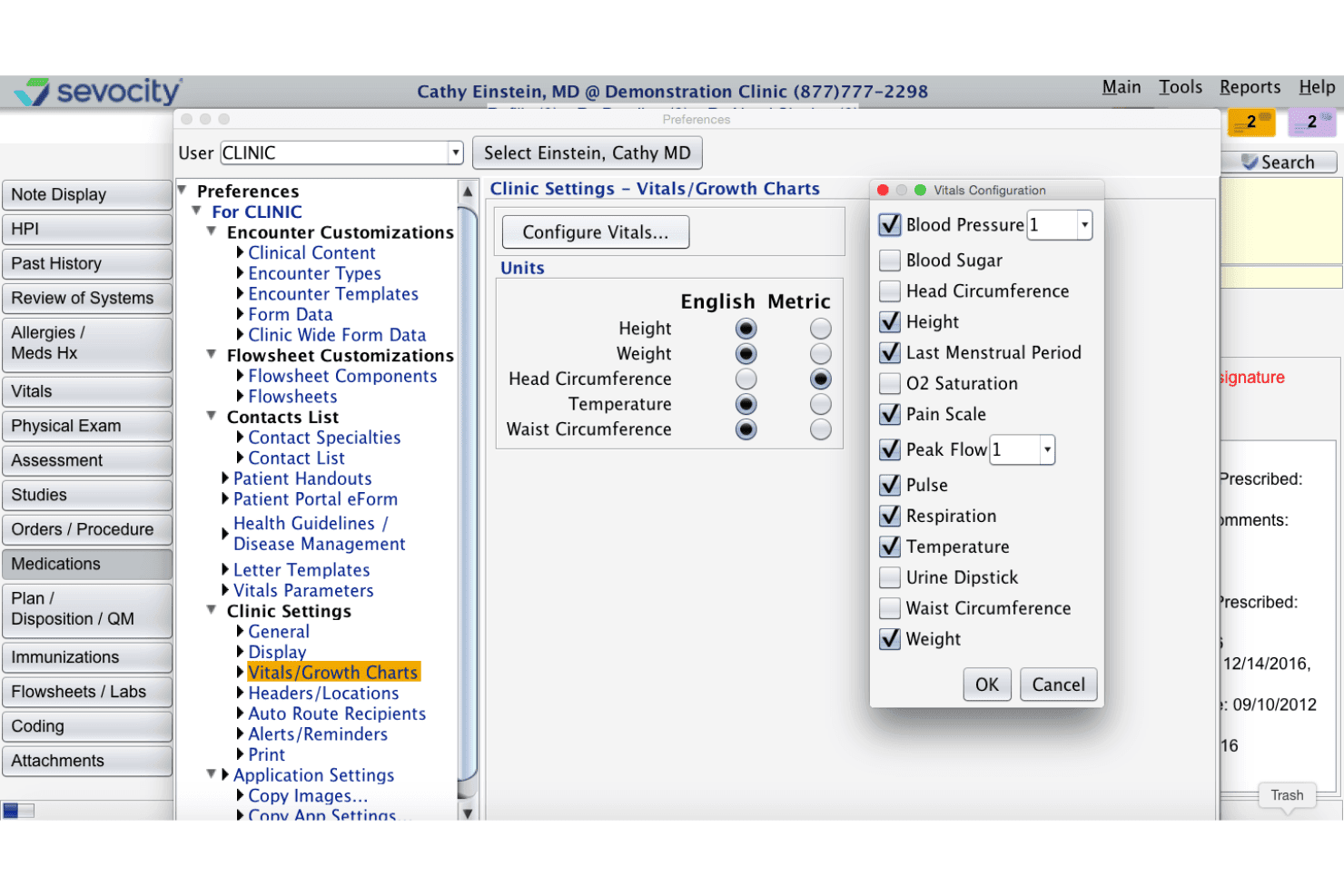
Sevocity offers templates tailored to different specialties for more relevant charting. You can quickly document visits using workflows designed for your practice type.
Real-Time Clinical Alerts
Set up automated alerts for allergies, drug interactions, or preventive care needs. This helps clinicians catch safety risks or fulfill care gaps during patient visits.
Custom Report Builder
Generate and customize clinical, financial, or compliance reports from your data. Users can filter and format information to meet their unique tracking and reporting requirements.
Patient Portal Access
Patients can access lab results, communicate securely, and request appointments online. This increases engagement while reducing administrative calls for your staff.
e-Prescribing With Medication History
Send prescriptions electronically and review a patient’s medication history in one place. This improves prescription accuracy and reduces risk of medication errors.
Configurable Document Management
Scan, upload, and organize all patient records digitally within the platform. Practices can create folders, tag files, and retrieve documents in seconds.
Ease of Use
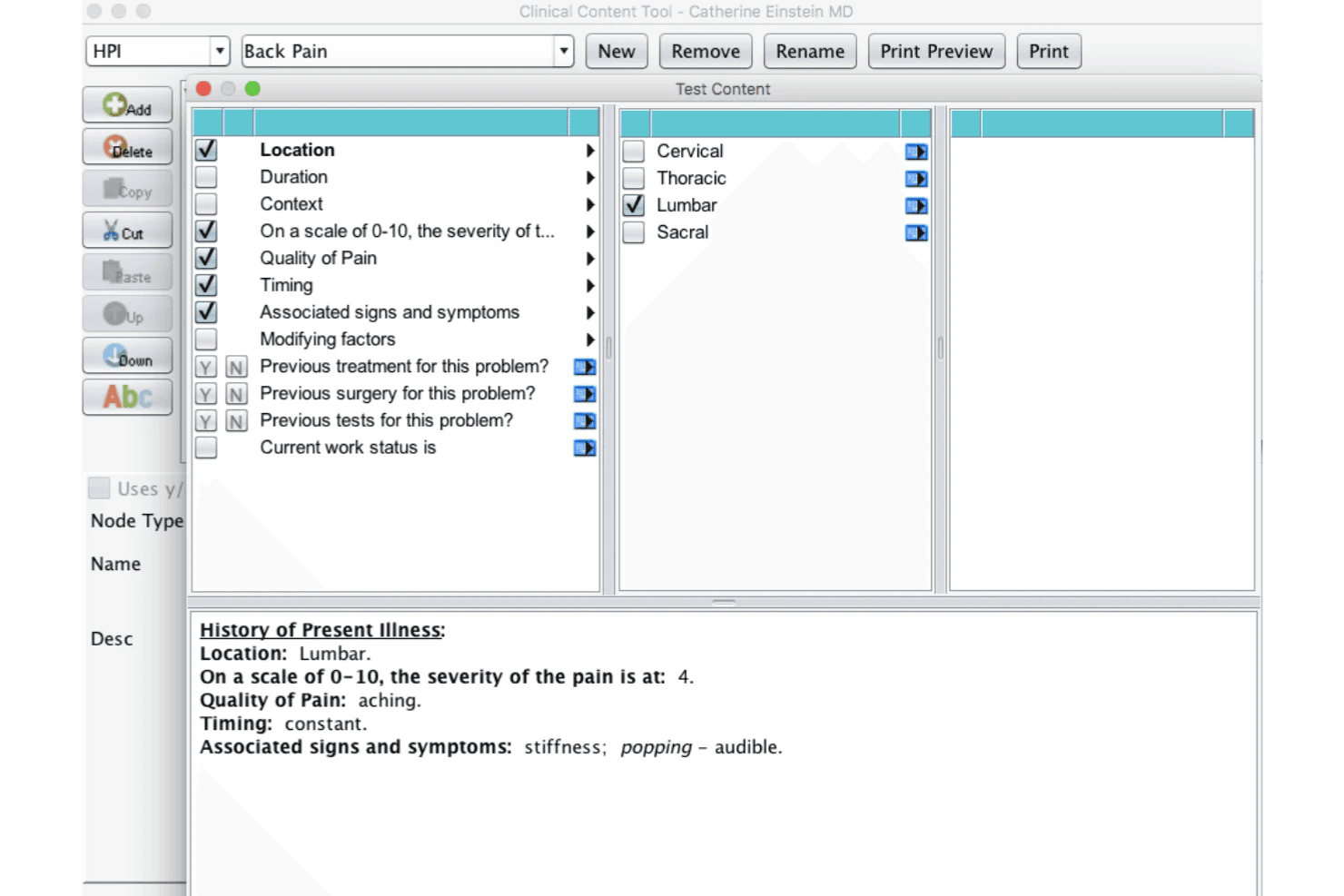
Sevocity’s interface is simple to navigate, with straightforward menus, clear chart layouts, and easy-to-find tools. Users mention quick training times and appreciate the logical design of its specialty templates.
The customizable dashboards and on-demand guidance make Sevocity less overwhelming, especially for smaller practices or providers switching from paper charts.
Integrations
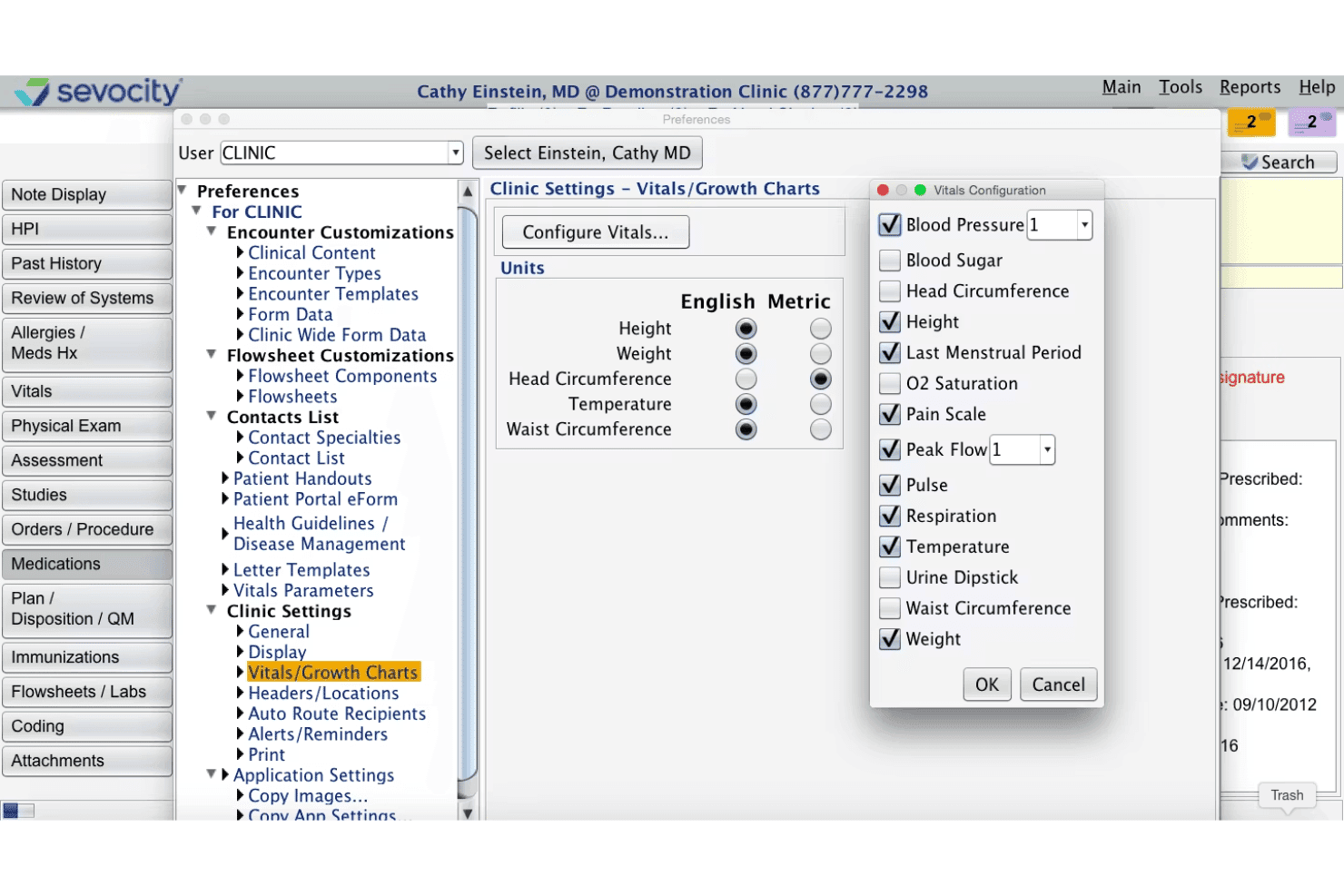
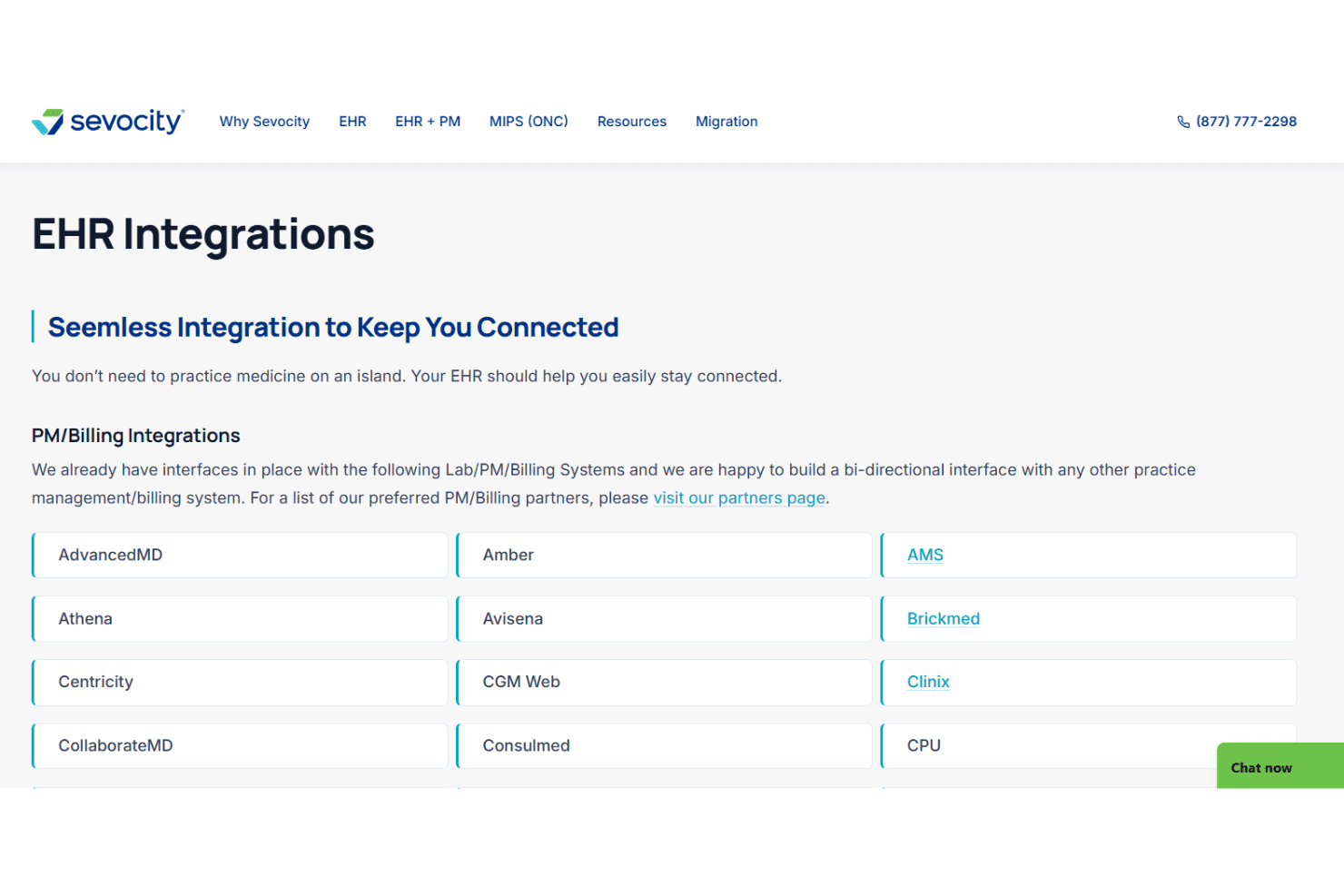
Sevocity integrates with OpenPM, Avalon Laboratory System, CGM LABDAQ, eClinicalWorks, CollaborateMD, BrickMed Office, DuxWare, NueMD, Doctors Access, and PracticeAdmin, among others.
Sevocity also offers a certified FHIR API for interoperability and can connect to third-party systems for labs, billing, practice management, and equipment.
Sevocity Specs
- 2-Factor Authentication: No
- API: Yes
- Appointment Scheduling: Yes
- Approval Workflows: No
- Audit Management: Yes
- Audit Trail: Yes
- Batch Permissions & Access: No
- Billing/Invoicing: Yes
- Compliance Tracking: Yes
- Customer Management: No
- Data Export: Yes
- Data Import: Yes
- Document Management: Yes
- Electronic Prescribing: Yes
- External Integrations: Yes
- HIPAA Compliance: Yes
- Incident Management: No
- Multi-User: Yes
- Notifications: Yes
- Patient Management: Yes
- Regulatory Alerts: Yes
- Report & Compliance: Yes
- Risk Assessment: Yes
- Self-service Portal: Yes
- Task Scheduling/Tracking: No
- Workflow Management: Yes


