

Raintree Systems Bewertung: Vorteile, Nachteile, Funktionen und Preise
Raintree Systems vereint EMR und Praxismanagement für Therapiepraxen in einer Plattform – von der klinischen Dokumentation und Terminverwaltung bis zu Abrechnung, Patientenbindung und spezialisierten Workflows.

Wir bewerten Tools unabhängig und Provisionen helfen, unsere Tests zu finanzieren. Siehe unsere Transparenz richtlinie, unsere Methodik oder schlagen Sie ein Tool vor.
Raintree Systems is an EMR system built for therapy and rehabilitation practices, covering physical therapy, occupational therapy, speech-language pathology, and behavioral health. I'd consider it if you're running a multi-location or enterprise-scale therapy organization that needs clinical documentation and revenue cycle management in one platform. Compared to WebPT, for example, Raintree Systems offers more configurable workflows and deeper billing capabilities rather than a solution designed primarily for single-specialty PT clinics.
Raintree Systems Evaluation Summary
4.2/5
- Pricing upon request
- Free demo upon request
Warum Sie unseren Software-Empfehlungen vertrauen können
6,700+
Reviews
20
Industry experts
16+
Evaluation factors
14
Years
Unser Team testet und bewertet Software seit 2012. Als Führungskräfte in der medizinischen Praxis wissen wir selbst, wie schwierig – und wichtig – es ist, die richtige Software auszuwählen.
Für diesen Leitfaden haben wir Tools mithilfe von praktischen Tests und unabhängiger Recherche bewertet und dabei unsere Bewertungskriterien angewendet.
Unsere Bewertungen spiegeln unser menschliches redaktionelles Urteilsvermögen wider, keine Verkaufsstrategie.
Raintree Systems Overview
When I compare Raintree Systems to other EMR software, I think its specialty-focused templates, flexible scheduling, and strong billing tools set it apart. The interface feels modern, and support is responsive, but onboarding can take time if your workflows are complex. Pricing is competitive for practices that need customization.
I’d suggest Raintree Systems for therapy, rehab, or multi-specialty clinics that want deep configurability and integrated patient engagement. It is a strong contender in terms of adaptability and specialty support, though smaller practices may find the setup more involved than some alternatives.
Pros
- Responsive customer support with attentive onboarding help.
- Integrated billing and revenue cycle management tools.
- Specialty templates for therapy and rehab practices.
Cons
- Onboarding is time-consuming for complex workflows.
- Limited mobile accessibility for clinicians on the go.
- Interface can feel dated compared to newer EMRs.
Is Raintree Systems Right For Your Needs?
Who Would be a Good Fit for Raintree Systems?
Raintree Systems is a strong choice for organizations that need specialty-focused workflows, integrated billing, and patient engagement tools. Larger practices or those with complex scheduling and documentation needs will appreciate its flexibility and support for custom templates.
It’s best for therapy, rehab, and multi-specialty clinics that want deep configurability and automation.
- Enterprise Health SystemsScalable platform supports multiple locations and high patient volumes.
- Revenue Cycle TeamsBuilt-in billing and claims management streamline revenue operations.
- Behavioral Health ProvidersPatient engagement and telehealth features support behavioral health.
- Multi-Specialty PracticesCustomizable templates fit diverse clinical documentation needs.
- Rehabilitation CentersIntegrated billing and outcome tracking support rehab workflows.
- Physical Therapy ClinicsRaintree Systems offers therapy-specific templates and scheduling tools.
Who Would be a Bad Fit for Raintree Systems?
Raintree Systems may not be the best choice for small practices, solo providers, or organizations that need a lightweight, out-of-the-box EMR. Practices with limited IT resources or simple workflows may find Raintree’s customization and onboarding more than they need.
If you want a modern interface, quick setup, or robust mobile access, you’ll likely find other options more suitable.
- Startups With Limited ITRequires more IT support than most small startups can provide.
- Urgent Care CentersOnboarding and customization are too involved for fast-paced clinics.
- Dental PracticesLacks dental-specific charting and workflow tools.
- Mobile-First TeamsLimited mobile access hinders clinicians who work remotely.
- Small Family ClinicsFeature set is more than most small clinics require.
- Solo PractitionersSetup complexity outweighs benefits for single-provider practices.
Wie wir Tools testen & bewerten
Wir haben jahrelang daran gearbeitet, unser System zur Softwarebewertung und -prüfung zu entwickeln, zu verfeinern und zu verbessern. Das Bewertungsschema wurde entwickelt, um die Feinheiten der Softwareauswahl und das, was ein Tool besonders effektiv macht, zu erfassen, wobei der Fokus auf den wichtigsten Aspekten des Entscheidungsprozesses liegt. Nachfolgend sehen Sie genau, wie unser Test- und Bewertungssystem anhand von sieben Kriterien funktioniert. So können wir eine objektive Bewertung der Software auf Basis von Kernfunktionen, besonderen Eigenschaften, Benutzerfreundlichkeit, Onboarding, Kundensupport, Integrationsmöglichkeiten, Kundenbewertungen und Preis-Leistungs-Verhältnis bieten.
Kernfunktionen (25% der Gesamtbewertung)
Der Ausgangspunkt unserer Bewertung ist immer die Kernfunktionalität des Tools. Verfügt es über die grundlegenden Funktionen und Eigenschaften, die ein Benutzer erwarten würde? Sind einige dieser Kernfunktionen nur höheren Preiskategorien vorbehalten? Im Kern erwarten wir, dass ein Tool den Basisfunktionen seiner Wettbewerber standhält.
Besondere Merkmale (25% der Gesamtbewertung)
Als nächstes bewerten wir außergewöhnliche, über die Kernfunktionalität hinausgehende Merkmale, wie sie typischerweise nicht in vergleichbaren Tools zu finden sind. Eine hohe Punktzahl spiegelt spezialisierte oder einzigartige Funktionen wider, die das Produkt schneller, effizienter oder für den Nutzer besonders nutzbringend machen. Wir bewerten außerdem, wie einfach sich das Tool mit anderen, üblicherweise im Technologiestack zu findenden Lösungen integrieren lässt, um Umfang und Nutzen der Software zu erhöhen. Tools, die zahlreiche native Integrationen, Anbindungen von Drittanbietern und API-Zugänge für individuelle Erweiterungen bieten, erzielen die beste Bewertung.
Benutzerfreundlichkeit (10% der Gesamtbewertung)
Wir prüfen, wie schnell und einfach es ist, die über die Kernfunktionen definierten Aufgaben mit dem Tool auszuführen. Hochbewertete Software ist gut durchdacht, intuitiv bedienbar, bietet mobile Apps, stellt Vorlagen bereit und vereinfacht komplexe Abläufe.
Onboarding (10% der Gesamtbewertung)
Wir wissen, wie wichtig eine schnelle Anpassung an eine neue Plattform für Teams ist. Daher bewerten wir, wie einfach sich ein Tool mit minimalem Schulungsaufwand erlernen und nutzen lässt. Wir beurteilen, wie schnell sich neue Nutzer ohne Vorkenntnisse einrichten und loslegen können. Lösungen mit wenig oder gar keinem notwendigen Support schneiden am besten ab.
Kundensupport (10% der Gesamtbewertung)
Wir überprüfen, wie schnell und unkompliziert Hilfe per Telefon, Live-Chat oder Wissensdatenbank verfügbar ist. Tools und Unternehmen, die Echtzeitsupport bieten, schneiden am besten ab, während Chatbots am schlechtesten bewertet werden.
Kundenbewertungen (10% der Gesamtbewertung)
Neben unseren eigenen Tests und Bewertungen berücksichtigen wir die Net Promoter Score von aktuellen und ehemaligen Nutzern. Wir prüfen deren Bereitschaft, sich erneut für die Software zu entscheiden, vor allem in Bezug auf die Kernfunktionen. Ein hoher Wert spiegelt eine hohe Zufriedenheit und Weiterempfehlungsrate der Nutzer wider.
Preis-Leistungs-Verhältnis (10% der Gesamtbewertung)
Zuletzt vergleichen wir unter Berücksichtigung aller anderen Bewertungskriterien den durchschnittlichen Einstiegspreis mit den Kernfunktionen und den weiteren Kriterien. Software, die mehr Leistung für weniger Geld bietet, schneidet besser ab.
Core Features
Specialty-Specific Templates
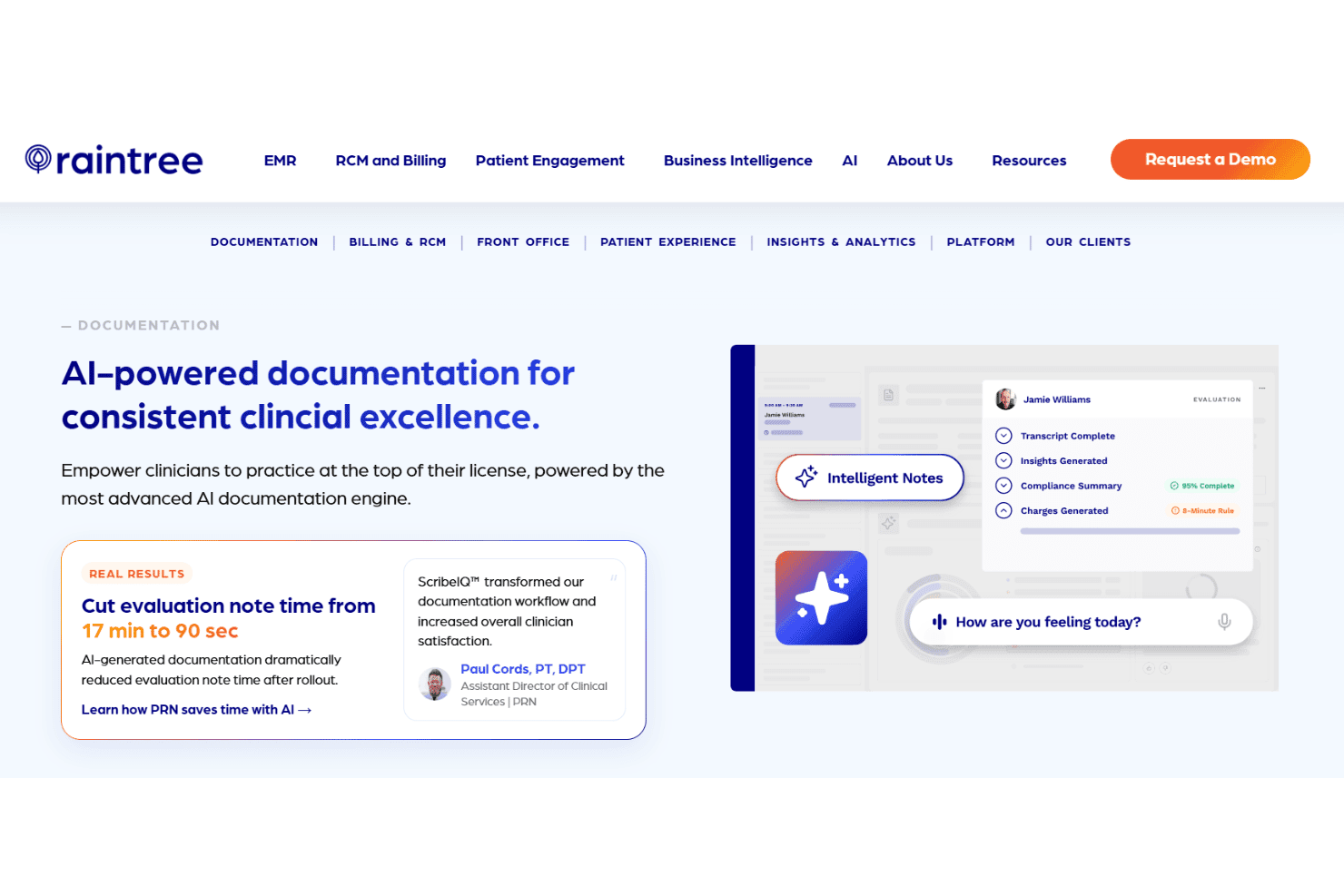
Raintree Systems provides templates tailored for therapy, rehab, and pediatric care. These templates help clinicians document faster and more accurately.
Integrated Billing Management
The platform includes built-in billing and claims tools for end-to-end revenue cycle management. This reduces manual entry and speeds up reimbursement.
Patient Engagement Tools
Features like appointment reminders, patient portals, and telehealth support help practices keep patients involved in their care. These tools improve communication and reduce no-shows.
Customizable Scheduling
Flexible scheduling options let you manage complex provider calendars and recurring appointments. This is especially useful for multi-specialty and high-volume clinics.
Outcome Tracking and Reporting
Raintree Systems offers outcome measurement tools and analytics dashboards. You can track patient progress and generate compliance-ready reports.
Referral and Intake Management
Automated referral tracking and digital intake forms streamline new patient onboarding. This reduces paperwork and helps practices capture accurate information upfront.
Ease of Use
Raintree Systems offers a modern interface with clear navigation, but some users say the platform feels busy and takes time to master. The customization options are a plus for complex practices, though smaller teams may find the setup overwhelming.
Once configured, daily tasks like scheduling and documentation are straightforward, and the support team is responsive when you need help. Overall, it’s user-friendly for larger clinics but less so for solo or small practices.
Integrations
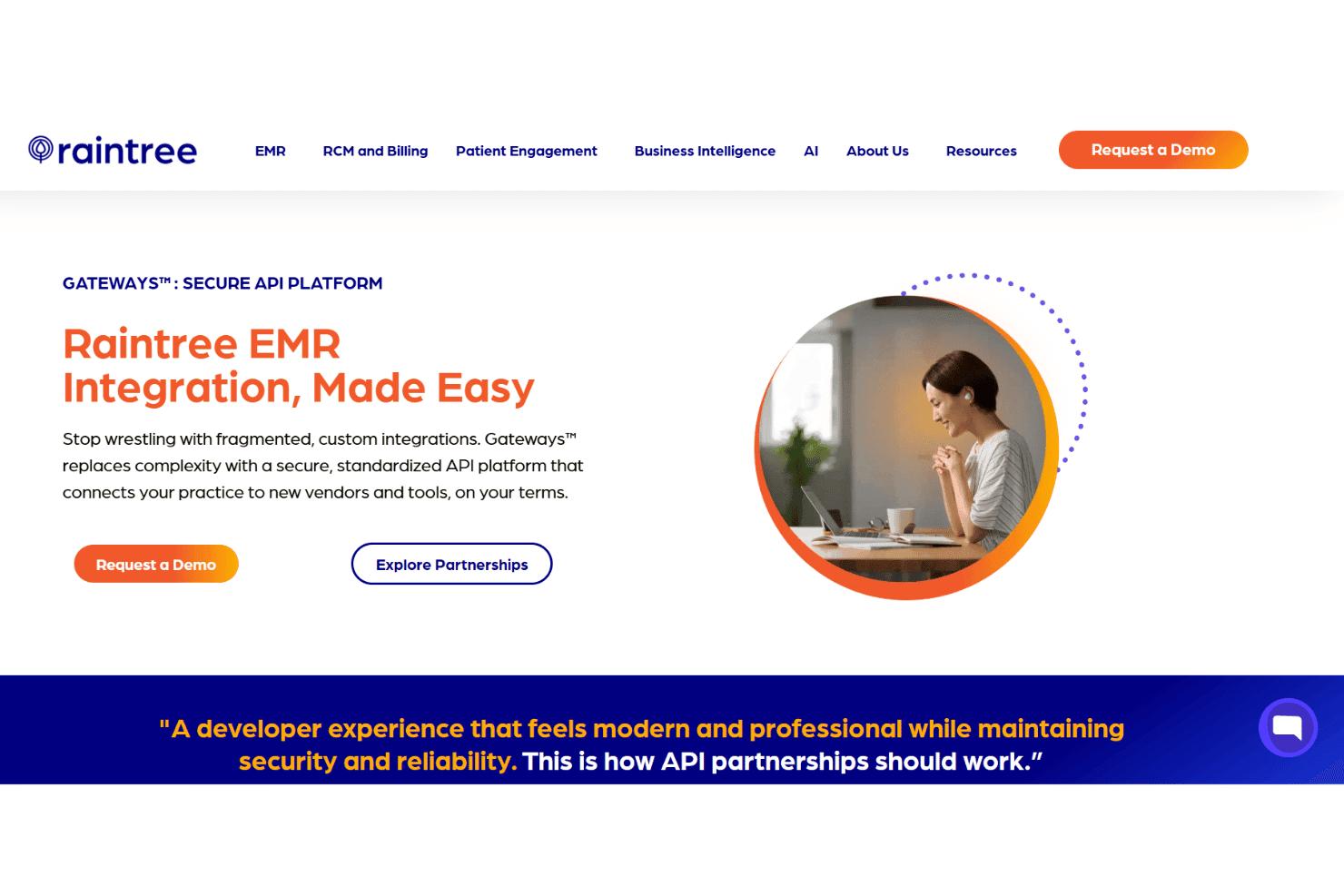
Raintree Systems integrates with MedBridge, Physitrack, Physiotec (now Wibbi), Waystar, Availity, Jopari, Kno2, Zocdoc, OccuPro, and Global Payments, among others.
Raintree Systems also offers a secure API platform and supports connections with third-party integration tools.
Raintree Systems Specs
- API: Yes
- Appointment Scheduling: Yes
- Athlete Management: No
- Audit Management: No
- Calendar Management: Yes
- Compliance Tracking: Yes
- Customer Management: Yes
- Dashboard: Yes
- Data Export: Yes
- Data Import: Yes
- Data Visualization: Yes
- Electronic Prescribing: No
- External Integrations: Yes
- File Sharing: Yes
- File Transfer: Yes
- Health Management: Yes
- HIPAA Compliance: Yes
- Inventory Tracking: No
- Multi-User: Yes
- Notifications: Yes
- Organization Management: Yes
- Patient Management: Yes
- Project Management: No
- Regulatory Alerts: No
- Risk Assessment: No
- Scheduling: Yes
- Supplier Management: No


