

vCita Review: Pros, Cons, Features and Pricing
I see vCita less as an EMR and more as a digital front desk: it brings scheduling, intake, messaging, and payments together, but isn’t a full EHR replacement.

We review tools independently, and commissions help fund our testing. See our transparency policy, our methodology, or suggest a tool.
vCita is a HIPAA-compliant practice management platform that covers patient records, appointment scheduling, digital intake forms, secure messaging, and online payments. Its patient portal allows clients to book appointments, access prescriptions, and communicate with providers. Unlike full EMR software, vCita focuses on administrative and patient engagement workflows. I’d choose vCita over SimplePractice if your priority is managing bookings, patient communication, and payments rather than clinical documentation, telehealth, and insurance billing.
vCita Evaluation Summary
4.4/5
- From $29/month (billed annually)
- Free demo + 14-day free trial available
Why Trust Our Software Recommendations
6,700+
Reviews
20
Industry experts
16+
Evaluation factors
14
Years
Our team has been testing and reviewing software since 2012. As medical practice leaders ourselves, we know how difficult—and important—it is to choose the right software.
For this guide, we evaluated tools using hands-on testing and independent research, scoring tools using our selection criteria.
Our reviews reflect our human editorial judgment, not a sales pitch.
vCita Overview
I’d recommend vCita for solo wellness providers and small practices that prioritize patient scheduling, intake forms, communication, and payment collection over advanced clinical documentation. Its client portal and mobile app make administrative tasks accessible on the go, but it isn't designed to replace a full EMR. Plans start at $35 per month with annual billing, and a 14-day free trial allows you to test its features. vCita also supports Google and Outlook calendar syncing, Zoom, QuickBooks, and Zapier, although some integrations require higher-tier plans. Onboarding sessions, training resources, and email or phone support are available, with assistance varying by subscription.
Pros
- Patient records bring notes, messages, documents, appointments, and billing together.
- Custom intake forms and automated reminders support previsit administration.
- Patients can book and pay through a self-service portal.
Cons
- It isn't an EHR replacement and offers limited clinical charting.
- Users report slow calendar loading and occasional scheduling glitches.
- Reviewers cite rising prices and delayed support for unresolved problems.


How We Test & Score Tools
We’ve spent years building, refining, and improving our software testing and scoring system. The rubric is designed to capture the nuances of software selection and what makes a tool effective, focusing on critical aspects of the decision-making process.
Below, you can see exactly how our testing and scoring works across seven criteria. It allows us to provide an unbiased evaluation of the software based on core functionality, standout features, ease of use, onboarding, customer support, integrations, customer reviews, and value for money.
Core Functionality (25% of final scoring)
The starting point of our evaluation is always the core functionality of the tool. Does it have the basic features and functions that a user would expect to see? Are any of those core features locked to higher-tiered pricing plans? At its core, we expect a tool to stand up against the baseline capabilities of its competitors.
Standout Features (25% of final scoring)
Next, we evaluate uncommon standout features that go above and beyond the core functionality typically found in tools of its kind. A high score reflects specialized or unique features that make the product faster, more efficient, or offer additional value to the user.
We also evaluate how easy it is to integrate with other tools typically found in the tech stack to expand the functionality and utility of the software. Tools offering plentiful native integrations, 3rd party connections, and API access to build custom integrations score best.
Ease of Use (10% of final scoring)
We consider how quick and easy it is to execute the tasks defined in the core functionality using the tool. High scoring software is well designed, intuitive to use, offers mobile apps, provides templates, and makes relatively complex tasks seem simple.
Onboarding (10% of final scoring)
We know how important rapid team adoption is for a new platform, so we evaluate how easy it is to learn and use a tool with minimal training. We evaluate how quickly a team member can get set up and start using the tool with no experience. High scoring solutions indicate little or no support is required.
Customer Support (10% of final scoring)
We review how quick and easy it is to get unstuck and find help by phone, live chat, or knowledge base. Tools and companies that provide real-time support score best, while chatbots score worst.
Customer Reviews (10% of final scoring)
Beyond our own testing and evaluation, we consider the net promoter score from current and past customers. We review their likelihood, given the option, to choose the tool again for the core functionality. A high scoring software reflects a high net promoter score from current or past customers.
Value for Money (10% of final scoring)
Lastly, in consideration of all the other criteria, we review the average price of entry level plans against the core features and consider the value of the other evaluation criteria. Software that delivers more, for less, will score higher.
Core Features
Client Relationship Management (CRM)
vCita maintains client profiles containing contact information, communication histories, appointments, and payment details. Practices can organize patient relationships and review previous interactions without searching through separate administrative records.
Appointment Scheduling
vCita allows patients to book appointments online using real-time provider availability. Practices can configure appointment types, manage booking calendars, and organize schedules without manually coordinating every reservation.
Patient Portal
vCita offers a secure patient portal where clients can schedule appointments, access prescription information, send messages, and make payments. Patients can access the portal from different devices without contacting the front desk for routine requests.
Digital Patient Intake
vCita provides customizable digital intake forms for collecting patient information before appointments. Practices can create forms that capture relevant details and store submissions within patient records.
Invoicing and Billing
vCita allows practices to create invoices, record payments, and track billing activity. Its billing features support routine payment collection and administrative accounting rather than specialized medical insurance claims processing.
Patient Document Management
vCita stores patient-related documents within client profiles alongside notes, messages, and appointment histories. Staff can retrieve documents and review associated information when responding to patient inquiries.
Ease of Use
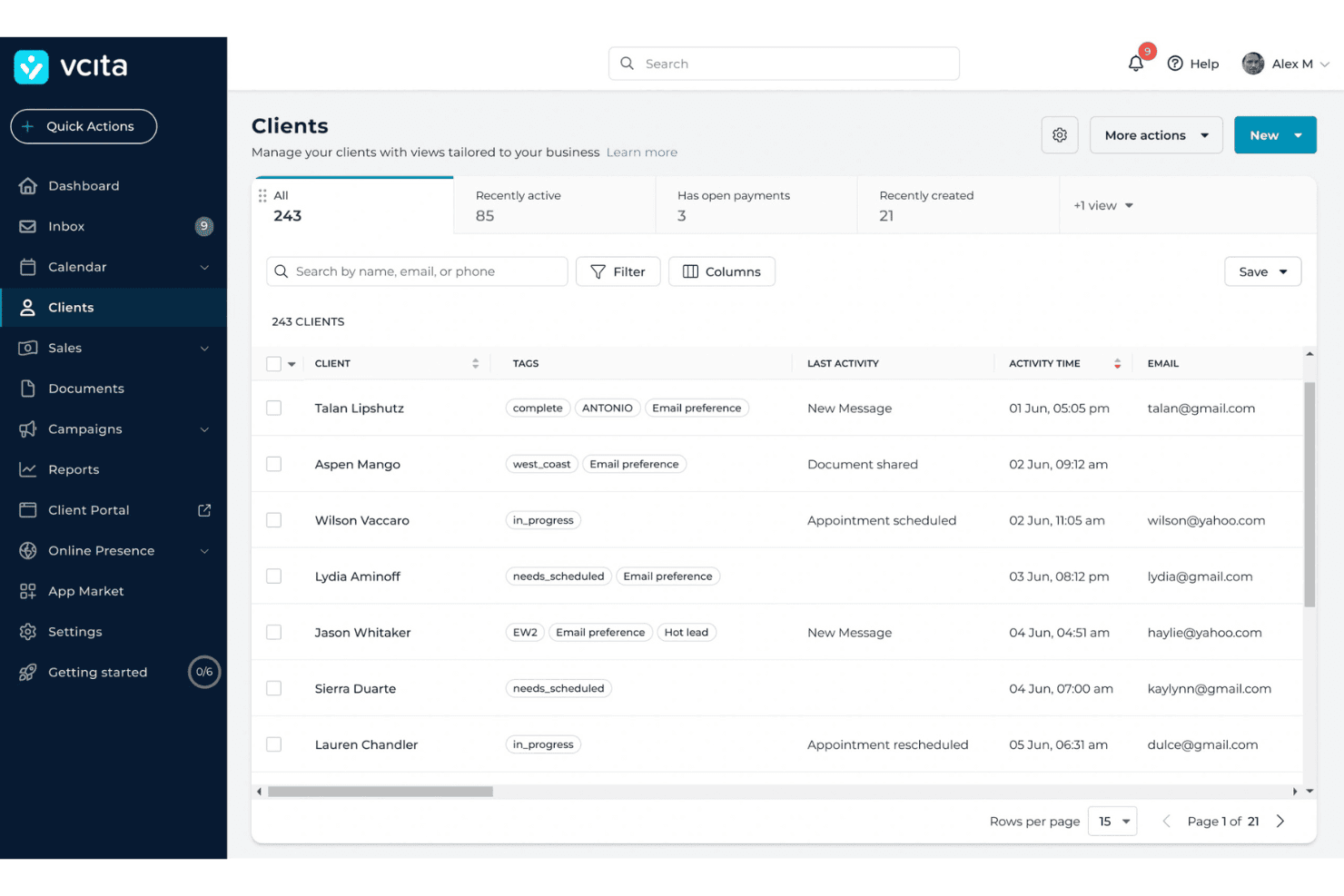
I find vCita approachable for everyday practice administration, with online scheduling, digital intake forms, client records, appointment reminders, and payments accessible from one platform. Its patient portal also allows patients to book appointments, exchange messages, and pay bills independently.
However, some reviewers report slow calendar loading and occasional scheduling inconsistencies. While vCita covers essential front-desk workflows, its limited clinical documentation capabilities make it better suited to practice management than daily EMR charting.
Integrations
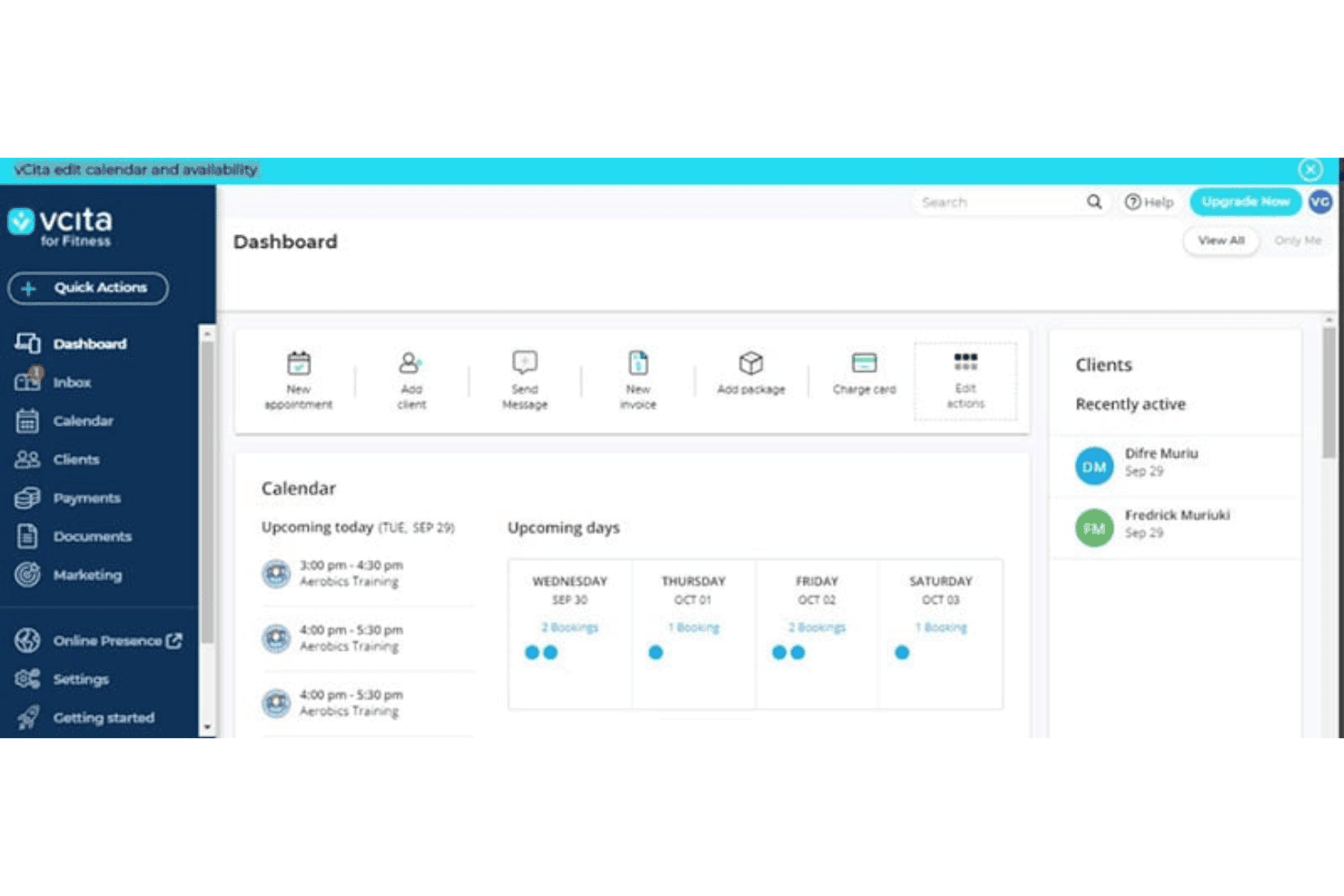
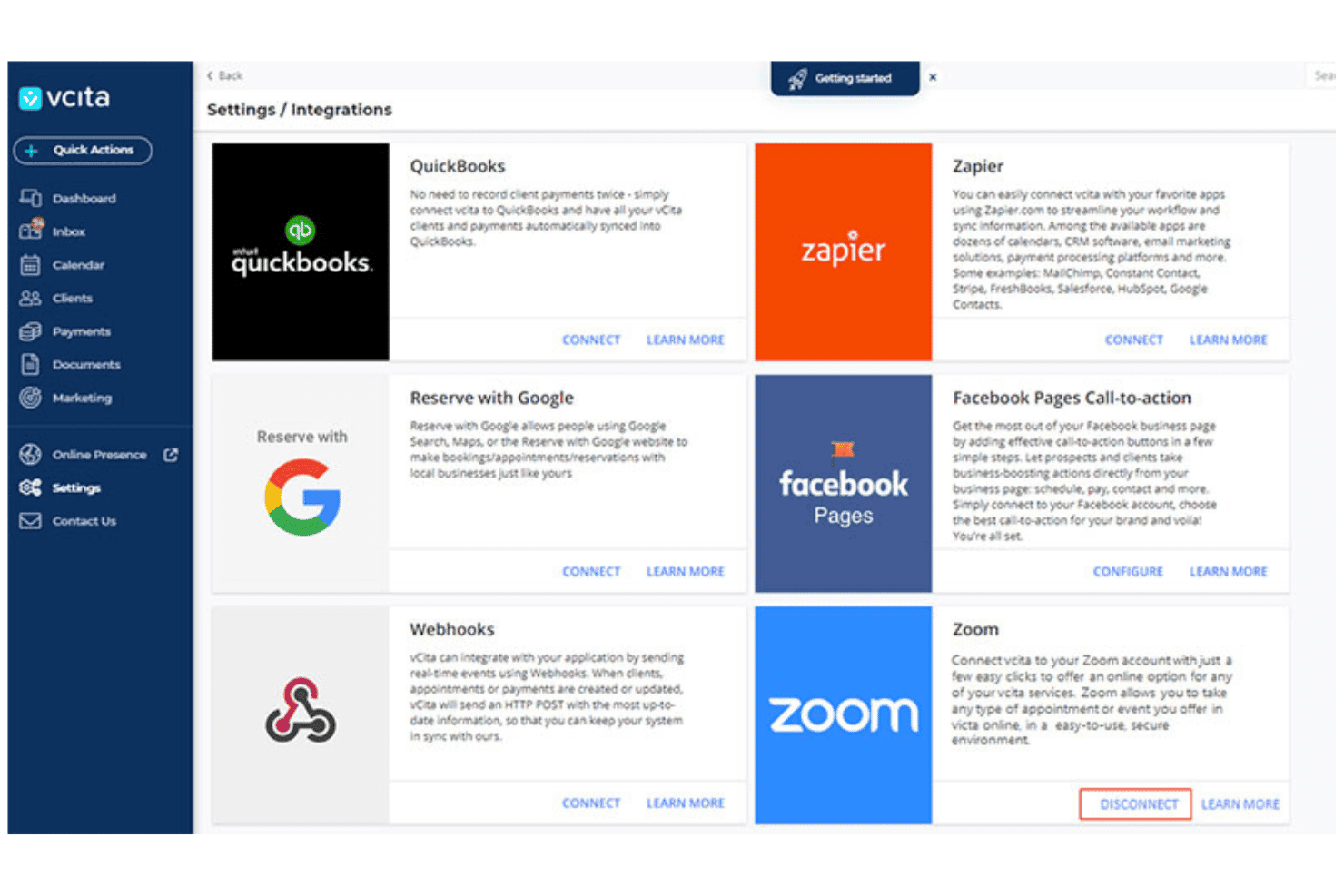
vCita integrates with QuickBooks, Zapier, Reserve with Google, Facebook Pages, and Zoom. It also supports webhooks for real-time data exchange and offers REST API access for custom connections with third-party applications.
vCita Specs
- Accounts Payable: No
- Accounts Receivable: No
- API: Yes
- Batch Permissions & Access: No
- Budgeting: No
- Calendar Management: Yes
- Customer Management: Yes
- Dashboard: Yes
- Data Export: Yes
- Data Import: Yes
- Data Visualization: No
- Expense Tracking: No
- External Integrations: Yes
- Forecasting: No
- General Account Ledger: No
- Inventory Tracking: No
- Lead Management: Yes
- Lead Scoring: No
- Marketing Automation: Yes
- Multi-User: Yes
- Notifications: Yes
- Password & Access Management: No
- Payroll: No
- Project Management: No
- Scheduling: Yes
- Supplier Management: No
- Tax Management: No
- Third-Party Plugins/Add-Ons: Yes
- Travel Management: No