

EpicCare Review: Pros, Cons, Features and Pricing
EpicCare helps healthcare providers manage patient records, clinical workflows, scheduling, and care coordination through an integrated EMR platform designed for connected healthcare operations.

We review tools independently, and commissions help fund our testing. See our transparency policy, our methodology, or suggest a tool.
EpicCare is an EMR software built for large health systems and hospital networks with complex, multi-site clinical operations. I'd consider it if your organization needs a single, unified patient record across departments and specialties. If you're evaluating it against a tool like Oracle Health (Cerner), EpicCare has deeper clinical workflow integration and a more connected patient engagement experience through its MyChart portal.
EpicCare Evaluation Summary
4.4/5
- Pricing upon request
- Free demo available
Why Trust Our Software Recommendations
6,700+
Reviews
20
Industry experts
16+
Evaluation factors
14
Years
Our team has been testing and reviewing software since 2012. As medical practice leaders ourselves, we know how difficult—and important—it is to choose the right software.
For this guide, we evaluated tools using hands-on testing and independent research, scoring tools using our selection criteria.
Our reviews reflect our human editorial judgment, not a sales pitch.
EpicCare Overview
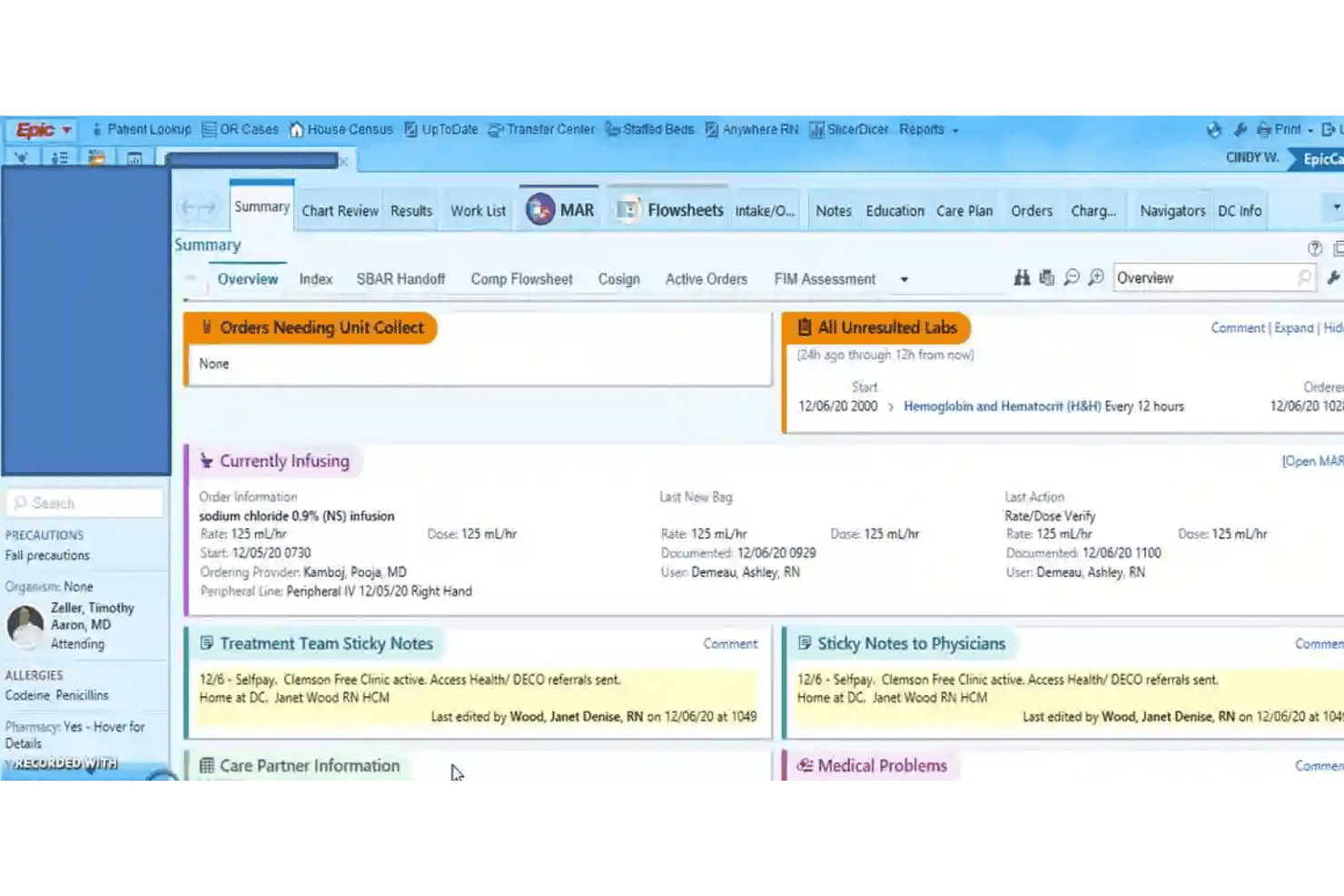
If I’m judging EpicCare as an EMR software, I’d say it excels in interoperability, deep customizability, and robust reporting features, especially for large enterprise environments. Compared to many competitors, the interface can feel dense and onboarding takes real investment, but you’re rewarded with reliable integrations and excellent support.
EpicCare is best suited for organizations that want advanced workflows, strong analytics, and comprehensive patient records, like multi-specialty hospitals and academic systems—it’s not overkill if you plan to scale or require detailed compliance tracking.
Pros
- Supports advanced clinical decision support tools.
- Offers extensive reporting and analytics capabilities.
- Enables seamless patient portal and engagement features.
Cons
- System updates may disrupt user workflows.
- Navigation can be complex for new staff.
- Custom forms often require IT assistance to modify.
Is EpicCare Right For Your Needs?
Who Would be a Good Fit for EpicCare?
EpicCare shines in large healthcare organizations, hospitals, and multi-site systems that need scalable, unified workflows and robust compliance. Departments managing complex, multi-provider care find EpicCare especially valuable.
Teams focused on coordinated, integrated patient care and data-driven decisions will get the most from its deep reporting, care coordination, and advanced patient engagement features.
- Large Health SystemsEpicCare supports comprehensive workflows, cross-departmental care, and enterprise reporting for large, multi-site healthcare organizations.
- Academic Medical CentersThe system’s advanced analytics, research modules, and interoperability streamline operations in teaching hospitals and clinical research environments.
- Multispecialty PracticesEpicCare can handle diverse specialty documentation and care plans within one unified system, keeping teams aligned.
- Inpatient Hospital DepartmentsFeatures like real-time order entry and care coordination empower critical care, surgery, and acute units.
- Population Health TeamsEpicCare’s reporting, dashboards, and registries help track and manage population health outcomes.
- Revenue Cycle ManagementThe integrated billing and compliance tools simplify complex claims workflows for high-volume finance teams.
Who Would be a Bad Fit for EpicCare?
EpicCare is rarely the right answer for smaller organizations, simple clinics, or teams seeking minimal onboarding and rapid deployment. Practices without dedicated IT support or the resources for ongoing management may find the technology and training burdens too high. Specialized clinics or mobile healthcare programs needing streamlined, nimble tools will also be better served elsewhere.
- Solo PracticesEpicCare’s complexity, onboarding requirements, and cost far exceed the needs and resources of single-provider clinics.
- Small Specialty ClinicsFor low-volume or single-specialty practices, setup and workflows feel overwhelming and unnecessary.
- Mobile Health ServicesField-based or home-visit care teams may struggle with EpicCare’s heavy infrastructure and connectivity needs.
- Community Health CentersTighter budgets and less technical support make EpicCare’s total cost and complexity a poor fit.
- Behavioral Health ClinicsSome users report EpicCare doesn’t always adapt well to behavioral health workflows or unique documentation needs.
- Urgent Care ChainsQuick-visit, high-turnover environments may not need EpicCare’s extended modules and may prefer lighter EMR solutions.
How We Test & Score Tools
We’ve spent years building, refining, and improving our software testing and scoring system. The rubric is designed to capture the nuances of software selection and what makes a tool effective, focusing on critical aspects of the decision-making process.
Below, you can see exactly how our testing and scoring works across seven criteria. It allows us to provide an unbiased evaluation of the software based on core functionality, standout features, ease of use, onboarding, customer support, integrations, customer reviews, and value for money.
Core Functionality (25% of final scoring)
The starting point of our evaluation is always the core functionality of the tool. Does it have the basic features and functions that a user would expect to see? Are any of those core features locked to higher-tiered pricing plans? At its core, we expect a tool to stand up against the baseline capabilities of its competitors.
Standout Features (25% of final scoring)
Next, we evaluate uncommon standout features that go above and beyond the core functionality typically found in tools of its kind. A high score reflects specialized or unique features that make the product faster, more efficient, or offer additional value to the user.
We also evaluate how easy it is to integrate with other tools typically found in the tech stack to expand the functionality and utility of the software. Tools offering plentiful native integrations, 3rd party connections, and API access to build custom integrations score best.
Ease of Use (10% of final scoring)
We consider how quick and easy it is to execute the tasks defined in the core functionality using the tool. High scoring software is well designed, intuitive to use, offers mobile apps, provides templates, and makes relatively complex tasks seem simple.
Onboarding (10% of final scoring)
We know how important rapid team adoption is for a new platform, so we evaluate how easy it is to learn and use a tool with minimal training. We evaluate how quickly a team member can get set up and start using the tool with no experience. High scoring solutions indicate little or no support is required.
Customer Support (10% of final scoring)
We review how quick and easy it is to get unstuck and find help by phone, live chat, or knowledge base. Tools and companies that provide real-time support score best, while chatbots score worst.
Customer Reviews (10% of final scoring)
Beyond our own testing and evaluation, we consider the net promoter score from current and past customers. We review their likelihood, given the option, to choose the tool again for the core functionality. A high scoring software reflects a high net promoter score from current or past customers.
Value for Money (10% of final scoring)
Lastly, in consideration of all the other criteria, we review the average price of entry level plans against the core features and consider the value of the other evaluation criteria. Software that delivers more, for less, will score higher.
Core Features
Clinical Documentation
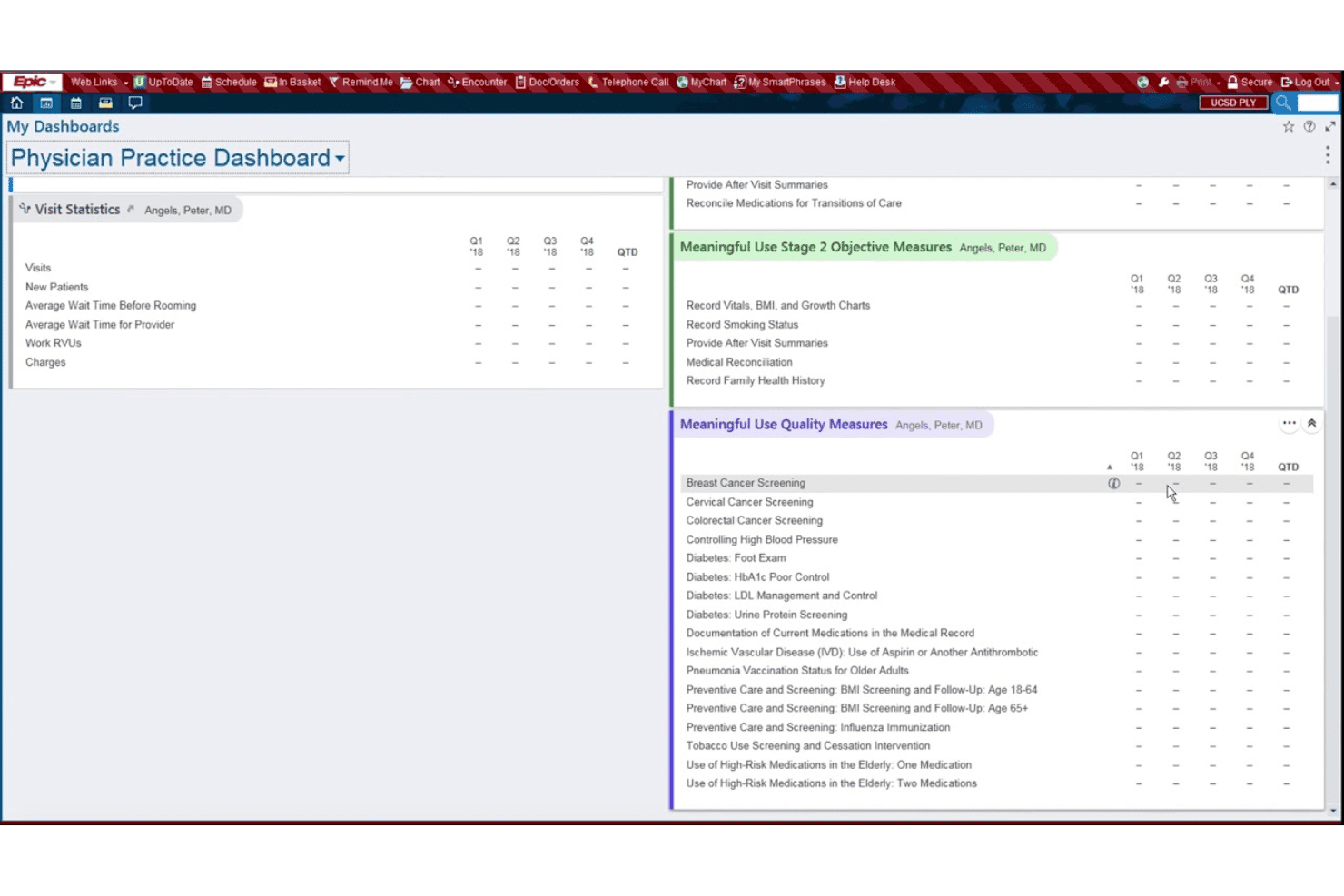
EpicCare lets you create and manage patient records using templates, dictation, and adaptive smart tools. This helps clinicians document faster and maintain detailed, standardized notes.
Order Entry and Results Management
Physicians can place lab, imaging, and medication orders directly in patient charts. All results return to the same system, updating in real time for review.
e-Prescribing
With e-prescribing, send controlled substance and standard prescriptions directly to pharmacies. Built-in interaction checks help reduce medication errors.
Patient Portal (MyChart)
Patients get secure access to their health data, test results, and messaging tools with MyChart. They can review appointments, pay bills, and request refills online.
Care Coordination
Track referrals, transitions, and care team communication in one place. EpicCare routes tasks and messages among staff for coordinated patient management.
Reporting and Analytics
Pull custom reports on population health, compliance, or clinic performance. Built-in dashboards make data easy to visualize and act on.
Standout Features
Interoperability With Care Everywhere
Care Everywhere allows participating organizations to securely share patient records across healthcare systems nationwide. This enables faster access to a patient’s complete medical history during emergencies or transitions of care.
Integrated Telehealth Capabilities
EpicCare offers built-in video visits and virtual care tools directly within the EMR. Patients and providers schedule, conduct, and document telehealth visits seamlessly without leaving the platform.
Ease of Use
EpicCare’s usability is mixed: its depth and custom tools impress experienced users, but many find the interface dense and navigation complex. Routine actions like documentation and order entry are efficient once mastered, yet onboarding usually requires hands-on training.
User reviews consistently mention the steep learning curve, but also note reliable workflows after adjustment.
Onboarding
EpicCare’s onboarding is thorough but can take time, often involving guided implementation, role-based training, and dedicated onboarding support. Many users say Epic provides strong assistance during setup, though smaller practices may find the process resource-intensive due to the platform’s complexity and training requirements.
Customer Support
EEpicCare is known for responsive, knowledgeable customer support, with users appreciating 24/7 phone assistance and dedicated customer success managers. Many users highlight fast issue resolution and a community forum for peer advice, though some mention that highly customized fixes can take extra time due to the system’s complexity.
Integrations
EpicCare integrates with MyChart, Care Everywhere, Haiku, Canto, Rover, EpicCare Link, Cogito, Hyperspace, Willow, and Radiant, among others.
EpicCare also offers APIs and supports FHIR for custom integrations and third-party apps.
Value for Money
Epic Systems uses a custom quote-based pricing structure for EpicCare EMR, with costs depending on organization size, number of providers, deployment type, modules, integrations, implementation, training, and support.
Despite the high upfront cost, many healthcare organizations consider Epic strong value for money because of its scalability, interoperability tools, deep clinical workflows, integrated ecosystem, and long-term ability to support large multi-site operations.
EpicCare Specs
- API: Yes
- Appointment Scheduling: Yes
- Athlete Management: No
- Audit Management: Yes
- Calendar Management: Yes
- Compliance Tracking: Yes
- Customer Management: No
- Dashboard: Yes
- Data Export: Yes
- Data Import: Yes
- Data Visualization: Yes
- Electronic Prescribing: Yes
- External Integrations: Yes
- File Sharing: Yes
- File Transfer: No
- Health Management: Yes
- HIPAA Compliance: Yes
- Inventory Tracking: No
- Multi-User: Yes
- Notifications: Yes
- Organization Management: Yes
- Patient Management: Yes
- Project Management: No
- Regulatory Alerts: Yes
- Risk Assessment: No
- Scheduling: No
- Supplier Management: No
EpicCare FAQs
EpicCare Company Overview & History
Epic Systems Corporation, the parent company behind EpicCare, is headquartered in Verona, Wisconsin, and employs over 10,000 people. Founded in 1979 by Judith Faulkner, Epic remains privately held and is known for a strong, collaborative work culture and a sprawling, employee-friendly campus.
Epic serves some of the largest health systems and academic medical centers in the United States and globally, with its technology used to manage care for over 300 million patients.
EpicCare Major Milestones
- 1979: Epic Systems founded by Judith Faulkner in Madison, Wisconsin.
- 1988: Introduction of the first Epic electronic medical record solutions.
- 2005: Company relocates headquarters to Verona, Wisconsin campus.
- 2014: Epic becomes one of the most widely adopted EMR systems in U.S. health systems.
- 2020: Technology helps support large-scale COVID-19 responses at major U.S. hospitals.
- 2026: Epic supports care management for more than 300 million patients worldwide.