

Carepatron Review: Pros, Cons, Features and Pricing
I look beyond Carepatron’s feature list to weigh what matters in daily practice: whether its tools, trade-offs, and pricing add up to a worthwhile EHR.

We review tools independently, and commissions help fund our testing. See our transparency policy, our methodology, or suggest a tool.
Carepatron is a practice management and EHR platform for clinicians who need scheduling, telehealth, clinical documentation, and billing in one system. I'd consider it for solo practitioners who want essential practice management features without a monthly subscription, since its free plan includes telehealth, a client portal, and AI note-taking. By comparison, SimplePractice's Starter plan costs $49 per month at standard pricing.
Carepatron Evaluation Summary
4.4/5
- From $31/user/month
- Free plan + 14-day free trial + free demo available
Why Trust Our Software Recommendations
6,700+
Reviews
20
Industry experts
16+
Evaluation factors
14
Years
Our team has been testing and reviewing software since 2012. As medical practice leaders ourselves, we know how difficult—and important—it is to choose the right software.
For this guide, we evaluated tools using hands-on testing and independent research, scoring tools using our selection criteria.
Our reviews reflect our human editorial judgment, not a sales pitch.
Carepatron Overview
I'd choose Carepatron for solo clinicians and small practices that need scheduling, telehealth, clinical notes, billing, a client portal, and AI-assisted documentation in one EHR. Its free plan includes several core features, and Carepatron says most practices can complete setup in under an hour. Paid plans add advanced workflows and premium support, while electronic claims start at $0.25 per claim and e-prescribing costs an additional $39 per user monthly. Carepatron also offers third-party integrations and a REST API on its Advanced plan, giving practices more options for connecting external systems.
Pros
- Free plan includes unlimited clients, telehealth, and an AI scribe.
- Custom clinical templates and auto-sent intake forms support varied documentation.
- Reviewers praise responsive support and AI-assisted clinical note drafting.
Cons
- Users report glitches affecting video sessions, calendars, and saved notes.
- Claims and e-prescribing incur extra fees, complicating billing costs.
- Users cite limited reporting and billing workflows for larger practices.


How We Test & Score Tools
We’ve spent years building, refining, and improving our software testing and scoring system. The rubric is designed to capture the nuances of software selection and what makes a tool effective, focusing on critical aspects of the decision-making process.
Below, you can see exactly how our testing and scoring works across seven criteria. It allows us to provide an unbiased evaluation of the software based on core functionality, standout features, ease of use, onboarding, customer support, integrations, customer reviews, and value for money.
Core Functionality (25% of final scoring)
The starting point of our evaluation is always the core functionality of the tool. Does it have the basic features and functions that a user would expect to see? Are any of those core features locked to higher-tiered pricing plans? At its core, we expect a tool to stand up against the baseline capabilities of its competitors.
Standout Features (25% of final scoring)
Next, we evaluate uncommon standout features that go above and beyond the core functionality typically found in tools of its kind. A high score reflects specialized or unique features that make the product faster, more efficient, or offer additional value to the user.
We also evaluate how easy it is to integrate with other tools typically found in the tech stack to expand the functionality and utility of the software. Tools offering plentiful native integrations, 3rd party connections, and API access to build custom integrations score best.
Ease of Use (10% of final scoring)
We consider how quick and easy it is to execute the tasks defined in the core functionality using the tool. High scoring software is well designed, intuitive to use, offers mobile apps, provides templates, and makes relatively complex tasks seem simple.
Onboarding (10% of final scoring)
We know how important rapid team adoption is for a new platform, so we evaluate how easy it is to learn and use a tool with minimal training. We evaluate how quickly a team member can get set up and start using the tool with no experience. High scoring solutions indicate little or no support is required.
Customer Support (10% of final scoring)
We review how quick and easy it is to get unstuck and find help by phone, live chat, or knowledge base. Tools and companies that provide real-time support score best, while chatbots score worst.
Customer Reviews (10% of final scoring)
Beyond our own testing and evaluation, we consider the net promoter score from current and past customers. We review their likelihood, given the option, to choose the tool again for the core functionality. A high scoring software reflects a high net promoter score from current or past customers.
Value for Money (10% of final scoring)
Lastly, in consideration of all the other criteria, we review the average price of entry level plans against the core features and consider the value of the other evaluation criteria. Software that delivers more, for less, will score higher.
Core Features
Invoicing and Insurance Billing
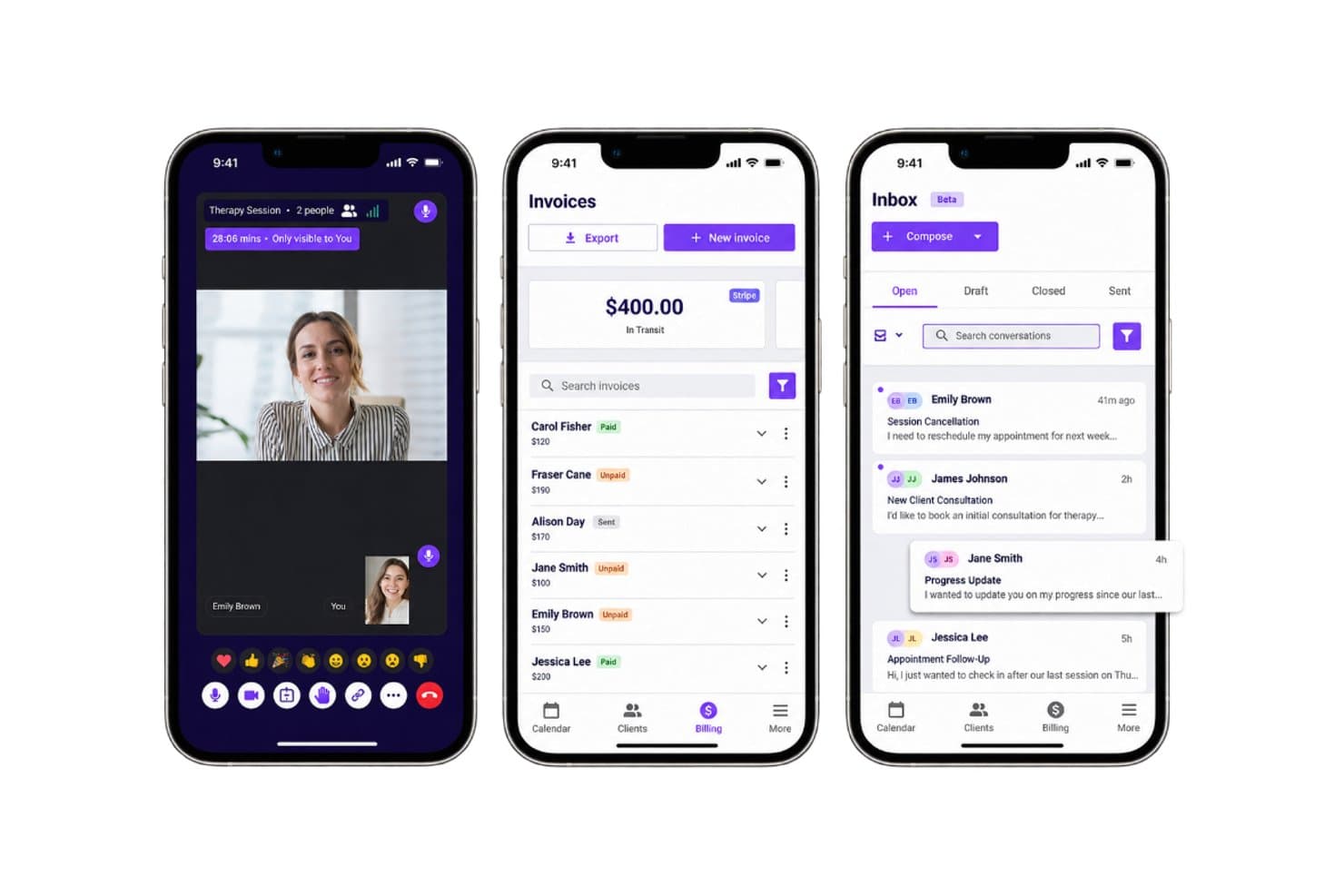
Carepatron can generate invoices from appointments, collect online payments, and validate insurance claims before submission. These billing tools let you manage payment tasks alongside clinical records.
Clinical Notes and Documentation
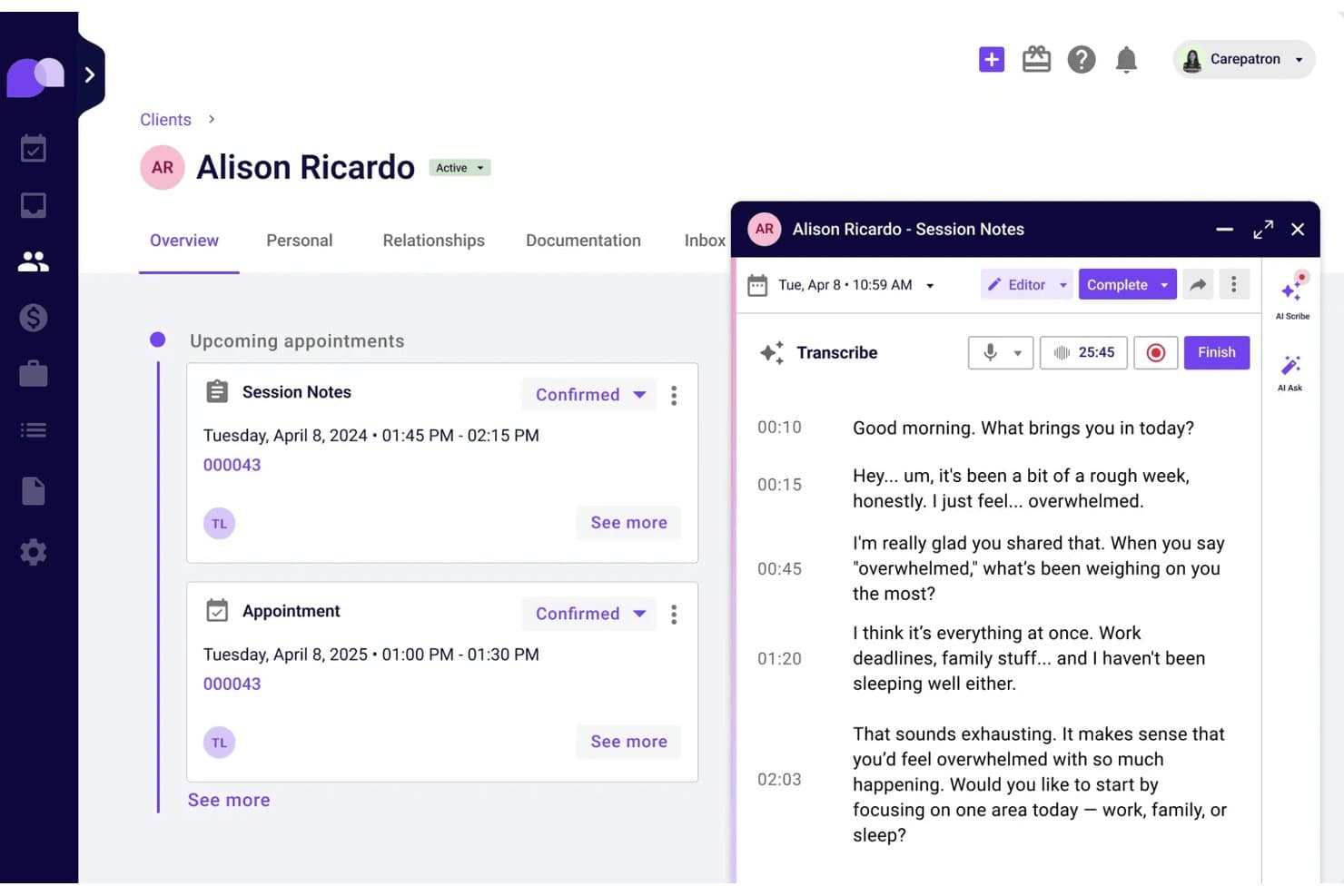
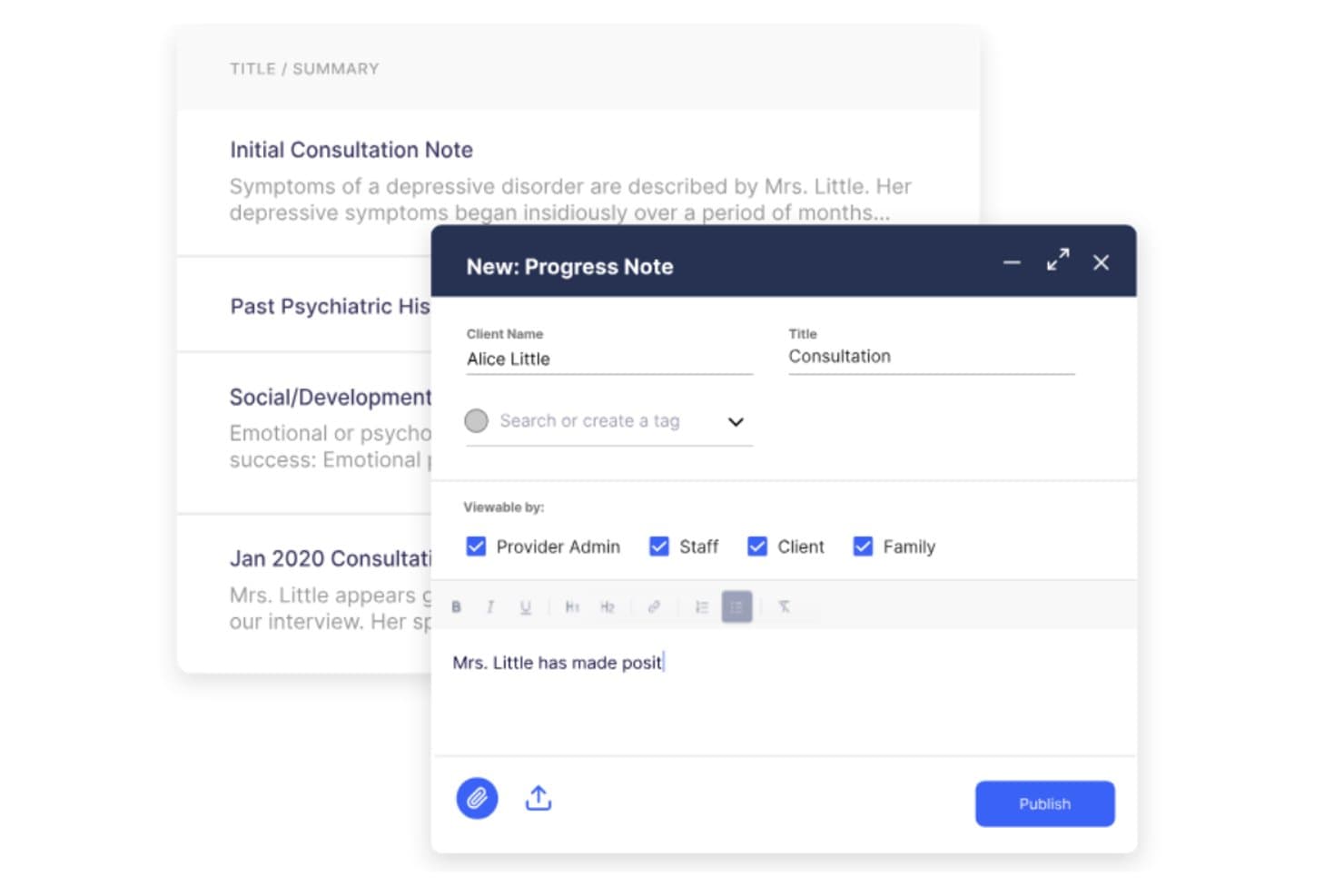
The AI scribe drafts notes while you work, and templates give documentation a consistent structure. Submitted forms file to the client record, so intake information is available alongside clinical notes.
Telehealth
Carepatron provides HD video appointments with one-click joining. The client’s chart, past notes, and session tools sit beside the call, so you can refer to relevant information during a visit.
Client Portal
Clients can use a secure portal to book appointments, pay, message your practice, and complete forms. It gives them a direct place to handle common administrative tasks between visits.
Communication
Carepatron includes an email management feature that allows practitioners to send, receive, and organize client correspondence. Users can manage multiple mailboxes, reply to messages, forward emails, attach files, and save correspondence directly to client records.
Appointment Scheduling
Carepatron lets clients book through a shared link, while automated reminders and calendar sync keep appointments organized. Clients can confirm appointments themselves, reducing back-and-forth for your front desk.
Ease of Use
Carepatron offers an approachable learning curve for solo clinicians, with guided setup that the company says can take under an hour. It combines scheduling, clinical notes, telehealth, forms, billing, and AI-assisted documentation in one system. Carepatron also supports iOS and Android devices, though availability and performance may vary. I'd recommend testing its mobile compatibility and core clinical features before adopting it for daily use.
Integrations
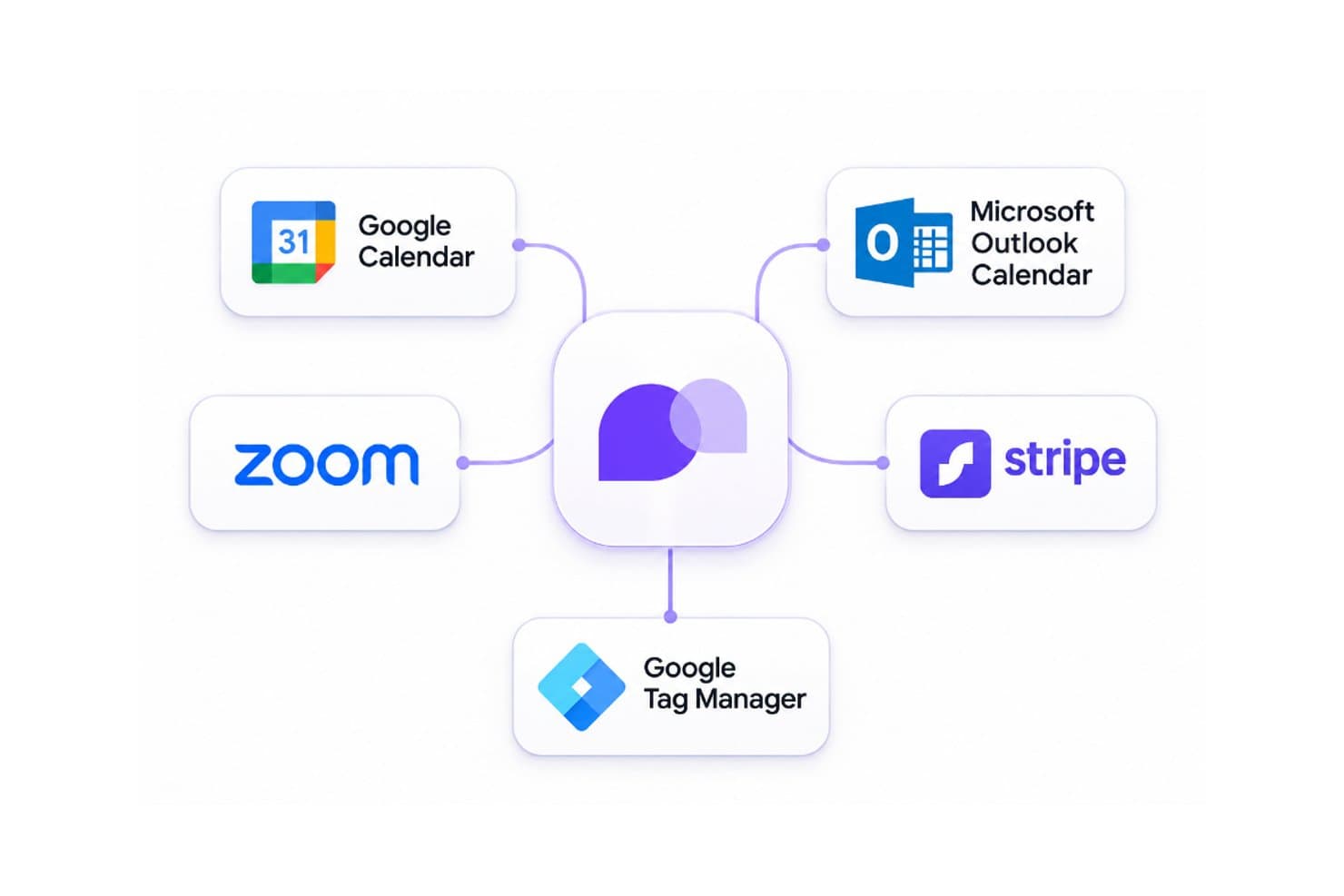
Carepatron connects with Google Calendar, Microsoft Outlook Calendar, Zoom, Stripe, and Google Tag Manager for scheduling, video consultations, payment processing, and appointment analytics. It also provides a public REST API for custom integrations, supporting contact exports, contact management, and updates to contact information.
Carepatron Specs
- API: Yes
- Appointment Scheduling: Yes
- Athlete Management: No
- Audit Management: Yes
- Calendar Management: Yes
- Compliance Tracking: Yes
- Customer Management: Yes
- Dashboard: Yes
- Data Export: Yes
- Data Import: Yes
- Data Visualization: Yes
- Electronic Prescribing: Yes
- External Integrations: Yes
- File Sharing: Yes
- File Transfer: Yes
- Health Management: Yes
- HIPAA Compliance: Yes
- Inventory Tracking: No
- Multi-User: Yes
- Notifications: Yes
- Organization Management: Yes
- Patient Management: Yes
- Project Management: No
- Regulatory Alerts: Yes
- Risk Assessment: No
- Scheduling: Yes
- Supplier Management: No


