

RevolutionEHR-recension: Fördelar, nackdelar, funktioner och priser
Upptäck RevolutionEHR:s fördelar och nackdelar, priser och funktioner, och se hur lösningen jämför sig med andra EHR-lösningar för optometri. Hitta det bästa alternativet för din verksamhet.

We review tools independently, and commissions help fund our testing. See our transparency policy, our methodology, or suggest a tool.
RevolutionEHR is a cloud-based optometry EHR built exclusively for eye care practices that need clinical documentation, scheduling, billing, and patient communication in one system. I'd consider it if your practice wants specialty-specific workflows without the configuration overhead of a general EHR like Modernizing Medicine, which requires more setup to fit an optometry environment.
RevolutionEHR Evaluation Summary
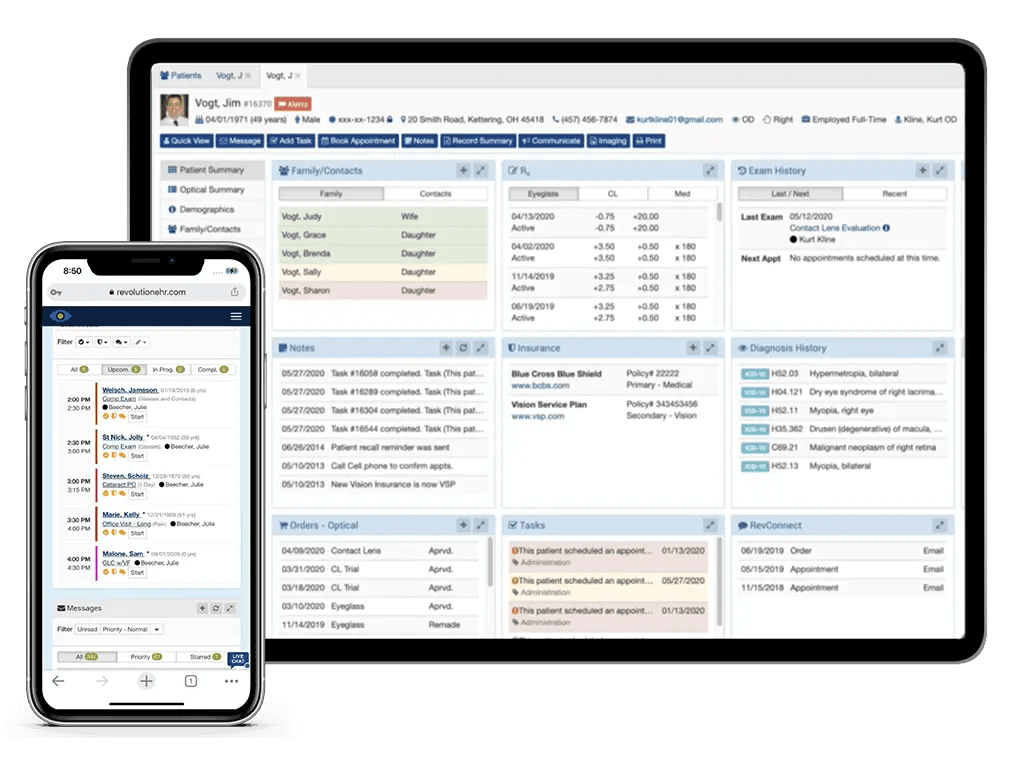
4.5/5
- From $319/month
- Free demo available
RevolutionEHR Overview
Pros
- You can easily navigate the user-friendly interface.
- It offers comprehensive optometry-specific features.
- Your team will benefit from excellent customer support.
Cons
- You might find the onboarding process a bit challenging.
- It could use more customization options for reports.
- Your practice may experience occasional software glitches.
Is RevolutionEHR Right For Your Needs?
Who Would be a Good Fit for RevolutionEHR?
- Small Optometry ClinicsYou benefit from its tailored features that cater to your specific practice needs.
- Private PracticesYour work will be more efficient with its comprehensive patient management tools.
- OptometristsYou can streamline patient care with its intuitive interface and optometry-focused features.
- Practice ManagersYour team will find the software's customer support invaluable in solving daily challenges.
- Billing DepartmentsYou can manage billing processes more effectively with its integrated billing functionalities.
- Healthcare AdministratorsYour operations will run smoother with its robust scheduling and record-keeping capabilities.
Who Would be a Bad Fit for RevolutionEHR?
- Large HospitalsYour diverse needs won't be met by its optometry-specific focus.
- Multi-Specialty PracticesYou need broader functionalities that RevolutionEHR doesn't offer.
- Advanced CustomizationYour team will find the software's customization options lacking.
- High-Volume ClinicsYou might struggle with scalability and handling a high patient load.
- Non-Optometry PracticesYour practice requires features that cater to other specialties.
- Tech-Heavy EnvironmentsYou may need more integration capabilities with your existing systems.
How We Test & Score Tools
We’ve spent years building, refining, and improving our software testing and scoring system. The rubric is designed to capture the nuances of software selection and what makes a tool effective, focusing on critical aspects of the decision-making process.
Below, you can see exactly how our testing and scoring works across seven criteria. It allows us to provide an unbiased evaluation of the software based on core functionality, standout features, ease of use, onboarding, customer support, integrations, customer reviews, and value for money.
Core Functionality (25% of final scoring)
The starting point of our evaluation is always the core functionality of the tool. Does it have the basic features and functions that a user would expect to see? Are any of those core features locked to higher-tiered pricing plans? At its core, we expect a tool to stand up against the baseline capabilities of its competitors.
Standout Features (25% of final scoring)
Next, we evaluate uncommon standout features that go above and beyond the core functionality typically found in tools of its kind. A high score reflects specialized or unique features that make the product faster, more efficient, or offer additional value to the user.
We also evaluate how easy it is to integrate with other tools typically found in the tech stack to expand the functionality and utility of the software. Tools offering plentiful native integrations, 3rd party connections, and API access to build custom integrations score best.
Ease of Use (10% of final scoring)
We consider how quick and easy it is to execute the tasks defined in the core functionality using the tool. High scoring software is well designed, intuitive to use, offers mobile apps, provides templates, and makes relatively complex tasks seem simple.
Onboarding (10% of final scoring)
We know how important rapid team adoption is for a new platform, so we evaluate how easy it is to learn and use a tool with minimal training. We evaluate how quickly a team member can get set up and start using the tool with no experience. High scoring solutions indicate little or no support is required.
Customer Support (10% of final scoring)
We review how quick and easy it is to get unstuck and find help by phone, live chat, or knowledge base. Tools and companies that provide real-time support score best, while chatbots score worst.
Customer Reviews (10% of final scoring)
Beyond our own testing and evaluation, we consider the net promoter score from current and past customers. We review their likelihood, given the option, to choose the tool again for the core functionality. A high scoring software reflects a high net promoter score from current or past customers.
Value for Money (10% of final scoring)
Lastly, in consideration of all the other criteria, we review the average price of entry level plans against the core features and consider the value of the other evaluation criteria. Software that delivers more, for less, will score higher.
Core Features
Patient Management
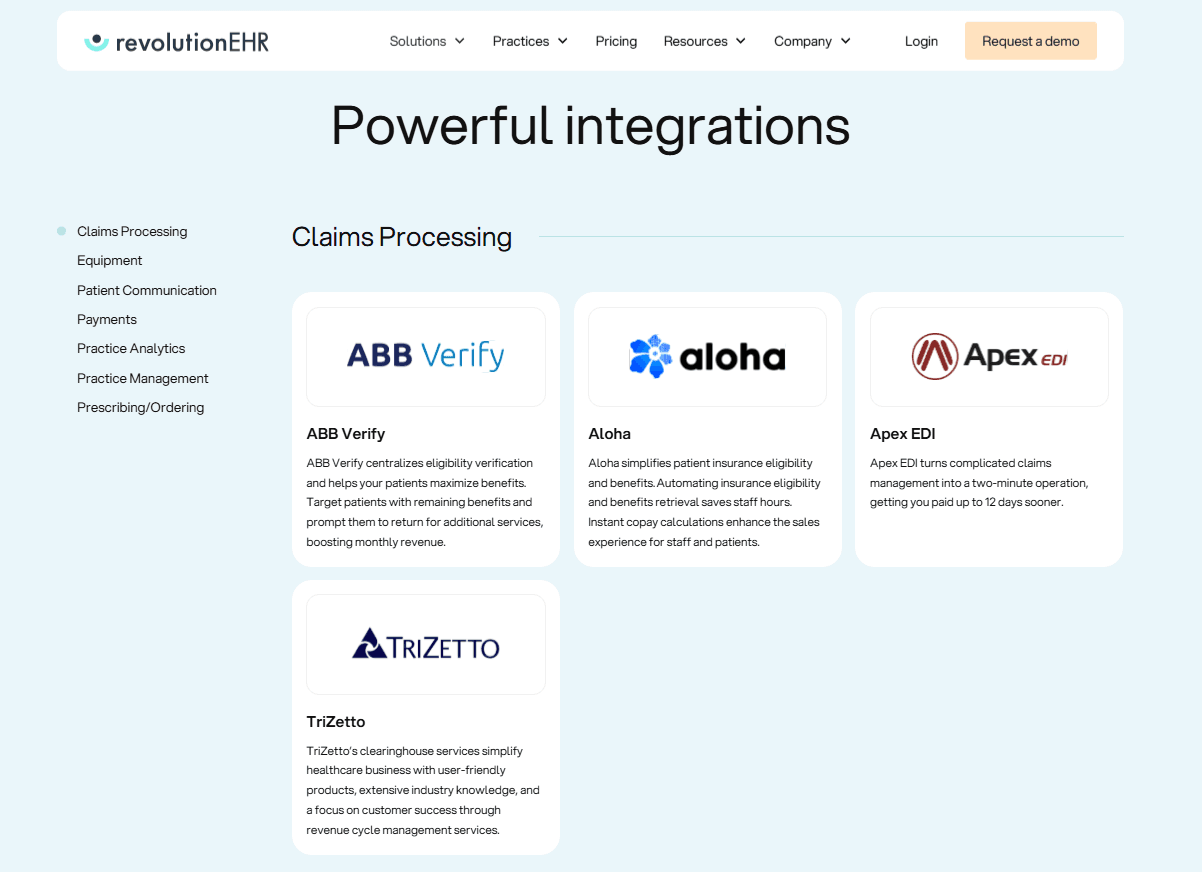
RevolutionEHR helps you manage patient records efficiently, allowing easy access to patient history and information. This feature ensures your team can focus more on patient care.
Appointment Scheduling
You can streamline your scheduling process with its intuitive calendar system. It helps reduce no-shows with a web-based patient portal with notifications and reminders
Billing and Claims Management
It auto-generates claims submissions straight from your exams and helps catch coding errors. That means fewer rejections and quicker payments to your practice from insurance providers.
Electronic Prescriptions
Healthcare providers can quickly generate and send prescriptions electronically, saving time and reducing errors. This practice management software feature enhances your workflow by ensuring prescriptions are accurate and timely.
Clinical Documentation
RevolutionEHR’s cloud-based system offers robust documentation tools, electronic medical records (EMR), and document management allowing you to create detailed clinical notes. This ensures that your records are thorough and compliant with industry standards.
Reporting and Analytics
With its comprehensive reporting features, you can analyze practice performance, patient data, and medical billing histories. Their analytics dashboard helps you make informed decisions to improve your services.
Ease of Use
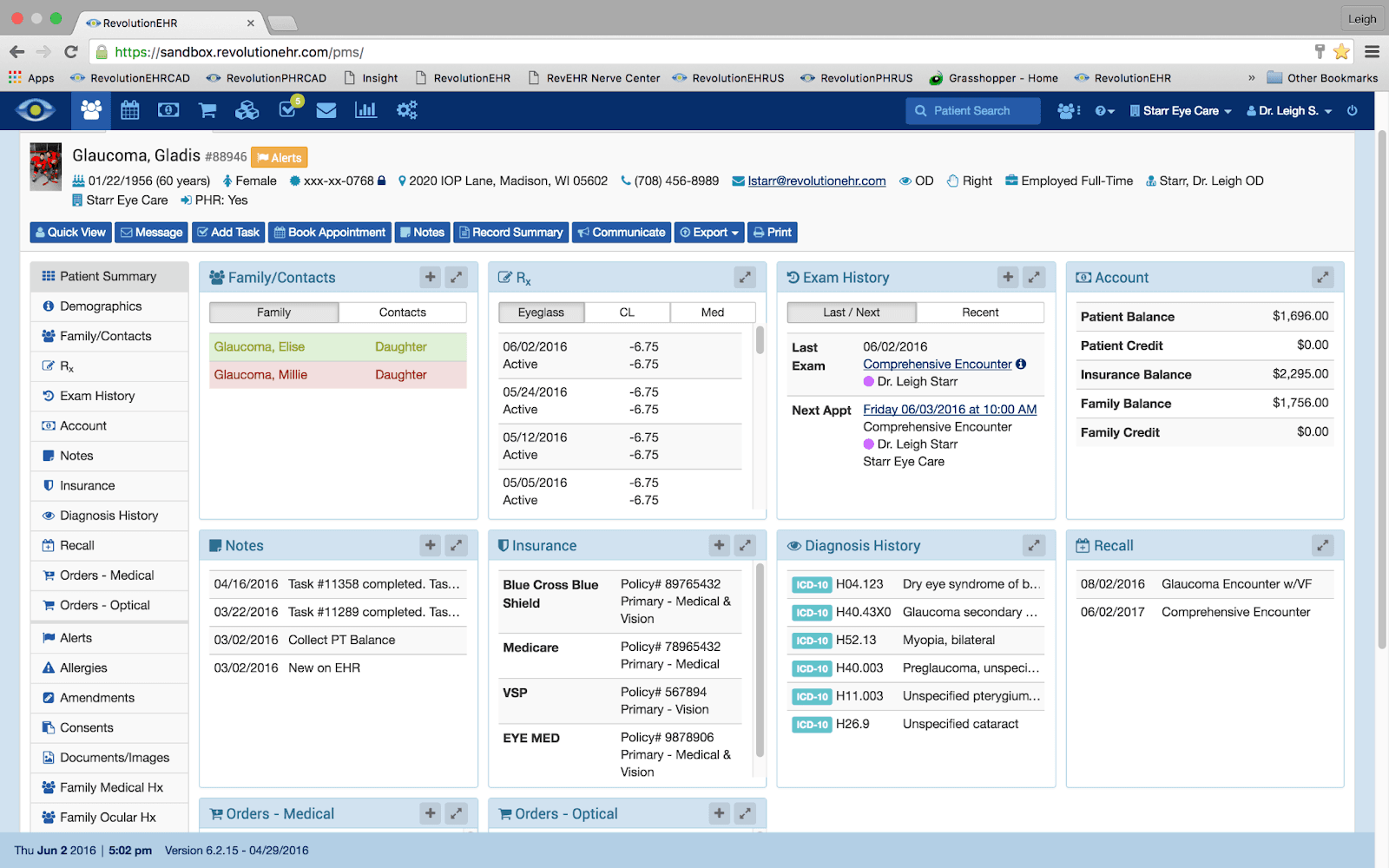
RevolutionEHR stands out for its user-friendly interface, making navigating daily tasks easy for you and your team. Users appreciate the intuitive design that simplifies appointment scheduling and patient management. Compared to other optometry EHR software, RevolutionEHR reduces the learning curve, allowing your staff to focus more on patient care rather than technical training. Its straightforward layout and optometry-specific templates enhance usability, ensuring you can efficiently manage your practice.
Integrations
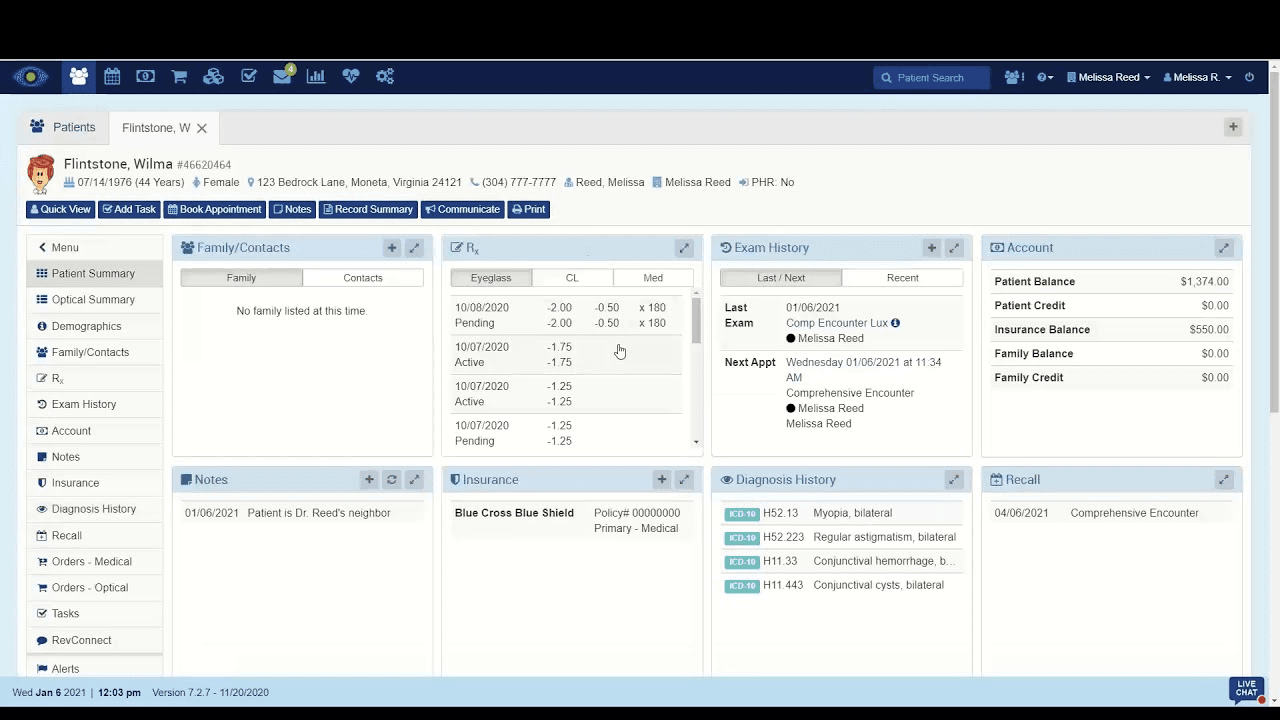
RevolutionEHR integrates natively with ABB Verify, Aloha, Apex EDI, TriZetto, OptikamPad, Optos, Optovue, Reichert, TopCon, Visionix, and Zeiss.
RevolutionEHR also offers an API for further customization and integration, but it does not connect with third-party integration tools like Zapier.
RevolutionEHR Specs
- API: No
- Appointment Scheduling: No
- Athlete Management: No
- Audit Management: No
- Calendar Management: No
- Compliance Tracking: No
- Customer Management: No
- Dashboard: No
- Data Export: No
- Data Import: No
- Data Visualization: No
- Electronic Prescribing: No
- External Integrations: No
- File Sharing: No
- File Transfer: No
- Health Management: No
- HIPAA Compliance: No
- Inventory Tracking: No
- Multi-User: No
- Notifications: No
- Organization Management: No
- Patient Management: No
- Project Management: No
- Regulatory Alerts: No
- Risk Assessment: No
- Scheduling: No
- Supplier Management: No
Alternatives to RevolutionEHR


RevolutionEHR FAQs
Vad händer härnäst?
För att hålla dig uppdaterad om de senaste trenderna, bästa praxis och lösningarna för din läkarmottagning, prenumerera på nyhetsbrevet från The Medical Practice.