

Software-ul de semnătură electronică conform cu HIPAA permite cabinetului dumneavoastră să colecteze și să gestioneze în siguranță semnăturile digitale ale pacienților, într-un mod care respectă reglementările privind confidențialitatea și securitatea în domeniul medical.
Dacă sunteți în căutarea unor instrumente de semnătură electronică potrivite pentru fluxurile de lucru medicale, știți deja ce este în joc — protejarea informațiilor sensibile, documentarea consimțământului pacientului și gestionarea cerințelor complexe de conformitate.
Acest ghid se bazează pe comparații aprofundate pentru a vă ajuta să identificați soluții potrivite atât pentru cabinete individuale, cât și pentru sisteme medicale cu mai multe locații, acoperind procesul de primire a pacienților, consimțământul, păstrarea evidențelor și integrările cu platforme EHR cunoscute.
Aflați ce instrumente de semnătură electronică conforme cu HIPAA corespund nevoilor dumneavoastră în ceea ce privește flexibilitatea, documentarea și eficiența.
Why Trust Our Software Recommendations
6,700+
Reviews
20
Industry experts
16+
Evaluation factors
14
Years
Our team has been testing and reviewing software since 2012. As medical practice leaders ourselves, we know how difficult—and important—it is to choose the right software.
For this guide, we evaluated tools using hands-on testing and independent research, scoring tools using our selection criteria.
Our reviews reflect our human editorial judgment, not a sales pitch.
Tabel comparativ al programelor de semnătură electronică conforme cu HIPAA
Acest tabel comparativ rezumă detaliile privind prețurile pentru programele mele de semnătură electronică conforme cu HIPAA.
Score legend (out of 5)
- Excellent4.5–5
- Good4–4.4
- Average3–3.9
- Below average2–2.9
- Poor1–1.9
Sorted by: Default
| Tool | Starting Price | Website | |||||||
|---|---|---|---|---|---|---|---|---|---|
Best for mobile-first patient consent signing | 4.0 out of 5 | 3 | 4 | 4 | 4 | 5 | 4 | $10/user/month 14-day free trial | Website |
Best for government ID signer verification | 4.0 out of 5 | 2 | 4 | 4 | 4 | 5 | 5 | $19.99/user/month 7-day free trial | Website |
Best for annual-plan practices needing signed BAAs | 3.8 out of 5 | 3 | 4 | 4 | 4 | 4 | 4 | $15/user/month Free trial available | Website |
Best for HIPAA intake forms and patient signing | 3.7 out of 5 | 3 | 4 | 4 | 4 | 4 | 3 | $34/user/month Free plan available | Website |
Best for flat-rate HIPAA signing with kiosk check-in | 4.0 out of 5 | 3 | 4 | 4 | 4 | 5 | 4 | $120/user/year Free trial available | Website |
Best for BAA access on any plan tier | 4.2 out of 5 | 5 | 4 | 4 | 4 | 5 | 3 | $10/month Free plan available | Website |
Best for self-serve BAA without sales friction | 4.2 out of 5 | 4 | 4 | 4 | 4 | 4 | 5 | $5/user/month 30-day free trial + free demo available | Website |
Best for health system-scale consent workflows | 4.5 out of 5 | 3 | 5 | 4 | 5 | 5 | 5 | $10/month Free plan available | Website |
Best for document workflows with kiosk signing | 4.2 out of 5 | 3 | 4 | 4 | 4 | 5 | 5 | $19/user/month Free plan + 14-day free trial available | Website |
Best for high-assurance signer auth in healthcare | 4.2 out of 5 | 3 | 4 | 4 | 5 | 4 | 5 | Pricing upon request Free demo available | Website |


Recenzii ale programelor de semnătură electronică conforme cu HIPAA
Mai jos sunt prezentate rezumatele mele detaliate ale celor mai bune programe de semnătură electronică conforme cu HIPAA care au ajuns pe lista mea scurtă. Recenziile mele oferă o privire detaliată asupra funcțiilor, celor mai potrivite cazuri de utilizare și prețurilor fiecărui program, pentru a vă ajuta să îl găsiți pe cel mai potrivit pentru dumneavoastră.
 Best for mobile-first patient consent signing
- 14-day free trial
- From $10/user/month (billed annually)
Visit WebsiteCustomer Rating:4.7/5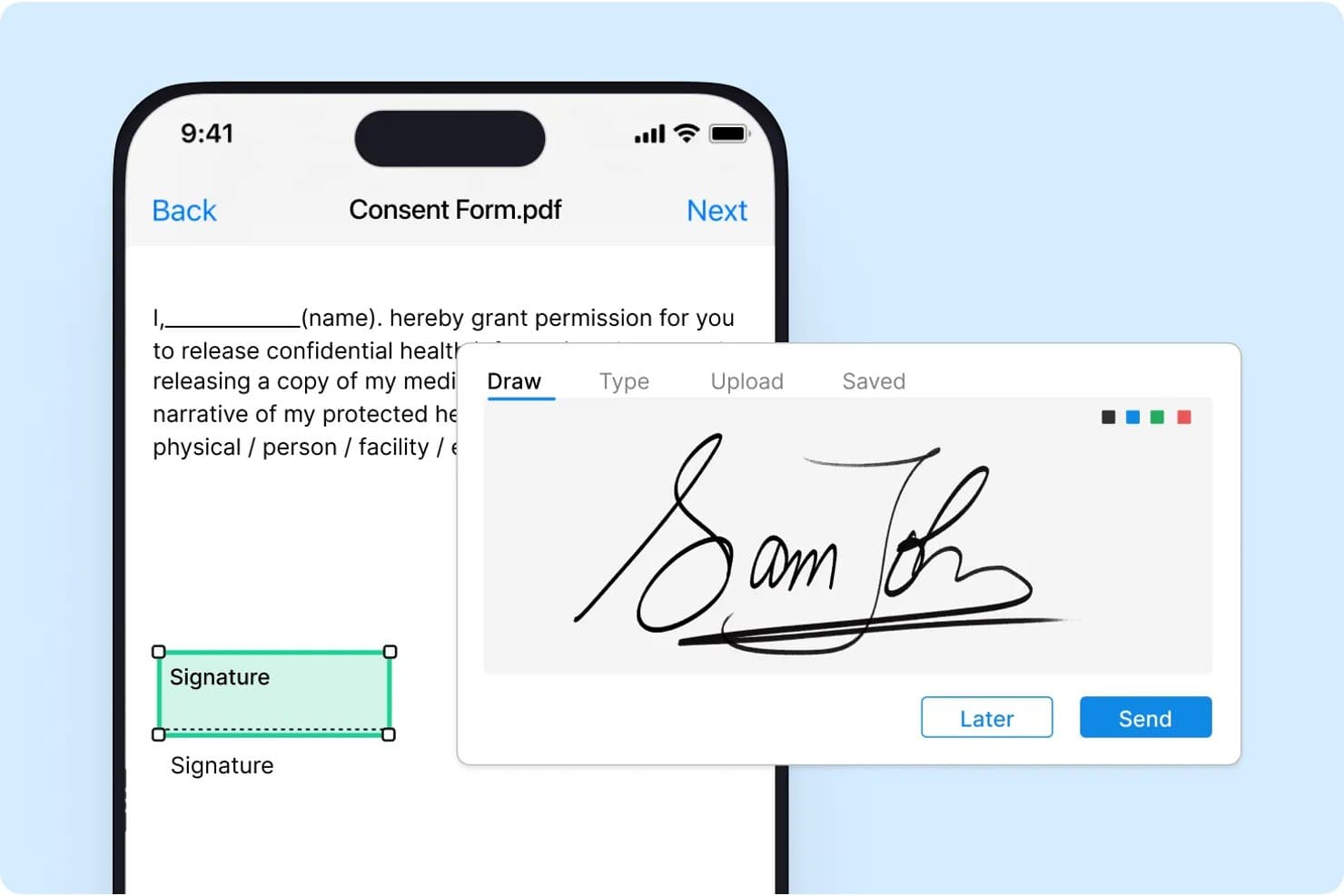
Signeasy lets users draw and apply signatures to consent forms on mobile. Signeasy is a HIPAA-compliant e-signature platform built for healthcare workflows, covering patient consent forms, medical records releases, billing documents, and staff paperwork across iOS, Android, and web.
Who Is Signeasy Best For?
Signeasy is a strong fit for healthcare organizations that need staff and patients to sign documents on mobile devices, with full HIPAA compliance built in.
Why I Picked Signeasy
Signeasy earns its spot on my shortlist because of how well it handles patient-facing signing on mobile, which is where most consent bottlenecks actually happen in clinical settings. I love that patients can sign forms directly on iOS or Android without needing an account or navigating a complex interface, and the audit trail that captures every signature event keeps consent logs HIPAA-compliant without extra admin work. Reusable templates for documents like patient consent forms and HIPAA authorizations also mean your staff isn't recreating the same paperwork from scratch every time.
Signeasy Key Features
- Multi-format document signing: Sign and send documents in PDF, Word, and Excel formats without converting files first.
- eSign API: Embed signing functionality directly into your existing healthcare app or patient portal using Signeasy's API.
- Google Workspace and Microsoft Office integration: Send and sign documents from within Google Workspace or Microsoft Office without switching platforms.
- Automated email routing and notifications: Route signed documents to multiple recipients automatically and trigger real-time notifications when signatures are completed.
Signeasy Integrations
Signeasy offers native integrations with Microsoft SharePoint, Microsoft Outlook, Microsoft Teams, Google Workspace (Gmail, Drive, Docs, Sheets), HubSpot, Salesforce, Dropbox, Box, and Slack, and it connects with Zapier. An eSign API is available for embedding signing into your own healthcare apps or patient portals.
Pros and Cons
Pros:
- Reusable templates for healthcare workflows
- Audit trails support HIPAA compliance directly
- Mobile signing for patients on any device
Cons:
- Template library limited to core healthcare forms
- Pricing is not publicly available
Learn more about Signeasy: Best for government ID signer verification
- 7-day free trial
- From $19.99/user/month (billed annually)
Visit WebsiteCustomer Rating:4.5/5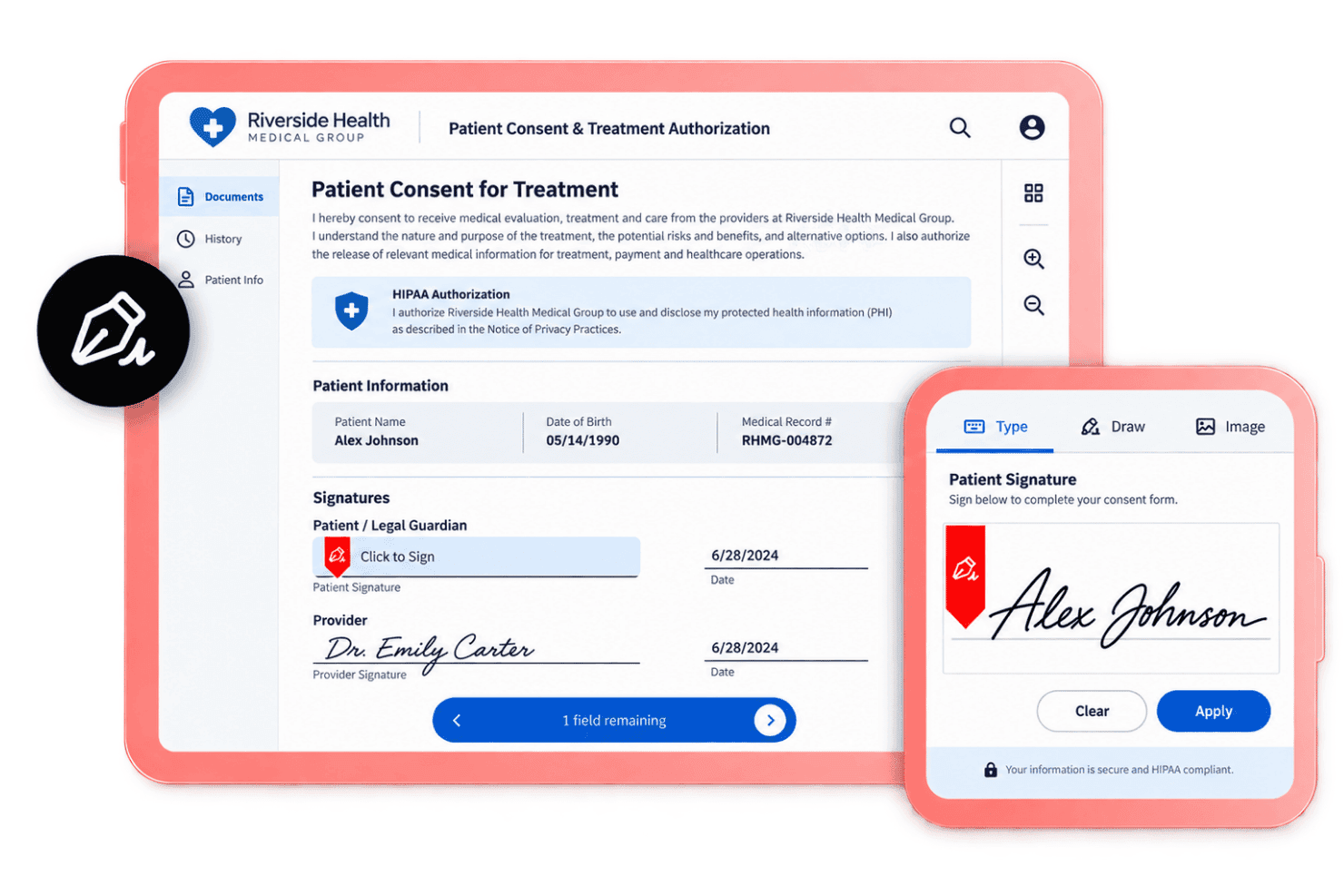
Adobe Acrobat Sign supports identity checks, audit trails, templates, and tracking. Adobe Acrobat Sign is a HIPAA-compliant e-signature solution that lets you send, track, and manage signed documents across devices, with built-in identity verification, audit trails, reusable form templates, and integrations with tools like Microsoft Teams, Salesforce, and Workday.
Who Is Adobe Acrobat Best For?
Adobe Acrobat Sign is a strong fit for healthcare organizations that need to verify signer identity using government-issued ID before collecting signatures on sensitive documents.
Why I Picked Adobe Acrobat
I picked Adobe Acrobat Sign because of its government ID authentication, which prompts signers to upload a photo of their driver's license or passport before they can access a document. What I find particularly useful is the optional selfie step, where Acrobat Sign compares the live photo to the submitted ID image to confirm it's the same person. That combination of document-based and biometric verification is exactly what you need when collecting signatures on BAAs or patient authorization forms.
Adobe Acrobat Key Features
- Audit trail: Every signature request generates a tamper-evident log with timestamps, IP addresses, and signer actions for each document.
- Reusable form templates: Build signable form templates once and redeploy them across your team for recurring documents like consent forms.
- Multi-signer routing: Send a document to multiple signers at once, with each recipient receiving their own personalized copy to complete.
- Third-party storage integrations: Connect Acrobat Sign to Box, Dropbox, Google Drive, or Microsoft OneDrive to store completed documents directly.
Adobe Acrobat Integrations
Adobe Acrobat Sign offers native integrations with Microsoft 365, Microsoft Teams, Salesforce, Workday, ServiceNow, SAP Ariba, Box, Dropbox, Google Drive, and Google Workspace. An API is available for custom integrations.
Pros and Cons
Pros:
- Generates tamper-evident audit trails
- Offers biometric selfie verification step
- Supports government-issued ID signer verification
Cons:
- Occasional sender authentication false positives
- ID verification can increase signing time
Learn more about Adobe Acrobat: Best for annual-plan practices needing signed BAAs
- Free trial available
- From $15/user/month (billed annually)
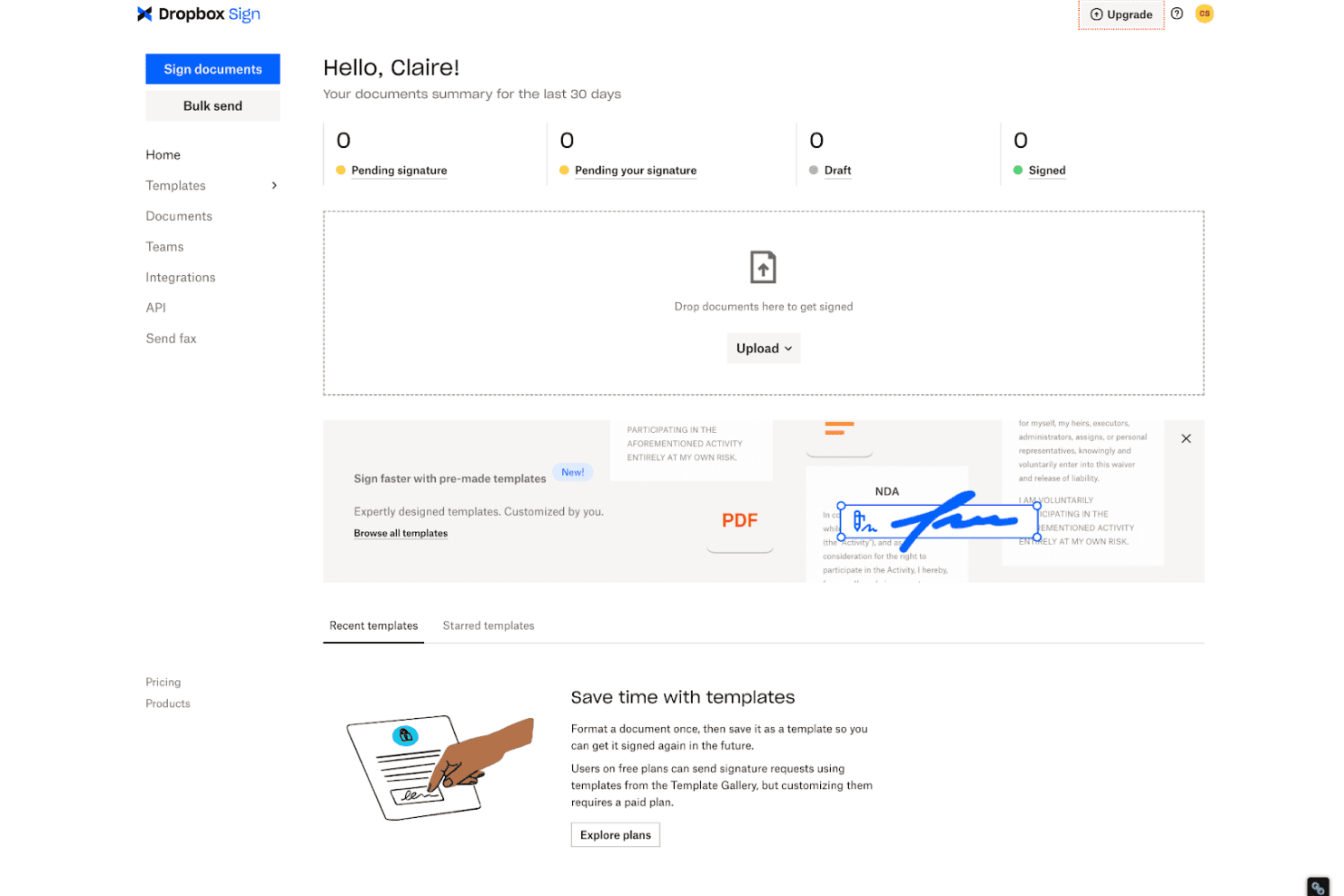
Dropbox Sign supports secure e-signatures, audit trails, templates, and BAA access. Dropbox Sign is a HIPAA-compliant e-signature platform that supports document sending, signature collection, template management, audit trails, and embedded signing workflows, with BAA availability on qualifying annual plans.
Who Is Dropbox Sign Best For?
Dropbox Sign is a good fit for healthcare practices that commit to annual plans and need a signed BAA as part of their HIPAA compliance setup.
Why I Picked Dropbox Sign
I picked Dropbox Sign as one of the best because the BAA requirement is built directly into the annual plan structure, which means HIPAA compliance isn't an add-on you negotiate separately. On annual Standard or Premium plans, you can execute a signed BAA with Dropbox Sign and access its full audit trail and template management features for patient-facing documents. I also like that enabling HIPAA mode through the admin console applies specific restrictions automatically, like blocking PDF copies of signed documents from being sent via email, which aligns with how protected health information should be handled.
Dropbox Sign Key Features
- Embedded signing: Integrate signing workflows directly into your patient portal or web application using Dropbox Sign's API.
- Signer authentication: Require signers to verify their identity via SMS passcode or other methods before accessing a document.
- Bulk send: Send a document to multiple recipients simultaneously, each receiving their own individual signing link.
- Reusable templates: Build standardized document templates for forms like intake paperwork or consent agreements that your team can send repeatedly.
Dropbox Sign Integrations
Dropbox Sign offers native integrations with Salesforce, HubSpot, Google Workspace, Microsoft Word, Microsoft OneDrive, Microsoft Dynamics 365, Slack, Greenhouse, Ironclad, and Oracle-adjacent HR tools like PageUp, and it connects with Zapier. An API is available for embedding signing workflows into your patient portal or custom applications.
Pros and Cons
Pros:
- API supports embedded patient portal workflows
- HIPAA mode enforces additional document restrictions
- BAA included with qualifying annual plans
Cons:
- HIPAA features require annual commitment
- BAA not available on monthly plans
Learn more about Dropbox Sign: Best for HIPAA intake forms and patient signing
- Free plan available
- From $34/user/month (billed annually)
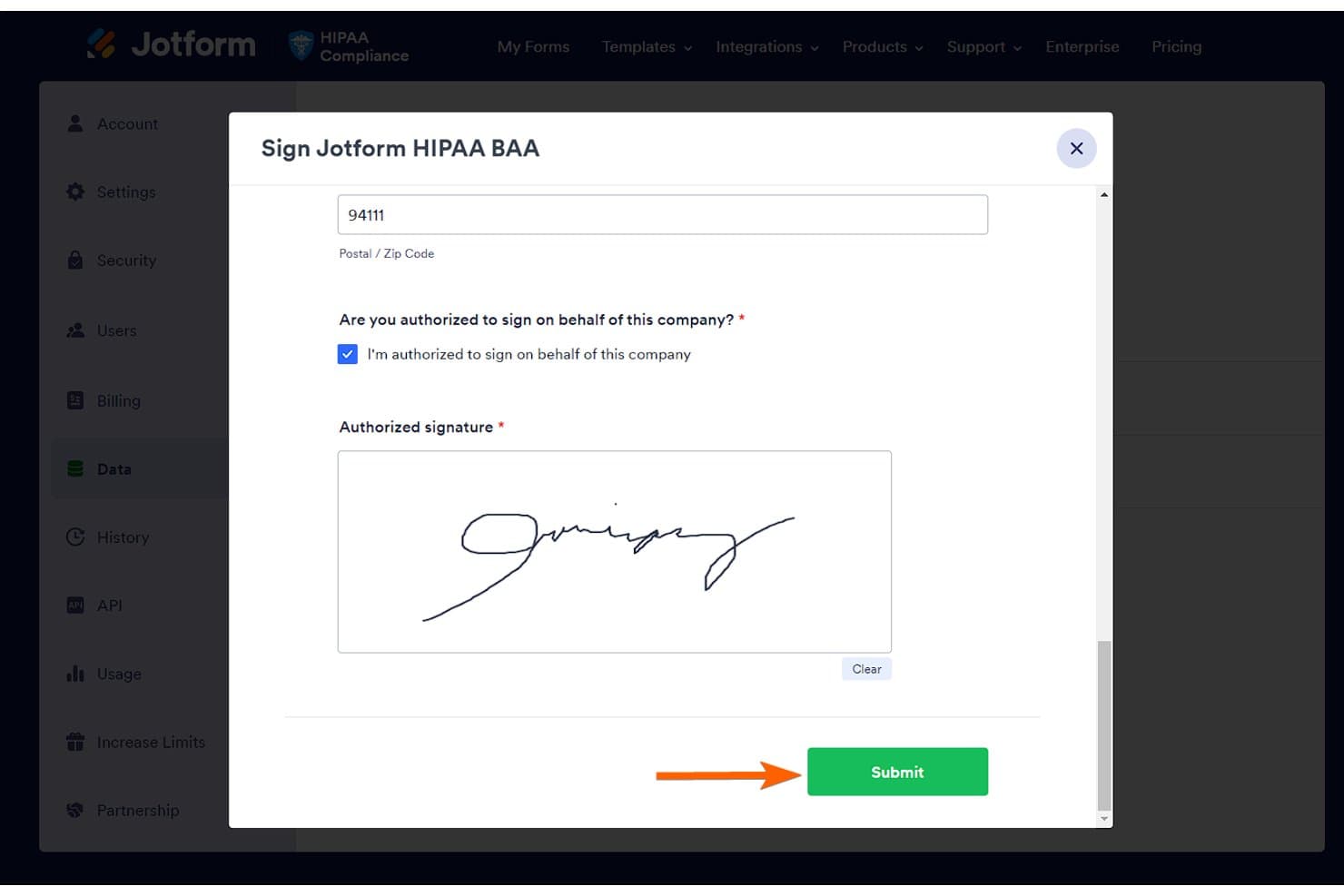
Jotform Sign lets users sign HIPAA BAA forms with an e-signature. Jotform Sign is a HIPAA-enabled electronic signature tool built around form-based document workflows, letting healthcare teams create, send, and collect signatures on patient intake forms, consent documents, and medical records releases using a drag-and-drop builder with automated signing order and approval flows.
Who Is Jotform Sign Best For?
Jotform Sign is a strong fit for healthcare administrators and clinical staff who need to collect patient signatures on intake forms and consent documents without building workflows from scratch.
Why I Picked Jotform Sign
I picked Jotform Sign as one of the best because its drag-and-drop form builder is purpose-built for exactly the documents healthcare teams deal with daily, including patient intake consent, medical records releases, and power of attorney forms. I especially like the automated signing order, which lets you route a document through multiple signers sequentially without manual follow-up. HIPAA-enabled plans include a BAA upon request, so your protected health information workflows stay compliant from collection to finalized PDF delivery.
Jotform Sign Key Features
- PDF conversion: Upload any existing PDF and convert it into a signable document without rebuilding the form from scratch.
- Audit trail: Every signing action is logged with timestamps and signer details, giving you a tamper-evident record for compliance documentation.
- Reusable document templates: Build a document once and send it repeatedly, so recurring forms like consent agreements don't require manual recreation each time.
- Sign Inbox: A centralized dashboard for tracking document status, receiving instant signer notifications, and downloading finalized records in one place.
Jotform Sign Integrations
Jotform Sign taps into Jotform's broader library of 200+ integrations, including healthcare-relevant tools like Salesforce, HubSpot, Google Drive, Google Sheets, Dropbox, OneDrive, Microsoft Excel, Mailchimp, Slack, and Keragon for EHR connections. It connects with Zapier and offers an API for custom integrations.
Pros and Cons
Pros:
- Audit trail tracks every signature action
- Drag-and-drop builder for intake documents
- Built-in HIPAA compliance with BAA available
Cons:
- PDF conversion formatting can need tweaking
- Workflow tools limited on free plan
Learn more about Jotform Sign: Best for flat-rate HIPAA signing with kiosk check-in
- Free trial available
- From $120/user/year
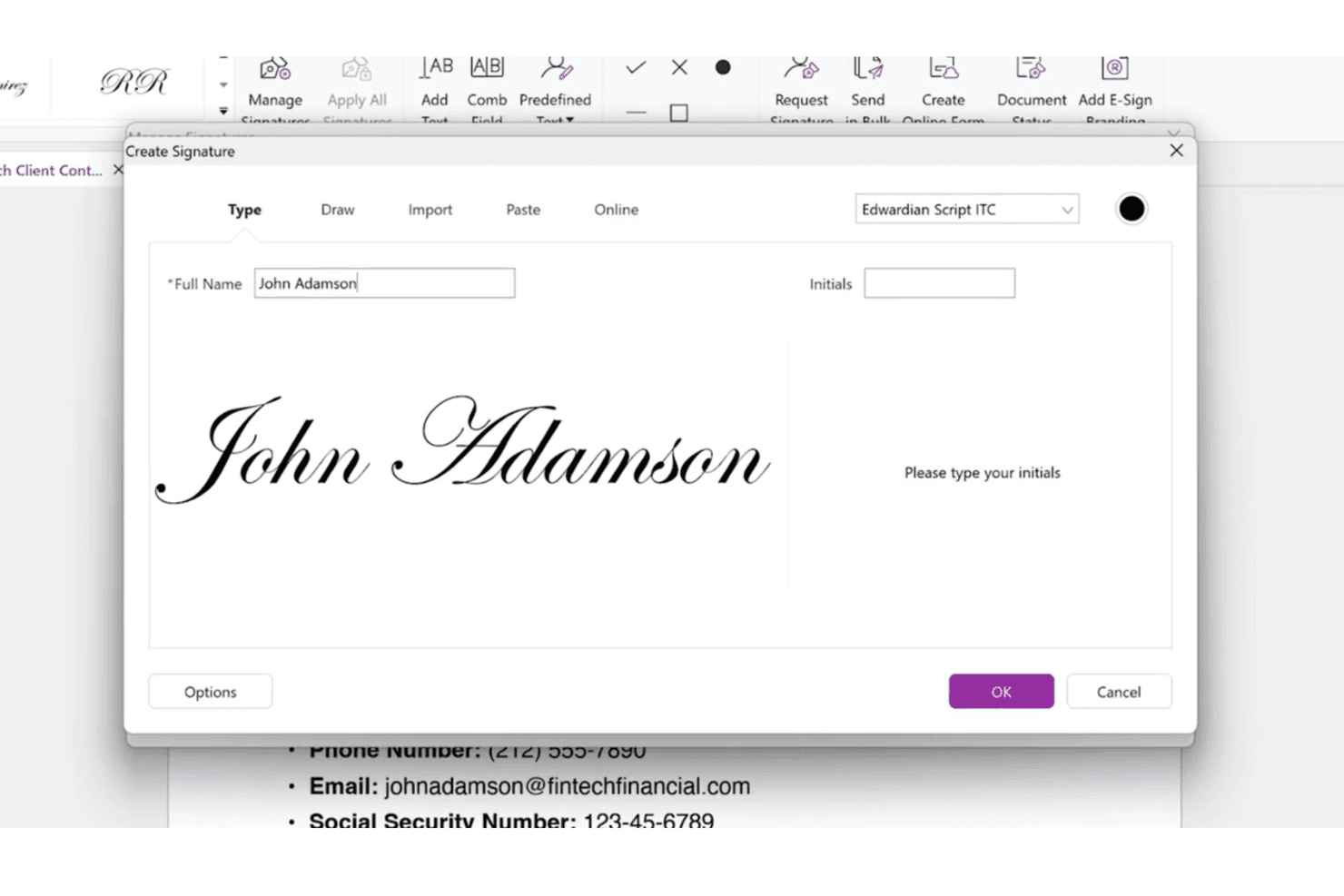
Foxit eSign supports patient intake, consent, bulk sending, audit trails, and kiosks. Foxit eSign is a HIPAA-compliant e-signature platform built for healthcare document workflows, covering patient intake forms, consent management, bulk sending, audit trails, and in-clinic kiosk signing.
Who Is Foxit eSign Best For?
Foxit eSign is a strong fit for healthcare organizations that need in-clinic kiosk signing alongside bulk patient form sending under a flat-rate pricing model.
Why I Picked Foxit eSign
Foxit eSign earns its spot on my shortlist because its kiosk-style signing via Online Forms is genuinely built for clinic front desks, where patients can complete and sign intake or consent forms on a shared tablet, with the station auto-resetting for the next patient. I also like that bulk sending lets staff push the same consent form to hundreds of patients at once, without spinning up individual envelopes. Pair that with HIPAA compliance, 256-bit encryption, and a full audit trail on every signed document, and you get a setup that holds up under scrutiny.
Foxit eSign Key Features
- Reusable document templates: Build and save form templates for patient consent and intake documents so staff can launch signing workflows without rebuilding them each time.
- Knowledge-based authentication (KBA): Verify signer identity using personal security questions before allowing access to sensitive healthcare documents.
- SOC 2 Type 2 certification: Independent audits validate Foxit eSign against all five Trust Service Principles, covering security, availability, and confidentiality.
- Data residency controls: Assign document storage to a specific regional AWS data center at account creation to meet data sovereignty requirements.
Foxit eSign Integrations
Foxit eSign offers 39+ native connectors, including Salesforce, Google Drive, Box, Microsoft SharePoint, Microsoft OneDrive, Dropbox, Workday, BambooHR, ADP Workforce Now, and Greenhouse, and it connects with Zapier. An API is available for custom integrations and embedded signing workflows.
Pros and Cons
Pros:
- Offers full audit trails for all documents
- Kiosk signing resets automatically between patients
- Flat-rate pricing suits high-volume clinics
Cons:
- Pricing details only available on request
- No free trial for evaluation
Learn more about Foxit eSign: Best for BAA access on any plan tier
- Free plan available
- From $10/month (billed annually)
Visit WebsiteCustomer Rating:4.9/5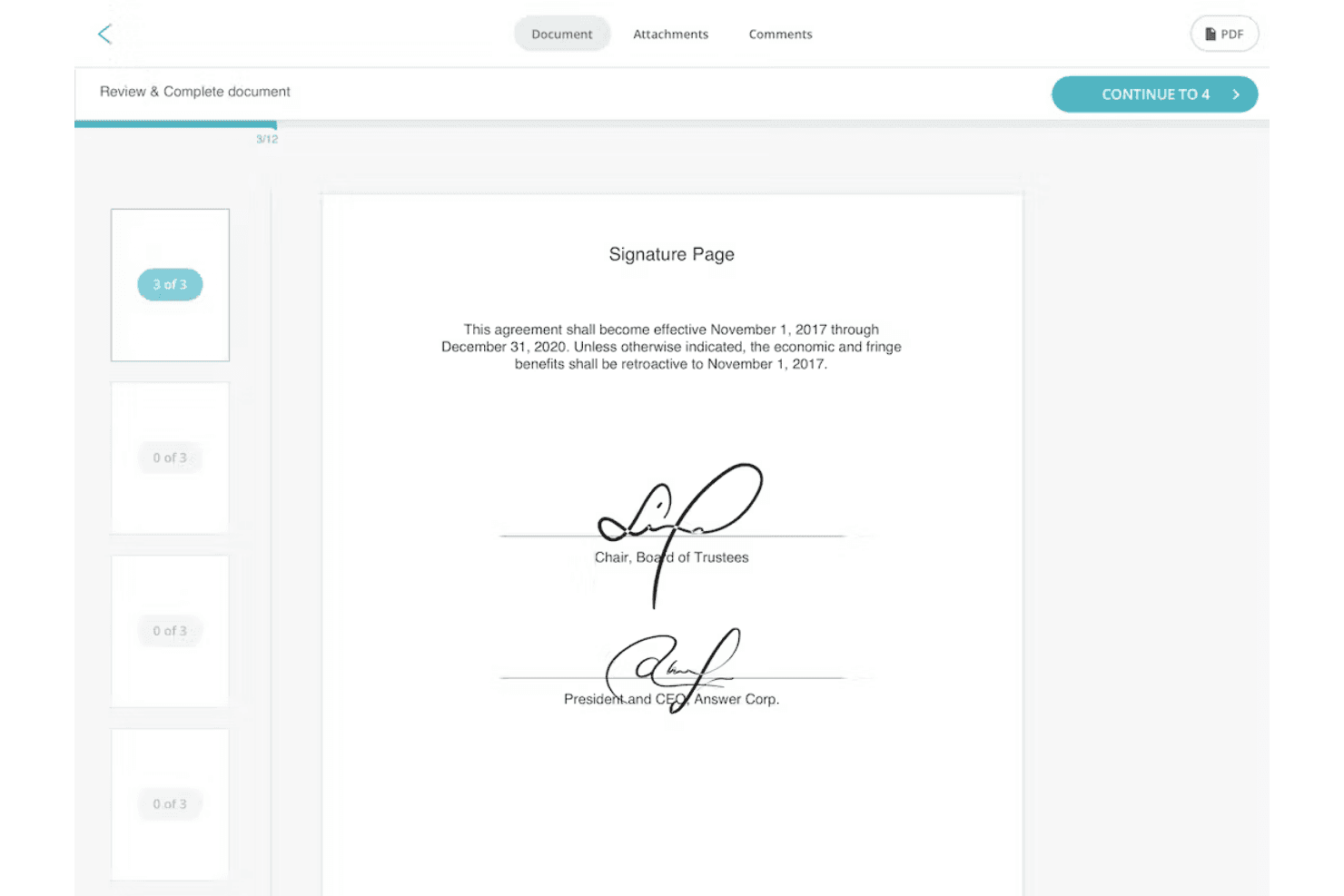
SignWell supports document sending, signing workflows, audit trails, and BAAs. SignWell is a HIPAA-compliant e-signature platform that covers document sending, signing workflows, audit trails, and BAA agreements for healthcare organizations handling protected health information.
Who Is SignWell Best For?
SignWell is a good fit for healthcare organizations of any size that need BAA coverage without committing to a premium plan—HIPAA support and a signed BAA are included even on the free tier.
Why I Picked SignWell
I've included SignWell in my top picks because it's one of the few e-signature tools that includes a signed BAA and full HIPAA support on every plan tier, including the free one. That matters when a small practice or solo provider needs compliant document signing without a premium subscription. I also like that every document gets a tamper-evident audit trail automatically, which keeps PHI-handling workflows defensible during a compliance review. Pair that with SOC 2 Type II certification and encryption in transit and at rest, and you've got a solid compliance baseline regardless of plan.
SignWell Key Features
- Signer passcode authentication: Protect sensitive documents by requiring signers to enter a static or one-time passcode before accessing a document.
- Signing order control: Set a defined sequence for multiple signers so documents route to each party in the correct order before completion.
- Bulk send: Send a document to multiple recipients at once, with each signer receiving their own individual copy to complete.
- Attachment requests: Collect supporting files from signers within the same signing workflow, keeping patient-related documentation in one place.
SignWell Integrations
SignWell offers a small set of native integrations, including Close CRM, QuickBooks Online, and Xero, and it connects with Zapier. An API is also available for custom integrations.
Pros and Cons
Pros:
- Passcode authentication for signer access
- Audit trails are always included
- HIPAA and BAA coverage on all plans
Cons:
- No advanced template automation options
- Limited range of native integrations
Learn more about Signwell: Best for self-serve BAA without sales friction
- 30-day free trial + free demo available
- From $5/user/month (billed annually)
Visit WebsiteCustomer Rating:4.7/5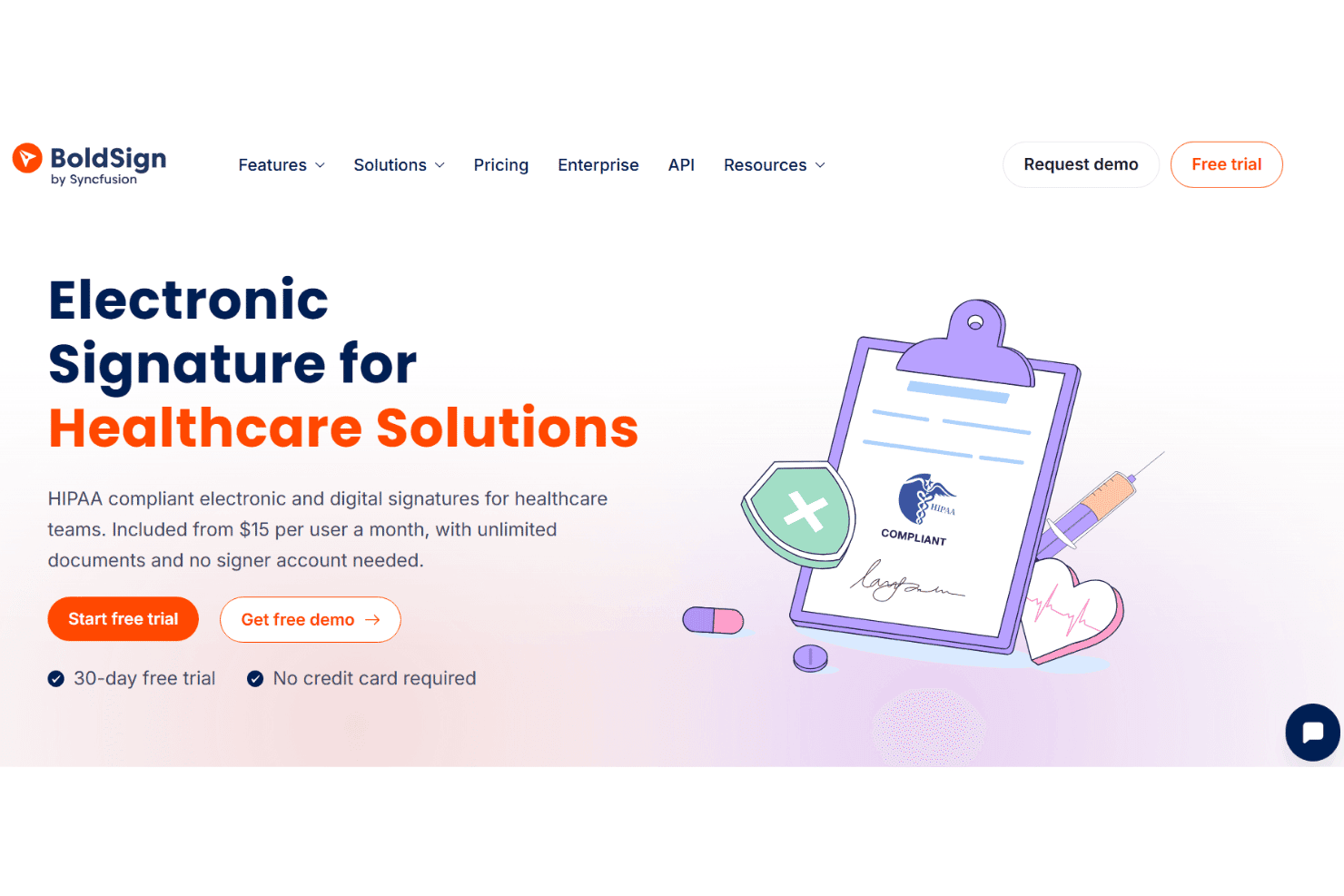
BoldSign supports templates, multi-party signing, authentication, and audit trails. BoldSign is a HIPAA-compliant e-signature platform built for healthcare teams, offering document templates, multi-party signing, signer authentication, audit trails, and a self-serve BAA available directly from your account settings.
Who Is BoldSign Best For?
BoldSign is a strong fit for healthcare teams that need to get a BAA in place quickly, without going through a sales process.
Why I Picked BoldSign
BoldSign earns its spot on my shortlist because the self-serve BAA is available directly from your account settings, with no sales call required. I love that you can get a signed BAA in place the same day you sign up, which matters when your team needs to move fast. Combine that with built-in signer authentication and tamper-evident audit trails, and you have a solid compliance foundation without the typical enterprise gatekeeping.
BoldSign Key Features
- Document templates: Build reusable templates for consent forms, intake packets, and other recurring healthcare documents to reduce manual setup on each send.
- Multi-party signing: Route documents to patients, providers, and witnesses in a defined signing order, with support for unlimited signers per document.
- Automated SMS and WhatsApp reminders: Send signature requests and follow-up reminders directly via SMS or WhatsApp, so patients can sign from any mobile device without creating an account.
- AES 256 encryption: All documents are protected with AES 256-bit encryption at rest and in transit, meeting the data security requirements tied to HIPAA compliance.
BoldSign Integrations
BoldSign offers native integrations with HubSpot, Salesforce, Microsoft Power Automate, Microsoft 365, OneDrive, Google Drive, Dropbox, Xero, and WhatsApp, and it connects with Zapier. An API and SDKs for C#, Java, PHP, Python, Node.js, and React are available for custom integrations.
Pros and Cons
Pros:
- Automated reminders via SMS and WhatsApp
- Multi-party signing with unlimited signers supported
- Self-serve BAA available in account settings
Cons:
- Pricing details not publicly listed
- No free trial offered
Learn more about BoldSign: Best for health system-scale consent workflows
- Free plan available
- From $10/month (billed annually)
Visit WebsiteCustomer Rating:4.6/5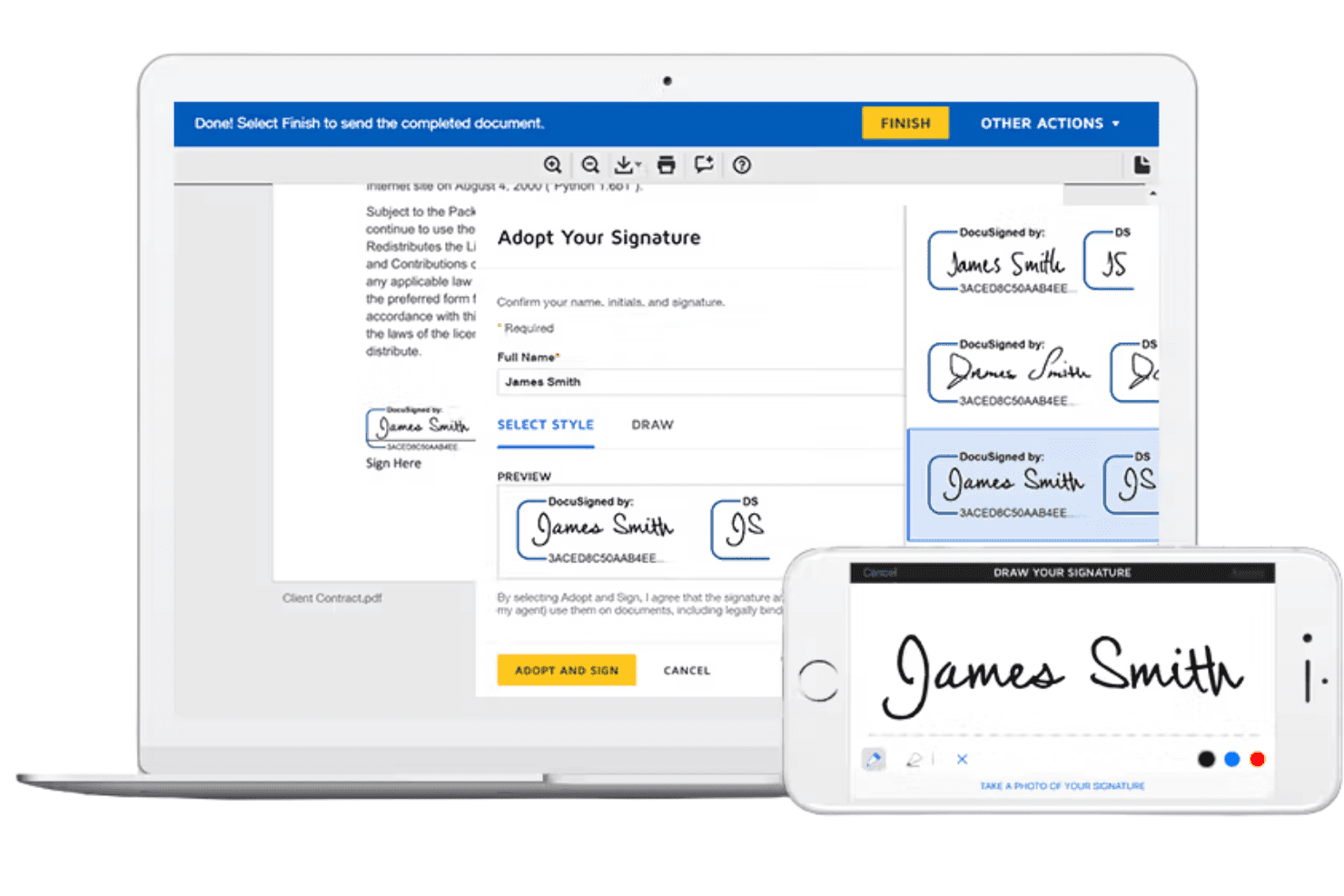
Docusign supports patient consent, credentialing, care coordination, and research. Docusign is a HIPAA-ready e-signature and agreement lifecycle management platform built for healthcare, covering patient consent, provider credentialing, care coordination, and clinical research workflows across EHR, ERP, and HR system integrations.
Who Is Docusign Best For?
Docusign is a strong fit for large health systems and hospital networks that need to manage high volumes of patient consent, provider credentialing, and care coordination agreements across multiple departments and EHR integrations.
Why I Picked Docusign
Docusign earns its spot on my shortlist because of how well its Agreement Lifecycle Management (IAM) platform handles consent and credentialing at scale. I'm particularly impressed by the auto-ingestion and auto-tagging of forms like BAAs and patient consents, which cuts the manual prep work that slows large health systems down. The automated audit trails and HIPAA-ready BAA support mean your compliance documentation is always current without extra admin lift. Health Partners Plans cut provider onboarding from 30 days to 24 hours using Docusign, which gives you a sense of what's possible at enterprise scale.
Docusign Key Features
- Mobile eSignature: Send and sign agreements on any device; over one-third of healthcare transactions are completed via mobile.
- Real-time reporting and analytics: Track agreement status and compliance data across your organization in real time.
- FDA 21 CFR Part 11 support: A dedicated life sciences module meets regulatory requirements for electronic records in clinical research.
- Online notary: Upload documents, verify signer identity, and complete notarizations through a live or electronic notary session.
Docusign Integrations
Docusign offers 1,000+ integrations across its ecosystem, including native connections with Salesforce, Workday, ServiceNow, Microsoft Power Automate, Google Workspace, HubSpot, Microsoft OneDrive, Box, monday.com, and CLEAR for identity verification. An API is available for custom EHR and ERP integrations.
Pros and Cons
Pros:
- Scales for cross-department healthcare workflows
- FDA 21 CFR Part 11 life sciences support
- Auto-ingests and tags BAAs and consents
Cons:
- Enterprise focus may exceed needs of clinics
- Pricing is not publicly available
Learn more about Docusign: Best for document workflows with kiosk signing
- Free plan + 14-day free trial available
- From $19/user/month (billed annually)
Visit WebsiteCustomer Rating:4.5/5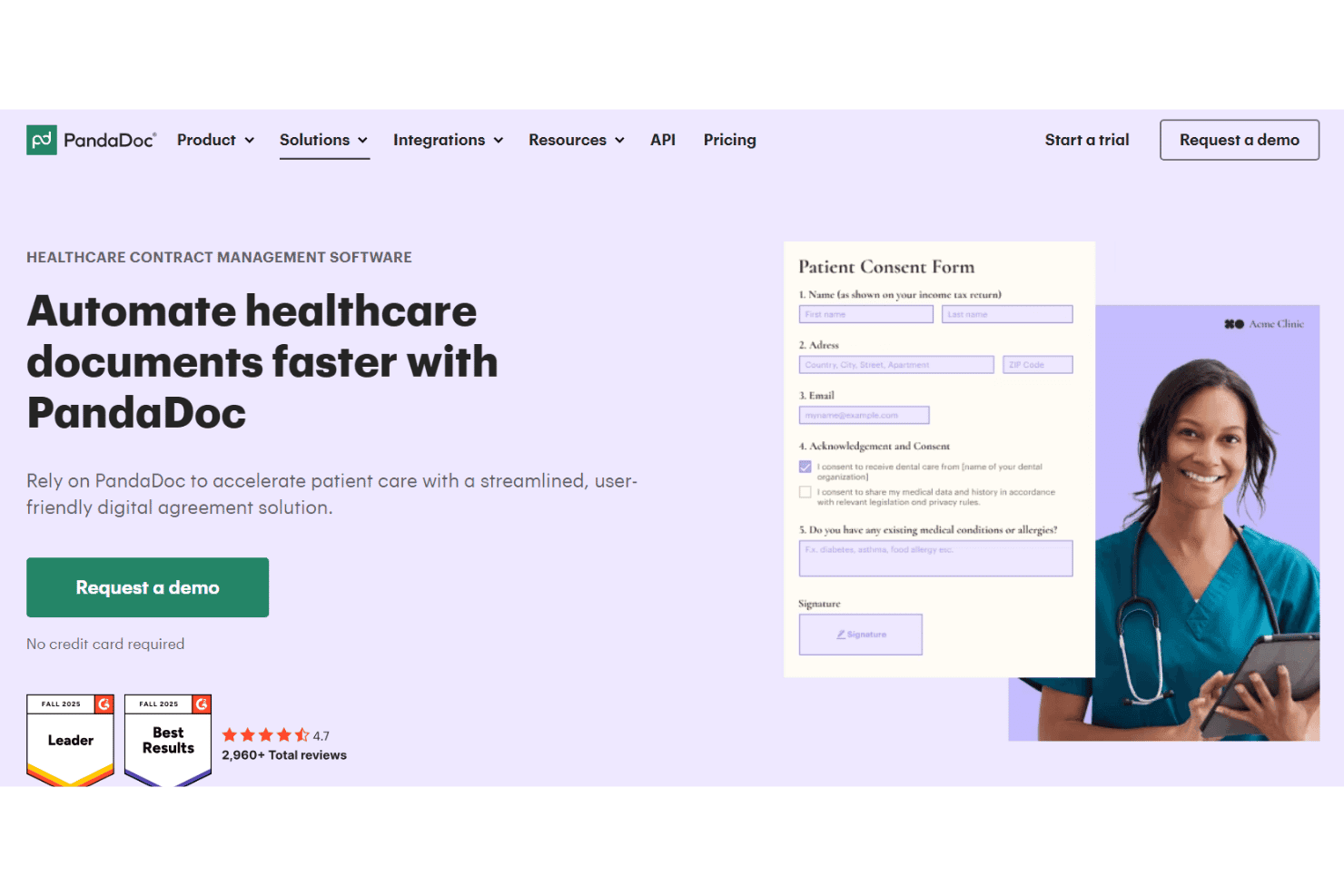
PandaDoc supports patient forms, online notarization, bundles, and kiosk signing. PandaDoc is a HIPAA-compliant document management and e-signature platform built for healthcare organizations, covering patient form collection, remote online notarization, bundled document signing, and kiosk-based signature capture.
Who Is PandaDoc Best For?
PandaDoc is a strong fit for healthcare organizations that need in-person kiosk signing alongside remote document workflows in a single HIPAA-compliant platform.
Why I Picked PandaDoc
PandaDoc earns its spot on my shortlist because of its in-person kiosk signing capability, which lets a front desk staff member pull up a document, tap "Sign in person," and hand a tablet directly to a patient to sign on the spot. I also like the bundled document feature, which groups consent forms, intake paperwork, and authorization documents into a single tracked transaction. Combined with separate HIPAA-compliant workspaces that restrict PHI access by role, it covers both in-clinic and remote signing within one platform.
PandaDoc Key Features
- Remote online notarization: Connect patients with a state-commissioned notary to sign and notarize documents on demand, without requiring an in-person visit.
- Audit trail: Logs every document action—who opened, viewed, and signed—with timestamps and IP addresses for compliance recordkeeping.
- Embeddable patient forms: Embed intake forms on your website to remotely capture and store patient information in a unified system.
- Signing order: Set a custom signing sequence so documents route to each signer one at a time in a defined order.
PandaDoc Integrations
PandaDoc offers native integrations with Salesforce, HubSpot, Pipedrive, Microsoft Dynamics CRM, Zoho, monday.com, Microsoft Teams, Slack, Google Docs, and QuickBooks, and it connects with Zapier. An API is also available for custom integrations.
Pros and Cons
Pros:
- Bundled multi-document signing in one session
- Remote online notarization for compliance workflows
- Kiosk signing for in-person patient signatures
Cons:
- Audit trail settings may require technical setup
- Pricing details require contacting sales team
Learn more about PandaDoc: Best for high-assurance signer auth in healthcare
- Free demo available
- Pricing upon request
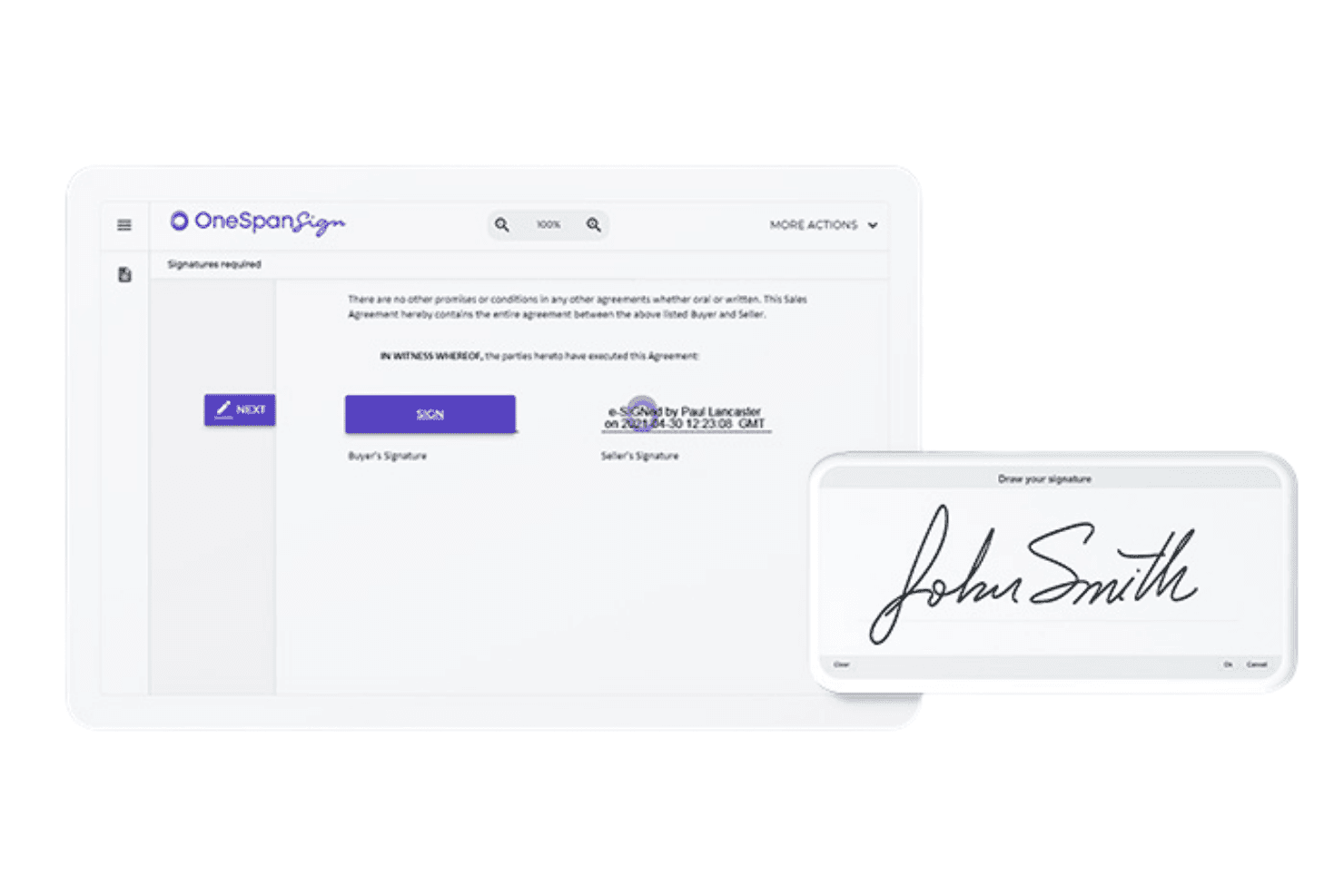
OneSpan Sign supports patient consent, credentialing, EPCS, claims, and identity checks. OneSpan Sign is a HIPAA-compliant electronic signature platform built for healthcare organizations, covering patient consent forms, physician credentialing, EPCS, claims processing, and digital identity verification with biometric and multi-factor authentication tools.
Who Is OneSpan Sign Best For?
OneSpan Sign is a strong fit for healthcare organizations that handle high-stakes document workflows—like EPCS, patient consent, and physician credentialing—where signer identity verification needs to go beyond a basic email link.
Why I Picked OneSpan Sign
OneSpan Sign earns its spot on my shortlist because of its layered signer authentication stack, which goes well beyond what most e-signature platforms offer in healthcare. I particularly like its support for EPCS workflows, where it applies customized mobile signing apps paired with biometric and hardware authenticators to meet DEA two-factor requirements. It also handles digital identity verification at the point of onboarding, capturing ID documents and running facial comparison checks before a patient or physician ever touches a consent form.
OneSpan Sign Key Features
- Single unified audit trail: OneSpan Sign captures every step of the agreement process—identity verification, authentication, and signing—in one embedded audit trail within the signed PDF.
- Conditional form logic: If/Then field logic shows or hides form fields based on signer responses, letting you tailor patient consent and credentialing forms without creating separate document versions.
- Smart digital forms: PDF conversion into guided mobile forms gives patients and staff a step-by-step signing experience on any device without downloading an app.
- White-label signing experience: Fully customizable signing pages, emails, and branding let healthcare organizations present the signing workflow under their own identity.
OneSpan Sign Integrations
OneSpan Sign offers pre-built integrations with Salesforce, Microsoft Dynamics 365, Microsoft SharePoint, Microsoft OneDrive, Workday, Google Drive, Google Sheets, Box, Dropbox, Greenhouse, HubSpot, Guidewire, nCino, Oracle Cloud, Pega, Laserfiche, and Slack, plus a Print Driver for sending from any application. It also connects through Workato and provides APIs and SDKs for custom integrations and embedded signing.
Pros and Cons
Pros:
- Unified audit trails within signed documents
- Built-in ID verification with facial comparison
- Advanced multi-factor authentication tools included
Cons:
- Mobile app installation sometimes required for signing
- Conditional logic setup can be complex
Learn more about OneSpan Sign:
Alte programe de semnătură electronică conforme cu HIPAA
Iată câteva opțiuni suplimentare de programe de semnătură electronică conforme cu HIPAA care nu au ajuns pe lista mea scurtă, dar merită totuși analizate:
- 11ZentakeBest for healthcare intake forms with built-in signing
- 12SignNowBest for unlimited-user HIPAA signing on a budget
- 13NitroBest for Microsoft 365-native HIPAA signing
- 14ConcordBest for contract-led HIPAA signing workflows
- 15DocHubBest for Google Workspace-native HIPAA signing
- 16QliqSOFTBest for home-based care e-sign workflows
- 17Xodo SignBest for all-in-one PDF and HIPAA signing on a budget
- 18FormDrBest for EHR-connected patient intake signing
- 19FillBest for AI-assisted patient intake signing
- 20Formstack SignBest for forms-to-signature HIPAA workflows
How I Evaluate HIPAA-Compliant E Signature Software
My evaluation splits into baseline requirements every tool must meet—like a signed BAA and HIPAA-grade audit trails—and the differentiators that separate the best options for real patient-facing workflows.
Core Functionality (Table Stakes For This List)
When I'm selecting tools for my list, I rank each one on a scale from 0 (does not offer the functionality) to 5 (excels in this area) for each core functionality listed below. I then calculate the tool's total score into a percentage, using 65% as a benchmark to help assess its overall fit for the list.
- BAA availability: I check whether the vendor offers a Business Associate Agreement on standard plans or restricts it to enterprise tiers behind a sales call.
- HIPAA-grade security: Encryption at rest and in transit is the baseline, but I also look for SOC 2 Type II reports, HITRUST certification, and documented safeguards specific to PHI.
- Legally binding e-signatures: Each tool should produce ESIGN/UETA-compliant signatures with a certificate of completion—important when consent forms face legal scrutiny.
- Audit trails and logging: I evaluate whether logs capture signer identity, timestamps, and IP addresses in a tamper-evident format you can export for compliance reviews.
- Access controls and authentication: Role-based permissions, MFA, and signer verification methods like SMS or knowledge-based questions all factor into how I score this area.
- Document workflow management: Templates, multi-party routing, automated reminders, and status dashboards matter—especially for practices sending recurring consent or intake packets.
Once I have a list of tools that meet the criteria, I consider what sets each platform apart.
Differentiating Factors (What Sets Vendors Apart)
Here's how I compare and contrast different vendors:
Standout Features
I look for in-person signing modes that support kiosk and tablet handoff at the front desk, since many consent forms are signed during check-in rather than remotely. Signer identity verification is another key area—options like photo ID capture or knowledge-based authentication matter most for high-risk consents such as surgical authorizations. I also evaluate how well each tool's form builder handles conditional logic, required-field validation, and copay collection within a single intake packet.
Beyond Features
I check whether a vendor's BAA is available at digital signup or locked behind a sales call, since practices spinning up telehealth consent workflows can't wait weeks for legal review. Total cost of ownership matters just as much—per-envelope pricing can quietly balloon for high-volume intake, so I compare overage fees and template limits against per-user flat-rate plans. I also evaluate EHR interoperability depth, looking for native connectors or open APIs that write signed documents back into the patient chart without manual uploads.
Cum să alegeți un program de semnătură electronică conform cu HIPAA
Identificarea programului de semnătură electronică conform cu HIPAA potrivit presupune evaluarea gradului în care acesta se potrivește fluxurilor dumneavoastră de lucru medicale, protejând în același timp datele pacienților.
| Dacă prioritatea dumneavoastră este | Căutați |
|---|---|
| Dacă prioritatea dumneavoastră esteÎnceperea rapidă a consimțământului digital | CăutațiAcorduri BAA disponibile la înscriere, fără schimburi îndelungate cu departamentul juridic |
| Dacă prioritatea dumneavoastră esteÎnregistrarea la cabinet și utilizarea la recepție | CăutațiModuri chioșc sau tabletă pentru obținerea imediată a semnăturilor pacienților |
| Dacă prioritatea dumneavoastră esteReducerea dificultăților de înregistrare a pacienților | CăutațiFormulare medicale de primire predefinite și mementouri automate |
| Dacă prioritatea dumneavoastră esteMinimizarea riscului de neconformitate | CăutațiJurnale de audit care înregistrează semnatarul, data, dispozitivul și adresa IP |
| Dacă prioritatea dumneavoastră esteConectarea la EHR sau PMS | CăutațiAPI deschis sau integrări native cu sistemele de evidență medicală |
Cum să evaluați lista scurtă
- Solicitați un exemplu de BAA: Obțineți acordul BAA exact pe care l-ar semna un cabinet ca al dumneavoastră înainte de a partaja date despre pacienți.
- Testați semnarea în cabinet: Rulați un scenariu real de înregistrare (dumneavoastră, un coleg sau un membru al personalului) pe o tabletă sau la un chioșc, în decurs de o zi lucrătoare.
- Exportați un jurnal de audit: Finalizați o semnătură de test, apoi descărcați jurnalul complet de audit al semnatarului, inclusiv IP-ul, data și dispozitivul, pentru a confirma nivelul de detaliu.
- Verificați integrarea EHR: Conectați contul de test la un mediu de testare EHR sau de gestionare a cabinetului și trimiteți un document semnat.
- Filtrul compromisului — viteză versus profunzime: Decideți din timp între un program care face posibilă conformitatea digitală imediată, în câteva ore, și platformele care prioritizează o integrare EHR mai profundă, care poate necesita o configurare și o coordonare mai îndelungate.
Ce este un program de semnătură electronică conform cu HIPAA?
Software-ul de semnătură electronică conform cu HIPAA este alcătuit din instrumente digitale concepute pentru a permite furnizorilor de servicii medicale să colecteze, să gestioneze și să stocheze semnăturile pacienților într-un mod care respectă reglementările HIPAA privind confidențialitatea și securitatea.
Aceste platforme sprijină procesele de consimțământ, primire a pacienților și documentare, asigurând criptarea securizată, posibilitatea de audit și validitatea juridică a semnăturilor electronice și a înregistrărilor asociate pentru informațiile medicale protejate. Astfel, contribuie la protejarea datelor pacienților, simplificând în același timp cerințele de conformitate și fluxurile de lucru din mediile medicale.
Caracteristicile programelor de semnătură electronică conforme cu HIPAA
Atunci când selectați un program de semnătură electronică conform cu HIPAA, urmăriți următoarele caracteristici esențiale:
Disponibilitatea unui acord de asociat comercial (BAA): Software-ul ar trebui să ofere un BAA pe care să îl puteți semna în cadrul procesului de integrare, asigurându-se că atât dumneavoastră, cât și furnizorul îndepliniți cerințele HIPAA privind gestionarea informațiilor medicale protejate.
Securitate la nivel HIPAA: Căutați criptarea datelor în repaus și în tranzit, împreună cu măsuri tehnice de protecție precum certificarea SOC 2 sau HITRUST, pentru un nivel suplimentar de încredere că PHI rămân securizate.
Semnături obligatorii din punct de vedere juridic: Platforma trebuie să genereze semnături care respectă standardele ESIGN și UETA, împreună cu certificate de finalizare, astfel încât documentele semnate să fie valabile în cazul în care sunt contestate.
Jurnale de audit detaliate: Fiecare semnătură ar trebui să includă un jurnal de audit complet, cu marcaj temporal, care să înregistreze identitatea semnatarului, dispozitivul, adresa IP și activitatea — ușor de exportat pentru verificări de conformitate sau audituri.
Controale ale accesului bazate pe roluri: Atribuiți roluri personalului, restricționați persoanele care pot vedea sau trimite documente sensibile și impuneți autentificarea multifactorială sau verificarea semnatarului, reducând riscul accesului neautorizat.
Șabloane și fluxuri de lucru personalizabile: Creați și reutilizați formulare de consimțământ, de înregistrare sau de autorizare, folosind instrumente de tip glisare și plasare. Automatizați direcționarea către mai multe părți, mementourile și fluxurile de aprobare adaptate proceselor dumneavoastră clinice.
Semnare în persoană și de la distanță: Sistemul ar trebui să le permită pacienților sau membrilor personalului să semneze de pe propriile dispozitive sau în clinică, folosind o tabletă sau un chioșc — susținând atât fluxurile de lucru la distanță, cât și pe cele de la recepție.
Integrări cu dosarele medicale electronice și gestionarea cabinetului: Căutați integrări directe sau API-uri deschise care vă permit să preluați datele pacienților și să introduceți documentele semnate direct în dosare, cu un minimum de intervenție manuală.
Compatibilitate cu dispozitivele mobile: Platforma ar trebui să accepte dispozitive iOS și Android, cu capturarea semnăturii optimizată pentru ecrane tactile, astfel încât pacienții să poată semna în locul cel mai convenabil pentru ei.
Logică condițională a formularelor: Creatorii avansați de formulare folosesc câmpuri obligatorii și întrebări condiționale pentru a colecta date complete despre pacienți.
Beneficiile software-ului pentru semnături electronice conform HIPAA
Implementarea unui software pentru semnături electronice conform HIPAA oferă mai multe beneficii pentru echipa și afacerea dumneavoastră. Iată câteva dintre avantajele de care vă puteți bucura:
- Conformitate HIPAA garantată: Fiecare platformă oferă criptare la nivel HIPAA și jurnale de audit, precum și un acord de asociat comercial (BAA), pentru a vă ajuta să îndepliniți cu încredere cerințele de reglementare.
- Înregistrarea și obținerea consimțământului pacienților mai rapide: Șabloanele de formulare medicale predefinite, mementourile automatizate și opțiunile de semnare în persoană vă permit să colectați rapid semnături la recepție sau de la distanță.
- Gestionarea securizată a datelor pacienților: Controalele accesului bazate pe roluri, autentificarea multifactorială și jurnalele de activitate păstrează în siguranță informațiile medicale protejate (PHI), împiedicând accesul neautorizat.
- Valabilitatea juridică a semnăturilor: Documentele includ semnături conforme cu ESIGN/UETA și certificate de finalizare, protejând cabinetul atunci când consimțământul pacientului este examinat cu atenție.
- Gestionarea eficientă a documentelor: Instrumentele oferă șabloane reutilizabile, direcționare către mai multe părți și panouri de stare, astfel încât să puteți gestiona formularele recurente și să urmăriți fiecare solicitare de semnătură.
- Integrări cu dosarele medicale electronice și gestionarea cabinetului: Multe opțiuni se conectează direct la sistemul dumneavoastră de dosare medicale electronice sau de gestionare a cabinetului, transferând formularele semnate direct în fișele pacienților, fără încărcări manuale.
- Experiențe flexibile de semnare: Compatibilitatea cu dispozitivele mobile și modurile pentru chioșc sau tabletă le permit pacienților și membrilor personalului să semneze cu ușurință documente oriunde sunt furnizate servicii medicale.
Costurile și prețurile software-ului pentru semnături electronice conform HIPAA
Alegerea unui software pentru semnături electronice conform HIPAA presupune înțelegerea diferitelor modele de preț și planuri disponibile. Costurile variază în funcție de caracteristici, dimensiunea echipei, suplimente și alți factori. Tabelul de mai jos prezintă pe scurt planurile uzuale, prețurile medii ale acestora și caracteristicile incluse în mod obișnuit în soluțiile software pentru semnături electronice conforme HIPAA:
Tabel comparativ al planurilor pentru software-ul de semnături electronice conform HIPAA
| Tipul planului | Preț mediu | Caracteristici uzuale |
|---|---|---|
| Tipul planuluiPlan gratuit | Preț mediu$0 | Caracteristici uzualeSemnarea de bază a documentelor, un număr limitat de plicuri pe lună, suport pentru un singur utilizator și jurnale de audit de bază. |
| Tipul planuluiPlan personal | Preț mediu$10-$30/utilizator/lună | Caracteristici uzualeLicență pentru un singur utilizator, semnături nelimitate, acces la șabloane, notificări prin e-mail și jurnale de audit standard. |
| Tipul planuluiPlan pentru companii | Preț mediu$25-$50/utilizator/lună | Caracteristici uzualeMai mulți utilizatori, șabloane avansate, gestionarea echipei, trimitere în masă, semnare în persoană și securitate la nivel HIPAA. |
| Tipul planuluiPlan pentru întreprinderi | Preț mediu$45-$85/utilizator/lună | Caracteristici uzualeBranding personalizat, acces la API, integrări avansate, utilizatori nelimitați, BAA complet și controale de conformitate îmbunătățite. |
Întrebări frecvente despre software-ul pentru semnături electronice conform HIPAA
Iată câteva răspunsuri la întrebările frecvente despre software-ul pentru semnături electronice conform HIPAA:
Toți furnizorii de software pentru semnături electronice conform HIPAA oferă un BAA la înregistrare?
Nu, nu toți furnizorii vă oferă un Acord de asociat comercial (BAA) chiar la înregistrare. Unii oferă un BAA doar după o discuție cu departamentul de vânzări sau pentru anumite planuri. Dacă trebuie să vă mișcați rapid, căutați furnizori care vă permit să examinați și să semnați BAA online în timpul înregistrării. Acest lucru este important pentru a vă pune rapid în funcțiune procesele de semnătură electronică, menținând în același timp conformitatea cu HIPAA.
Sunt semnăturile electronice colectate prin aceste platforme valabile din punct de vedere juridic pentru consimțământul pacienților?
Da, semnăturile electronice realizate prin software conform HIPAA sunt valabile din punct de vedere juridic, atât timp cât respectă ESIGN/UETA și sunt însoțite de un certificat de finalizare. Asigurați-vă întotdeauna că platforma documentează întregul proces de semnare prin jurnale de audit, inclusiv marcaje temporale și identitatea semnatarului. Acest lucru este esențial dacă va trebui vreodată să apărați consimțământul pacientului în cadrul unui audit sau al unei dispute juridice.
Cum pot confirma conformitatea unui software cu HIPAA înainte de achiziție?
Solicitați un model de BAA și examinați documentația privind securitatea furnizorului, inclusiv detalii despre criptare, jurnalele de audit și controalele de acces. Testați software-ul trimițând un document de probă și exportând un jurnal de audit. Nu vă bazați pur și simplu pe afirmațiile de marketing — confirmați detaliile înainte de a introduce datele pacienților în platformă.
Ce fac dacă am nevoie ca pacienții să semneze formulare în cabinet, nu doar online?
Căutați software pentru semnături electronice care include funcții de semnare în persoană, precum moduri pentru chioșc sau tabletă. Astfel, pacienții pot completa formularele de primire sau de consimțământ chiar la recepție sau în sălile de consultație. Este util să testați personal aceste funcții pentru a vedea dacă fluxul de lucru se potrivește procesului de înregistrare a pacienților.
Ce software pentru semnături electronice conform HIPAA funcționează cu sistemul meu EHR sau de gestionare a cabinetului?
Unele platforme oferă integrări directe sau API-uri deschise pentru conectarea la software-ul EHR sau de gestionare a cabinetului. Verificați întotdeauna lista de integrări a furnizorului și, dacă este posibil, conectați un cont de test la sistemul dumneavoastră. Dacă integrarea cu EHR este obligatorie, acordați prioritate furnizorilor cu conectori preconfigurați pentru platforma dumneavoastră și nu presupuneți că orice instrument oferă acest nivel de asistență.
Cum gestionează aceste instrumente fluxurile de lucru cu volume mari de documente?
Majoritatea platformelor pentru semnături electronice conform HIPAA acceptă șabloane reutilizabile, trimiterea în masă și mementouri automate pentru formularele recurente ale pacienților. Dacă vă așteptați la o utilizare intensă, analizați prețurile fiecărui plan în funcție de limitele pentru plicuri, numărul de utilizatori și limitele pentru șabloane. Planurile de afaceri sau pentru companii, cu tarif fix, sunt mai potrivite pentru gestionarea unor volume mari de documente fără taxe suplimentare neașteptate pentru depășirea limitelor.