

Compreendo os desafios inerentes à gestão de uma unidade de cuidados de saúde movimentada. Um dos maiores problemas? Garantir que a sua equipa dispõe dos conhecimentos mais recentes necessários para prestar cuidados excecionais, mantendo-se simultaneamente em conformidade com regulamentações em constante mudança. É aqui que entra um sistema robusto de gestão da aprendizagem (LMS) para cuidados de saúde — uma plataforma baseada na nuvem que disponibiliza aprendizagem eletrónica, acompanha o progresso da formação e garante que está sempre a par das práticas mais recentes.
Um software LMS não só equipa a sua equipa com os conhecimentos de que necessita, como também é uma ferramenta poderosa para melhorar os cuidados prestados aos doentes. Então, porquê esperar? Está na altura de explorar estes LMS e abraçar o futuro da educação na área dos cuidados de saúde.
Why Trust Our Software Recommendations
6,700+
Reviews
20
Industry experts
16+
Evaluation factors
14
Years
Our team has been testing and reviewing software since 2012. As medical practice leaders ourselves, we know how difficult—and important—it is to choose the right software.
For this guide, we evaluated tools using hands-on testing and independent research, scoring tools using our selection criteria.
Our reviews reflect our human editorial judgment, not a sales pitch.
Tabela comparativa: plataformas LMS para cuidados de saúde
Esta tabela comparativa resume os detalhes de preços das minhas principais seleções de LMS para cuidados de saúde.
| Tool | Best For | Trial Info | Price | ||
|---|---|---|---|---|---|
| 1 | Best for AI-assisted content creation | Free demo available | Pricing upon request | Website | |
| 2 | Best for training certifications | Free trial available | Pricing upon request | Website | |
| 3 | Best for role-based healthcare training | Free plan + free demo available | From $119/month (billed annually) | Website | |
| 4 | Best for managing clinical competencies at scale | Free trial available | From $3.97/user/month (billed annually) | Website | |
| 5 | Best for automated onboarding and course assignments | Free demo available | Pricing upon request | Website | |
| 6 | Best for a drag-and-drop LMS interface | Free demo available | From $5/user/month | Website | |
| 7 | Best with broad third-party content integrations | Free demo available | From $6,000/year | Website | |
| 8 | Best for intuitive, self-paced learning in healthcare | Free demo available | Pricing upon request | Website | |
| 9 | Best for fast deployment and scaling healthcare training | Free demo available | Pricing upon request | Website | |
| 10 | Best for interactive and engaging online medical courses | Free demo available | Pricing upon request | Website |


Avaliações das melhores plataformas LMS para cuidados de saúde
Apresentamos abaixo os meus resumos detalhados dos melhores LMS para cuidados de saúde que entraram na minha lista restrita. As minhas avaliações oferecem uma análise detalhada das principais funcionalidades, vantagens & desvantagens, integrações e casos de utilização ideais de cada ferramenta, para o ajudar a encontrar a melhor opção para si.
 Best for AI-assisted content creation
- Free demo available
- Pricing upon request

Use AI to instantly generate course modules and interactive activities with EducateMe. EducateMe LMS is designed to meet the unique needs of healthcare organizations by providing a centralized platform for training and development. It appeals to healthcare administrators and training managers seeking a solution that enhances employee training, onboarding, and compliance processes. With its AI-driven content creation tools and performance analytics, EducateMe LMS addresses the challenges of maintaining regulatory compliance and improving learner engagement, making it a valuable asset for healthcare teams.
Why I Picked EducateMe LMS
I picked EducateMe LMS because of its powerful AI-driven approach to content creation, which is a major time-saver for busy medical practices and healthtech teams. Unlike legacy systems that require manual input for every module, EducateMe uses AI to draft roleplay simulations and knowledge checks that reflect real-world clinical scenarios. As a result, it is an excellent choice for scaling healthcare organizations that need to push out high-quality training materials without a dedicated team of instructional designers.
EducateMe LMS Key Features
In addition to the AI-driven roleplay coach and performance analytics, I also found:
- Smart Cohort Management: Automates the process of grouping learners by department or hire date, ensuring the right practitioners receive the correct training paths automatically.
- White-Label Branding: This feature allows you to customize the platform to reflect your organization's branding, ensuring a consistent learning experience.
- Collaborative Learning Support: Facilitates teamwork and knowledge sharing among healthcare professionals, fostering a collaborative learning environment.
- SCORM File Support: This compatibility ensures that your existing e-learning content can be easily integrated into the platform, maximizing resource utilization.
EducateMe LMS Integrations
Integrations include Google Workspace, Slack, Zoom, Salesforce, Figma, Calendly, and various other tools through its API.
Pros and Cons
Pros:
- Regular updates maintain an innovative platform
- Offers centralized content creation
- Provides learner engagement insights
Cons:
- Lacks advanced gamification features
- Minimum user requirement for pricing
Learn more about EducateMe LMS: Best for training certifications
- Free trial available
- Pricing upon request
Visit WebsiteCustomer Rating:4.7/5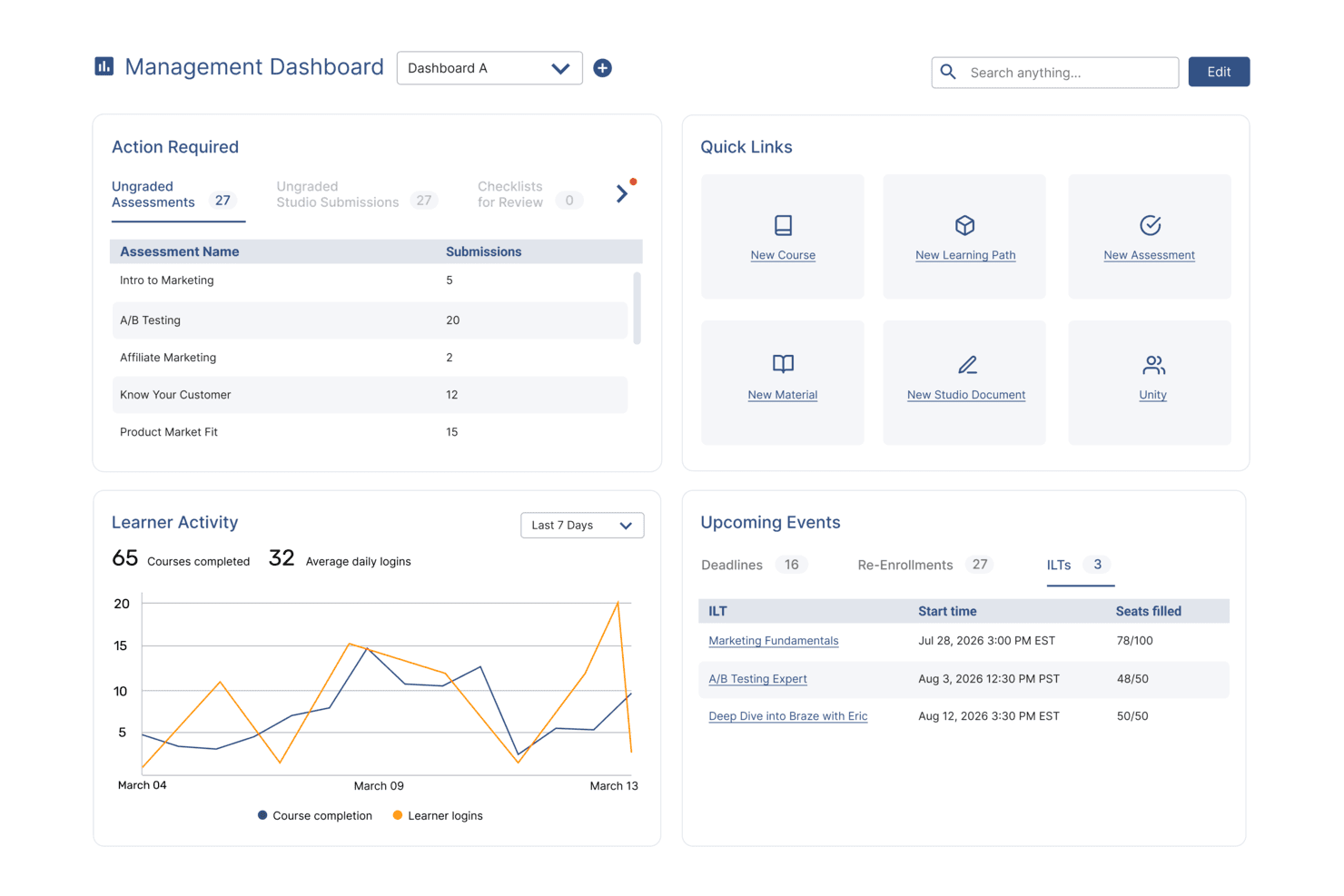
SkyPrep's management dashboard displays learner activity, upcoming events, and quick links. SkyPrep is a learning management system designed for businesses and organizations seeking to efficiently deliver training and educational content. It allows users to create, manage, and track online courses, assessments, and learning paths tailored to their specific needs.
Why I Picked SkyPrep: It supports certification training by allowing you to award certificates with e-signatures upon course completion, ensuring your team meets the necessary qualifications. Additionally, SkyPrep facilitates HIPAA and policy compliance training, helping your organization adhere to essential regulations through detailed reporting.
Standout Features & Integrations:
Other features include mobile accessibility, allowing your team to access training materials anytime, anywhere, which is vital for healthcare professionals who may work irregular hours. The platform also offers compliance reporting, providing real-time tracking of user progress to ensure all training requirements are met.
Integrations include ADP, Workday, SAP SuccessFactors, BambooHR, UKG Ready, UKG Pro, Oracle HCM, Paycom, HubSpot, Salesforce, Zoom, and Microsoft Teams.
Pros and Cons
Pros:
- Provides useful insights and reporting features
- Accommodates various content types and learning paths
- Effective course creation tools
Cons:
- Mobile app lacks certain functionalities
- Initial setup can be complex
Learn more about SkyPrep: Best for role-based healthcare training
- Free plan + free demo available
- From $119/month (billed annually)
Visit WebsiteCustomer Rating:4.6/5
TalentLMS’ compliance course dashboard shows training content, learner progress, and AI-powered course creation tools in one view. You’re likely looking for a healthcare LMS that helps your clinical and non-clinical teams stay compliant, trained, and prepared for the demands of a regulated environment, and TalentLMS meets those needs with a setup that gets you delivering training quickly. Whether you’re onboarding new staff, standardizing patient-care procedures, or keeping up with mandatory certifications, it gives you a flexible way to build or upload content and guide learners through structured paths.
Why I Picked TalentLMS
I picked TalentLMS because its support for branches, user roles, and learning paths gives healthcare organizations a clear way to deliver department-specific and role-specific training without creating separate systems. You can upload your own policies, SOPs, and clinical training materials or use built-in tools like the AI course generator and assessments to create content tailored to your protocols. I also like that automations manage recurring compliance tasks—such as re-certification reminders or enrolment rules—so you don’t have to track them manually. And its reporting suite provides visibility into completion status across teams, which matters when audits and regulatory checks require proof of ongoing training.
TalentLMS Key Features
In addition to its strong user-assignment and compliance-focused controls, TalentLMS offers several features that support training needs common in healthcare environments:
- Skills-based learning: AI-driven skill mapping helps you identify competency gaps and connect staff to targeted training.
- Blended learning tools: Lets you combine online modules with in-person sessions for clinical check-offs or hands-on practice.
- Learning paths: Provides structured sequences so staff know exactly which courses to take for their role or certification track.
- Gamification: Uses points, badges, and leaderboards to help keep learners engaged in required training.
TalentLMS Integrations
TalentLMS offers native integrations with popular tools such as Zoom, Salesforce, Shopify, WordPress, BambooHR, GoToMeeting, LinkedIn Learning, Microsoft Teams, Slack, and Google Workspace. An API is also available for custom integrations, providing flexibility to tailor the platform to your organization's specific needs.
Pros and Cons
Pros:
- AI course tools help staff develop training from existing materials quickly.
- Automation rules reduce manual oversight of recurring certifications.
- Clear learning paths support structured clinical and nonclinical training.
Cons:
- Reporting customization may fall short for complex regulatory needs.
- Editor offers limited flexibility for highly specialized medical modules.
Learn more about TalentLMS: Best for managing clinical competencies at scale
- Free trial available
- From $3.97/user/month (billed annually)
Visit WebsiteCustomer Rating:4.6/5
iSpring LMS provides a centralized LMS to train healthcare workers on everything from compliance to new practices. iSpring LMS offers features designed to power the entire cycle of healthcare training. With iSpring LMS, healthcare organizations can onboard new hires, manage compliance training, and train staff on products and customer service processes. It offers secure data management, which is crucial to maintaining confidentiality and meeting regulations such as HIPAA.
Why I Picked iSpring LMS: The platform ensures that healthcare staff stay up to date with current regulations through cheat-proof assessments and practical training with dialogue simulations. The advanced reporting and analytics provide detailed insights into employees' performance, helping organizations maintain high standards and reduce the risk of non-compliance penalties. iSpring LMS also stands out for its automated training and recertification capabilities, which help you manage clinical competencies at scale and enhance the training process by automatically assigning required courses and tracking their completion. This is especially important for ongoing compliance.
Standout Features and Integrations:
Features include a built-in course-building tool that allows you to quickly create interactive, scrollable courses right in the LMS. For more complex content with training videos, role-plays, and branching scenarios, you can use the bundled iSpring Suite authoring tool. Employees can access the content on their mobile devices through the app, even when offline, which ensures continuous training even outside the office or medical center.
Integrations include human resources information systems like BambooHR, PeopleWeek, and OrangeHRM. The platform also integrates with proctoring and analytics software, like ProctorEdu and Power BI. Other integrations include Zoom, Microsoft Teams, Zapier, Microsoft Outlook, Udemy Business, Oracle PeopleSoft, and LinkedIn Learning.
Pros and Cons
Pros:
- Advanced reporting and analytics
- Automated training and (re)certification at scale
- Robust mobile access to training material
Cons:
- Limited customization options
- Could have better feedback mechanisms within the platform
Learn more about iSpring LMS: Best for automated onboarding and course assignments
- Free demo available
- Pricing upon request
Visit WebsiteCustomer Rating:4.3/5
Mitratech Perform facilitates the creation of educational programs and training paths for onboarding and employee development. Mitratech Perform is a comprehensive performance management software with an LMS that enhances training and development for healthcare professionals through its user-friendly interface and robust features.
Why I Picked Mitratech Perform: It offers automated onboarding, which simplifies the integration of new healthcare hires by automatically assigning relevant courses and assessments. Additionally, the auto-enrollment feature simplifies the training process by automatically enrolling employees in courses based on their roles, departments, or tenure, ensuring that all staff members receive the appropriate training without administrative overhead.
Standout Features & Integrations:
Features include course content creation, multimedia content, gamification, upskilling program creation, online course libraries, interactive quizzes and assessments, and training reports. It also offers performance management tools.
Integrations include ADP Workforce Now, Paylocity, BambooHR, Namely, Ramco, UKG Pro, Syntrio, SFTP, Azure, Okta, Salesforce, Zoom, GoToWebinar, and Docusign.
Pros and Cons
Pros:
- Robust reporting and analytics
- Good performance management features
- User-friendly interface
Cons:
- May not integrate with some specialized third-party healthcare apps
- Customization options can be overwhelming
Learn more about Mitratech Perform: Best for a drag-and-drop LMS interface
- Free demo available
- From $5/user/month
Visit WebsiteCustomer Rating:4.8/5
Deel allows you to presonalize learning experience through various interactive elements, like quizzes. Deel is a comprehensive platform designed to simplify payroll, HR, and compliance for global teams. It enables businesses to hire employees and contractors in over 150 countries quickly and efficiently, automating essential processes such as payroll, benefits management, and learning.
Why I Picked Deel: As part of its Engage suite, Deel offers an LMS that allows healthcare institutions to design and deliver customized training programs efficiently through its drag-and-drop interface. Its automation features also allow for the automatic assignment of courses based on specific criteria, like departments, start dates, and employee roles. The LMS also integrates development and performance reviews to help ensure learning is applied in practice.
Standout Features & Integrations:
Features include an AI-driven career progression framework, customizable performance reviews, 360° feedback, advanced analytics like heatmaps and 9-box grids, and payroll and compliance features.
Integrations include BambooHR, Personio, Workday, and other HR systems. It also offers a Slack integration and an API for custom integrations.
Pros and Cons
Pros:
- Automates training workflows
- Intuitive drag-and-drop interface
- Integrates with Deel HR
Cons:
- Learning curve for new users
- Could offer more customization options
Learn more about Deel HR: Best with broad third-party content integrations
- Free demo available
- From $6,000/year
Visit WebsiteCustomer Rating:3.8/5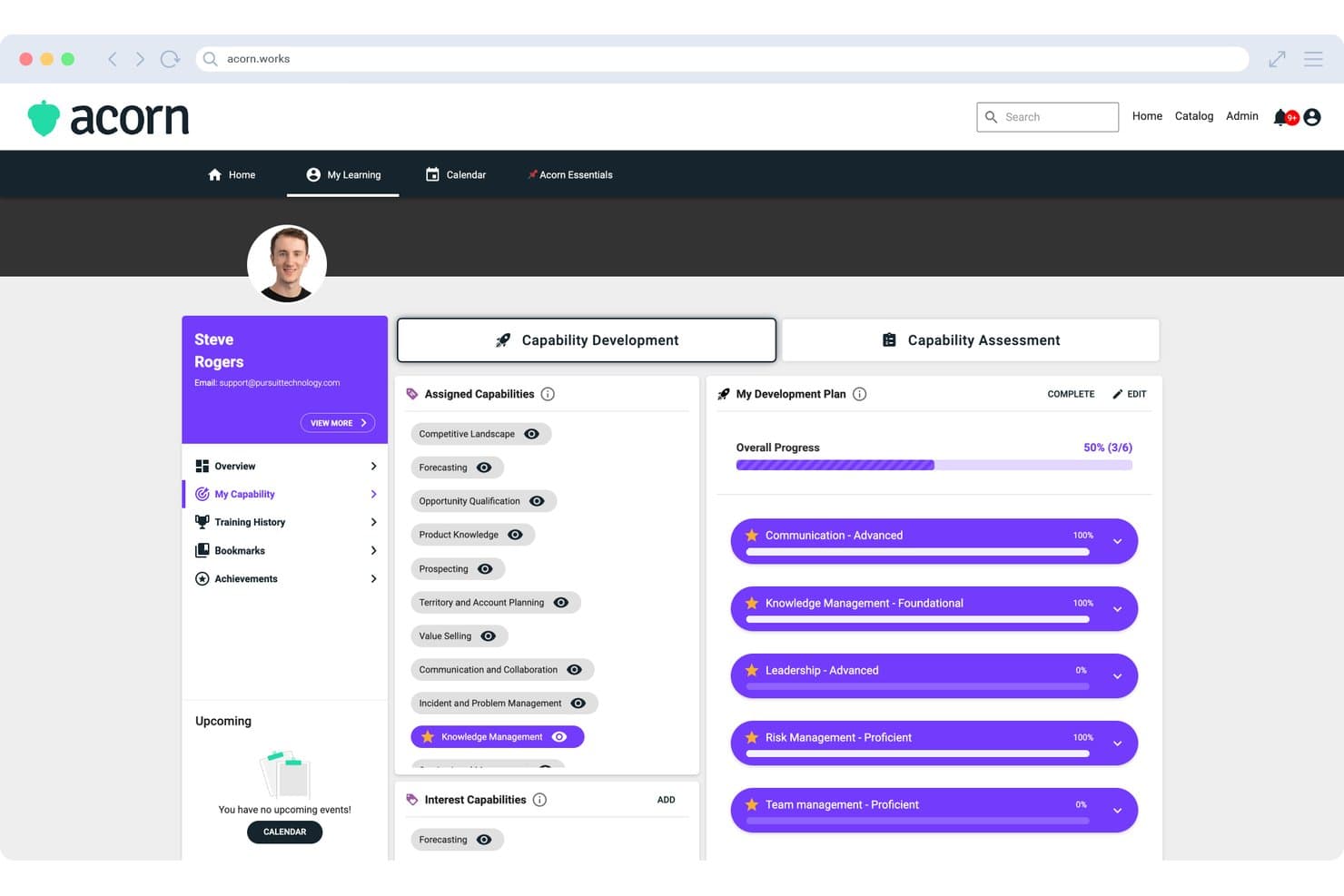
Acorn displays a Capability Development Plan with assigned capabilities, development progress tracking, and starred priority skills for individual learners. Acorn is a performance-focused LMS that combines learning delivery, CE credit tracking, capability management, and onboarding workflows in a single platform for midsize and enterprise healthcare organizations.
Who Is Acorn Best For?
Acorn is built for midsize-to-enterprise healthcare organizations and associations that manage CE delivery across large, distributed provider networks.
Why I Picked Acorn
Acorn earns its spot on my shortlist because of how it pulls compliance content from across the market into one platform. I like that it connects natively to OpenSesame, Go1, LinkedIn Learning, and Skillsoft, and its Universal Adapter auto-syncs external completions back into Acorn so nothing falls through the cracks. I've seen this matter most when sourcing HIPAA, OSHA, and CE content from different vendors — everything lands in one consolidated audit trail.
Acorn Key Features
- CE credit consolidation: Tracks and auto-updates continuing education credits and certificates for clinical staff across multiple content sources.
- Role and capability frameworks: Configures training assignments based on clinical roles, credential requirements, and capability assessments.
- Multi-tenancy management: Supports separate learner portals, shared content, and central administration across distributed healthcare networks.
- Mobile learning app: Provides native Android and iOS applications for on-the-go access to assigned training and certification records.
Acorn Integrations
Acorn offers native integrations with OpenSesame, Go1, LinkedIn Learning, and Skillsoft, plus an API for custom integrations.
Pros and Cons
Pros:
- Capability frameworks built for clinical role mapping
- Multi-tenant structure suits distributed healthcare networks
- Automated CE credit tracking across providers
Cons:
- Reporting customization limited for complex org structures
- No proprietary healthcare compliance content library
Learn more about Acorn: Best for intuitive, self-paced learning in healthcare
- Free demo available
- Pricing upon request
Visit WebsiteCustomer Rating:4.6/5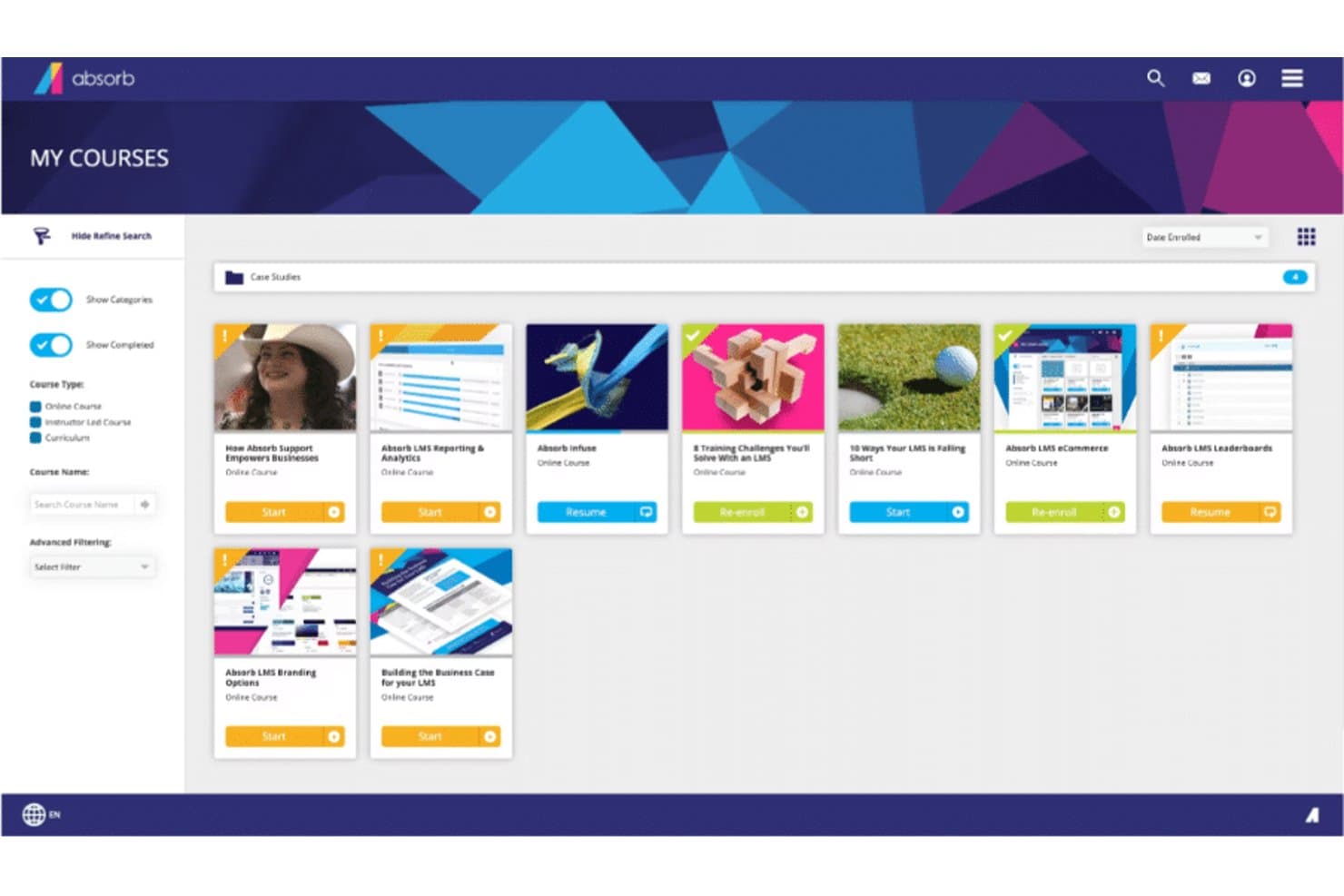
Here's Absorb's courses overview Absorb is a learning management system offering an intuitive, modern interface that is easy to navigate, even for those with limited technical skills. It offers an array of features including course creation, assessment tools, and analytics, which makes it a great choice for organizations seeking a user-friendly LMS.
Why I Picked Absorb: Absorb captured my attention with its intuitive design and user-friendly interface, distinguishing itself from other more complex LMS platforms. Ease of use is a critical factor for any LMS, and in this regard, Absorb shines. This led me to select it as the best LMS for a user-friendly interface.
Standout Features & Integrations:
Key features of Absorb include course creation, assessment tools, learner portals, and analytics. In addition, it provides social learning opportunities through its bulletin board feature. As for integrations, Absorb can be integrated with several software systems such as HRIS, CRM, and e-commerce platforms, adding convenience for its users.
Pros and Cons
Pros:
- Offers integration with various software systems
- Extensive features for course management and learner engagement
- User-friendly interface
Cons:
- User interface may be too simplistic for users seeking a high level of customization
- May lack advanced features compared to some other LMS platforms
- Pricing information is not readily available
Learn more about Absorb: Best for fast deployment and scaling healthcare training
- Free demo available
- Pricing upon request
Visit WebsiteCustomer Rating:4.6/5
A view in LearnUpon dashboard LearnUpon is a learning management system built to accommodate growth. It offers a scalable LMS platform that helps businesses manage, track, and achieve their diverse learning goals. It's designed to expand in line with your business needs, which is why I tagged it as 'best for' scalability.
Why I Picked LearnUpon: I selected LearnUpon for its capability to effectively grow with an organization's learning needs. Its scalable architecture ensures it remains efficient even as a business expands, making it different from other LMSs that may struggle with increased loads.
Based on my judgment, LearnUpon stands as the optimal choice for businesses planning significant growth and expansion.
Standout Features & Integrations:
LearnUpon's standout features include its easy-to-use interface, detailed analytics, eCommerce capabilities, and multi-portal architecture, which allows businesses to create separate learning environments for different audiences.
For integrations, it connects with a wide array of tools including Salesforce, Webex, and Zoom, making it flexible and adaptable to diverse workflows.
Pros and Cons
Pros:
- Excellent customer support
- Wide range of integrations
- Robust and scalable infrastructure
Cons:
- Limited customization options for course appearance
- More advanced features may require a learning curve
- Starting price is higher compared to some other LMS platforms
Learn more about LearnUpon: 10Best for interactive and engaging online medical courses
Tovuti
- Free demo available
- Pricing upon request
Visit WebsiteCustomer Rating:4.7/5
Here's a Tovuti all devices dashboard sample screenshot. Tovuti is a comprehensive learning management system designed to support an engaging and interactive learning environment. It provides a suite of tools and features that make it an excellent platform for developing and delivering immersive online medical courses.
Why I Picked Tovuti: When I was selecting an LMS that could truly revolutionize online medical education, Tovuti immediately stood out. It brings unique interactivity and engagement to the online learning experience, making it truly dynamic.
Its course authoring tools allow for the creation of rich, engaging content, setting it apart as the best choice for those who prioritize interactive learning in their course delivery.
Standout Features & Integrations:
Tovuti offers an interactive course authoring tool that enables the creation of compelling, multimedia-rich courses. Its interactive lessons include elements like gamification and quizzes, enhancing the learning experience.
Additionally, Tovuti offers a wide range of integrations, including with popular systems like Salesforce, Zoom, and WordPress, allowing for seamless data sharing and functionality enhancement across your organization's tool stack.
Pros and Cons
Pros:
- Gamification enhances learner engagement
- Wide range of integrations
- Interactive course authoring tool
Cons:
- Customization can be challenging for non-technical users
- Might be overwhelming for first-time users
- No disclosed pricing information
Learn more about Tovuti:
Outras plataformas LMS para cuidados de saúde
Apresentamos abaixo uma lista de ferramentas LMS adicionais para cuidados de saúde que incluí na minha lista restrita, mas que não chegaram às 10 melhores. Vale definitivamente a pena conhecê-las.
- 11DoceboBest for AI-powered personalized learning experiences
- 12eFrontBest for customization and security in medical training
- 13HealthStreamBest for compliance and regulatory training in healthcare
- 14MedTrainerBest for healthcare-specific courses
- 15MedTrainerBest for healthcare workflow automation and training
- 16Litmos LMSBest for mobile-friendly, flexible learning paths
- 17CornerstoneBest for robust healthcare skill development
- 18ReliasBest for reducing risk and ensuring high-quality patient care
- 19MedBridgeBest for clinical performance and patient engagement enhancement
- 20ParadisoBest for multi-language and blended learning experiences
- 21ContinuBest for healthcare compliance training
- 22ConnecteamBest for a HIPAA compliant mobile app LMS for frontline workers
- 23Synergy LearningBest for bespoke learning management systems
- 24AcademyOceanGood for businesses looking to create educational marketing funnels
- 25Blackboard LearnGood for educational institutions seeking comprehensive digital learning features
- 26CareAcademyGood for home care agencies needing caregiver training
- 27KallidusGood for businesses seeking extensive employee development features
How I Evaluate Healthcare LMS
I split my evaluation into two layers: the baseline requirements every platform must meet—like HIPAA-compliant hosting and a real compliance library—and the factors that set top picks apart.
Core Functionality (Table Stakes For This List)
When I'm selecting tools for my list, I rank each one on a scale from 0 (does not offer the functionality) to 5 (excels in this area) for each core functionality listed below. Then, I calculate the tool's total score into a percentage. Each tool needs to achieve a minimum total score of 65% to be considered for inclusion.
- Healthcare Compliance Content Library: I check whether the platform ships with up-to-date HIPAA, OSHA, and Bloodborne Pathogen courses rather than requiring you to build all compliance training from scratch.
- CE/CME Credit Tracking: Tracking credit hours, license types, and expiration dates matters—especially when your RNs, MAs, and providers each carry different renewal timelines.
- Audit-Ready Reporting: I look for pre-built reports that map to Joint Commission or CMS survey requirements so your compliance team can pull records on demand during an audit.
- Role-Based Learning Paths: The platform should let you assign different course tracks by job role, like separating front-desk HIPAA awareness training from clinical staff safety modules.
- Automated Recertification Workflows: I evaluate how the system handles recurring annual training—automated reassignment, escalation alerts, and manager notifications reduce the manual follow-up burden.
- HIPAA-Compliant Infrastructure: A signed BAA, encryption standards, and role-based access controls are baseline expectations for any platform handling training data adjacent to PHI.
Once I have a list of tools that meet the criteria, I consider what sets each platform apart.
Differentiating Factors (What Sets Vendors Apart)
Here's how I compare and contrast different vendors:
Standout Features
Mobile access is a real differentiator—I look for native apps that let clinical staff finish a module between patients without being tied to a workstation. Skills checklists and competency assessments also separate platforms, especially when preceptors can sign off on observed clinical skills directly in the system. For multi-site practices or DSOs, I evaluate how well the platform handles location-based reporting and hierarchical org structures across facilities.
Beyond Features
I check whether a vendor's compliance courses carry actual ACCME or ANCC accreditation, since platforms that can issue valid CE/CME credits save your team from managing a separate accreditation workflow. Integration with your existing EHR and HRIS matters too—automated user provisioning through systems like ADP or BambooHR prevents orphaned accounts when staff turn over. Pricing structure is worth evaluating closely, particularly whether the content library is bundled or sold à la carte, which can significantly shift total cost for growing practices.
Como escolher um LMS para cuidados de saúde
É fácil ficar perdido entre longas listas de funcionalidades e estruturas de preços complexas. Para o ajudar a manter o foco enquanto analisa o seu processo específico de seleção de software, apresentamos uma lista de verificação dos fatores a ter em conta:
| Fator | O que considerar |
|---|---|
| FatorEscalabilidade | O que considerarAté que ponto o LMS cresce com a sua unidade? Considere o número de utilizadores que suporta e se consegue lidar com um aumento de dados à medida que as suas necessidades se expandem. |
| FatorIntegrações | O que considerarO LMS integra-se com os seus sistemas existentes? Procure compatibilidade com o seu EMR, HR e outras ferramentas para evitar silos de dados e simplificar os fluxos de trabalho. |
| FatorPersonalização | O que considerarPode adaptar o LMS às necessidades da sua unidade? Verifique se permite personalizar percursos de aprendizagem, painéis de controlo e relatórios para corresponder aos seus processos específicos. |
| FatorFacilidade de utilização | O que considerarO LMS é fácil de utilizar por todos os níveis de funcionários? Uma interface simples reduz o tempo de formação e ajuda a equipa a adotar rapidamente o sistema. |
| FatorImplementação e integração inicial | O que considerarQuanto tempo demora a começar? Avalie o processo de configuração e os recursos disponíveis, como vídeos de formação ou visitas guiadas ao produto, para garantir uma transição tranquila. |
| FatorCusto | O que considerarO preço enquadra-se no seu orçamento? Compare o custo dos diferentes planos e tenha em conta quaisquer taxas ocultas. Procure soluções que ofereçam um bom equilíbrio entre funcionalidades e acessibilidade. |
| FatorMedidas de segurança | O que considerarQuão seguro é o LMS? Certifique-se de que cumpre os regulamentos de proteção de dados e oferece funcionalidades como encriptação e controlos de acesso para proteger informações sensíveis. |
| FatorRequisitos de conformidade | O que considerarO LMS suporta as necessidades de conformidade do seu setor? Verifique se oferece ferramentas para acompanhar certificações, gerir auditorias e manter-se atualizado relativamente a alterações regulamentares. |
O que é um LMS para cuidados de saúde?
O LMS para o setor da saúde é um sistema de gestão da aprendizagem concebido para a indústria da saúde, com o objetivo de facilitar a formação e a gestão da conformidade. Estas ferramentas são geralmente utilizadas por profissionais de saúde, incluindo administradores, formadores e pessoal clínico, para melhorar a eficiência da formação e garantir a conformidade regulamentar.
Funcionalidades como módulos de formação online, acompanhamento do progresso e gestão de certificações ajudam a proporcionar uma educação consistente e a manter a conformidade com as normas do setor. De um modo geral, estas ferramentas proporcionam um valor significativo ao melhorar as competências do pessoal e ao garantir o cumprimento dos regulamentos aplicáveis à saúde.
Funcionalidades do LMS para o setor da saúde
Ao selecionar um LMS para o setor da saúde, esteja atento às seguintes funcionalidades essenciais:
- Acompanhamento da conformidade: Ajuda a monitorizar e documentar facilmente a formação dos funcionários, as certificações e os requisitos regulamentares, garantindo que todos se mantêm atualizados relativamente às normas do setor e às exigências legais.
- Gestão de cursos: Permite criar, organizar e atualizar módulos de formação para diferentes departamentos ou funções, simplificando a implementação de novas políticas e mantendo todos informados.
- Ferramentas de avaliação: Disponibiliza questionários, testes e inquéritos para avaliar a compreensão, identificar lacunas de conhecimento e perceber onde poderá ser necessário apoio adicional.
- Relatórios e análise de dados: Fornece informações detalhadas sobre as taxas de conclusão dos cursos, o progresso dos formandos e a eficácia da formação, permitindo identificar rapidamente tendências e tomar decisões baseadas em dados.
- Acessibilidade em dispositivos móveis: Permite aos formandos aceder a cursos, recursos e avaliações através de smartphones ou tablets — a aprendizagem pode ocorrer em qualquer lugar, não apenas numa secretária.
- Gestão de utilizadores: Permite atribuir funções, gerir grupos de formandos e tratar de permissões com facilidade, mantendo o processo de formação organizado e seguro.
- Capacidades de integração: Liga-se a outros sistemas de recursos humanos ou sistemas médicos que já utiliza, simplificando a comunicação e reduzindo o trabalho manual da sua equipa.
- Biblioteca de conteúdos: Disponibiliza uma seleção integrada de cursos e recursos médicos relevantes e atualizados, poupando tempo na criação de conteúdos e abrangendo simultaneamente as principais necessidades de formação.
- Percursos de aprendizagem personalizáveis: Permite adaptar os percursos de formação a diferentes pessoas ou equipas, garantindo que cada formando recebe a informação certa no momento certo.
Funcionalidades comuns de IA nos LMS para o setor da saúde
Para além das funcionalidades padrão dos LMS para o setor da saúde acima indicadas, muitas destas soluções estão a integrar IA com funcionalidades como:
- Recomendações de aprendizagem personalizadas: Utiliza IA para sugerir cursos e recursos com base na função, no histórico e nos interesses de cada pessoa, tornando a formação simultaneamente eficiente e motivadora.
- Análise automatizada de lacunas de competências: A IA analisa o desempenho dos formandos e identifica automaticamente as áreas em que é necessária mais formação ou apoio, permitindo abordar proativamente os pontos fracos.
- Chatbots de linguagem natural: Disponibilizam apoio e respostas instantâneas, baseados em IA, a perguntas relacionadas com a formação, ajudando os formandos a encontrar informações de forma rápida e autónoma.
- Análise preditiva: A IA prevê futuras necessidades de formação e potenciais riscos de conformidade através da análise dos dados de participação, ajudando-o a manter-se vários passos à frente.
- Avaliações adaptativas: Ajustam dinamicamente a dificuldade e o tipo de perguntas com base nas respostas dos formandos em tempo real, garantindo que as avaliações refletem com precisão o nível de competências de cada pessoa.
Vantagens
A implementação de um LMS para o setor da saúde proporciona várias vantagens à sua equipa e à sua empresa. Eis algumas das que pode esperar:
- Melhoria da conformidade: Permite acompanhar facilmente as certificações e os requisitos regulamentares, garantindo que a sua equipa cumpre as normas do setor.
- Maior eficiência da formação: Permite disponibilizar módulos de formação online consistentes, reduzindo o tempo e os recursos gastos em sessões de formação presenciais.
- Maior acessibilidade: O acesso através de dispositivos móveis permite ao pessoal aprender em qualquer lugar, proporcionando flexibilidade e acomodando diferentes estilos de aprendizagem.
- Informações mais úteis sobre o desempenho: A análise avançada fornece dados valiosos sobre o progresso da formação do pessoal, ajudando-o a tomar decisões informadas.
- Experiências de aprendizagem personalizadas: Os percursos de aprendizagem personalizáveis respondem às necessidades específicas de diferentes funções, aumentando a relevância e o envolvimento.
- Integração simplificada: Os percursos interativos de apresentação do produto e os recursos de formação facilitam a integração rápida dos novos funcionários.
- Integração com outros sistemas: A integração perfeita com as ferramentas existentes reduz a introdução manual de dados e melhora a eficiência dos fluxos de trabalho.
Custos e preços
A seleção de um LMS para cuidados de saúde requer uma compreensão dos vários modelos de preços e planos disponíveis. Os custos variam consoante as funcionalidades, a dimensão da equipa, os complementos, entre outros fatores. A tabela abaixo resume os planos comuns, os respetivos preços médios e as funcionalidades normalmente incluídas nas soluções LMS para cuidados de saúde:
Tabela de comparação de planos para LMS de cuidados de saúde
| Tipo de plano | Preço médio | Funcionalidades comuns |
|---|---|---|
| Tipo de planoPlano gratuito | Preço médio$0 | Funcionalidades comunsMódulos de formação básicos, acompanhamento do progresso e suporte limitado aos utilizadores. |
| Tipo de planoPlano pessoal | Preço médio$5-$25/utilizador/mês | Funcionalidades comunsPercursos de aprendizagem personalizáveis, acesso móvel e gestão de certificações. |
| Tipo de planoPlano empresarial | Preço médio$30-$60/utilizador/mês | Funcionalidades comunsAnálises avançadas, integrações com sistemas existentes e suporte melhorado. |
| Tipo de planoPlano empresarial de grande dimensão | Preço médio$70-$100/utilizador/mês | Funcionalidades comunsPersonalização completa, gestor de conta dedicado e ferramentas de acompanhamento da conformidade. |
Perguntas frequentes sobre LMS para cuidados de saúde
Eis algumas respostas a perguntas frequentes sobre LMS para cuidados de saúde:
Como pode um LMS para cuidados de saúde melhorar a conformidade?
Um LMS para cuidados de saúde ajuda a acompanhar e gerir a formação em matéria de conformidade, garantindo que a sua equipa cumpre os requisitos regulamentares. Fornece lembretes e relatórios automatizados, para que possa monitorizar facilmente quem concluiu os cursos necessários. Isto reduz o risco de incumprimento e de potenciais sanções.
Quais são as considerações de segurança para um LMS destinado a cuidados de saúde?
A segurança é essencial num LMS para cuidados de saúde, de modo a proteger dados sensíveis. Procure funcionalidades como encriptação de dados, autenticação de utilizadores e conformidade com regulamentos como a HIPAA. Avalie os protocolos de segurança do fornecedor para garantir que os dados dos pacientes e da organização permanecem protegidos.
Que desafios surgem normalmente ao implementar um LMS num contexto de cuidados de saúde?
Os problemas comuns incluem a resistência por parte de profissionais clínicos com pouco tempo disponível, a adaptação da formação aos horários de trabalho por turnos e a gestão de vários perfis de utilizador (enfermeiros, médicos e pessoal de apoio). Será necessário um plano para a integração, a formação dos utilizadores administradores e a manutenção dos conteúdos, de modo a mantê-los relevantes. Deve também planear a gestão da mudança e garantir o apoio da liderança sénior à implementação.
O que devemos considerar relativamente à escalabilidade e à manutenção contínua do LMS?
Se a sua organização crescer (novos departamentos, localizações ou pessoal remoto), o LMS deverá ser capaz de acompanhar esse crescimento sem reduções significativas do desempenho. Considere também a frequência com que os fornecedores atualizam o sistema, a facilidade de carregamento e manutenção dos conteúdos e o aumento do esforço administrativo à medida que a organização se expande. Não planear a escalabilidade pode resultar em custos mais elevados ou na necessidade de substituir o sistema mais cedo do que o previsto.