
Sevocity-beoordeling: voordelen, nadelen, functies en prijzen
Het EPD van Sevocity stroomlijnt de documentatie met aanpasbare sjablonen en intuïtieve verslaglegging, waardoor de administratieve last afneemt en de betrokkenheid van patiënten bij kleine tot middelgrote zorgpraktijken wordt vergroot.

We review tools independently, and commissions help fund our testing. See our transparency policy, our methodology, or suggest a tool.
Sevocity is a free EHR software built for independent and small-to-mid-sized practices that need ONC-certified clinical documentation without the overhead of a paid platform. I'd recommend it if you want deeper note template customization than Practice Fusion offers, but don't want to commit to the licensing costs of a full paid EHR.
Sevocity Evaluation Summary
4.5/5
- Pricing upon request
- Free demo available
Waarom u onze softwareaanbevelingen kunt vertrouwen
6,700+
Reviews
20
Industry experts
16+
Evaluation factors
14
Years
Ons team test en beoordeelt software sinds 2012. Als leiders van medische praktijken weten we zelf hoe moeilijk — en belangrijk — het is om de juiste software te kiezen.
Voor deze gids hebben we tools geëvalueerd met behulp van praktijktests en onafhankelijk onderzoek, waarbij we tools beoordeelden aan de hand van onze selectiecriteria.
Onze reviews weerspiegelen ons menselijke redactionele oordeel, geen verkooppraatje.
Sevocity Overview
When comparing EHR software, I find Sevocity stands out for its easy-to-learn interface, responsive support, and flexible customization options. Pricing is straightforward, which helps when judging total cost versus value. While its integration ecosystem is more limited than some, specialty-focused templates and efficient onboarding give it an edge for small to mid-sized practices.
If you’re choosing an EHR for a practice that values support and usability over flashy add-ons, you’ll find Sevocity a solid option.
Pros
- Live, US-based support with fast response times.
- Custom report builder for unique documentation and analytics needs.
- Specialty-specific templates for tailored charting workflows.
Cons
- Limited built-in telehealth and patient engagement tools.
- Fewer third-party integration options than competitors.
- Occasional delays with system updates rollout.
Is Sevocity Right For Your Needs?
Who Would be a Good Fit for Sevocity?
Sevocity is a great match for small to midsize practices, specialty clinics, and outpatient teams that prioritize ease of use and custom charting options. Teams needing quick onboarding and clear pricing will also find Sevocity especially practical and approachable.
Healthcare businesses that rely on responsive support, personalized implementation, and ongoing customization will value its live, US-based assistance and unlimited template adjustments.
- Independent PracticesSevocity’s flexible pricing and all-inclusive feature set suit independent providers managing most tasks in-house.
- Rural Health ClinicsRound-the-clock, live support and cloud access make Sevocity ideal for rural clinics that need consistent help and simple tech requirements.
- Behavioral HealthCustom templates and forms support mental health documentation, assessments, and highly-specific specialty workflows.
- PediatricsSevocity delivers pediatric-specific charting templates, vaccination schedules, and growth chart tracking in an easy-to-use interface.
- Specialty ClinicsOngoing free customization helps niche specialties keep clinical workflows aligned with evolving documentation requirements.
- Practice ManagersThe straightforward dashboard and custom report builder give managers strong control over data access and tracking for compliance.
Who Would be a Bad Fit for Sevocity?
Sevocity is not suited for large enterprise healthcare networks or organizations with advanced interoperability needs across many disparate systems. Enterprise-level health systems, research hospitals, and multi-site operators often need deeper integration capability, robust telehealth features, or complex billing automation that go beyond Sevocity’s focus. Those requiring extensive patient engagement tools or international support may also find limitations.
- Large Hospital NetworksSevocity lacks the advanced integration, analytics, and multi-site coordination tools that multi-hospital systems often require.
- Academic Medical CentersLimited research functionality and data management features make it a poor fit for academic or teaching hospitals.
- Telehealth-First PracticesPractices relying on embedded telemedicine features will find Sevocity’s telehealth options less mature and less integrated.
- Multi-State OrganizationsSevocity may not provide the necessary compliance and reporting features required by public health entities.
- High-Volume Urgent CareUrgent care centers processing large daily volumes may need faster charting workflows and advanced automation Sevocity doesn’t provide.
- International ClinicsSevocity is built for the US market, with limited support for international regulations, languages, or currency formats.
How We Test & Score Tools
We’ve spent years building, refining, and improving our software testing and scoring system. The rubric is designed to capture the nuances of software selection and what makes a tool effective, focusing on critical aspects of the decision-making process.
Below, you can see exactly how our testing and scoring works across seven criteria. It allows us to provide an unbiased evaluation of the software based on core functionality, standout features, ease of use, onboarding, customer support, integrations, customer reviews, and value for money.
Core Functionality (25% of final scoring)
The starting point of our evaluation is always the core functionality of the tool. Does it have the basic features and functions that a user would expect to see? Are any of those core features locked to higher-tiered pricing plans? At its core, we expect a tool to stand up against the baseline capabilities of its competitors.
Standout Features (25% of final scoring)
Next, we evaluate uncommon standout features that go above and beyond the core functionality typically found in tools of its kind. A high score reflects specialized or unique features that make the product faster, more efficient, or offer additional value to the user.
We also evaluate how easy it is to integrate with other tools typically found in the tech stack to expand the functionality and utility of the software. Tools offering plentiful native integrations, 3rd party connections, and API access to build custom integrations score best.
Ease of Use (10% of final scoring)
We consider how quick and easy it is to execute the tasks defined in the core functionality using the tool. High scoring software is well designed, intuitive to use, offers mobile apps, provides templates, and makes relatively complex tasks seem simple.
Onboarding (10% of final scoring)
We know how important rapid team adoption is for a new platform, so we evaluate how easy it is to learn and use a tool with minimal training. We evaluate how quickly a team member can get set up and start using the tool with no experience. High scoring solutions indicate little or no support is required.
Customer Support (10% of final scoring)
We review how quick and easy it is to get unstuck and find help by phone, live chat, or knowledge base. Tools and companies that provide real-time support score best, while chatbots score worst.
Customer Reviews (10% of final scoring)
Beyond our own testing and evaluation, we consider the net promoter score from current and past customers. We review their likelihood, given the option, to choose the tool again for the core functionality. A high scoring software reflects a high net promoter score from current or past customers.
Value for Money (10% of final scoring)
Lastly, in consideration of all the other criteria, we review the average price of entry level plans against the core features and consider the value of the other evaluation criteria. Software that delivers more, for less, will score higher.
Core Features
Specialty-Specific Templates
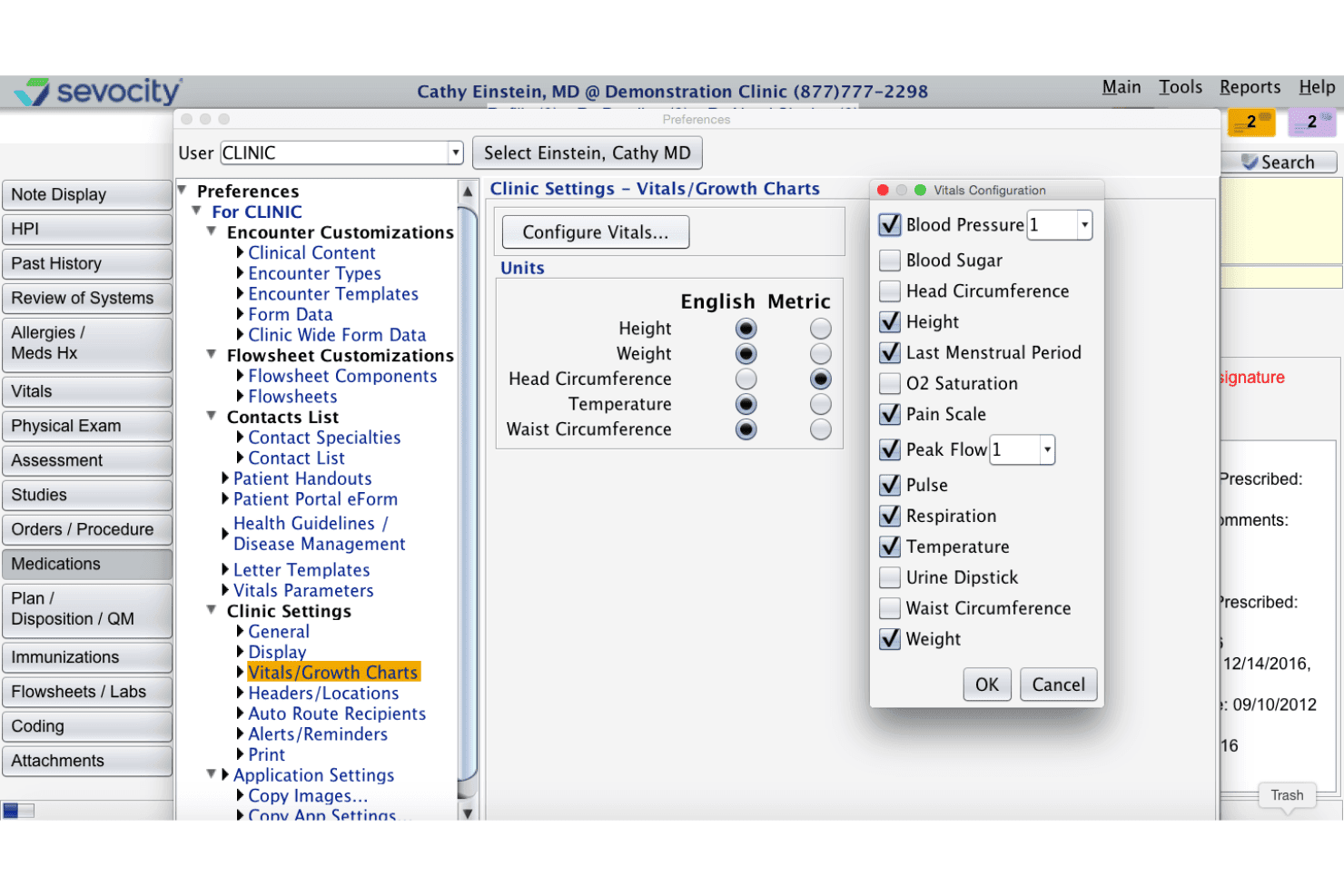
Sevocity offers templates tailored to different specialties for more relevant charting. You can quickly document visits using workflows designed for your practice type.
Real-Time Clinical Alerts
Set up automated alerts for allergies, drug interactions, or preventive care needs. This helps clinicians catch safety risks or fulfill care gaps during patient visits.
Custom Report Builder
Generate and customize clinical, financial, or compliance reports from your data. Users can filter and format information to meet their unique tracking and reporting requirements.
Patient Portal Access
Patients can access lab results, communicate securely, and request appointments online. This increases engagement while reducing administrative calls for your staff.
e-Prescribing With Medication History
Send prescriptions electronically and review a patient’s medication history in one place. This improves prescription accuracy and reduces risk of medication errors.
Configurable Document Management
Scan, upload, and organize all patient records digitally within the platform. Practices can create folders, tag files, and retrieve documents in seconds.
Ease of Use
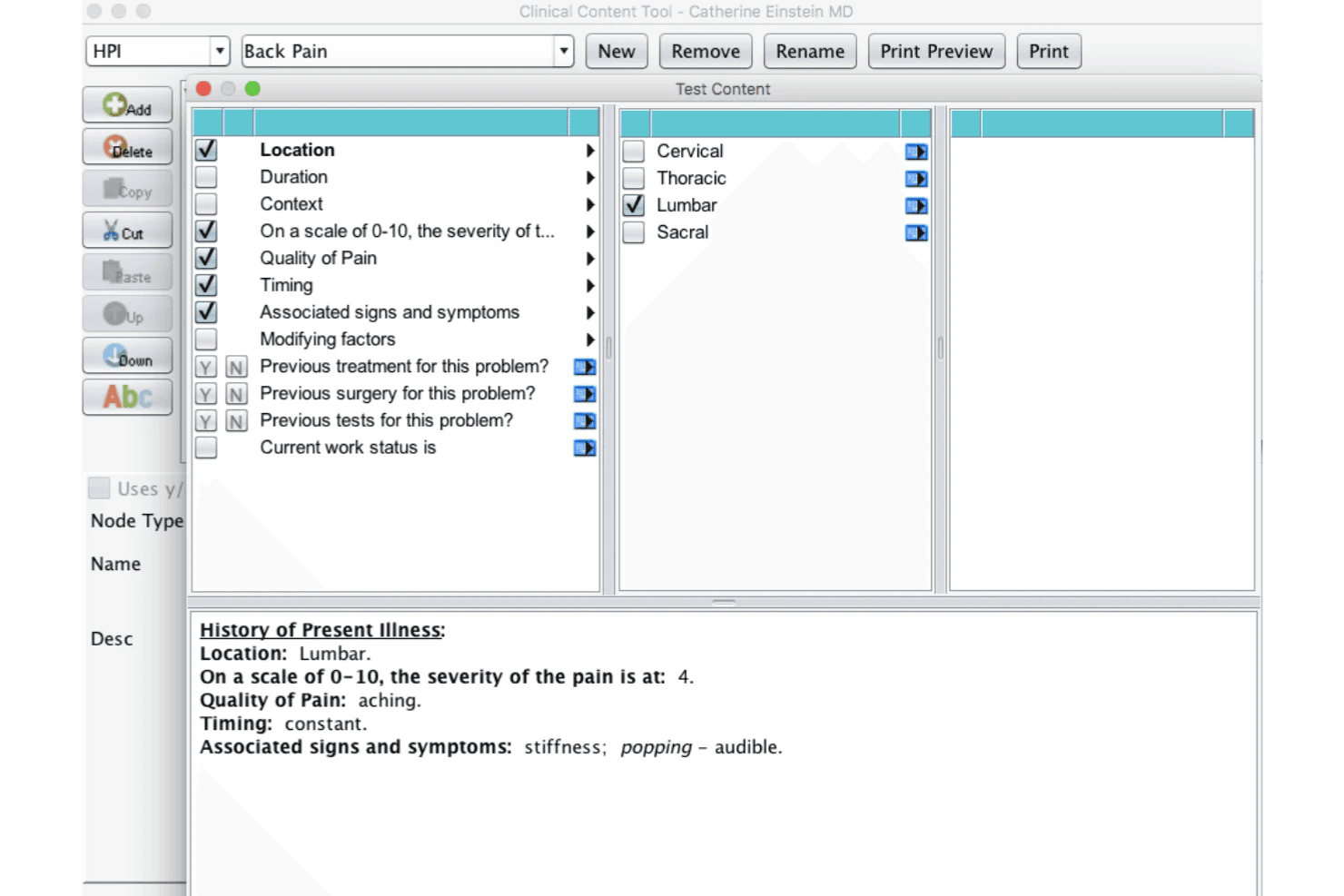
Sevocity’s interface is simple to navigate, with straightforward menus, clear chart layouts, and easy-to-find tools. Users mention quick training times and appreciate the logical design of its specialty templates.
The customizable dashboards and on-demand guidance make Sevocity less overwhelming, especially for smaller practices or providers switching from paper charts.
Integrations
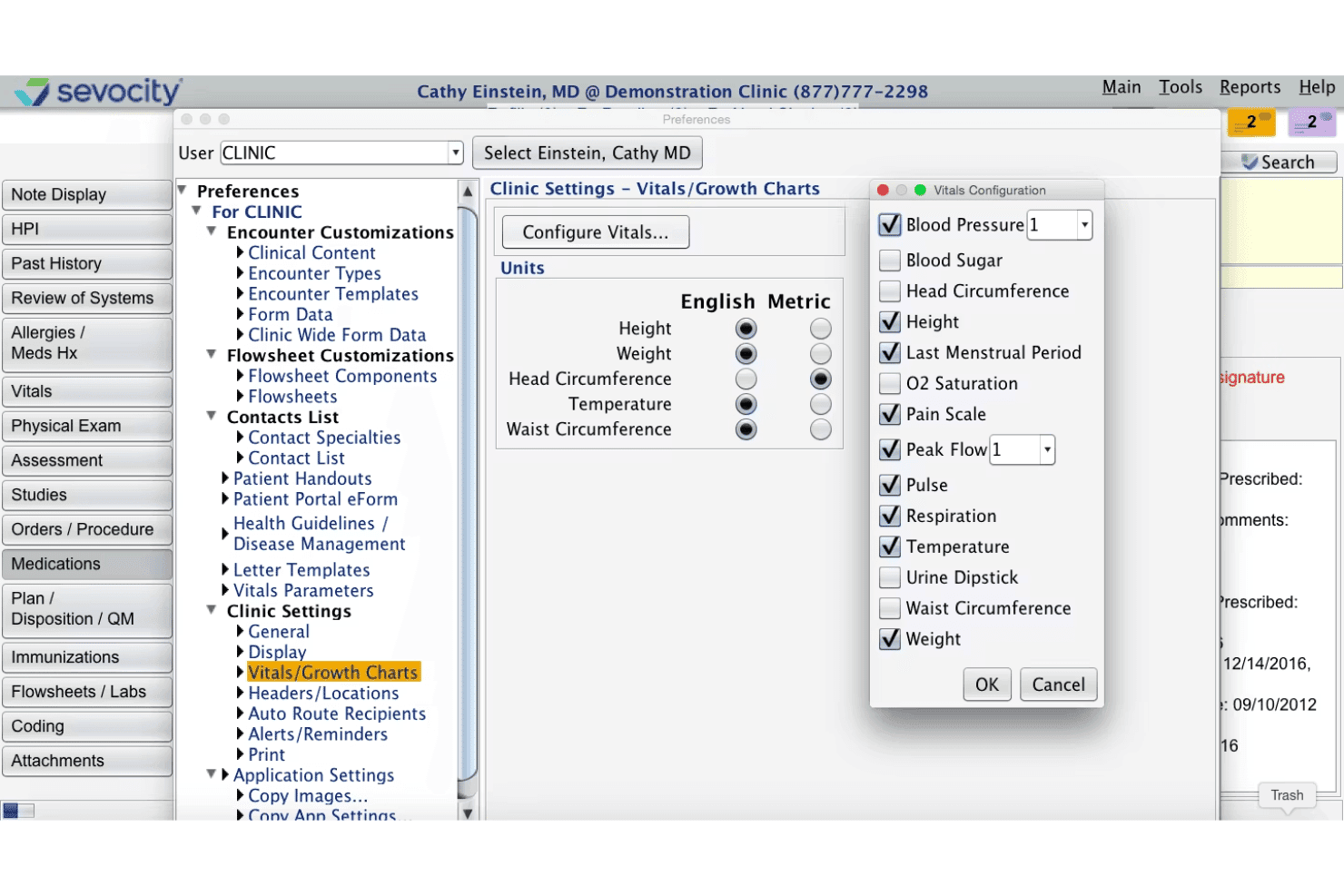
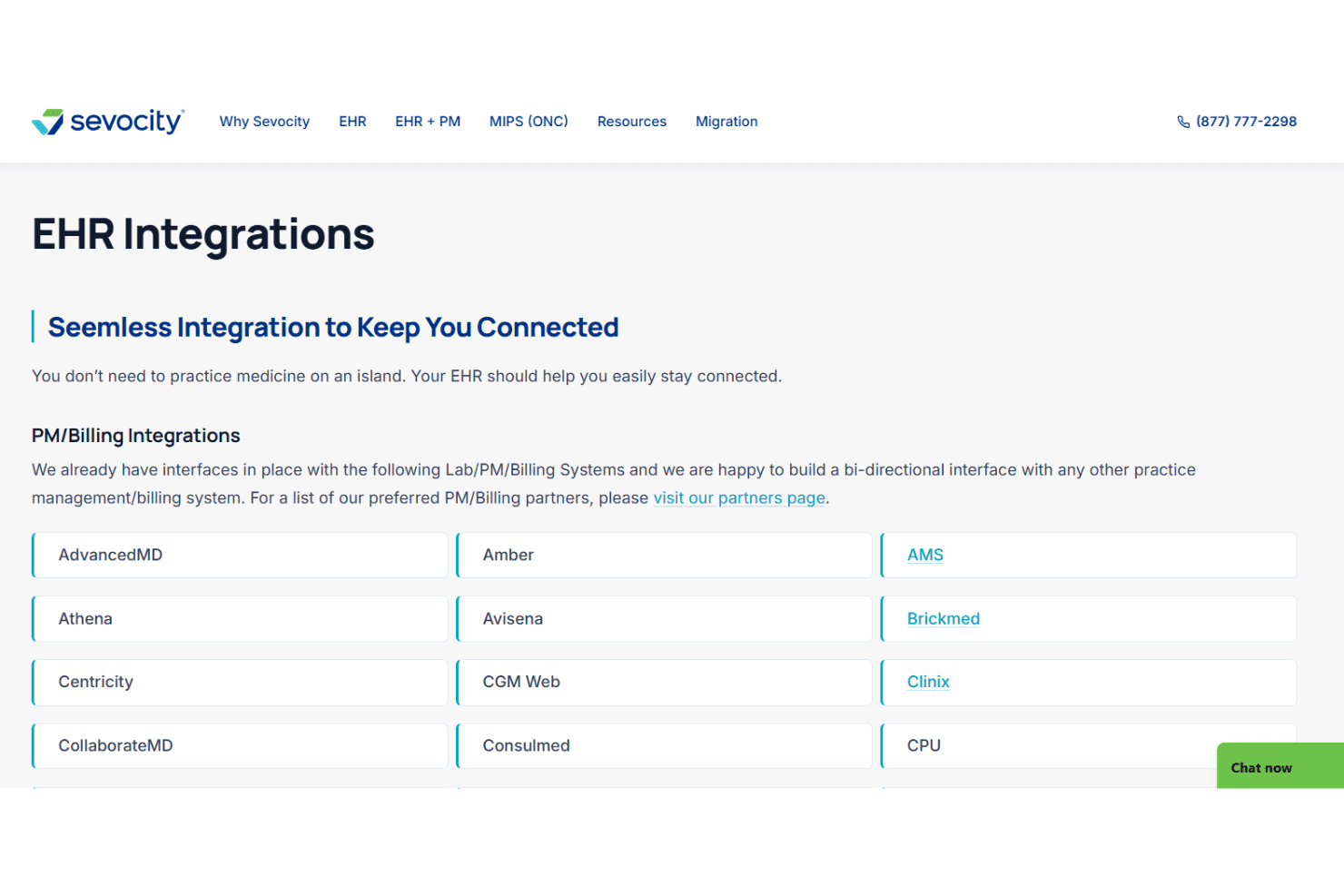
Sevocity integrates with OpenPM, Avalon Laboratory System, CGM LABDAQ, eClinicalWorks, CollaborateMD, BrickMed Office, DuxWare, NueMD, Doctors Access, and PracticeAdmin, among others.
Sevocity also offers a certified FHIR API for interoperability and can connect to third-party systems for labs, billing, practice management, and equipment.
Sevocity Specs
- 2-Factor Authentication: No
- API: Yes
- Appointment Scheduling: Yes
- Approval Workflows: No
- Audit Management: Yes
- Audit Trail: Yes
- Batch Permissions & Access: No
- Billing/Invoicing: Yes
- Compliance Tracking: Yes
- Customer Management: No
- Data Export: Yes
- Data Import: Yes
- Document Management: Yes
- Electronic Prescribing: Yes
- External Integrations: Yes
- HIPAA Compliance: Yes
- Incident Management: No
- Multi-User: Yes
- Notifications: Yes
- Patient Management: Yes
- Regulatory Alerts: Yes
- Report & Compliance: Yes
- Risk Assessment: Yes
- Self-service Portal: Yes
- Task Scheduling/Tracking: No
- Workflow Management: Yes


