
ChartLogic-beoordeling: voordelen, nadelen, functies en prijzen
ChartLogic brengt het beheer van medische praktijken samen in één platform, van planning en dossiervoering tot facturering, beheer van de inkomstencyclus en hulpmiddelen voor klinische workflows.

We review tools independently, and commissions help fund our testing. See our transparency policy, our methodology, or suggest a tool.
ChartLogic is a medical practice management software built for independent and specialty practices that need integrated scheduling, clinical documentation, and billing in one place. I'd consider it if you run a small-to-mid-sized practice that finds a platform like athenahealth overly complex for your patient volume and operational needs. ChartLogic gives you the core clinical and revenue cycle tools without the enterprise-scale configuration and cost that comes with larger systems.
ChartLogic Evaluation Summary
3.9/5
- Pricing upon request
- Free demo available
Waarom u onze softwareaanbevelingen kunt vertrouwen
6,700+
Reviews
20
Industry experts
16+
Evaluation factors
14
Years
Ons team test en beoordeelt software sinds 2012. Als leiders van medische praktijken weten we zelf hoe moeilijk — en belangrijk — het is om de juiste software te kiezen.
Voor deze gids hebben we tools geëvalueerd met behulp van praktijktests en onafhankelijk onderzoek, waarbij we tools beoordeelden aan de hand van onze selectiecriteria.
Onze reviews weerspiegelen ons menselijke redactionele oordeel, geen verkooppraatje.
ChartLogic Overview
ChartLogic stands out for its specialty-focused templates, intuitive scheduling, and responsive support, making it a strong pick for practices that want tailored workflows without a steep learning curve. Its pricing is competitive for the feature set, though integrations and reporting options can feel limited if you need deep customization.
I’d suggest ChartLogic for small to midsize clinics that value quick onboarding and straightforward billing tools over complex, enterprise-level analytics. If you’re judging by ease of use and practical features, ChartLogic is going to meet most day-to-day needs for busy medical teams.
Pros
- Billing and claims tools reduce rejected claims.
- Specialty-specific templates fit surgical and non-surgical practices.
- Voice dictation speeds up clinical documentation.
Cons
- No transparent pricing listed on the website.
- Some users report slow response to support tickets.
- Reporting features lack advanced customization options.
Is ChartLogic Right For Your Needs?
Who Would be a Good Fit for ChartLogic?
ChartLogic is a strong choice for clinics and departments that need specialty-focused workflows, integrated billing, and fast clinical documentation. Its voice dictation, customizable templates, and claims management tools make it especially useful for practices that want to reduce administrative burden and improve documentation speed.
- Independent PhysiciansVoice dictation and e-prescribing save time for solo providers.
- Billing DepartmentsAutomated claims scrubbing and denial management reduce billing errors.
- Specialty ClinicsCustomizable templates for neurology, ENT, and podiatry streamline specialty care.
- Small Group PracticesIntegrated billing and scheduling help small teams manage daily operations.
- Ambulatory Surgery CentersSurgical scheduling and perioperative workflow tools fit outpatient surgery needs.
- Orthopedic PracticesChartLogic’s orthopedic templates and charting tools support detailed musculoskeletal documentation.
Who Would be a Bad Fit for ChartLogic?
ChartLogic isn’t ideal for large enterprises or organizations that need advanced analytics, deep integrations, or highly customized reporting. If your team relies on complex workflows, multi-location management, or robust interoperability with other systems, you’ll likely find ChartLogic’s feature set limiting.
- Behavioral Health ClinicsLimited behavioral health templates and mental health workflows.
- Data AnalystsReporting tools don’t support advanced or custom analytics.
- Health IT DepartmentsFew options for custom integrations or API access.
- Academic Medical CentersNo advanced research or teaching tools for academic settings.
- Multi-Specialty GroupsLimited cross-specialty workflow support for complex organizations.
- Large Hospital SystemsChartLogic lacks enterprise-level analytics and multi-location management.
How We Test & Score Tools
We’ve spent years building, refining, and improving our software testing and scoring system. The rubric is designed to capture the nuances of software selection and what makes a tool effective, focusing on critical aspects of the decision-making process.
Below, you can see exactly how our testing and scoring works across seven criteria. It allows us to provide an unbiased evaluation of the software based on core functionality, standout features, ease of use, onboarding, customer support, integrations, customer reviews, and value for money.
Core Functionality (25% of final scoring)
The starting point of our evaluation is always the core functionality of the tool. Does it have the basic features and functions that a user would expect to see? Are any of those core features locked to higher-tiered pricing plans? At its core, we expect a tool to stand up against the baseline capabilities of its competitors.
Standout Features (25% of final scoring)
Next, we evaluate uncommon standout features that go above and beyond the core functionality typically found in tools of its kind. A high score reflects specialized or unique features that make the product faster, more efficient, or offer additional value to the user.
We also evaluate how easy it is to integrate with other tools typically found in the tech stack to expand the functionality and utility of the software. Tools offering plentiful native integrations, 3rd party connections, and API access to build custom integrations score best.
Ease of Use (10% of final scoring)
We consider how quick and easy it is to execute the tasks defined in the core functionality using the tool. High scoring software is well designed, intuitive to use, offers mobile apps, provides templates, and makes relatively complex tasks seem simple.
Onboarding (10% of final scoring)
We know how important rapid team adoption is for a new platform, so we evaluate how easy it is to learn and use a tool with minimal training. We evaluate how quickly a team member can get set up and start using the tool with no experience. High scoring solutions indicate little or no support is required.
Customer Support (10% of final scoring)
We review how quick and easy it is to get unstuck and find help by phone, live chat, or knowledge base. Tools and companies that provide real-time support score best, while chatbots score worst.
Customer Reviews (10% of final scoring)
Beyond our own testing and evaluation, we consider the net promoter score from current and past customers. We review their likelihood, given the option, to choose the tool again for the core functionality. A high scoring software reflects a high net promoter score from current or past customers.
Value for Money (10% of final scoring)
Lastly, in consideration of all the other criteria, we review the average price of entry level plans against the core features and consider the value of the other evaluation criteria. Software that delivers more, for less, will score higher.
Core Features
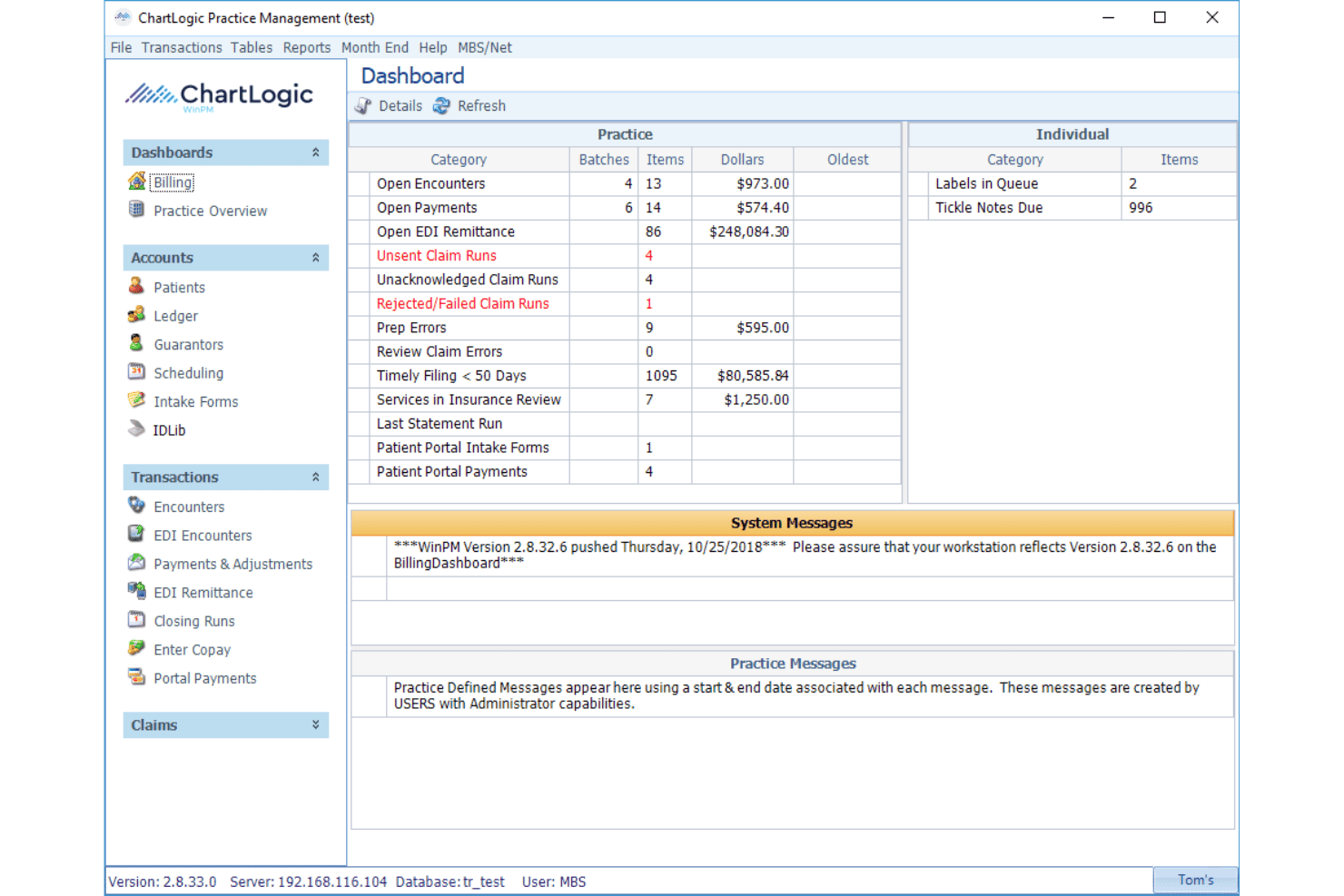
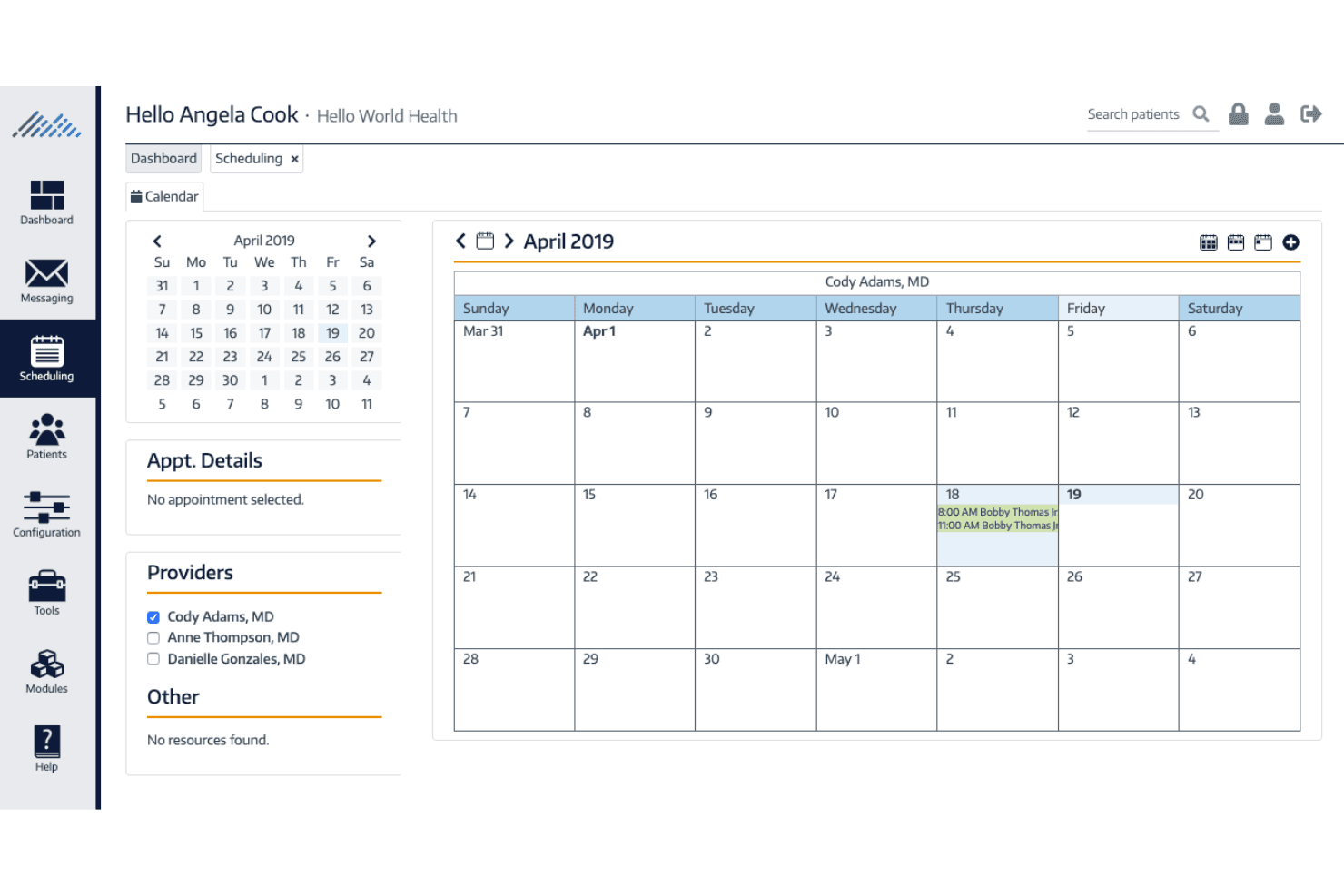
Appointment Scheduler
Lets you manage provider calendars, book appointments, and reduce scheduling conflicts with color-coded views.
Claims Center
Automates claims submission and scrubbing to help prevent denials and speed up reimbursements.
Voice Dictation
Enables providers to dictate notes directly into patient charts, saving time on documentation.
Note Template Builder
Offers customizable templates for different specialties, so you can tailor charting to your workflow.
Patient Portal
Gives patients secure access to their records, intake forms, and messaging with your office.
Reporting and Administration
Provides built-in reports for financials, productivity, and compliance, helping you track key metrics easily.
Ease of Use
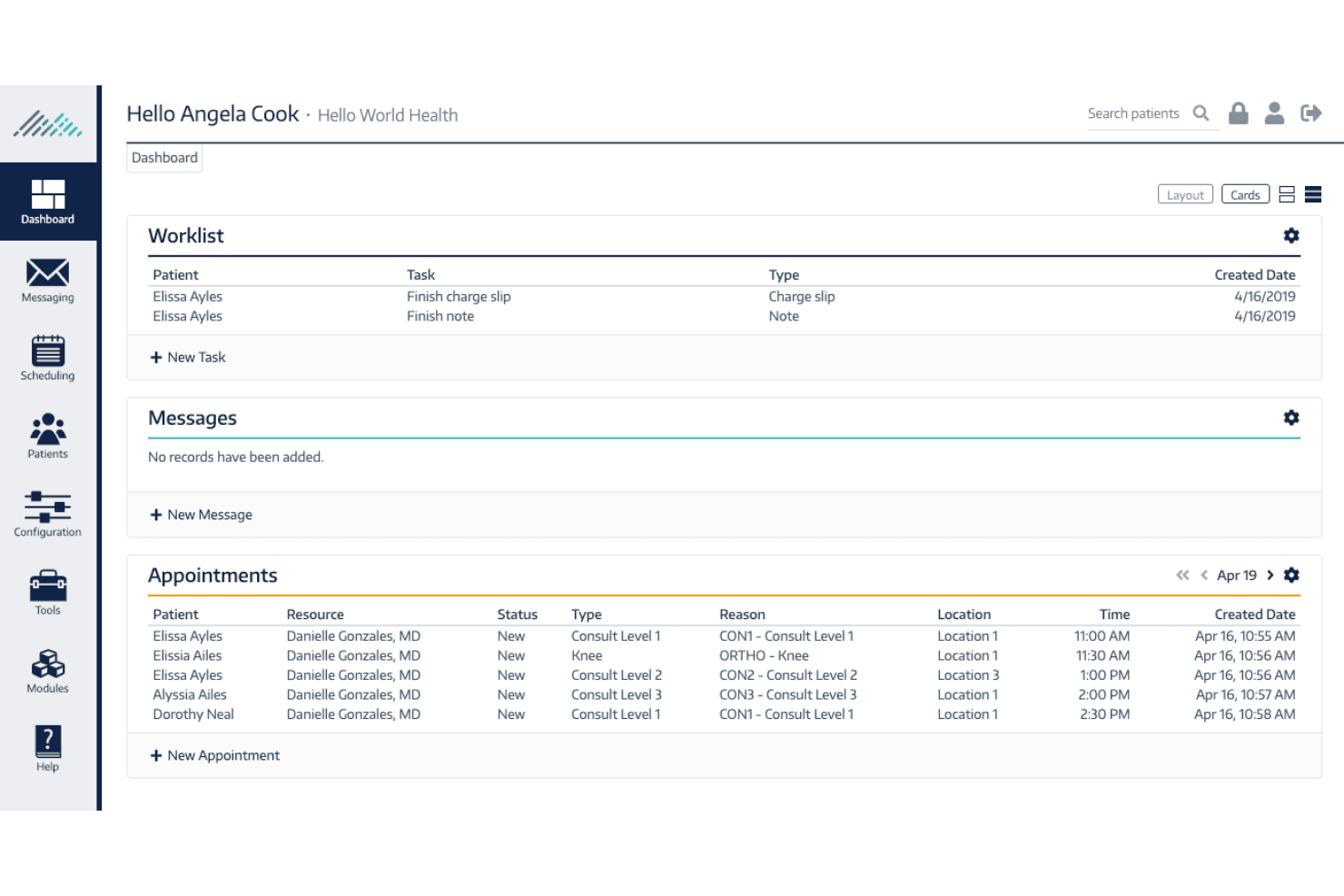
ChartLogic is user-friendly, especially for providers who want quick access to charting and scheduling without a lot of clicks. The interface is clean and straightforward, and features like voice dictation and specialty templates help reduce time spent on documentation.
Most users say onboarding is fast and daily tasks are easy to learn, though some mention that reporting and advanced features can take extra time to master.
Integrations
ChartLogic integrates with Change Healthcare, Emdeon, Birdeye, various national and regional labs, demographic and charge interfaces for practice management systems, ePrescribe, HL7 interfaces, patient portal systems, billing clearinghouses, and referral management tools, among others.
ChartLogic also offers API and HL7 interface options for connecting with third-party systems.
ChartLogic Specs
- API: Yes
- Appointment Scheduling: Yes
- Athlete Management: No
- Audit Management: Yes
- Calendar Management: Yes
- Compliance Tracking: Yes
- Customer Management: Yes
- Dashboard: Yes
- Data Export: Yes
- Data Import: Yes
- Data Visualization: Yes
- Electronic Prescribing: Yes
- External Integrations: Yes
- File Sharing: Yes
- File Transfer: Yes
- Health Management: Yes
- HIPAA Compliance: Yes
- Inventory Tracking: No
- Multi-User: Yes
- Notifications: Yes
- Organization Management: Yes
- Patient Management: Yes
- Project Management: No
- Regulatory Alerts: Yes
- Risk Assessment: Yes
- Scheduling: Yes
- Supplier Management: No


