

Det kan være en utfordring å finne den riktige programvaren for administrasjon av medisinsk praksis. Du ser kanskje etter alternativer til AdvancedMD hvis løsningen ikke helt oppfyller behovene dine. Kanskje du har problemer med skalerbarhet, bestemte funksjoner eller kostnader.
Etter min erfaring er det avgjørende å velge riktig programvare for å forbedre pasientbehandlingen og effektiviteten på legekontoret. Jeg har gått gjennom flere alternativer for å hjelpe teamet ditt med å finne den løsningen som passer best.
I denne artikkelen deler jeg objektive vurderinger av de beste alternativene til AdvancedMD. Du får innsikt i deres unike funksjoner, målgrupper og mer. La oss finne den riktige løsningen for praksisen din.
Hva er AdvancedMD?
AdvancedMD er en programvare for administrasjon av medisinsk praksis som er utviklet for å hjelpe helsepersonell med å administrere praksisen sin effektivt. Den brukes ofte av leger, praksisadministratorer og faktureringsspesialister som trenger et pålitelig system for timeplanlegging, fakturering og pasientadministrasjon. Funksjoner som elektroniske pasientjournaler, muligheter for telemedisin og verktøy for pasientengasjement støtter teamets behov for effektivitet og bedre pasientbehandling. Alt i alt tilbyr AdvancedMD en verdifull løsning for å håndtere kompleksiteten i driften av en medisinsk praksis.
Sammenligningstabell over alternativer til AdvancedMD
Denne sammenligningstabellen oppsummerer prisopplysningene for mine beste utvalgte alternativer til AdvancedMD:
| Tool | Best For | Trial Info | Price | ||
|---|---|---|---|---|---|
| 1 | Best for integrative medicine & wellness practices | 15-day free trial | From $99/month | Website | |
| 2 | Best for its ease of use in video consultation setup | Free plan available | From $10.99/user/month | Website | |
| 3 | Best for HIPAA-compliant patient messaging | 14-day free trial | From $24/user/month | Website | |
| 4 | Best for texting patients from your practice number | Free demo available | From $199/month | Website | |
| 5 | Best for rehab therapy billing and scheduling | Free demo available | Pricing upon request | Website | |
| 6 | Best for its superior patient engagement tools | Free demo available | Pricing upon request | Website | |
| 7 | Best for large health systems needing unified EHR | Not available | Pricing upon request | Website | |
| 8 | Best for its diverse array of specific features | Free demo available | Pricing upon request | Website | |
| 9 | Best for hospitals scaling interoperable EHR workflows | Free demo available | Pricing upon request | Website | |
| 10 | Best for its robust telehealth capabilities | Free demo available | Pricing upon request | Website |


Why Trust Our Software Recommendations
6,700+
Reviews
20
Industry experts
16+
Evaluation factors
14
Years
Our team has been testing and reviewing software since 2012. As medical practice leaders ourselves, we know how difficult—and important—it is to choose the right software.
For this guide, we evaluated tools using hands-on testing and independent research, scoring tools using our selection criteria.
Our reviews reflect our human editorial judgment, not a sales pitch.
Vurderinger av de beste alternativene til AdvancedMD
 Best for integrative medicine & wellness practices
- 15-day free trial
- From $99/month
Visit WebsiteCustomer Rating:4.8/5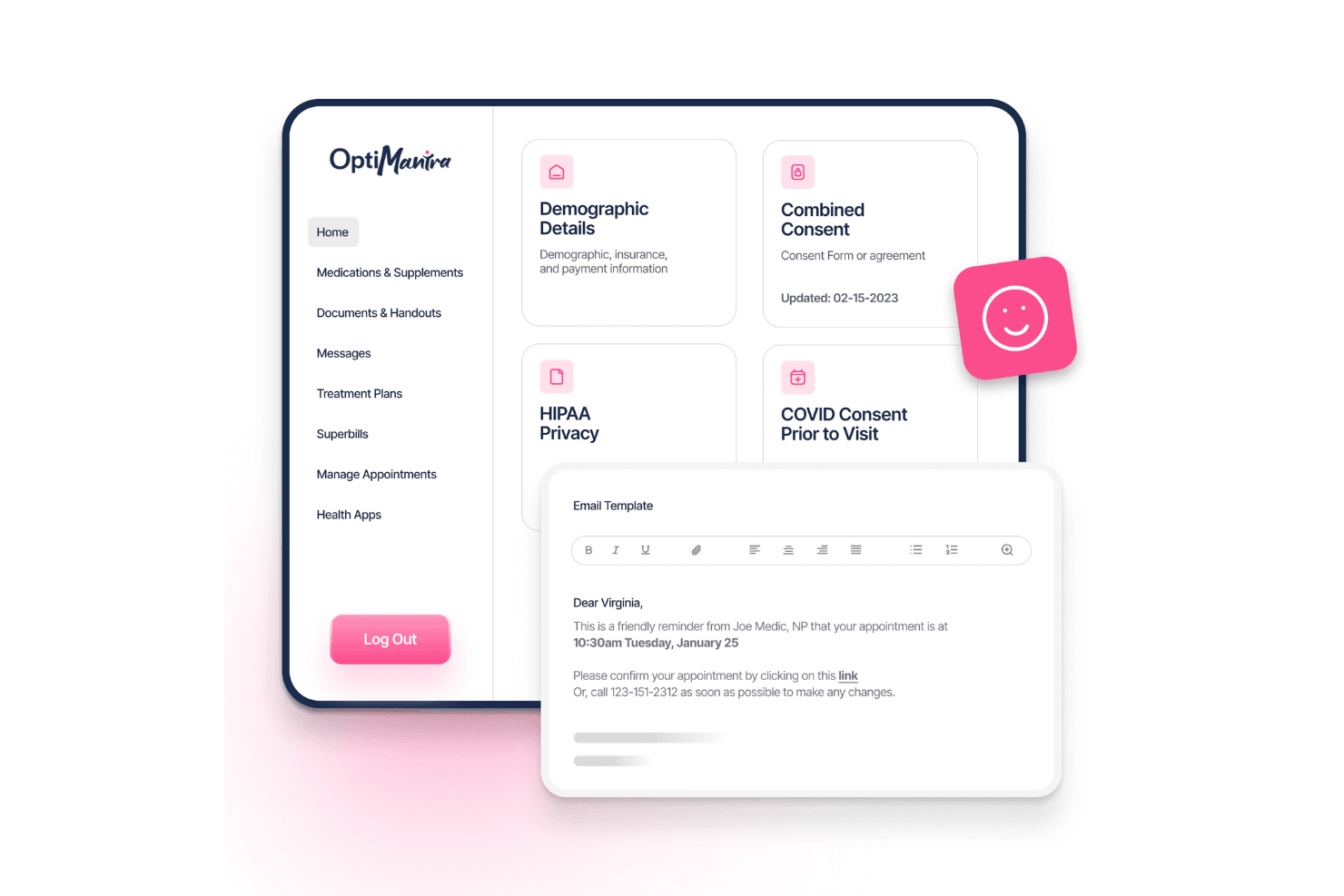
OptiMantra centralizes patient forms, consents, and appointment reminders. OptiMantra combines practice management and clinical workflows for healthcare teams, helping practices coordinate appointments, documentation, billing, and patient communication.
Who Is OptiMantra Best For?
OptiMantra is a good fit for integrative medicine and wellness practices whose clinicians need clinical and administrative workflows in one practice system.
Why I Picked OptiMantra
I picked OptiMantra as one of the best AdvancedMD alternatives because it’s “Best for integrative medicine & wellness practices.” I like that it brings appointment coordination, clinical documentation, billing, and patient communication into one practice system, so clinicians can manage care records alongside daily operations.
OptiMantra Key Features
- Telehealth: Conduct secure video visits with patients.
- Lab ordering: Order labs online and receive electronic results from connected labs.
- E-prescribing: Send prescriptions through the SureScripts integration with MDToolbox.
- Inventory tracking: Track stock, vendors, purchase orders, and low-stock or expiring items.
OptiMantra Integrations
OptiMantra documents integrations with Surescripts, LabCorp, Quest Diagnostics, Rupa Health, Evexia, Fullscript, Stripe, Fiserv, Office Ally, and HighLevel. It also offers API-based connectivity and CRM-agnostic webhooks for systems that support inbound webhooks.
Pros and Cons
Pros:
- Reviewers praise responsive customer support
- Inventory tools track medications and supplies
- Tailored charting forms suit integrative care
Cons:
- Appointment editing can feel clunky and error-prone
- Users report glitches in appointment booking
Learn more about OptiMantra: Best for its ease of use in video consultation setup
- Free plan available
- From $10.99/user/month
Visit WebsiteCustomer Rating:4.6/5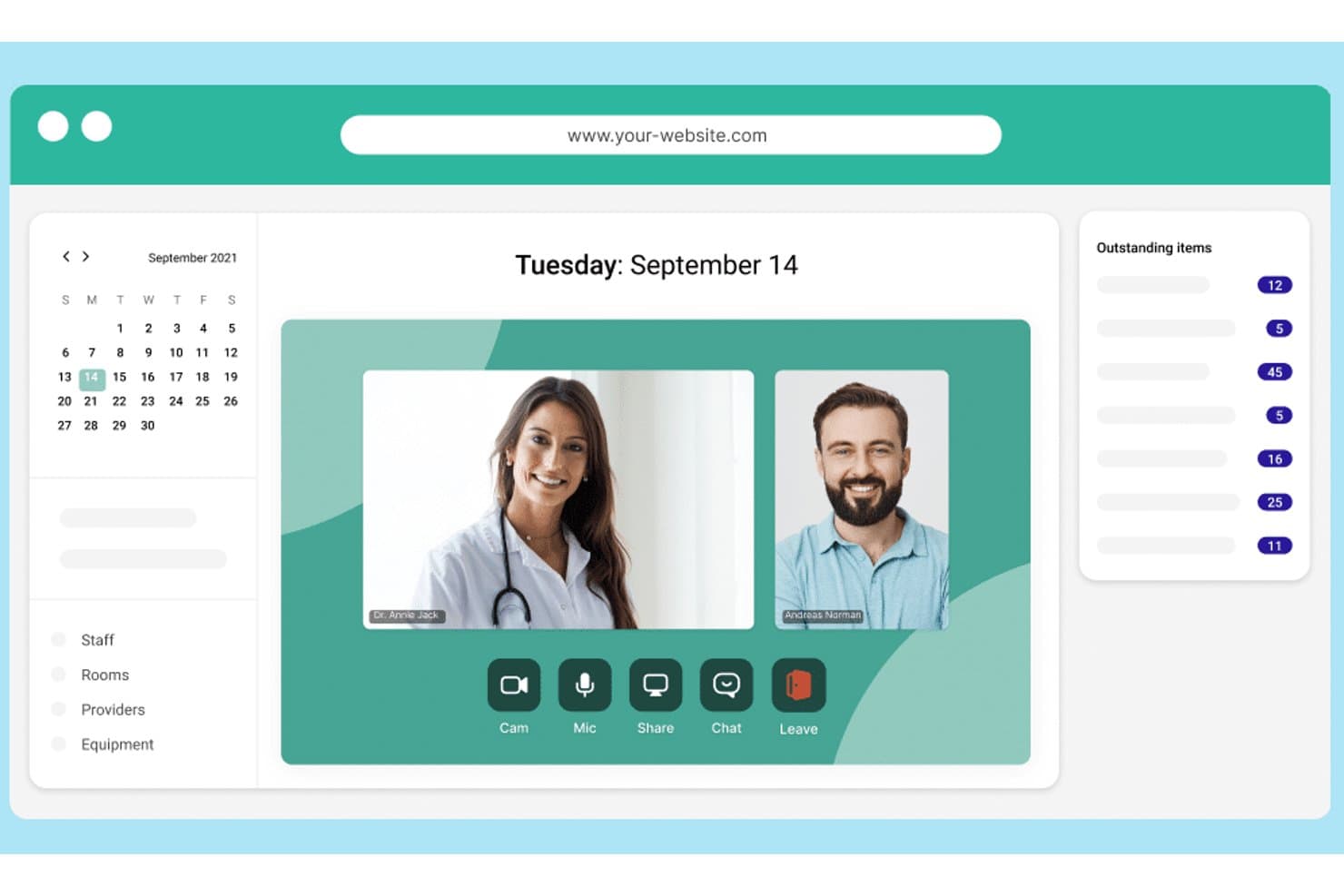
Whereby enables video consultations with scheduling and task tracking. Whereby is a video consultation platform for healthcare practices that want to offer remote visits alongside their EHR and practice management software, giving clinicians another way to connect with patients without changing core clinical systems.
Who Is Whereby Best For?
Whereby suits practice teams that want to set up patient video consultations without a complex conferencing workflow.
Why I Picked Whereby
I picked Whereby as an AdvancedMD alternative because it’s Best for its ease of use in video consultation setup. Permanent room links let clinicians invite patients to visits, while waiting rooms and locked rooms help manage who joins and when.
Whereby Key Features
- Screen sharing : Share a screen with participants during a consultation.
- File sharing : Send small files to attendees through live chat.
- Live captions : Display real-time captions during video calls.
- Pre-call checks : Check camera, microphone, speakers, and connection before joining.
Whereby Integrations
Whereby offers an official Slack integration for starting meetings from Slack channels. Whereby Embedded provides an API and SDK for adding video calls to your own website or app.
Pros and Cons
Pros:
- Waiting rooms and locks control entry
- Permanent room links simplify appointment coordination
- Patients join by browser without downloads
Cons:
- Call quality can dip on weak networks
- Doesn’t replace EHR or clinical workflows
Learn more about Whereby: Best for HIPAA-compliant patient messaging
- 14-day free trial
- From $24/user/month
Visit WebsiteCustomer Rating:4.7/5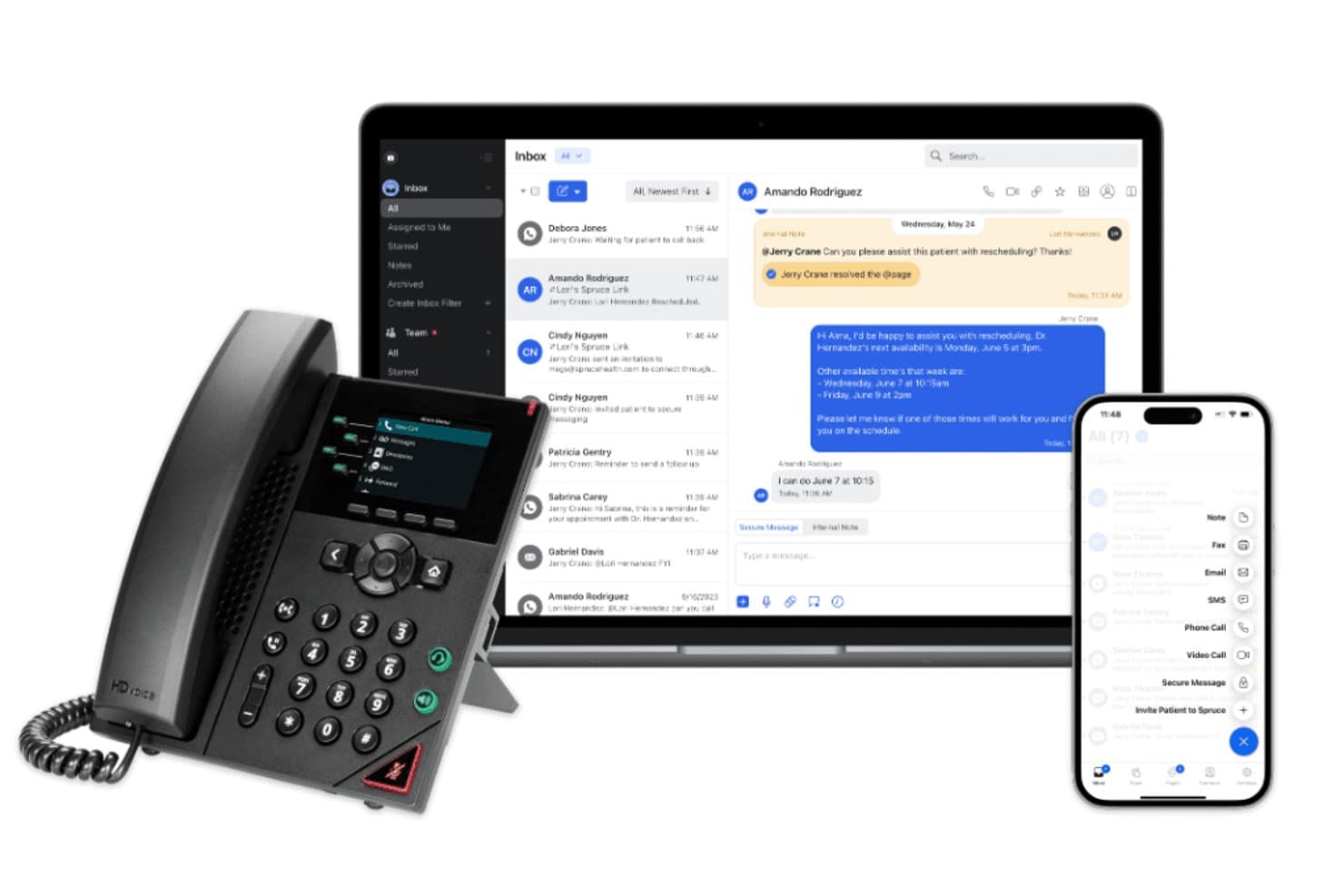
Spruce Health unifies calls, messaging, and inbox across devices. Spruce Health helps medical practices manage patient calls, secure messages, and follow-up, giving clinical and administrative teams a shared way to coordinate communication alongside their practice-management workflows.
Who Is Spruce Health Best For?
Spruce Health suits medical practices whose clinical and administrative teams need to coordinate patient calls and secure messages.
Why I Picked Spruce Health
I picked Spruce Health for practices seeking an all-in-one communication platform alongside their practice-management workflows. I like that clinical and administrative staff can coordinate patient calls, secure messages, and follow-up in one shared communication setup. That’s useful when a team needs to keep a patient’s call and next steps visible across roles.
Spruce Health Key Features
- E-fax: Send and receive faxes through Spruce.
- Video visits: Meet with patients through telehealth video.
- Clinical questionnaires: Collect patient responses with digital questionnaires.
- Digital payments: Accept patient payments through the platform.
Spruce Health Integrations
Spruce documents integrations with Athenahealth, DrChrono, Elation, Hint Health, ModMed, Dock Health, Guava Health, HealthCompiler, Stripe, and Keragon. Its REST API and webhooks support custom integrations, but API access requires the Communicator plan, and each account can have only one active EHR integration at a time.
Pros and Cons
Pros:
- Patients can message without signing into a portal
- Assignable conversations help staff track patient follow-up
- Calls, texts, and faxes share one workspace
Cons:
- Busy message views can feel overwhelming
- Support can be difficult to reach
Learn more about Spruce Health: Best for texting patients from your practice number
- Free demo available
- From $199/month
Visit WebsiteCustomer Rating:4.5/5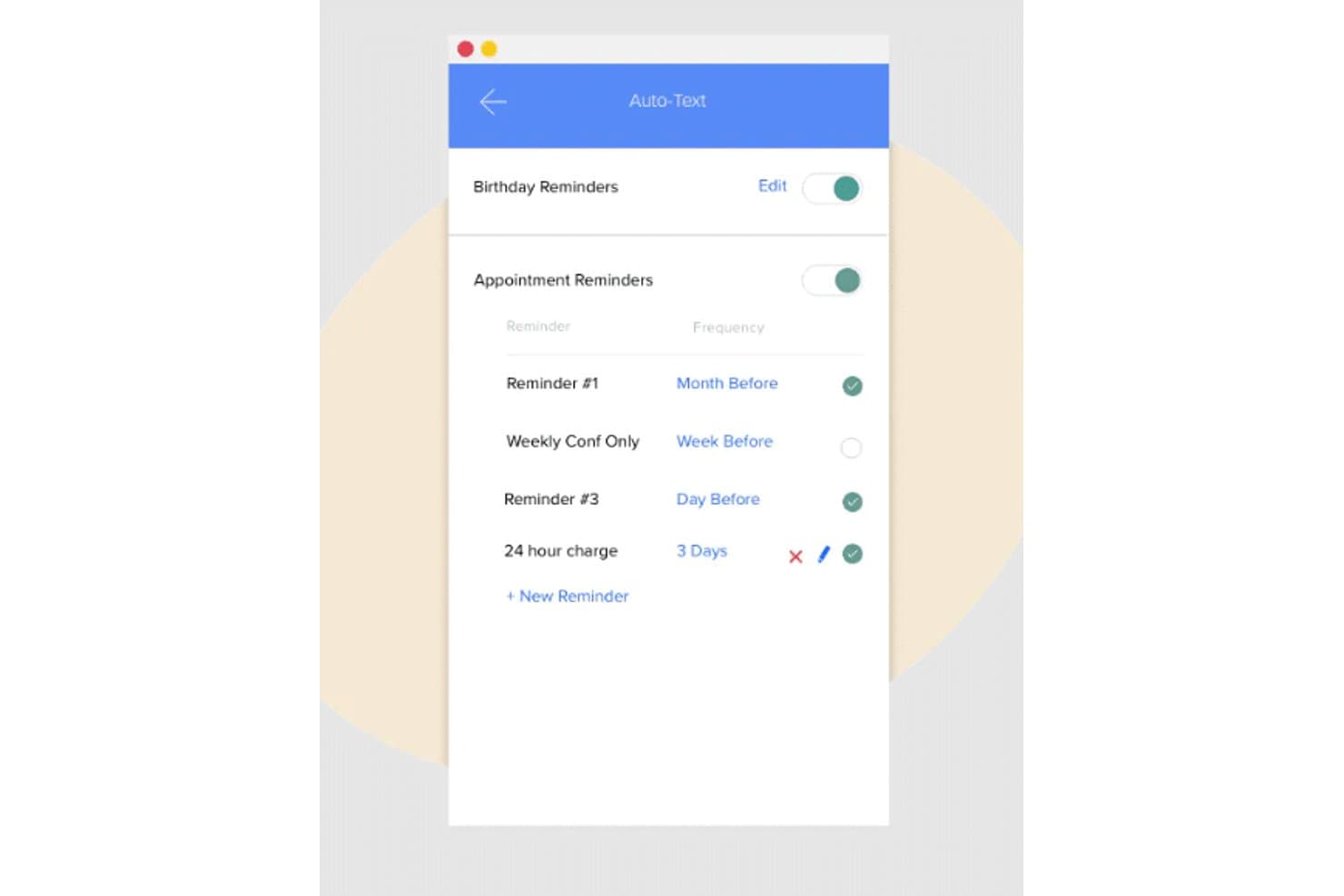
Weave automates appointment and birthday reminders via scheduled texts. For medical practices comparing AdvancedMD alternatives, Weave is a patient communication platform that works alongside an EHR to help staff coordinate appointments, respond to inquiries, and manage follow-up.
Who Is Weave Best For?
Weave suits medical practice teams that need two-way texting to manage appointment questions, reminders, and patient follow-up.
Why I Picked Weave
I picked Weave because its advanced texting helps practices handle patient communication alongside an EHR. I like that staff can use two-way texts for appointment questions, reminders, and follow-up, so patients can get answers without relying on phone calls.
Weave Key Features
- Call Pop: Displays a patient profile when an integrated phone call comes in.
- Digital intake forms: Lets patients complete forms online before an appointment.
- Payment processing: Supports payment requests, card-on-file, and online payments.
- Review management: Sends review invitations and alerts staff to new reviews.
Weave Integrations
Weave offers officially authorized integrations with AdvancedMD, Practice Fusion, 4th Dimension, and Prompt; available features vary by system. Its AdvancedMD integration automatically syncs patient and appointment data, supporting communication workflows without manual uploads.
Pros and Cons
Pros:
- Caller history gives staff useful context
- Automated reminders help reduce missed appointments
- Two-way texting keeps patient replies together
Cons:
- Reporting and message templates offer limited flexibility
- Phone reliability issues disrupt call handling
Learn more about Weave: Best for rehab therapy billing and scheduling
- Free demo available
- Pricing upon request
Visit WebsiteCustomer Rating:4.4/5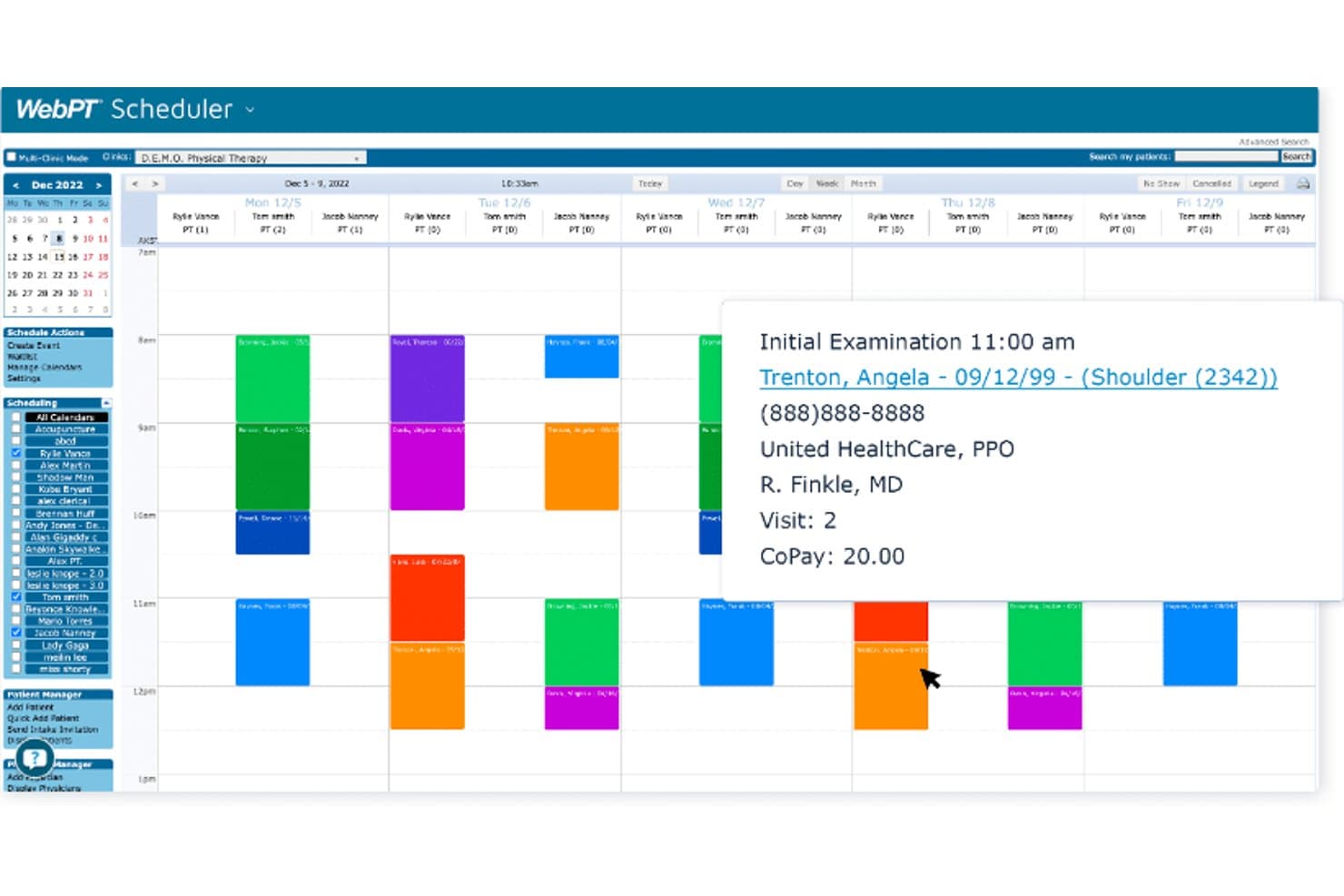
WebPT's scheduler lets users view and manage daily patient appointments. WebPT is a practice management and electronic health record platform for rehabilitation clinics, helping physical, occupational, and speech therapists manage patient documentation, scheduling, and billing in one workflow.
Who Is WebPT Best For?
WebPT suits rehab clinic owners and therapy teams managing physical, occupational, or speech therapy workflows.
Why I Picked WebPT
I pick WebPT as “Best for rehab therapists seeking comprehensive practice management” because its workflows support physical, occupational, and speech therapy. I like its configurable clinical templates and real-time compliance checks, plus AI coding suggestions that connect treatment notes to billing. Intake and scheduling workflows help front-office staff prepare visits while clinicians document care.
WebPT Key Features
- Outcomes tracking: Record standardized measures and patient survey results in the EMR.
- Referral tracking: Monitor referral sources and related patient activity.
- Patient billing portal: Let patients view statements and pay online.
- Practice reports: Run plan-of-care, billing, and missed-note reports.
WebPT Integrations
WebPT connects with more than 60 vendors, including PatientPay, Better Healthcare, Patient 360, Waystar, Worldpay, Kno2, and PredictionHealth. It also supports custom integrations, including HL7-based patient registration, billing, and documentation transfers.
Pros and Cons
Pros:
- Outcome measures support progress tracking
- Scheduling, notes, and billing share patient workflows
- Rehab-specific templates support therapy documentation
Cons:
- Reporting and record exports frustrate some clinics
- Recurring outages disrupt scheduling and documentation
Learn more about WebPT: Best for its superior patient engagement tools
- Free demo available
- Pricing upon request
Visit WebsiteCustomer Rating:4/5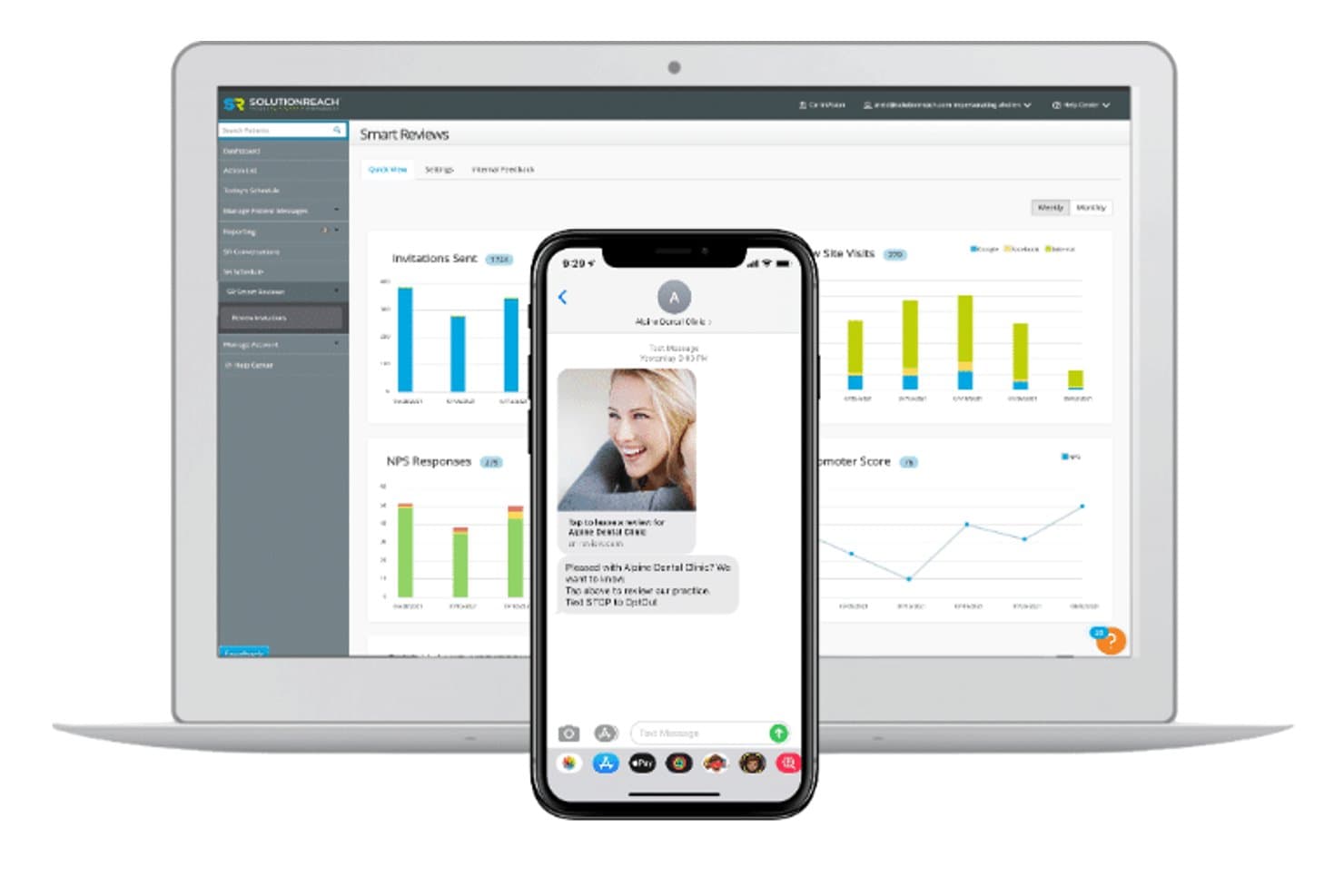
SolutionReach tracks patient review invitations and NPS scores in one dashboard. For practices comparing AdvancedMD alternatives, SolutionReach is a healthcare platform that helps clinical and administrative teams manage appointment workflows, patient communications, and follow-up.
Who Is SolutionReach Best For?
Medical practices that want to strengthen patient communication through appointment reminders, follow-ups, and other engagement workflows.
Why I Picked SolutionReach
My pick is SolutionReach, Best for its superior patient engagement tools, as an AdvancedMD alternative. I like that patients can confirm, cancel, or reschedule through automated text, email, or voice reminders. Recall messaging and two-way texting help staff reconnect with overdue patients and manage appointment changes.
SolutionReach Key Features
- Insurance verification: Automates insurance collection and eligibility checks.
- Digital patient intake: Sends intake forms to new patients before appointments.
- Patient check-in: Lets patients check in by text or email without an app or login.
- Patient surveys: Sends customizable surveys after patient visits.
Solutionreach Integrations
Solutionreach offers 400+ native practice management and EHR integrations, including Dentrix, EagleSoft, OpenDental, Epic, Nextech, NextGen, DrChrono, and Crystal PM. Its integrations support two-way data sync for schedules, reminders, payments, intake, and insurance.
Pros and Cons
Pros:
- Combines intake, surveys, and follow-up campaigns
- Reduces staff time spent on reminder calls
- Automates reminders, recalls, and two-way texting
Cons:
- Some reviewers report slow, ineffective support
- Reminders can be missed or sent after cancellations
Learn more about SolutionReach: 7Best for large health systems needing unified EHR
Epic
- Not available
- Pricing upon request
Visit WebsiteCustomer Rating:4.2/5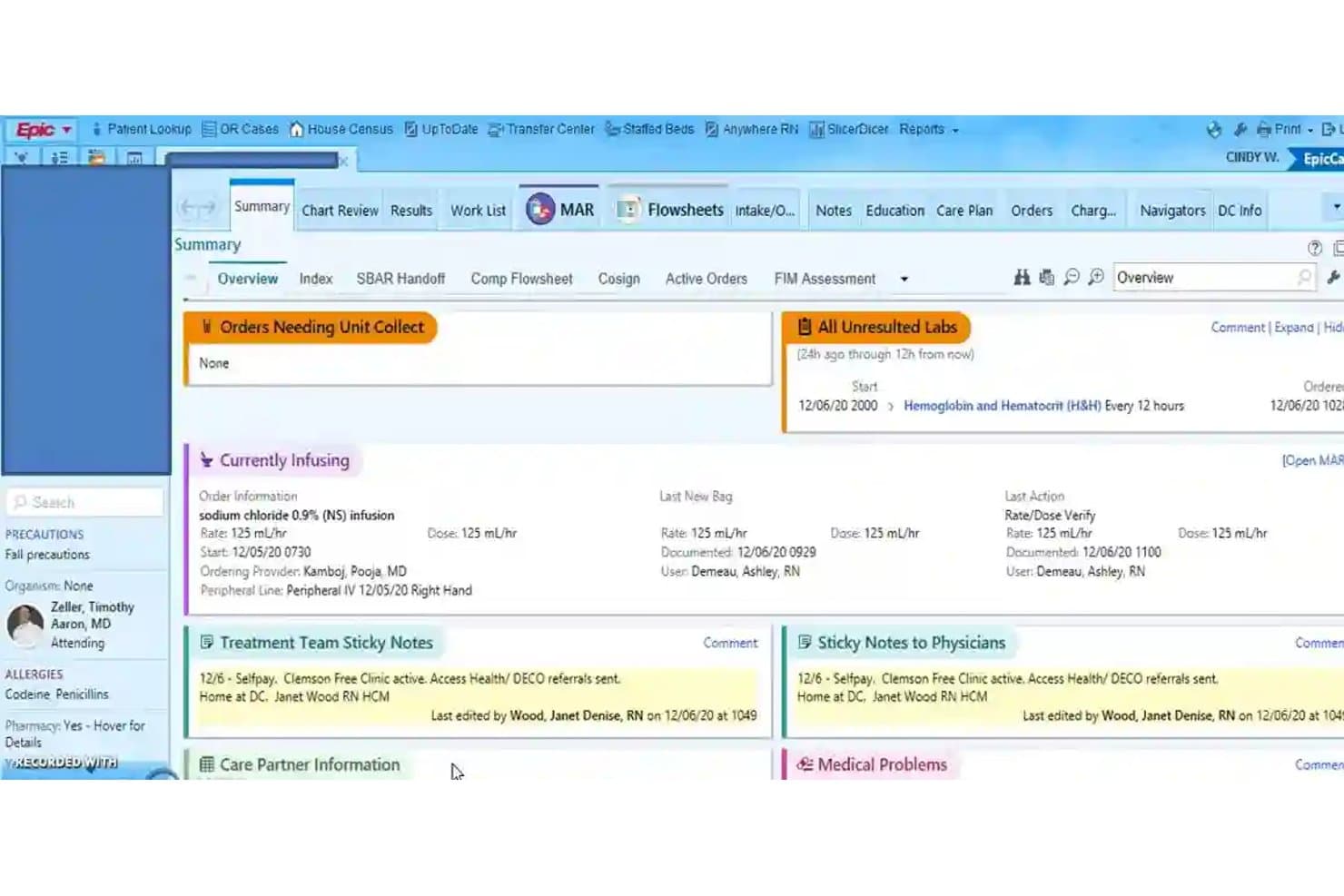
Epic centralizes patient summaries, labs, and active orders in one view. Epic is an electronic health record platform for hospitals and health systems that brings clinical documentation, patient records, and operational workflows together to help teams coordinate care and reduce administrative friction.
Who Is Epic Best For?
Epic suits large health systems that need an EHR platform to support clinical, administrative, and operational workflows across departments.
Why I Picked Epic
I picked Epic as an AdvancedMD alternative because clinical documentation, patient records, and operational workflows support coordination across departments. It’s Best for large health systems requiring a comprehensive suite, particularly when teams need shared records and workflows across a hospital system.
Epic Key Features
- MyChart patient portal: Patients can manage appointments, send messages, and complete eCheck-In.
- Epic Rover: Clinicians can use mobile barcode scanning and medication administration tools at the bedside.
- Telehealth: MyChart supports video visits between patients and care teams.
- Reporting and analytics: Epic includes tools for viewing and analyzing clinical and operational data.
Epic Integrations
Epic supports standards-based integrations through FHIR APIs and interfaces, and Care Everywhere exchanges patient records with other EHRs, including non-Epic systems. Epic publishes more than 1,000 API and interface specifications for custom connections.
Pros and Cons
Pros:
- Multidisciplinary teams share real-time clinical information
- Customizable workflows support varied specialties
- Centralizes inpatient and outpatient records
Cons:
- Extensive menus increase onboarding and documentation burden
- Routine tasks can require too many clicks
Learn more about Epic: Best for its diverse array of specific features
- Free demo available
- Pricing upon request
Visit WebsiteCustomer Rating:3.7/5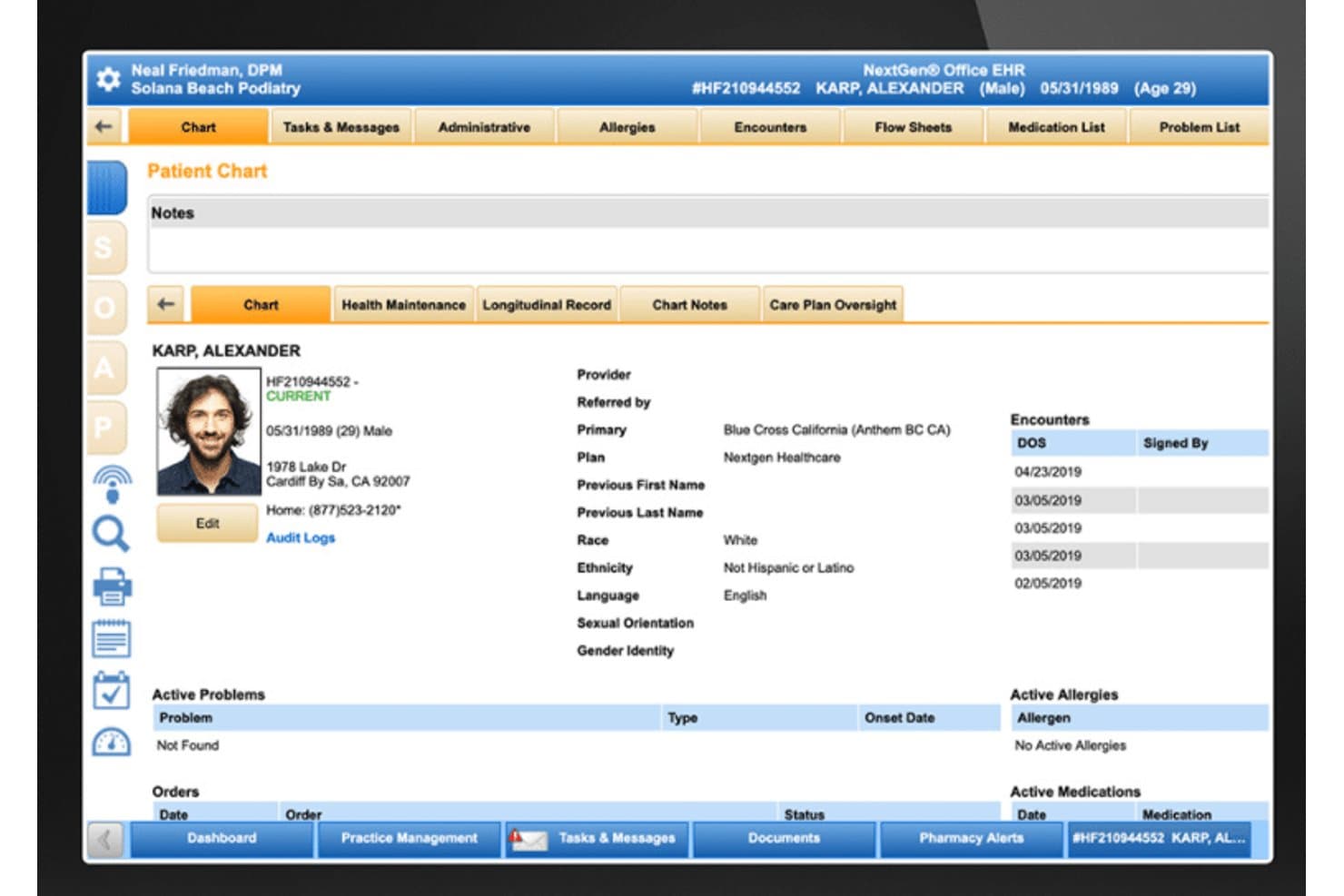
NextGen Healthcare centralizes patient demographics and encounter history in one chart view. NextGen Healthcare is an EHR and practice-management platform for ambulatory practices that need to manage clinical documentation, patient records, scheduling, and billing in connected workflows.
Who Is NextGen Healthcare Best For?
NextGen Healthcare is a good fit for ambulatory practices that need specialty-specific clinical workflows tailored to their care teams.
Why I Picked NextGen Healthcare
I picked NextGen Healthcare as an AdvancedMD alternative. Its USP is “Best for its diverse array of specialty-specific features.” I like its specialty-specific blueprints and AI-powered templates, which support distinct clinical workflows. Ambient listening can turn patient conversations into structured SOAP notes and suggest relevant ICD-10 codes, medications, and orders for provider review.
NextGen Healthcare Key Features
- E-prescribing: Send prescriptions electronically from the clinical workflow.
- Lab connections: Connect with major laboratories through the EHR.
- Patient portal: Offer patients online scheduling, refill requests, and secure messaging.
- Digital intake forms: Collect patient information before appointments through online forms.
NextGen Healthcare Integrations
NextGen Healthcare supports partner integrations with CoverMyMeds, eFax Corporate, and InstaMed, and offers a marketplace of third-party apps built with NextGen APIs. Its Enterprise APIs include more than 800 REST routes for custom integrations.
Pros and Cons
Pros:
- Shared records help coordinate care across locations
- Linked EHR and billing support practice operations
- Specialty templates support distinct clinical workflows
Cons:
- Updates and crashes can disrupt workflows
- Clinical tasks can require excessive clicks
Learn more about NextGen Healthcare: Best for hospitals scaling interoperable EHR workflows
- Free demo available
- Pricing upon request
Visit WebsiteCustomer Rating:3.5/5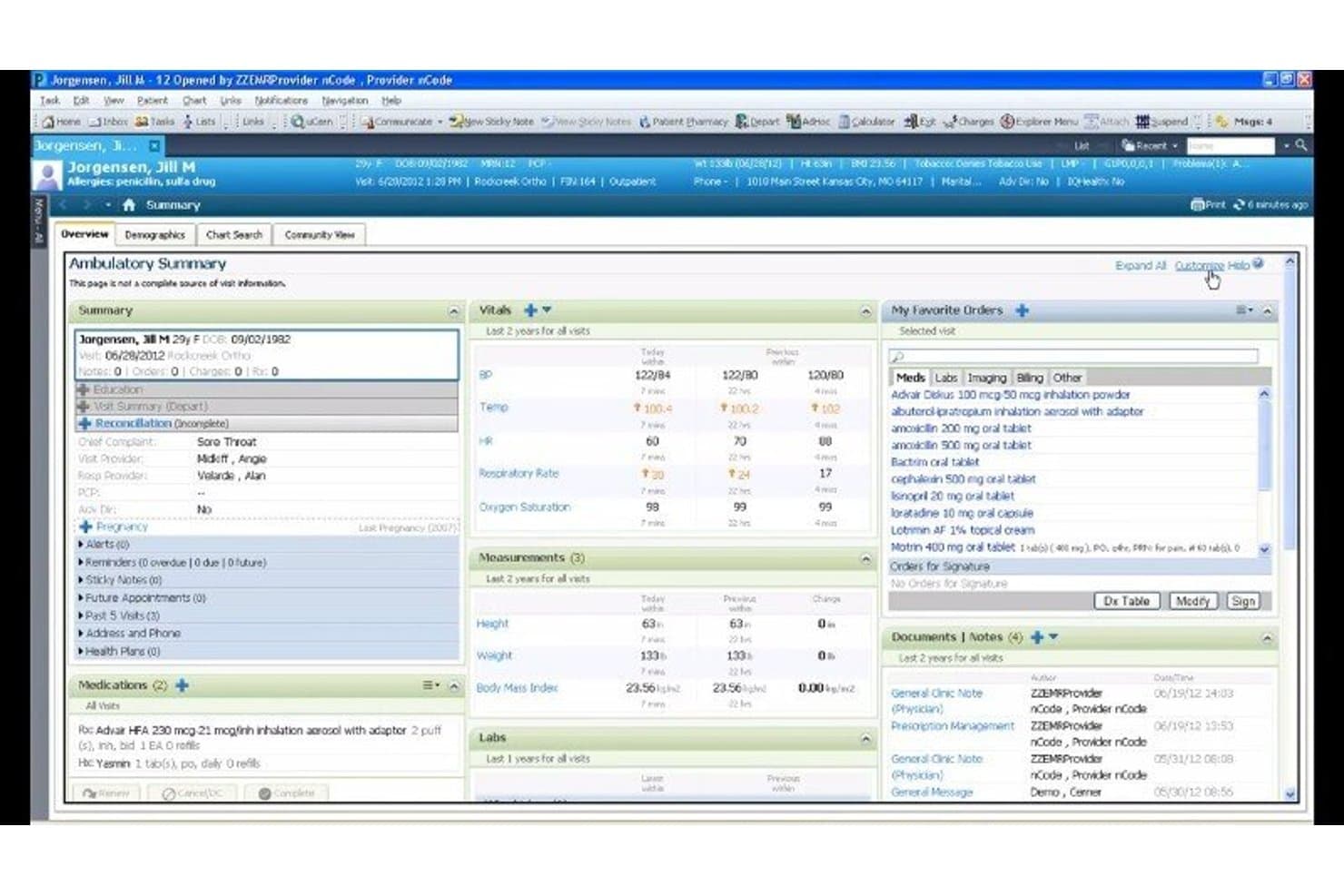
Cerner centralizes patient summaries, vitals, labs, and orders in one view. Cerner is an electronic health record platform for hospitals and health systems that brings patient records, clinical documentation, and care workflows together to support coordination across departments.
Who Is Cerner Best For?
Cerner suits clinical informatics and IT teams at large hospitals that need to coordinate EHR workflows across departments.
Why I Picked Cerner
I picked Cerner as an AdvancedMD alternative because its stated fit is “Best for hospitals needing interoperable and scalable solutions.” Oracle Health HIE aggregates records from connected sources across EHRs into longitudinal histories, while Care Notifications alert primary care teams to admissions, discharges, and transfers. I value that combination when a hospital needs outside clinical context and timely transition updates in its workflows.
Cerner Key Features
- AI-generated summaries: Creates patient narratives tailored to the clinician, specialty, and care setting.
- Voice commands: Lets clinicians request patient-specific insights during chart review.
- Patient timelines: Displays encounters, diagnoses, and chronological medication histories.
- Personalized workflows: Adapts content and actions to clinician preferences and visit types.
Cerner Integrations
Cerner, now Oracle Health, provides APIs for custom connections, including HL7 FHIR R4 APIs, and a developer program for apps and devices. Its Oracle Healthcare Marketplace lists validated partner apps, and Oracle Health Connect to CommonWell supports health data exchange.
Pros and Cons
Pros:
- Supports organized charting and note writing
- Keeps records accessible across hospital departments
- Centralizes notes, imaging, and results across patients
Cons:
- Support responses can take months
- Navigation and registration can consume extra time
Learn more about Cerner: Best for its robust telehealth capabilities
- Free demo available
- Pricing upon request
Visit WebsiteCustomer Rating:3.4/5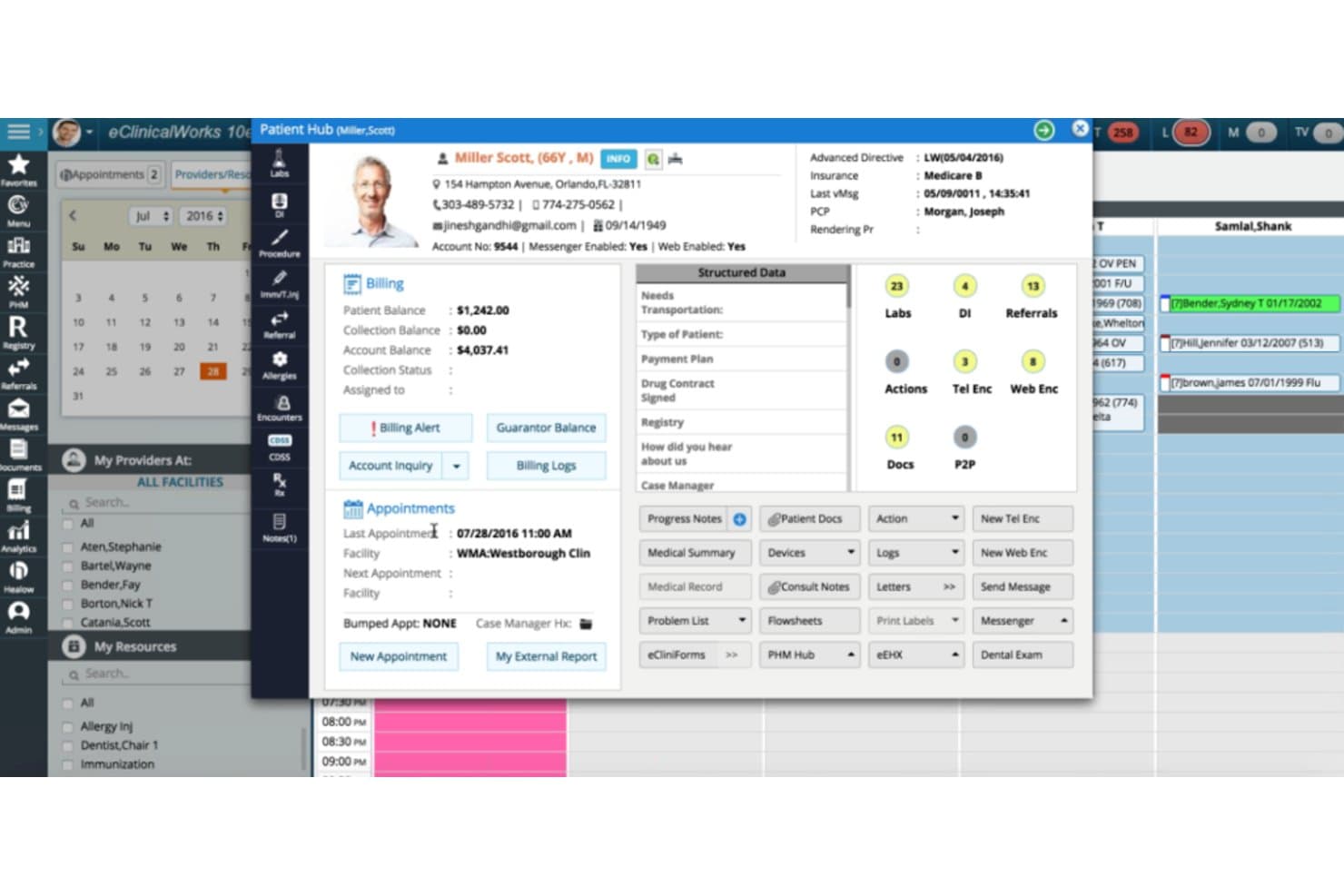
eClinicalWorks centralizes patient records, billing, and appointments in one hub. eClinicalWorks is an EHR and practice management platform for medical practices that brings clinical records, billing, and patient communication together to help reduce administrative friction across care delivery.
Who Is eClinicalWorks Best For?
eClinicalWorks is a good fit for outpatient medical practices that want to offer virtual visits alongside in-person care.
Why I Picked eClinicalWorks
I picked eClinicalWorks as an AdvancedMD alternative for one reason: Best for its robust telehealth capabilities. healow TeleVisits lets patients request same-day virtual care without an appointment, and real-time wait times help staff manage incoming requests. These tools can help clinics handle virtual demand when in-person appointment slots are limited.
eClinicalWorks Key Features
- Patient portal: Patients can access health information and communicate with the practice.
- e-Prescribing: Providers can send prescriptions, including controlled substances.
- Interoperability: The EHR gathers patient records from nationwide health information networks.
- Care planning: Teams can create and manage care plans for value-based care programs.
eClinicalWorks Integrations
eClinicalWorks documents integrations with vendors including Dexcom, Fitbit, Glooko, Google Fit, Omron, Surescripts, Waystar, Trizetto, Optum RPA, and TSI. It supports FHIR APIs for third-party healthcare applications and HL7 messaging for connections such as lab, imaging, and practice management systems.
Pros and Cons
Pros:
- Scheduling, clinical records, and patient communication together
- Real-time wait times help manage virtual demand
- Same-day virtual visits without appointments
Cons:
- Users report slow support and tedious reporting
- Some workflows require many clicks
Learn more about eClinicalWorks:
Andre alternativer til AdvancedMD
Nedenfor finner du en liste over flere alternativer til AdvancedMD som jeg hadde på kortlisten, men som ikke kom med blant de 10 beste. De er absolutt verdt å ta en titt på.
- 11Centricity Practice SolutionsBest for integrating clinical and financial management
- 12Veradigm Inc.Best for customizing workflows for optimized productivity
- 13TebraBest for independent practices prioritizing simplicity and affordability
- 14CarepatronGood for home and community health care providers requiring comprehensive care management
- 15DrChronoGood for its highly customizable electronic health record platform
- 16PabauGood for beauty and wellness businesses seeking CRM and scheduling solutions
- 17SevocityGood for its user-friendly interface and customizable electronic health records
- 18EHR Your WayGood for its flexible, voice-activated documentation capabilities
- 19JaneGood for wellness and therapy practices desiring online booking and practice management
- 20Azalea HealthGood for its fully-integrated, cloud-based healthcare management and medical billing solution
- 21CharmHealthGood for holistic patient care with integrated EHR, practice management, and telehealth
- 22PowerDiaryGood for practice management with a strong emphasis on client communication
- 23athenaOneGood for streamlining administrative tasks and improving care delivery
- 24RXTNGood for integrated e-prescribing, practice management, and electronic health records
- 25Simple PracticeGood for small practices and solo practitioners seeking a user-friendly platform
- 26IntakeQGood for secure online patient intake forms
- 27Compulink Healthcare SolutionsGood for its AI-driven, specialty-specific EHR and Practice Management solutions
How I Evaluate AdvancedMD Alternatives
I split my evaluation into baseline criteria every tool must meet—like end-to-end claims management and EHR integration—and differentiating factors that separate the right fit from a functional one.
Core Functionality (Table Stakes For This List)
When I'm selecting tools for my list, I rank each one on a scale from 0 (does not offer the functionality) to 5 (excels in this area) for each core functionality listed below. Then, I calculate the tool's total score into a percentage. Each tool needs to achieve a minimum total score of 65% to be considered for inclusion.
- Practice Management: I evaluate scheduling, patient registration, and insurance eligibility tools—like whether a front desk team can verify coverage and manage waitlists in real time.
- Medical Billing & RCM: Claim scrubbing, ERA posting, denial management, and A/R tracking all factor in, since a clean claims workflow is what keeps revenue moving.
- EHR/EMR Integration: I check whether the platform offers a native EHR or connects to one through bidirectional data exchange, so clinical notes flow into billing without rekeying.
- Patient Engagement Tools: Portals, automated reminders, and secure messaging matter here—I look at how patients interact with intake forms, appointment confirmations, and balance notifications.
- Telehealth Capability: Built-in HIPAA-compliant video visits that tie into scheduling and documentation are what I look for, rather than just a third-party link.
- HIPAA Compliance & Reporting: Every tool should offer BAA-backed data handling and reporting that goes beyond canned templates, including customizable financial and clinical analytics.
Once I have a list of tools that meet this criteria, I consider what sets each platform apart.
Differentiating Factors (What Sets Vendors Apart)
Here's how I compare and contrast different vendors:
Standout Features
AI-powered documentation is a big differentiator I evaluate. Tools with ambient scribing or voice-to-note features let providers finish charting during the visit instead of staying late. I also look at how platforms handle prior authorizations, since automated submission and real-time status tracking can save staff hours of phone follow-up each week. Integrated payment processing matters too, especially text-to-pay and card-on-file capabilities that reduce collection friction at checkout and post-visit.
Beyond Features
Switching from AdvancedMD means migrating years of patient records, so I evaluate each vendor's data migration support and go-live timelines closely. Pricing transparency is another factor I weigh—some platforms charge per provider while others take a percentage of collections, and hidden clearinghouse or training fees can change the math fast. I also consider practice size and specialty fit, since a platform built for large multi-location groups may overwhelm a solo dermatologist, and vice versa.
Hvorfor se etter et alternativ til AdvancedMD?
Selv om AdvancedMD er et godt valg av programvare for administrasjon av medisinsk praksis, finnes det flere grunner til at noen brukere ser etter alternative løsninger. Du ser kanskje etter et alternativ til AdvancedMD fordi …
- Det er ikke rimelig for små praksiser
- Du trenger flere tilpasningsmuligheter
- Begrenset støtte for internasjonale praksiser
- Brukergrensesnittet føles utdatert
- Integrasjonsmulighetene er mangelfulle
- Du trenger bedre tilgang via mobil
Hvis noe av dette høres kjent ut, har du kommet til rett sted. Listen min inneholder flere alternativer for programvare til administrasjon av medisinsk praksis som passer bedre for team som står overfor disse utfordringene med AdvancedMD og ser etter alternative løsninger.
Viktige funksjoner i AdvancedMD
Her er noen av de viktigste funksjonene i AdvancedMD, slik at du kan sammenligne hva de alternative løsningene tilbyr:
- AI-integrasjon: Inneholder intelligente verktøy som tar sikte på å forbedre brukeropplevelsen og driftseffektiviteten, samt et brukervennlig grensesnitt. Ved å utforske alternativer kan helsepersonell finne et system som best samsvarer med deres unike praksiskrav og arbeidsflyt.
- Enhetlig arbeidsflyt: Gir synkronisert tilgang til informasjon på tvers av praksisroller, noe som øker produktiviteten.
- Skalerbarhet: Tilbyr fleksible løsninger for praksiser av alle størrelser, med mulighet for tilpasning basert på behovene innen den aktuelle spesialiteten.
- Automatisering av pasientflyt: Inkluderer verktøy for effektiv timeplanlegging, påminnelser og selvbetjeningsalternativer for å forbedre pasientadministrasjonen.
- Fakturering og styring av inntektssyklusen: Har integrerte faktureringsløsninger som forbedrer behandlingen av refusjonskrav og økonomisk rapportering.
- Rapportering og analyse: Leverer avansert datainnsikt for å optimalisere økonomiske resultater og danne grunnlag for forretningsbeslutninger.
- Tilpassbart elektronisk pasientjournalsystem: Tilbyr modulære journalføringsfunksjoner med tilpassbare maler for å forbedre den kliniske arbeidsflyten.
- Pasientengasjement: Tilbyr selvbetjeningsfunksjoner og en pasientportal for å forbedre kommunikasjon og brukervennlighet.
- Telemedisin: Muliggjør fjernbehandling av pasienter og utvider tilgangen uten å øke de faste kostnadene.
- Mobilapplikasjoner: Tilbyr apper for klinisk administrasjon og administrative oppgaver, slik at sikker tilgang til praksisdata opprettholdes.
Ofte stilte spørsmål (FAQ)
Hva er fordelene ved å bruke advancedMD?
AdvancedMD tilbyr en rekke fordeler, noe som gjør løsningen til et foretrukket valg for mange helseleverandører.
- For det første har systemet omfattende funksjonalitet for pasientadministrasjon, timeplanlegging, fakturering og rapportering.
- For det andre imøtekommer telemedisinfunksjonene de nye behovene innen levering av helsetjenester.
- For det tredje støtter advancedMD interoperabilitet, slik at systemet kan integreres sømløst med ulike helsesystemer.
- For det fjerde er programvaren svært tilpassbar, slik at leverandører kan justere arbeidsflyter etter sine unike preferanser.
- Til slutt er løsningen i samsvar med helsestandarder som HIPAA, noe som sikrer sikkerheten og konfidensialiteten til pasientinformasjonen.
Hvor mye koster advancedMD?
AdvancedMD oppgir ingen standardpris, ettersom prismodellen er basert på tilbud. Det betyr at prisen avhenger av størrelsen på og de spesifikke behovene til helseleverandøren. Potensielle brukere må kontakte AdvancedMD-teamet for å få et personlig tilbud.
Hvilke prismodeller bruker alternativene til advancedMD?
Prismodellene for alternativer til advancedMD varierer betydelig. Noen bruker en abonnementsbasert modell, som innebærer en tilbakevendende avgift (månedlig eller årlig), mens andre kan bruke en tilbudsbasert modell, slik som advancedMD. Abonnementsprisen kan beregnes per bruker eller per funksjon, avhengig av leverandøren.
Hva er det typiske prisintervallet for alternativer til advancedMD?
Prisene for alternativer til advancedMD varierer vanligvis fra rundt $10/bruker/måned til $500/måned. Det avhenger i stor grad av programvarens kompleksitet og hvilke spesifikke funksjoner helseleverandøren trenger.
Hvilke programvarealternativer til advancedMD er billigst og dyrest?
Det billigste programvarealternativet til AdvancedMD basert på startprisen er CareCloud, med en startpris på $349 per måned. På den andre siden har Epic den høyeste startprisen, og pris oppgis på forespørsel på grunn av de svært skreddersydde løsningene for store helseorganisasjoner.
Finnes det gratis verktøyalternativer til advancedMD?
Ja, enkelte alternativer til advancedMD tilbyr gratis abonnementer, for eksempel ZocDoc, selv om disse ofte har begrenset funksjonalitet. Det anbefales å starte med et gratis abonnement eller en prøveversjon før du bestemmer deg for å oppgradere til et betalt abonnement. Da får du mulighet til å vurdere hvor godt programvaren passer for helsepraksisen din.