

Recensione di CareCloud: spiegazione di vantaggi, svantaggi, funzionalità e prezzi
Analizzo in dettaglio come la cartella clinica elettronica di CareCloud si distingua per il design intuitivo e i componenti aggiuntivi flessibili: scopri se le sue funzionalità semplificano davvero i flussi di lavoro nel 2026.

Recensiamo gli strumenti in modo indipendente e le commissioni ci aiutano a finanziare i nostri test. Consulta la nostra politica sulla trasparenza, la nostra metodologia o suggerisci uno strumento.
CareCloud is a free EHR software for independent and small-to-midsize practices that need clinical documentation, scheduling, and practice management without paying for a software license. I'd suggest it over paid-only options like Kareo if you want a no-cost plan that still includes telehealth and a patient portal—features most competitors reserve for higher subscription tiers.
CareCloud Evaluation Summary
3.6/5
- Pricing upon request
- Free demo available
Perché fidarsi dei nostri consigli sui software
6,700+
Reviews
20
Industry experts
16+
Evaluation factors
14
Years
Il nostro team testa e recensisce software dal 2012. In quanto leader di studi medici noi stessi, sappiamo quanto sia difficile — e importante — scegliere il software giusto.
Per questa guida, abbiamo valutato gli strumenti attraverso test pratici e ricerche indipendenti, assegnando un punteggio agli strumenti in base ai nostri criteri di selezione.
Le nostre recensioni riflettono il nostro giudizio editoriale umano, non un discorso di vendita.
CareCloud Overview
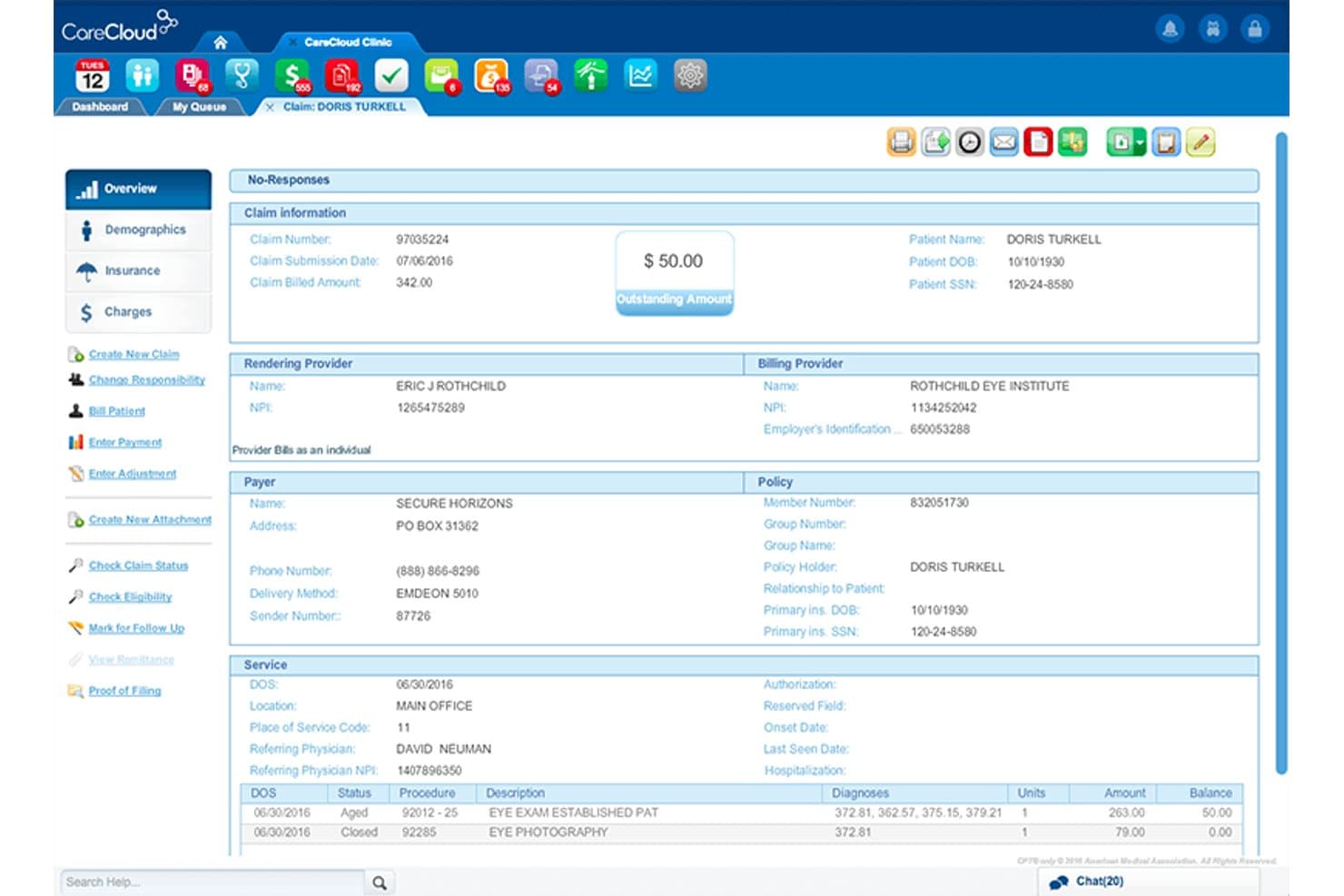
When I judge CareCloud, I see a platform that offers slick scheduling, customizable charting, and strong support—features that make it easy for teams to get up and running. The interface feels modern and uncluttered, which sets it apart from clunkier options. Its pricing is competitive, but smaller practices might find some add-ons add up. If you’re choosing an EHR for a multi-specialty group or a fast-growing office that needs flexibility and easy integrations, CareCloud is going to be a smart pick. I think it’s especially well-suited for those wanting a balance of usability and customization.
Pros
- Offers specialty-specific templates for multiple medical fields
- Provides real-time dashboards for practice performance tracking
- Includes a patient portal with online payment options
Cons
- Occasional system slowdowns during peak hours
- Reporting customization requires more technical knowledge than expected
- Some advanced features require additional monthly fees
Is CareCloud Right For Your Needs?
Who Would be a Good Fit for CareCloud?
CareCloud is a strong choice for growing medical groups and practices that want an integrated, cloud-based EHR with customizable workflows and excellent billing tools. Multispecialty clinics, outpatient centers, and organizations focused on patient experience should find its patient engagement tools and reporting a good match. I think practices needing robust integration options and detailed analytics will benefit most from what CareCloud provides.
- Multispecialty ClinicsCareCloud handles scheduling, clinical documentation, and billing for diverse specialties in one unified platform.
- Midsize PracticesMid-sized groups benefit from CareCloud’s flexible pricing, scalable modules, and streamlined onboarding support.
- Outpatient CentersOutpatient clinics use CareCloud’s detailed scheduling, patient intake, and modern patient portal tools.
- AdministratorsPractice administrators gain efficiency from CareCloud’s analytics dashboards, integrated billing, and custom workflow design.
- Revenue Cycle TeamsRevenue cycle managers get real-time billing, claims management, and payer connectivity for cleaner, faster reimbursements.
- Telehealth ProvidersTelehealth practices can use CareCloud’s native telemedicine module and flexible integrations for virtual visits and follow-up.
Who Would be a Bad Fit for CareCloud?
CareCloud isn’t ideal for solo practitioners who want bare-minimum EHR functions at the lowest price. High-volume hospital systems, organizations outside the US, and specialty clinics with highly complex custom needs may want to look elsewhere. If your team uses mostly third-party tools or non-medical workflows, CareCloud’s healthcare focus could feel limiting.
- Solo PractitionersSingle-provider clinics may find CareCloud’s breadth and pricing unnecessary for basic charting and scheduling.
- Large HospitalsHospital systems might need deeper inpatient features and enterprise-level integrations not offered by CareCloud.
- Non-U.S. EntitiesCareCloud’s design and compliance features center on U.S. healthcare, which can limit applicability internationally.
- Highly Specialized ClinicsSubspecialties needing hyper-specific charting or device integration could outgrow CareCloud’s customization options.
- Behavioral Health OnlyBehavioral health teams wanting niche documentation and tools may not find CareCloud’s templates granular enough.
- Non-Clinical TeamsNon-clinical organizations or those outside healthcare won’t get value from CareCloud’s medically focused workflows.
Come testiamo e valutiamo gli strumenti
Abbiamo trascorso anni a costruire, perfezionare e migliorare il nostro sistema di test e valutazione del software. Il criterio è progettato per cogliere le sfumature della selezione del software e cosa rende uno strumento efficace, concentrandosi sugli aspetti critici del processo decisionale. Qui sotto puoi vedere esattamente come funzionano i nostri test e punteggi in base a sette criteri. Ci consente di offrire una valutazione obiettiva del software basata su funzionalità principali, caratteristiche distintive, facilità d’uso, onboarding, assistenza clienti, integrazioni, recensioni dei clienti e rapporto qualità-prezzo.
Funzionalità Principali (25% del punteggio finale)
Il punto di partenza della nostra valutazione sono sempre le funzionalità principali dello strumento. Ha le funzioni di base che un utente si aspetterebbe? Alcune di queste funzioni principali sono riservate a piani tariffari superiori? In sostanza, ci aspettiamo che uno strumento sia all’altezza delle capacità di base dei suoi concorrenti.
Caratteristiche Distintive (25% del punteggio finale)
Successivamente, valutiamo caratteristiche distintive e insolite che vanno oltre le funzionalità di base tipicamente presenti negli strumenti della stessa categoria. Un punteggio alto riflette funzionalità specializzate o uniche che rendono il prodotto più veloce, efficiente o offrono un valore aggiunto all’utente. Valutiamo anche quanto sia facile integrare con altri strumenti comunemente presenti nella stack tecnologica per espandere funzionalità e utilità del software. Gli strumenti che offrono numerose integrazioni native, connessioni di terze parti e accesso API per creare integrazioni personalizzate ottengono il punteggio migliore.
Facilità d’Uso (10% del punteggio finale)
Consideriamo quanto sia rapido e intuitivo eseguire i compiti definiti nelle funzionalità principali usando lo strumento. Il software con punteggi elevati è ben progettato, intuitivo, offre app mobili, fornisce modelli e fa sembrare semplici anche compiti complessi.
Onboarding (10% del punteggio finale)
Sappiamo quanto sia importante l’adozione rapida da parte del team per una nuova piattaforma, perciò valutiamo quanto sia facile imparare e usare uno strumento con una formazione minima. Valutiamo quanto tempo impiega un membro del team a configurarsi e iniziare a usare lo strumento senza esperienza. Le soluzioni che ottengono il punteggio più alto richiedono poco o nessun supporto.
Assistenza Clienti (10% del punteggio finale)
Esaminiamo quanto sia rapido e semplice sbloccarsi e trovare aiuto tramite telefono, chat dal vivo o knowledge base. Gli strumenti e le aziende che forniscono assistenza in tempo reale ottengono il punteggio migliore, mentre i chatbot ottengono il punteggio più basso.
Recensioni dei Clienti (10% del punteggio finale)
Oltre ai nostri test e valutazioni, consideriamo il net promoter score da parte di clienti attuali e passati. Esaminiamo la probabilità che, data la possibilità, scelgano nuovamente lo strumento per le sue funzioni principali. Un software con punteggio elevato riflette un alto net promoter score da parte di clienti attuali o passati.
Rapporto Qualità-Prezzo (10% del punteggio finale)
Infine, tenendo conto di tutti gli altri criteri, analizziamo il prezzo medio dei piani base rispetto alle caratteristiche principali e valutiamo il valore degli altri criteri. Il software che offre di più, a meno, otterrà un punteggio più alto.
Core Features
Clinical Charting
Create, edit, and manage patient charts with specialty-specific templates. Physicians can document encounters quickly using intuitive workflows.
Patient Portal
Give patients secure access to health records, messages, and billing. The portal allows online scheduling and payment for added convenience.
Practice Analytics
See real-time dashboards showing revenue cycle, productivity, and trends. Practices get actionable data to improve clinical and financial outcomes.
Electronic Prescribing
Send prescriptions digitally to pharmacies with drug interaction checks. Providers save time and support safety by reducing manual errors.
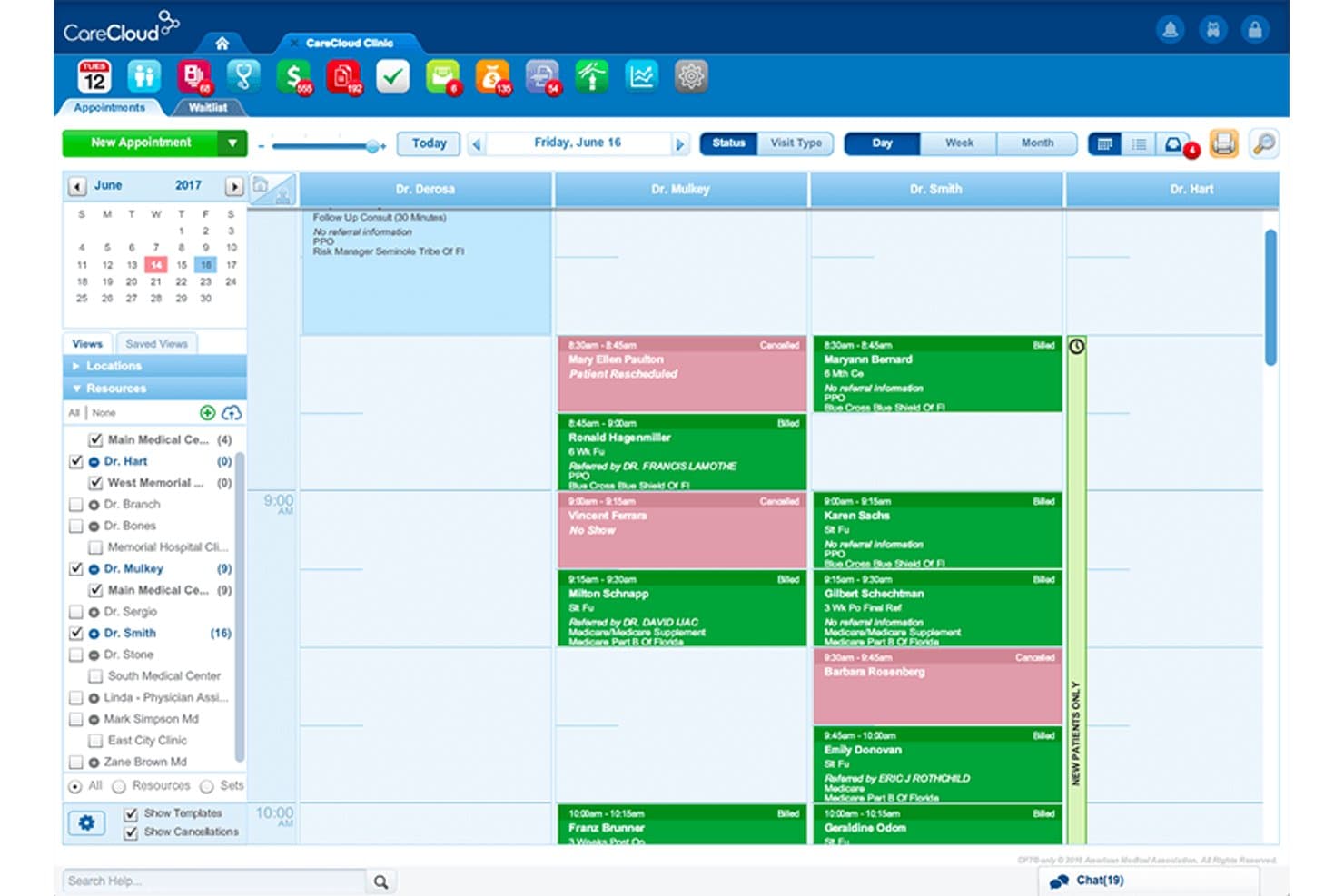
Appointment Scheduling
Manage complex, multi-provider, and location-based appointments in one view. Staff can confirm, reschedule, or fill cancellations faster.
Revenue Cycle Management
Automate charge capture, claim submission, and denials tracking from one platform. Medical practices can reduce billing errors and boost collections.
Ease of Use
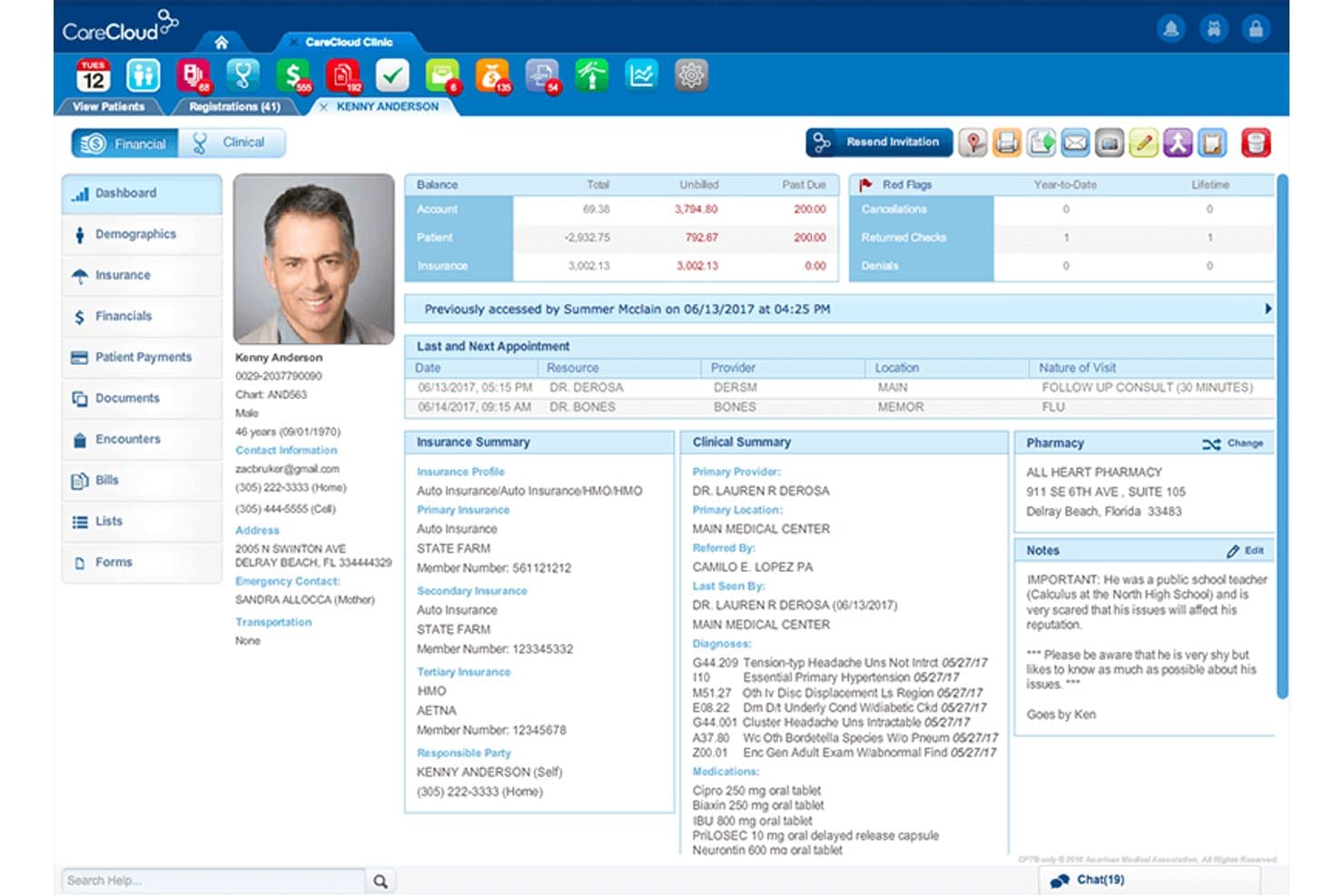
CareCloud stands out for its modern, intuitive layout and role-driven dashboards, making navigation easy for staff and providers. I think the quick-access menus, specialty templates, and integrated patient communications help users accomplish daily tasks faster. Many reviewers highlight how onboarding is smooth and providers adapt quickly, which isn’t always the case in this space. Its consistent design and guided workflows reduce disruption, so new team members catch on with minimal training.
Integrations
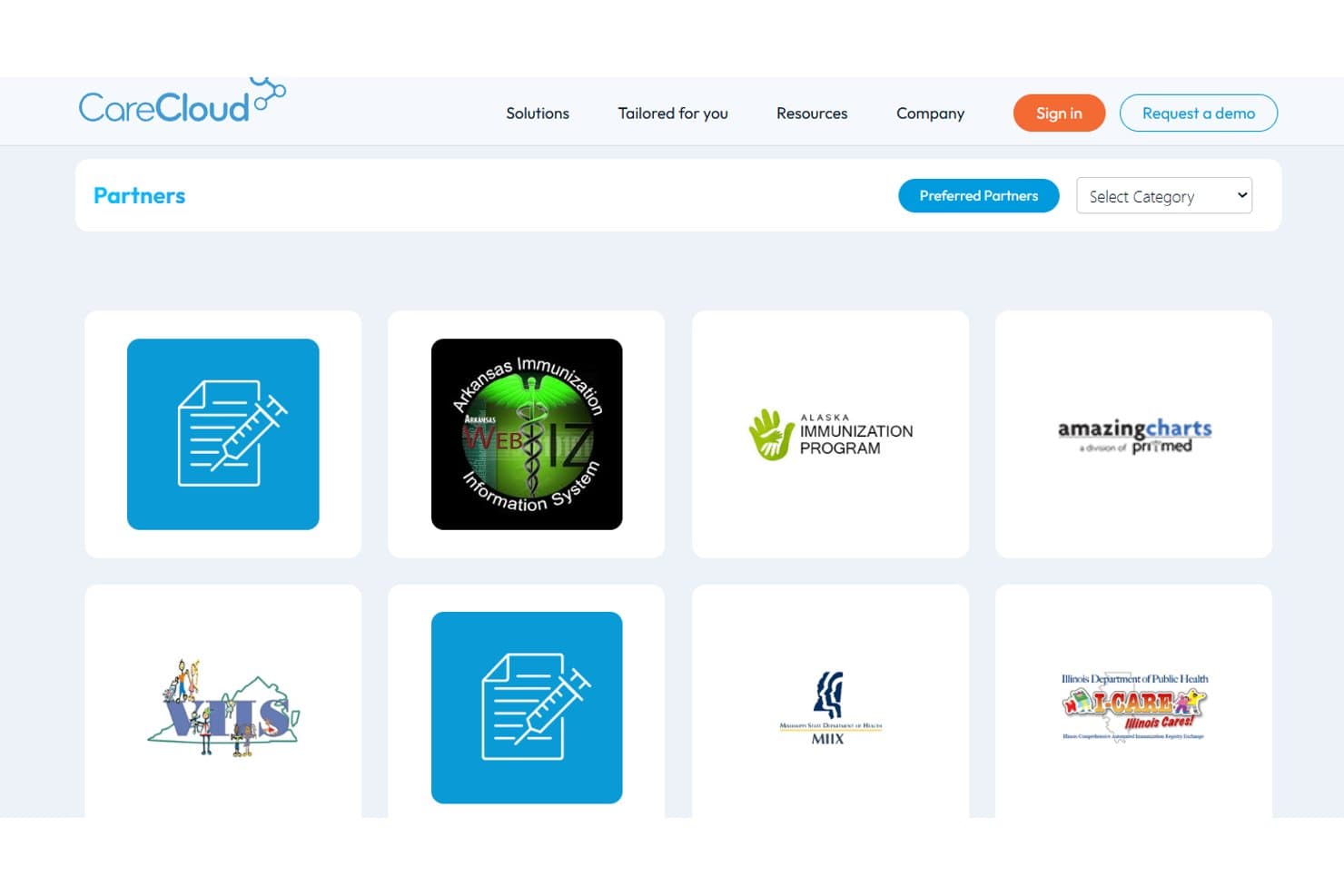
CareCloud integrates with Zocdoc, Chiron Health, RevSpring, QueueDr, Holly by Nimblr, FOX Rehabilitation, IntrinsiQ Specialty Solutions, Rosch Visionary Systems, NextPatient, and UroChartEHR, among others.
CareCloud also offers robust interoperability via its Connector, supporting lab and immunization interfaces, EHR data exchange, and FHIR-based connections. An API is available for custom integrations and third-party tools.
CareCloud Specs
- API: Yes
- Appointment Scheduling: No
- Athlete Management: No
- Audit Management: No
- Calendar Management: Yes
- Compliance Tracking: No
- Customer Management: Yes
- Dashboard: Yes
- Data Export: Yes
- Data Import: Yes
- Data Visualization: Yes
- Electronic Prescribing: No
- External Integrations: Yes
- File Sharing: Yes
- File Transfer: Yes
- Health Management: No
- HIPAA Compliance: No
- Inventory Tracking: No
- Multi-User: Yes
- Notifications: Yes
- Organization Management: No
- Patient Management: No
- Project Management: No
- Regulatory Alerts: No
- Risk Assessment: No
- Scheduling: Yes
- Supplier Management: No


