

Reseña de WebPT: Ventajas, desventajas, características y precios
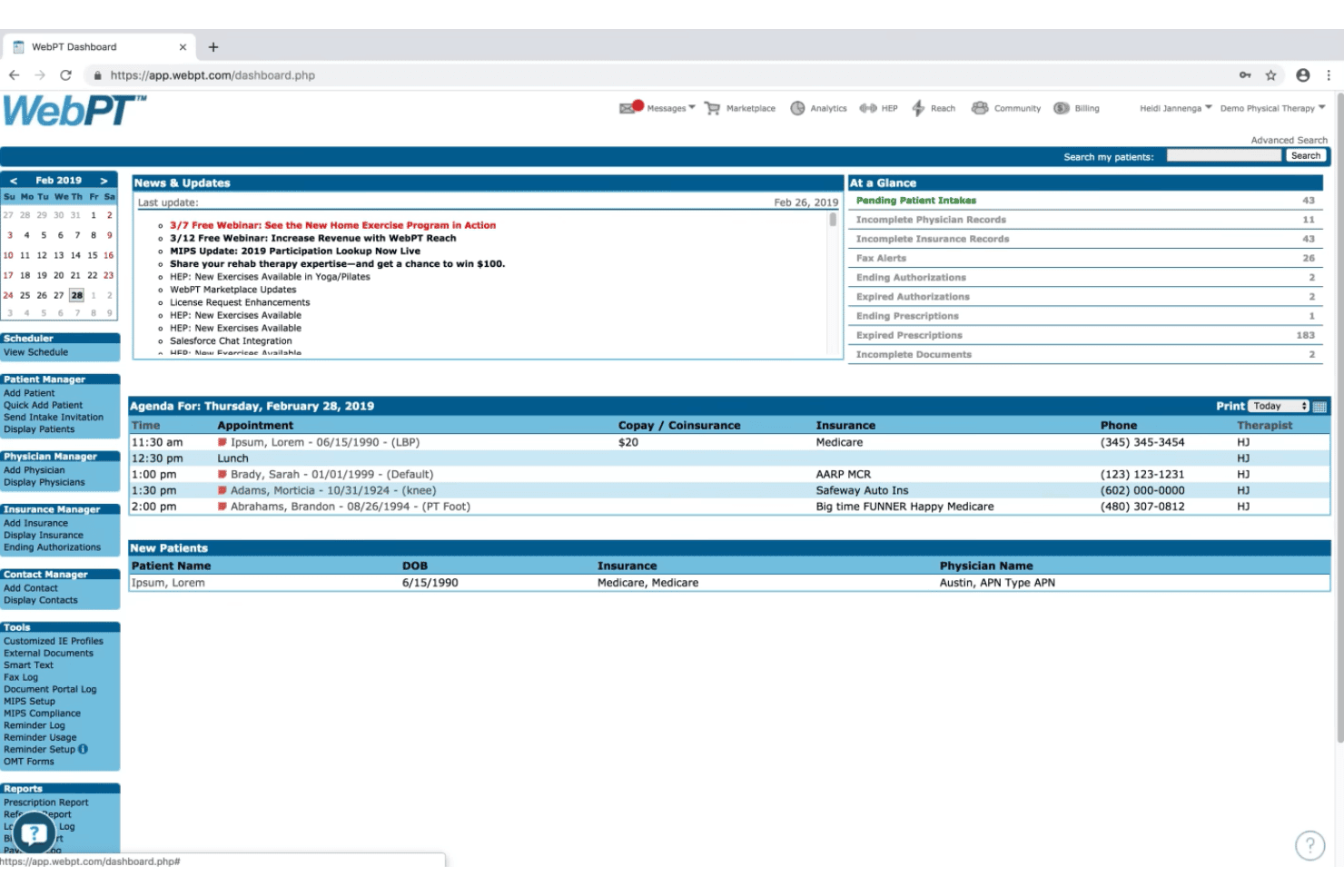
WebPT reúne la gestión de consultorios de terapia en una sola plataforma, abarcando desde la programación de pacientes y documentación hasta la facturación, el cumplimiento y la administración del flujo de trabajo en clínicas de rehabilitación.

Revisamos herramientas de manera independiente, y las comisiones ayudan a financiar nuestras pruebas. Consulta nuestra política de transparencia, nuestra metodología o sugiere una herramienta.
WebPT is a medical practice management software built for rehabilitation therapy practices—physical therapy, occupational therapy, and speech-language pathology. If your clinic needs therapy-specific documentation, scheduling, and billing in one platform, it's a natural fit. I'd pick it over a general platform like Kareo if your day-to-day revolves around rehab workflows, since WebPT's clinical documentation and outcome tracking are designed from the ground up for therapy rather than adapted from a broader system.
WebPT Evaluation Summary
4.2/5
- Pricing upon request
- Free demo available
Por qué confiar en nuestras recomendaciones de software
6,700+
Reviews
20
Industry experts
16+
Evaluation factors
14
Years
Nuestro equipo lleva probando y evaluando software desde 2012. Como líderes de centros médicos, sabemos lo difícil —y lo importante— que es elegir el software adecuado.
Para esta guía, evaluamos las herramientas mediante pruebas prácticas e investigación independiente, puntuando las herramientas según nuestros criterios de selección.
Nuestras reseñas reflejan nuestro criterio editorial humano, no un discurso de ventas.
WebPT Overview
If I’m judging practice management software for therapy clinics, I’d put WebPT ahead for its specialized documentation, customizable templates, and strong billing tools. The interface is clean, and onboarding is quick compared to others I’ve used. While pricing can run high and integrations aren’t always plug-and-play, support is responsive and updates are frequent.
WebPT is best if you run a physical therapy or rehab-focused practice that needs detailed compliance features and values ongoing improvements.
Pros
- Strong therapy-specific documentation and compliance features.
- Frequent updates and new feature releases for clinics.
- Reliable scheduling tools for high-volume clinic workflows
Cons
- Reporting dashboard has limited customization options.
- Customer support response can be slow during peak times.
- Mobile app has fewer features than the web platform.
Is WebPT Right For Your Needs?
Who Would be a Good Fit for WebPT?
WebPT is ideal for therapy-focused clinics and healthcare providers who need specialty documentation, MIPS compliance, and patient engagement features. Therapy clinics, especially those serving Medicare patients or operating across multiple locations, get standout value from its audit-proof workflows, outcomes tracking, and frequent regulatory updates.
Smaller practices also like how quickly staff can learn scheduling and charting, while larger groups benefit from advanced business analytics.
- Outpatient Therapy ClinicsYou’ll get specialized note templates, outcomes benchmarking, and Medicare compliance tools designed for PT, OT, and SLP clinics.
- Multi-Location ClinicsWebPT keeps all your sites connected under one platform, so you can view schedules, billing, and reports across locations.
- Home Health TeamsBuilt-in home exercise programs and digital care plans make it easy to engage remote patients and support follow-up adherence.
- Rehab Department LeadersAnalytics dashboards show therapist productivity, referral trends, and payer mix in real time, supporting operational and staffing decisions.
- Compliance ManagersAutomated compliance alerts and documentation audits help clinics minimize regulatory risk and prepare for payer audits.
- Patient Experience TeamsPatient portal and digital forms help streamline intake and support a modern, accessible therapy experience.
Who Would be a Bad Fit for WebPT?
WebPT isn’t suited to organizations that don’t rely on therapy workflows or require more generalized medical EMR and billing tools. Larger healthcare systems, urgent care, and specialties like dental or behavioral health usually need broader clinical capabilities or insurance workflows beyond what WebPT is built for.
Non-healthcare businesses and teams outside the medical field will also find its feature set irrelevant.
- Hospital SystemsWebPT lacks lab result management, inpatient charting, and specialty modules needed for full-service hospitals.
- Behavioral Health ProvidersTherapy note templates and practice tools are geared to PT, OT, and SLP workflows—not behavioral or mental health care.
- Dental PracticesWebPT does not support dental coding, imaging management, or specialized charting for dental procedures.
- Urgent Care ClinicsWalk-in clinics need rapid triage, prescription management, and diagnostic integrations missing from WebPT’s therapy-focused tools.
- Solo General PractitionersGeneral medicine offices require broader diagnostic and treatment support than WebPT’s structured therapy templates provide.
- Non-Healthcare BusinessesCompanies outside the healthcare industry have no use for WebPT’s clinic and patient-facing features.
Cómo Probamos y Puntamos las Herramientas
Hemos pasado años construyendo, refinando y mejorando nuestro sistema de pruebas y puntuación de software. La rúbrica está diseñada para captar los matices de la selección de software y lo que hace que una herramienta sea eficaz, centrándose en los aspectos críticos del proceso de toma de decisiones. A continuación, puedes ver exactamente cómo funcionan nuestras pruebas y puntuaciones en siete criterios. Nos permite proporcionar una evaluación imparcial del software en función de funcionalidad principal, características destacadas, facilidad de uso, incorporación, soporte al cliente, integraciones, opiniones de clientes y relación calidad-precio.
Funcionalidad Principal (25% de la puntuación final)
El punto de partida de nuestra evaluación es siempre la funcionalidad principal de la herramienta. ¿Tiene las funciones y características básicas que un usuario esperaría? ¿Alguna de esas funciones principales está restringida a planes de precios superiores? En esencia, esperamos que una herramienta cumpla con las capacidades básicas frente a sus competidores.
Características Destacadas (25% de la puntuación final)
Luego, evaluamos características destacadas poco comunes que van más allá de la funcionalidad principal que normalmente se encuentra en herramientas similares. Una puntuación alta refleja funciones especializadas o únicas que hacen que el producto sea más rápido, eficiente o aporte valor adicional al usuario. También evaluamos lo fácil que es integrar la herramienta con otros sistemas normalmente utilizados en el entorno tecnológico para ampliar la funcionalidad y utilidad del software. Las herramientas que ofrecen abundantes integraciones nativas, conexiones de terceros y acceso a API para crear integraciones personalizadas obtienen mejores puntuaciones.
Facilidad de Uso (10% de la puntuación final)
Consideramos qué tan rápido y fácil es ejecutar las tareas definidas en la funcionalidad principal usando la herramienta. El software que tiene una alta puntuación está bien diseñado, es intuitivo de usar, ofrece aplicaciones móviles, plantillas y hace que las tareas relativamente complejas parezcan sencillas.
Incorporación (10% de la puntuación final)
Sabemos lo importante que es la rápida adopción del equipo para una nueva plataforma, así que evaluamos lo fácil que es aprender y usar una herramienta con mínimo entrenamiento. Analizamos cuán rápido un miembro del equipo puede configurarse y empezar a usar la herramienta sin experiencia previa. Las soluciones con mayor puntuación indican que se requiere poco o ningún soporte.
Soporte al Cliente (10% de la puntuación final)
Revisamos la rapidez y facilidad para encontrar ayuda por teléfono, chat en vivo o base de conocimientos. Las herramientas y empresas que ofrecen soporte en tiempo real obtienen mejor puntuación, mientras que los chatbots obtienen la peor.
Opiniones de Clientes (10% de la puntuación final)
Más allá de nuestras propias pruebas y evaluaciones, consideramos el puntaje neto del promotor de clientes actuales y anteriores. Revisamos la probabilidad de que, dado el caso, elegirían nuevamente la herramienta por su funcionalidad principal. Un software con alta puntuación refleja un alto puntaje neto de promotores de clientes actuales o pasados.
Relación Calidad-Precio (10% de la puntuación final)
Por último, considerando todos los demás criterios, revisamos el precio promedio de los planes de entrada frente a las funciones principales y consideramos el valor de los demás criterios de evaluación. El software que ofrece más por menos, obtiene una mayor puntuación.
Core Features
Scheduling and Calendar Management
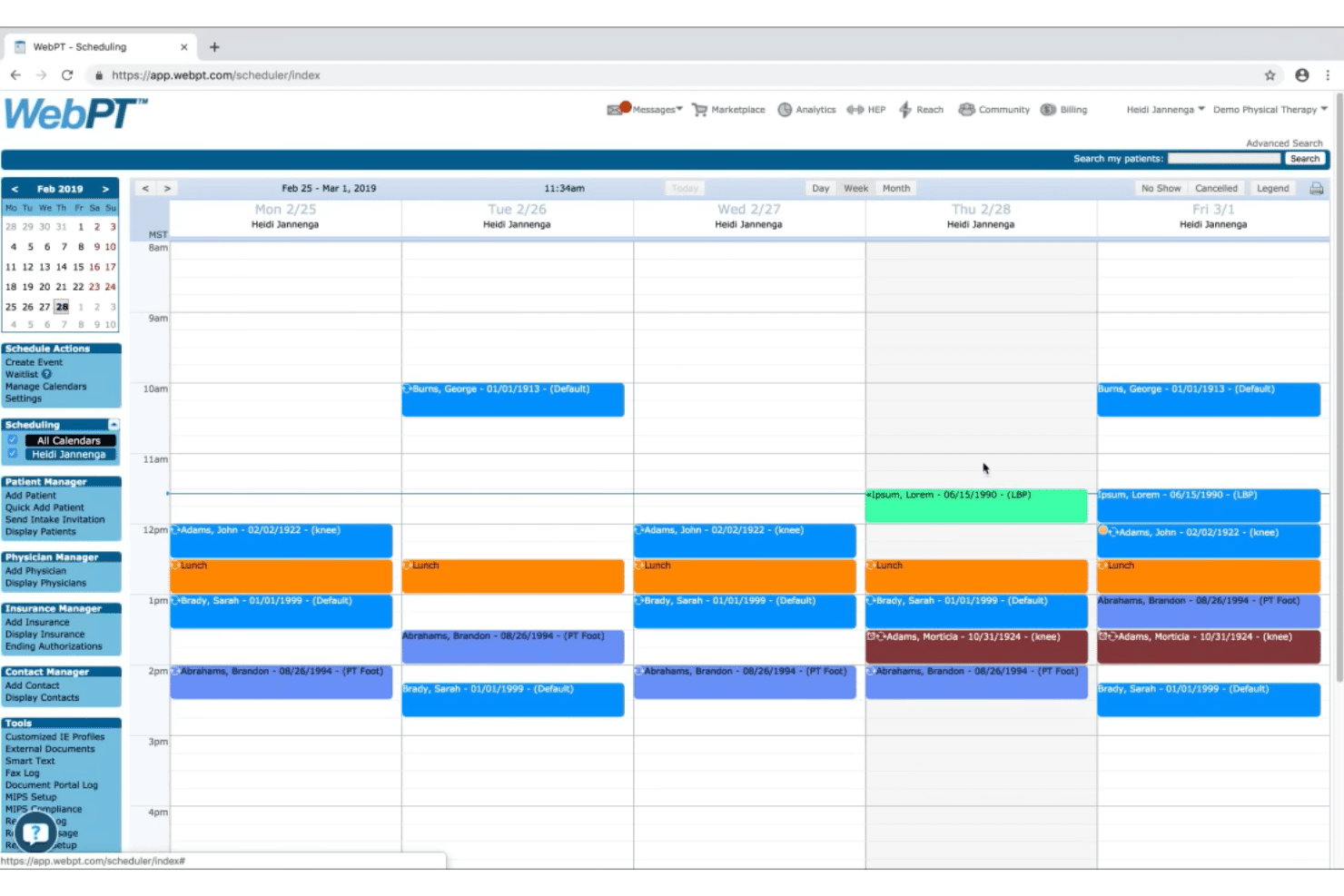
Manage patient appointments with color-coded views and multi-provider scheduling. Automatic appointment reminders help reduce no-shows and late cancellations.
Documentation and Charting
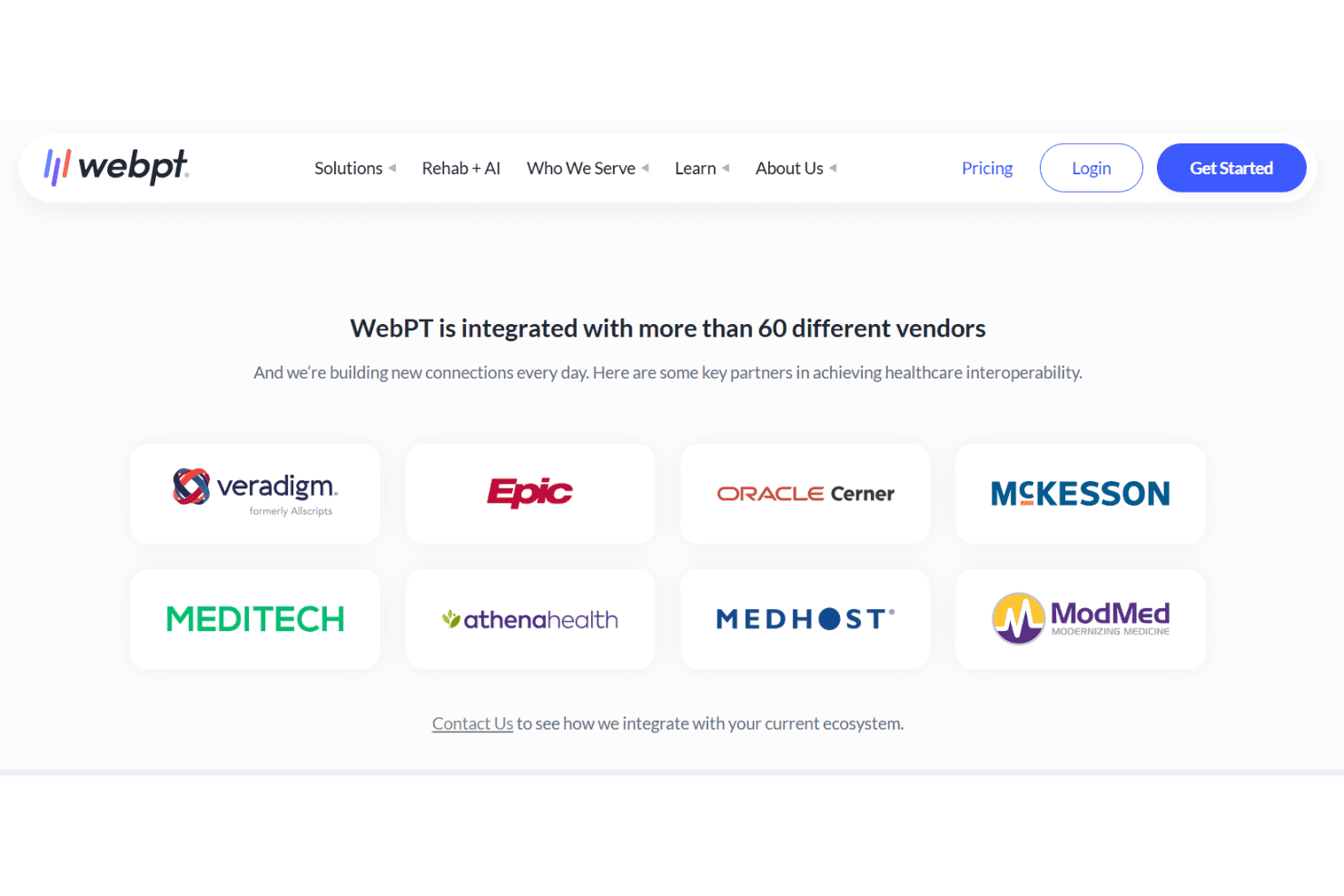
Complete therapy notes with customizable templates tailored to specialty needs. WebPT’s charting system flags missing documentation to help clinics stay audit-ready.
Billing and Claims Management
Handle insurance and self-pay billing with built-in claim scrubbing. Real-time claim status lets your team quickly address denials or rejections.
Outcomes Tracking and Reporting
Capture patient outcomes data and generate specialty-specific reports. Benchmark progress against industry standards to support clinical decision-making.
Patient Portal
Let patients view appointments, sign forms, and access records online. Secure messaging gives your clinic a direct channel for client communication.
Analytics and Business Reporting
View at-a-glance dashboards for metrics like referral sources and appointment volume. Drill into detailed reports to track productivity and financial trends.
Ease of Use
WebPT stands out for its intuitive navigation and logical workflows tailored to therapy clinics. The drag-and-drop scheduler, easily accessible documentation templates, and visual patient progress tracking set it apart in usability.
Most users say daily tasks involve minimal clicks and fast screen loads. The interface feels uncluttered without sacrificing access to specialty tools like compliance alerts and outcomes tracking.
Integrations
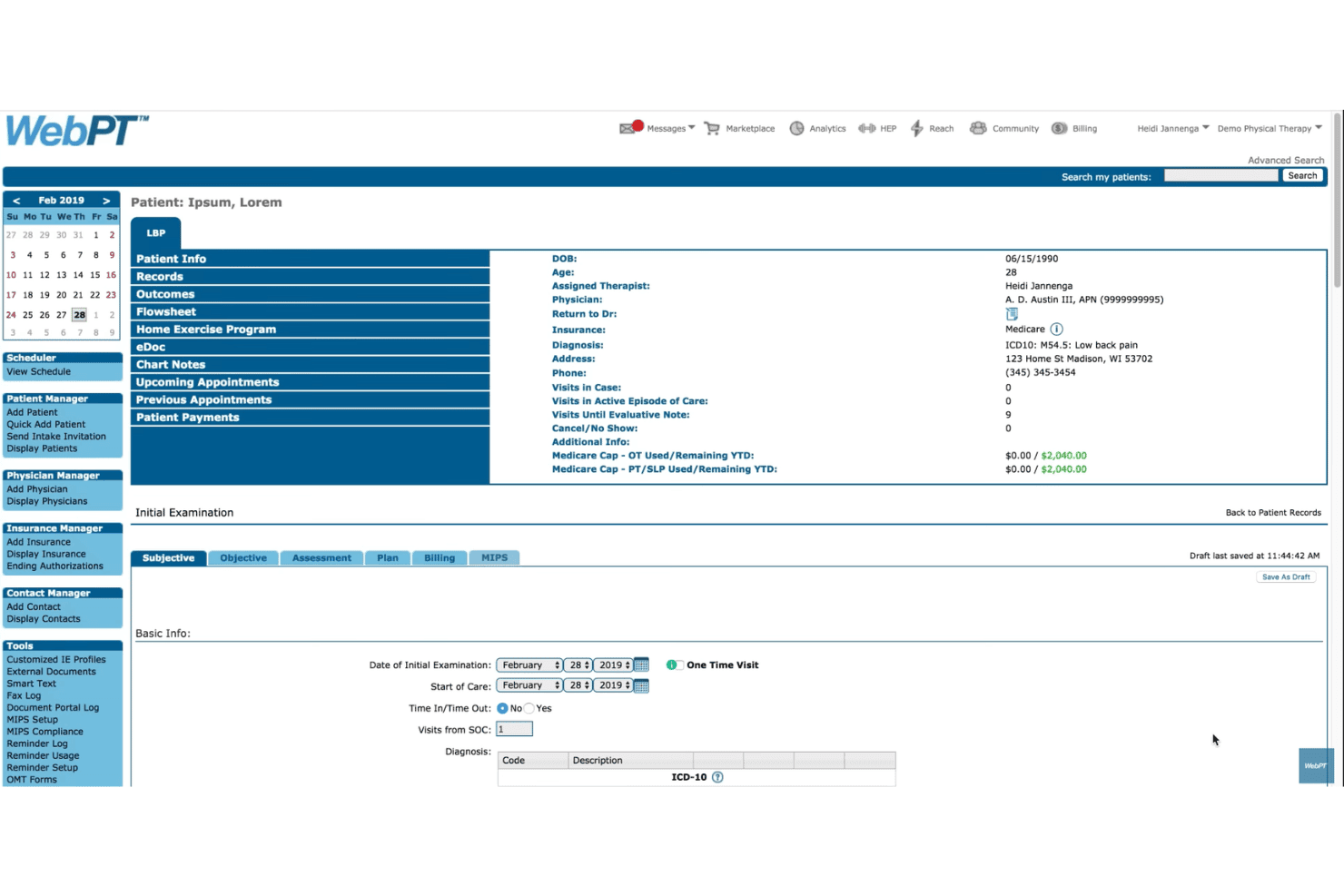
WebPT integrates with Medsender, OpenPM, Luma Health, Breakthrough, ALIGN, Therabill, PatientPay, Waystar, Kno2, and Worldpay.
WebPT also offers an API and supports custom integrations for connecting with additional systems.
WebPT Specs
- 2-Factor Authentication: Yes
- API: Yes
- Appointment Scheduling: Yes
- Approval Workflows: No
- Audit Management: No
- Audit Trail: No
- Batch Permissions & Access: Yes
- Billing/Invoicing: Yes
- Compliance Tracking: Yes
- Customer Management: Yes
- Data Export: No
- Data Import: No
- Document Management: Yes
- Electronic Prescribing: No
- External Integrations: Yes
- HIPAA Compliance: Yes
- Incident Management: No
- Multi-User: Yes
- Notifications: Yes
- Patient Management: Yes
- Regulatory Alerts: Yes
- Report & Compliance: Yes
- Risk Assessment: No
- Self-service Portal: Yes
- Task Scheduling/Tracking: Yes
- Workflow Management: Yes


