

Reseña de MedTrainer: Ventajas, Desventajas, Características y Precios
MedTrainer destaca por su completa solución de cumplimiento, lo que lo convierte en una opción líder para proveedores de atención médica que buscan herramientas confiables de cumplimiento y capacitación.

Revisamos herramientas de manera independiente, y las comisiones ayudan a financiar nuestras pruebas. Consulta nuestra política de transparencia, nuestra metodología o sugiere una herramienta.
MedTrainer is a healthcare compliance software built for healthcare organizations that need to manage staff training, credentialing, and policy management in one place. I'd consider it if your team is juggling those responsibilities across disconnected tools and needs a more unified system—especially if you've looked at HealthStream and it feels like more platform than your organization needs.
MedTrainer Evaluation Summary
4.4/5
- Pricing upon request
- Free demo available
Por qué confiar en nuestras recomendaciones de software
6,700+
Reviews
20
Industry experts
16+
Evaluation factors
14
Years
Nuestro equipo lleva probando y evaluando software desde 2012. Como líderes de centros médicos, sabemos lo difícil —y lo importante— que es elegir el software adecuado.
Para esta guía, evaluamos las herramientas mediante pruebas prácticas e investigación independiente, puntuando las herramientas según nuestros criterios de selección.
Nuestras reseñas reflejan nuestro criterio editorial humano, no un discurso de ventas.
MedTrainer Overview
In my opinion, MedTrainer stands out as a reliable choice for health care compliance needs. It offers an extensive set of features that simplify training, compliance and contract management, and credentialing. The platform shines with its user-friendly interface, making it an ideal choice for small and medium-sized health care facilities. While it excels in ease of use and customer support, it may not provide the extensive integrations some larger organizations might need. For teams that need a straightforward, effective compliance training solution, MedTrainer is worth considering. It’s particularly suited for environments that prioritize ease of onboarding and in-depth support.
Pros
- You can quickly track compliance and training requirements.
- It’s user-friendly and easy to navigate.
- Customer support is responsive and helpful.
Cons
- Some users find the reporting features limited.
- Occasional glitches might disrupt your workflow.
- Initial setup can be time-consuming.
Is MedTrainer Right For Your Needs?
Who Would be a Good Fit for MedTrainer?
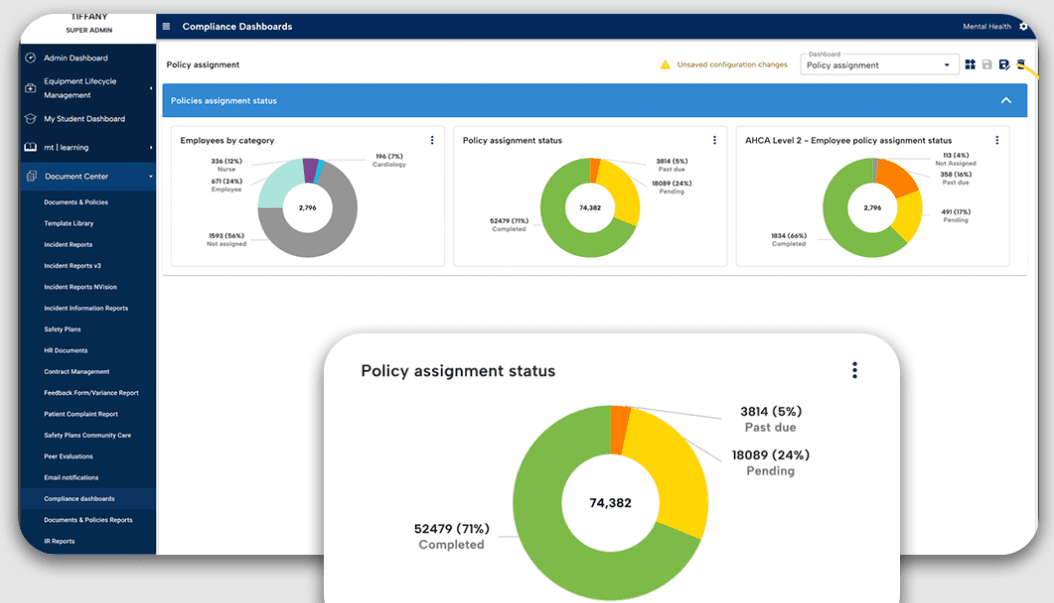
MedTrainer is ideal for health care organizations, particularly compliance officers, HR personnel, and administrators. It excels at simplifying compliance tasks, making it a great choice for those in charge of regulatory adherence or accreditation. Features such as credentialing and policy management are tailored to improve operational efficiency and keep organizations audit-ready. Its AI tools and automated processes save time and boost compliance, which is why it's highly rated in user reviews.
- HospitalsMedTrainer's extensive compliance management and credentialing features support the complex regulatory needs of hospital environments.
- Urgent Care CentersIts real-time reporting and incident management tools ensure that urgent care centers stay compliant with minimal manual effort.
- Ambulatory Surgery CentersMedTrainer's policy management and automated onboarding smooth operations for surgery centers and reduce administrative burdens.
- Compliance OfficersThe AI Compliance Coach and Policy Guardian features help compliance officers stay ahead of regulatory changes.
- HR DepartmentsAutomated onboarding and all-in-one credentialing processes simplify HR tasks, ensuring a smooth flow of operations.
- Health Care AdministratorsMedTrainer's centralized platform and customizable dashboards give administrators the oversight needed to maintain compliance across teams.
Who Would be a Bad Fit for MedTrainer?
MedTrainer may not be ideal for small clinics or solo practices with limited budgets, as its extensive feature set might be excessive for their simpler compliance and training needs. You might find it limited if you work outside of the health care and wellness industry, as MedTrainer is specifically designed for health care compliance. If your team requires highly specialized functionalities and integrations, you might find the platform restrictive.
- Small ClinicsMedTrainer’s in-depth features could overwhelm a smaller medical practice that needs only basic compliance tools.
- Non-Health Care IndustriesMedTrainer is tailored for health care, making it unsuitable for industries with different compliance requirements.
- Budget-Conscious TeamsIf your budget is tight, MedTrainer’s extensive offerings could be more than you need, leading to unnecessary expenses
- Highly Specialized FunctionsHealth care professionals who need niche functionalities not covered by MedTrainer’s core features will find it restrictive.
- Solo PractitionersSolo health care providers may find MedTrainer’s extensive features excessive.
- Low-Tech EnvironmentsTeams without the necessary tech infrastructure might struggle to fully utilize MedTrainer’s capabilities.
Cómo Probamos y Puntamos las Herramientas
Hemos pasado años construyendo, refinando y mejorando nuestro sistema de pruebas y puntuación de software. La rúbrica está diseñada para captar los matices de la selección de software y lo que hace que una herramienta sea eficaz, centrándose en los aspectos críticos del proceso de toma de decisiones. A continuación, puedes ver exactamente cómo funcionan nuestras pruebas y puntuaciones en siete criterios. Nos permite proporcionar una evaluación imparcial del software en función de funcionalidad principal, características destacadas, facilidad de uso, incorporación, soporte al cliente, integraciones, opiniones de clientes y relación calidad-precio.
Funcionalidad Principal (25% de la puntuación final)
El punto de partida de nuestra evaluación es siempre la funcionalidad principal de la herramienta. ¿Tiene las funciones y características básicas que un usuario esperaría? ¿Alguna de esas funciones principales está restringida a planes de precios superiores? En esencia, esperamos que una herramienta cumpla con las capacidades básicas frente a sus competidores.
Características Destacadas (25% de la puntuación final)
Luego, evaluamos características destacadas poco comunes que van más allá de la funcionalidad principal que normalmente se encuentra en herramientas similares. Una puntuación alta refleja funciones especializadas o únicas que hacen que el producto sea más rápido, eficiente o aporte valor adicional al usuario. También evaluamos lo fácil que es integrar la herramienta con otros sistemas normalmente utilizados en el entorno tecnológico para ampliar la funcionalidad y utilidad del software. Las herramientas que ofrecen abundantes integraciones nativas, conexiones de terceros y acceso a API para crear integraciones personalizadas obtienen mejores puntuaciones.
Facilidad de Uso (10% de la puntuación final)
Consideramos qué tan rápido y fácil es ejecutar las tareas definidas en la funcionalidad principal usando la herramienta. El software que tiene una alta puntuación está bien diseñado, es intuitivo de usar, ofrece aplicaciones móviles, plantillas y hace que las tareas relativamente complejas parezcan sencillas.
Incorporación (10% de la puntuación final)
Sabemos lo importante que es la rápida adopción del equipo para una nueva plataforma, así que evaluamos lo fácil que es aprender y usar una herramienta con mínimo entrenamiento. Analizamos cuán rápido un miembro del equipo puede configurarse y empezar a usar la herramienta sin experiencia previa. Las soluciones con mayor puntuación indican que se requiere poco o ningún soporte.
Soporte al Cliente (10% de la puntuación final)
Revisamos la rapidez y facilidad para encontrar ayuda por teléfono, chat en vivo o base de conocimientos. Las herramientas y empresas que ofrecen soporte en tiempo real obtienen mejor puntuación, mientras que los chatbots obtienen la peor.
Opiniones de Clientes (10% de la puntuación final)
Más allá de nuestras propias pruebas y evaluaciones, consideramos el puntaje neto del promotor de clientes actuales y anteriores. Revisamos la probabilidad de que, dado el caso, elegirían nuevamente la herramienta por su funcionalidad principal. Un software con alta puntuación refleja un alto puntaje neto de promotores de clientes actuales o pasados.
Relación Calidad-Precio (10% de la puntuación final)
Por último, considerando todos los demás criterios, revisamos el precio promedio de los planes de entrada frente a las funciones principales y consideramos el valor de los demás criterios de evaluación. El software que ofrece más por menos, obtiene una mayor puntuación.
Core Features
Compliance Management: You can keep your health care facility compliant with ever-changing regulations. The platform automatically updates policies and ensures your practices align with legal standards, reducing the risk of costly violations.
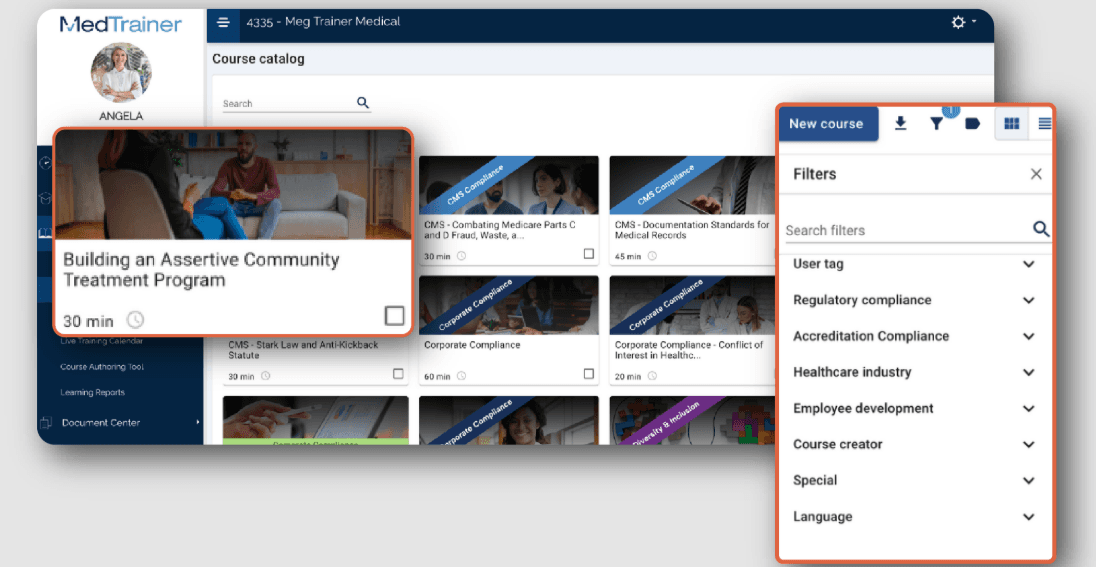
Learning Management System (LMS): Train your team with ease using built-in training modules on compliance and safety. The LMS tracks progress and completions, making it simple for you to manage certifications, continuing education, and training requirements.
Document Management: Store, access, and organize vital documents in one secure location. This helps you maintain an organized system for your compliance documents and reduces the time spent searching for necessary files.
Incident Reporting: Report and track incidents with its easy-to-use interface. This functionality allows you to quickly address and document any issues and improve workplace safety and Occupational Safety and Health Administration (OSHA) compliance.
Credentialing Management: Simplify the process of managing staff credentials and licenses. Keep track of expiration dates and receive alerts to renew credentials on time, ensuring your team remains qualified.
Policy Management: Readily create, update, and distribute policies to your staff. This ensures everyone is aware of the latest procedures and practices necessary for maintaining compliance.
Ease of Use
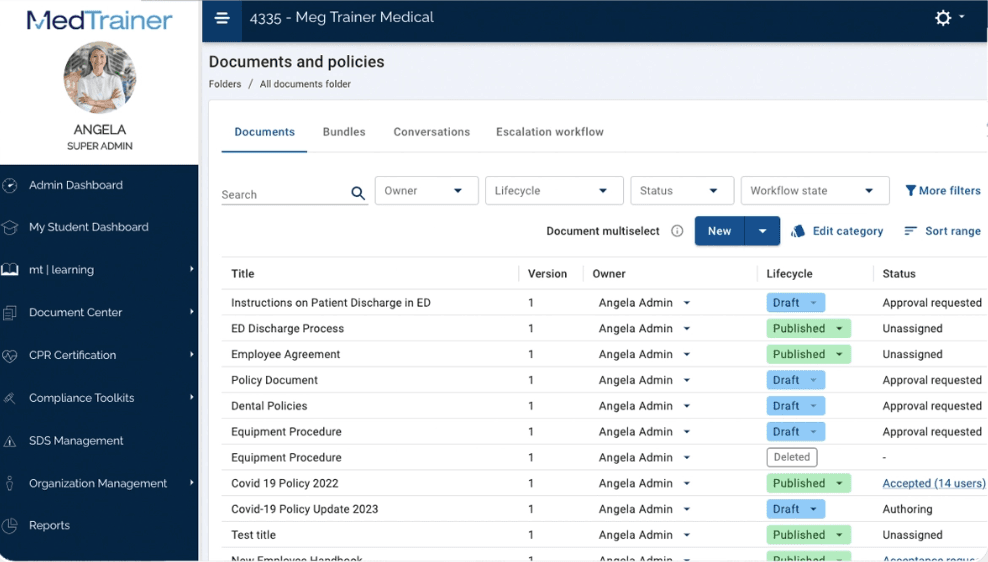
MedTrainer's user-friendliness shines through its intuitive design, making navigation straightforward for your team. However, the array of features might initially feel overwhelming. The platform's structured layout allows you to find compliance tools quickly, though some users mention a learning curve. Compared to other health care compliance software, MedTrainer stands out for its accessible interface, but improving search functionality could further boost usability.
Integrations
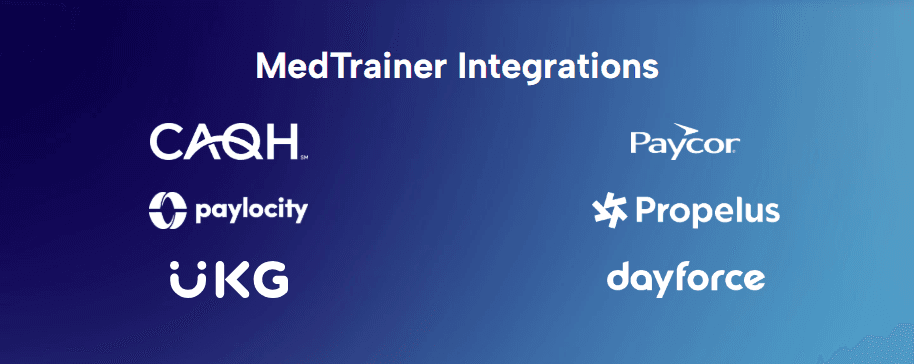
MedTrainer integrates with ADP, Dayforce, Paycor, Paylocity, UKG, Workday, Seamless PSV, CAQH, NPDB, and Propelus Data Solutions.
MedTrainer also offers an API and connects with third-party integration tools.
MedTrainer Specs
- 2-Factor Authentication: Yes
- Access Management: No
- API: Yes
- Approval Workflows: No
- Audit Management: Yes
- Balance Sheet: No
- Billing/Invoicing: No
- Budgeting: No
- Calendar Management: No
- Compliance Tracking: No
- CRM Integration: Yes
- Dashboard: Yes
- Data Export: Yes
- Data Import: Yes
- Data Visualization: Yes
- Document Management: No
- Employee Training: No
- Expense Tracking: No
- External Integrations: Yes
- Forecasting: Yes
- History/Version Control: No
- Incident Management: Yes
- Multi-Currency: No
- Multi-User: Yes
- Notifications: Yes
- P&L: No
- Policy Management: Yes
- Real-time Alerts: No
- Regulatory Alerts: No
- Risk Assessment: Yes
- Scheduling: Yes
- Tax Management: No
- Workflow Management: No


