

Reseña de Elation Health: Ventajas, Desventajas, Características y Precios
Elation Health reúne registros electrónicos de salud y gestión de flujos de trabajo clínico en una sola plataforma, desde elaboración de registros y participación del paciente hasta herramientas de facturación, programación y coordinación de la atención.

Revisamos herramientas de manera independiente, y las comisiones ayudan a financiar nuestras pruebas. Consulta nuestra política de transparencia, nuestra metodología o sugiere una herramienta.
Elation Health is a free ehr software built for independent primary care practices. It's designed around clinical documentation, patient records, and care coordination for small and solo providers. I'd consider it over Practice Fusion if you want more flexibility in how you chart and communicate with patients. Practice Fusion's templated workflows work for high-volume practices, but Elation Health gives you more room to document care the way your practice actually operates.
Elation Health Evaluation Summary
4.4/5
- Pricing upon request
- Free demo available
Por qué confiar en nuestras recomendaciones de software
6,700+
Reviews
20
Industry experts
16+
Evaluation factors
14
Years
Nuestro equipo lleva probando y evaluando software desde 2012. Como líderes de centros médicos, sabemos lo difícil —y lo importante— que es elegir el software adecuado.
Para esta guía, evaluamos las herramientas mediante pruebas prácticas e investigación independiente, puntuando las herramientas según nuestros criterios de selección.
Nuestras reseñas reflejan nuestro criterio editorial humano, no un discurso de ventas.
Elation Health Overview
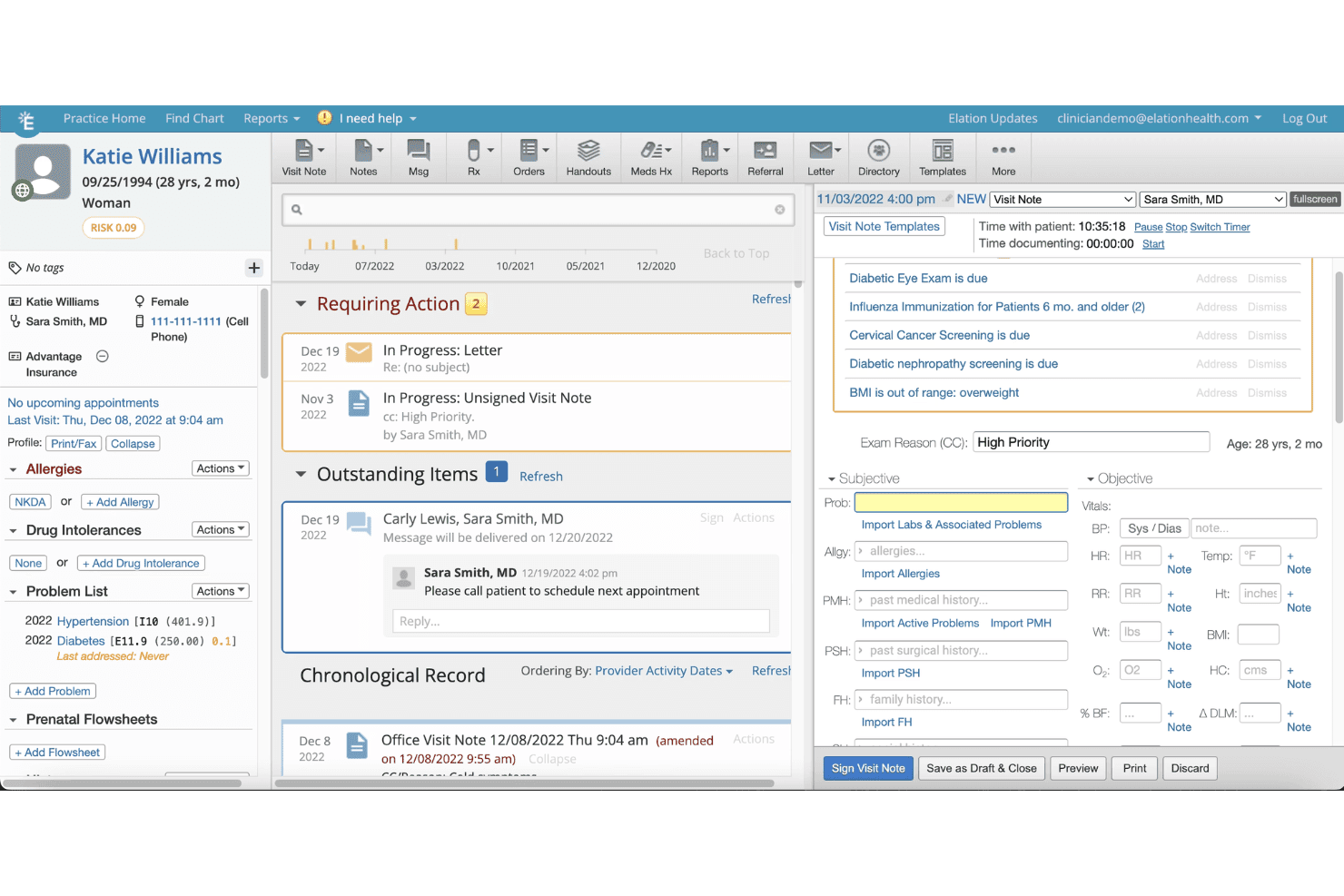
When judging EHR options, Elation Health stands out for its clean interface, thoughtful clinical tools, and responsive support team. Selecting it means quicker onboarding and less training time, which is ideal for small- to midsized practices. Its patient charting and care coordination features outperform many competitors, though its integrations and advanced analytics may feel limited if you need highly customized workflows.
In my opinion, Elation Health is best for primary care teams who want straightforward, fast-to-implement EHR software and who value hands-on support over endless configuration choices.
Pros
- Charting templates support fast, accurate clinical documentation.
- Longitudinal patient records simplify continuity of care.
- Quick response times from customer service team.
Cons
- Reporting features lack detailed customization options.
- Mobile app functionality can feel limited.
- Fewer specialty-specific workflows than some competitors.
Is Elation Health Right For Your Needs?
Who Would be a Good Fit for Elation Health?
Practices deeply focused on primary care, value-based care, and collaborative medicine will find Elation Health’s workflow-centered tools and easy team communication especially useful. Clinicians who want fast documentation, strong patient engagement features, and responsive support are going to get the most benefit.
It’s best for practices that need deep clinical functionality, prefer a hands-on rollout, and value transparent patient communication alongside robust population health management.
- Independent Primary CareIts clinical-first design and intuitive charting are ideal for small primary care practices focused on delivering personal, longitudinal care.
- Direct Primary CareIntegrated membership billing and patient engagement tools make it well-suited for direct care or concierge practice models.
- Multi-Provider ClinicsShared patient records and strong coordination features support collaboration among several physicians or interdisciplinary care teams.
- Population Health DepartmentsDashboards and chronic disease tools help population health departments identify care gaps and meet value-based metrics.
- Outpatient PediatricsIts clear charting templates and patient communication portal help pediatric teams manage ongoing relationships with families.
- Clinician-Owned PracticesPhysician-owners value Elation’s hands-on onboarding, responsive support, and focus on making the clinical workflow as frictionless as possible.
Who Would be a Bad Fit for Elation Health?
Elation Health can fall short for organizations needing advanced specialty workflows, heavy customization, or complex billing integrations. Large organizations with custom enterprise needs, or those outside of outpatient clinical care, may find the platform restrictive. Teams seeking low-cost, highly tailored, or inpatient-focused software will likely find other systems a better fit due to Elation’s pricing and outpatient orientation.
- Inpatient Hospital SystemsElation Health lacks the inpatient management tools needed to support multi-department hospital care.
- Surgical CentersIt doesn’t offer robust surgical scheduling, perioperative tracking, or detailed procedural documentation.
- Behavioral Health GroupsThe platform’s templates and features are less developed for intensive mental and behavioral health workflows.
- Enterprise Health SystemsLarge, multisite health systems needing custom reporting and highly tailored integrations may find Elation Health too limited.
- Specialty SubspecialtiesSubspecialties requiring highly specialized exam templates and nuanced documentation will find workflows feel generic.
- Public Health AgenciesGovernmental or regulatory-focused departments may need deeper data collection, public health reporting, or surveillance capabilities not built into Elation Health.
Cómo Probamos y Puntamos las Herramientas
Hemos pasado años construyendo, refinando y mejorando nuestro sistema de pruebas y puntuación de software. La rúbrica está diseñada para captar los matices de la selección de software y lo que hace que una herramienta sea eficaz, centrándose en los aspectos críticos del proceso de toma de decisiones. A continuación, puedes ver exactamente cómo funcionan nuestras pruebas y puntuaciones en siete criterios. Nos permite proporcionar una evaluación imparcial del software en función de funcionalidad principal, características destacadas, facilidad de uso, incorporación, soporte al cliente, integraciones, opiniones de clientes y relación calidad-precio.
Funcionalidad Principal (25% de la puntuación final)
El punto de partida de nuestra evaluación es siempre la funcionalidad principal de la herramienta. ¿Tiene las funciones y características básicas que un usuario esperaría? ¿Alguna de esas funciones principales está restringida a planes de precios superiores? En esencia, esperamos que una herramienta cumpla con las capacidades básicas frente a sus competidores.
Características Destacadas (25% de la puntuación final)
Luego, evaluamos características destacadas poco comunes que van más allá de la funcionalidad principal que normalmente se encuentra en herramientas similares. Una puntuación alta refleja funciones especializadas o únicas que hacen que el producto sea más rápido, eficiente o aporte valor adicional al usuario. También evaluamos lo fácil que es integrar la herramienta con otros sistemas normalmente utilizados en el entorno tecnológico para ampliar la funcionalidad y utilidad del software. Las herramientas que ofrecen abundantes integraciones nativas, conexiones de terceros y acceso a API para crear integraciones personalizadas obtienen mejores puntuaciones.
Facilidad de Uso (10% de la puntuación final)
Consideramos qué tan rápido y fácil es ejecutar las tareas definidas en la funcionalidad principal usando la herramienta. El software que tiene una alta puntuación está bien diseñado, es intuitivo de usar, ofrece aplicaciones móviles, plantillas y hace que las tareas relativamente complejas parezcan sencillas.
Incorporación (10% de la puntuación final)
Sabemos lo importante que es la rápida adopción del equipo para una nueva plataforma, así que evaluamos lo fácil que es aprender y usar una herramienta con mínimo entrenamiento. Analizamos cuán rápido un miembro del equipo puede configurarse y empezar a usar la herramienta sin experiencia previa. Las soluciones con mayor puntuación indican que se requiere poco o ningún soporte.
Soporte al Cliente (10% de la puntuación final)
Revisamos la rapidez y facilidad para encontrar ayuda por teléfono, chat en vivo o base de conocimientos. Las herramientas y empresas que ofrecen soporte en tiempo real obtienen mejor puntuación, mientras que los chatbots obtienen la peor.
Opiniones de Clientes (10% de la puntuación final)
Más allá de nuestras propias pruebas y evaluaciones, consideramos el puntaje neto del promotor de clientes actuales y anteriores. Revisamos la probabilidad de que, dado el caso, elegirían nuevamente la herramienta por su funcionalidad principal. Un software con alta puntuación refleja un alto puntaje neto de promotores de clientes actuales o pasados.
Relación Calidad-Precio (10% de la puntuación final)
Por último, considerando todos los demás criterios, revisamos el precio promedio de los planes de entrada frente a las funciones principales y consideramos el valor de los demás criterios de evaluación. El software que ofrece más por menos, obtiene una mayor puntuación.
Core Features
Clinical Charting
Physicians create notes quickly with customizable templates and patient timelines. This shortens documentation time and helps keep patient records organized.
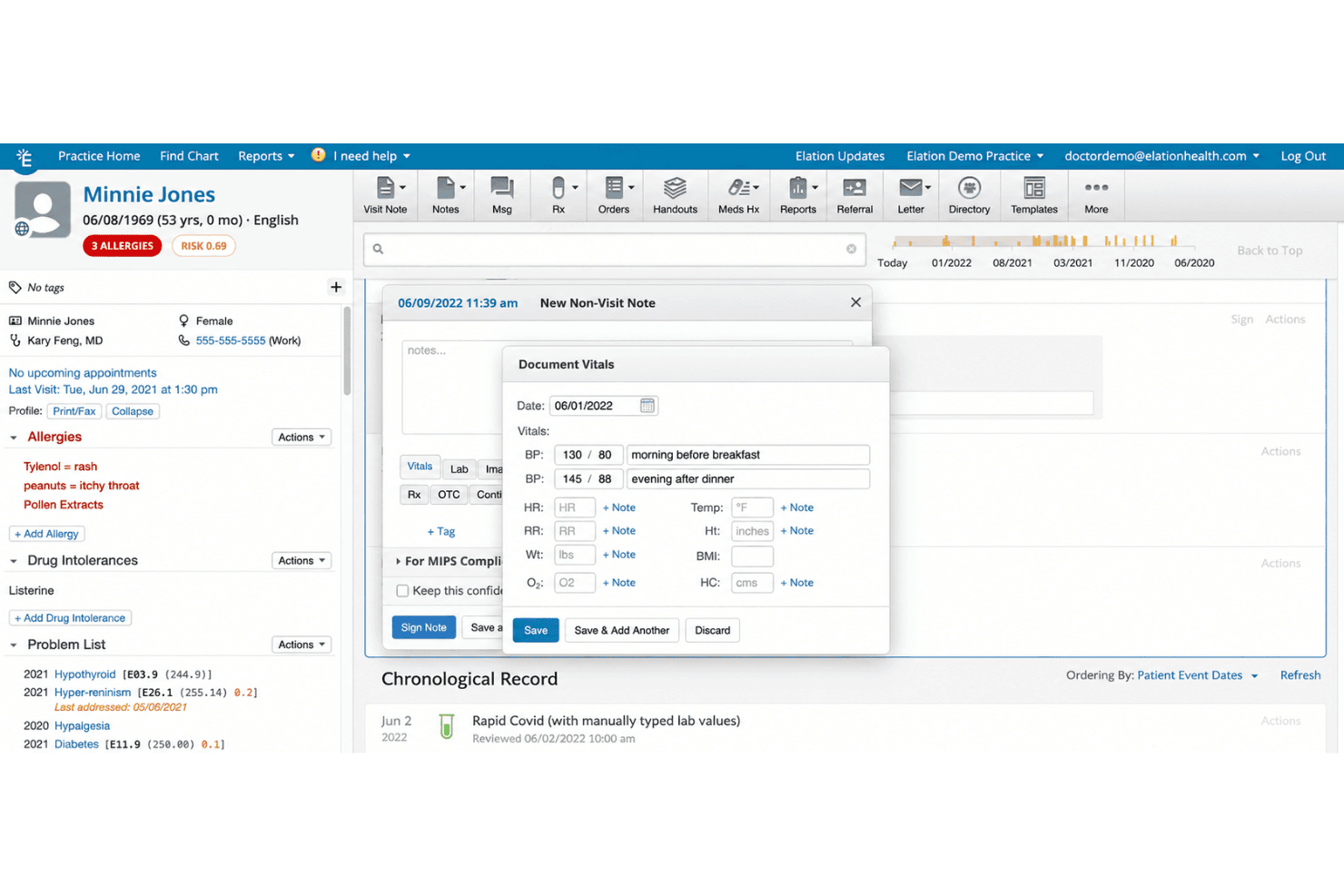
E-Prescribing
Send prescriptions electronically in seconds, including controlled substances. This streamlines medication workflows and reduces phone calls to pharmacies.
Patient Portal
Patients view their health records, message staff, and request appointments online. This improves communication and reduces administrative workload.
Care Team Collaboration
Share updates and coordinate care in real time with clinical team messaging. This feature boosts clarity between physicians, nurses, and support staff.
Lab and Imaging Ordering
Order labs and imaging digitally, with results automatically attached to patient charts. This means no manual uploads and faster access to results.
Population Health Dashboards
View trending data on chronic conditions and preventive care in your patient panel. Dashboards make it easier to spot gaps and manage value-based care.
Ease of Use
Elation Health feels intuitive, especially for clinicians who value speed and clarity. Its one-click chart access, streamlined order entry, and logical navigation help users avoid unnecessary clicks and cognitive overload.
Users often highlight how quickly they adapt, and I rarely see frustration with finding information or entering data.
Integrations
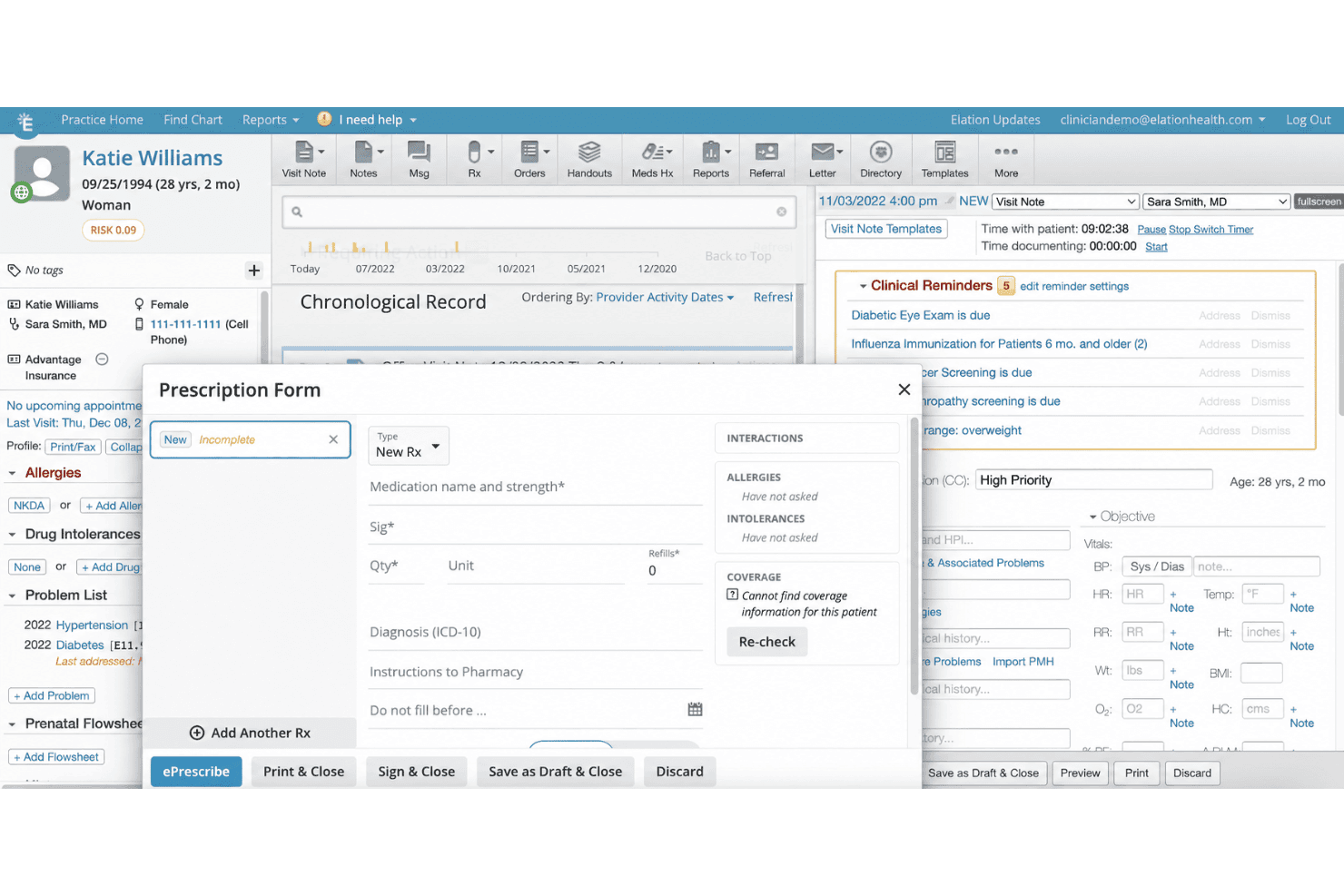
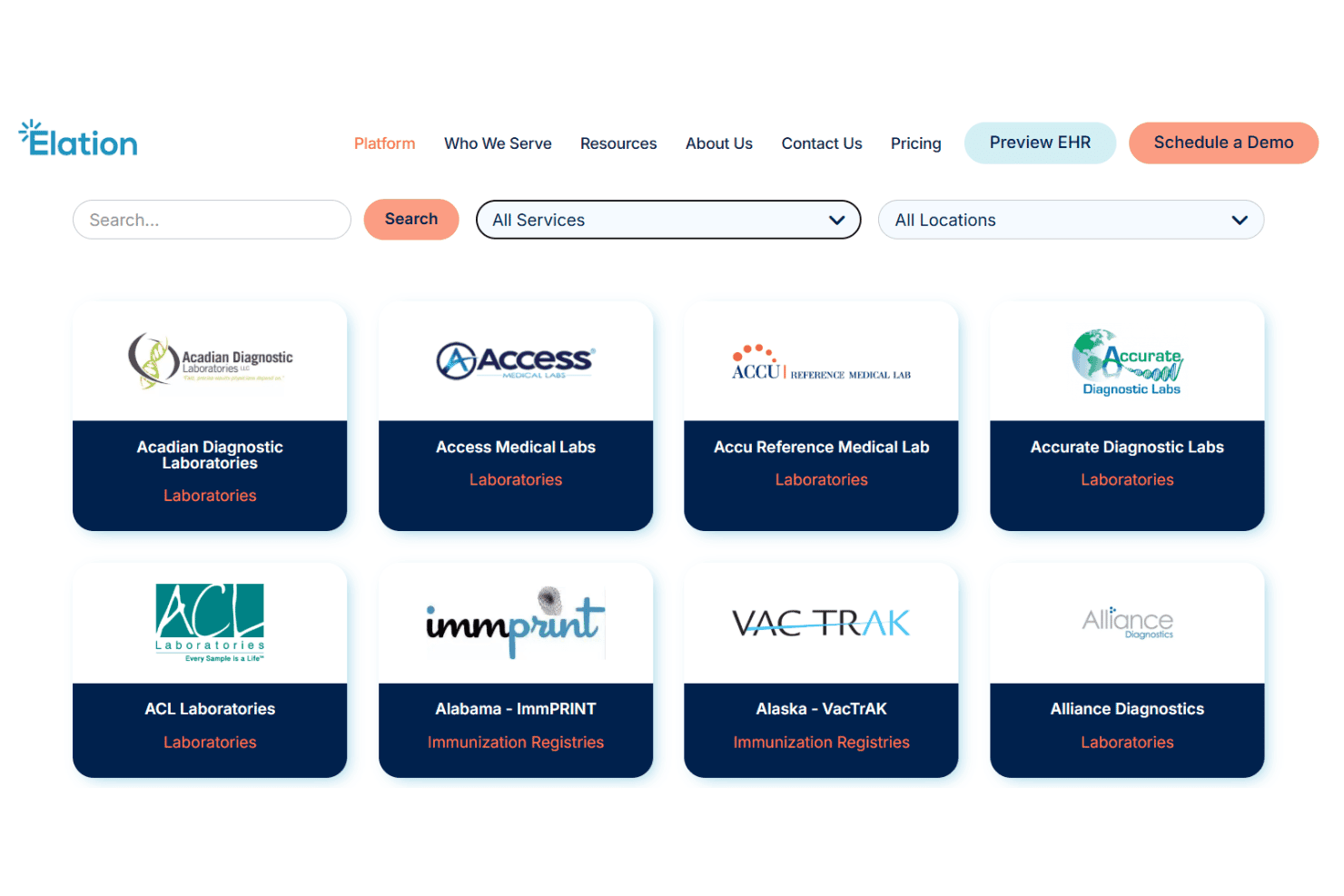
Elation Health integrates with Quest Diagnostics, Labcorp, Surescripts, Hint Health, Ribbon Health, Change Healthcare, Updox, DrChrono, athenahealth, and Health Gorilla, among others.
Elation Health also offers an API and supports connections with select third-party integration tools.
Elation Health Specs
- API: Yes
- Appointment Scheduling: Yes
- Athlete Management: No
- Audit Management: No
- Calendar Management: Yes
- Compliance Tracking: Yes
- Customer Management: Yes
- Dashboard: Yes
- Data Export: Yes
- Data Import: No
- Data Visualization: Yes
- Electronic Prescribing: Yes
- External Integrations: Yes
- File Sharing: Yes
- File Transfer: No
- Health Management: Yes
- HIPAA Compliance: Yes
- Inventory Tracking: No
- Multi-User: Yes
- Notifications: Yes
- Organization Management: Yes
- Patient Management: Yes
- Project Management: No
- Regulatory Alerts: No
- Risk Assessment: No
- Scheduling: Yes
- Supplier Management: No


