

O software de ditado compatível com a HIPAA capta e transcreve conversas clínicas ou notas, cumprindo simultaneamente requisitos rigorosos de privacidade dos doentes. Se procura ferramentas seguras que protejam as PHI, reduzam o tempo de documentação e se adaptem ao fluxo de trabalho da sua equipa, este guia ajudá-lo-á a comparar as principais opções disponíveis atualmente para consultórios médicos.
Why Trust Our Software Recommendations
6,700+
Reviews
20
Industry experts
16+
Evaluation factors
14
Years
Our team has been testing and reviewing software since 2012. As medical practice leaders ourselves, we know how difficult—and important—it is to choose the right software.
For this guide, we evaluated tools using hands-on testing and independent research, scoring tools using our selection criteria.
Our reviews reflect our human editorial judgment, not a sales pitch.
Tabela comparativa de ditado compatível com a HIPAA
Esta tabela comparativa resume os detalhes de preços das minhas escolhas de software de ditado compatível com a HIPAA:
| Tool | Best For | Trial Info | Price | ||
|---|---|---|---|---|---|
| 1 | Best for hands-free live conversation notes | 7-day free trial | From $39/month | Website | |
| 2 | Best for AI-powered clinical workflow automation | 14-day free trial | From $110/user/month (billed annually) | Website | |
| 3 | Best for browser-based transcription sharing | 14-day free trial + free demo available | From £12.90/user/month (billed annually) | Website | |
| 4 | Best for real-time SOAP note generation | Free plan available | Pricing upon request | Website | |
| 5 | Best for specialty-specific medical vocabulary | Free trial + free demo available | Pricing upon request | Website | |
| 6 | Best for ambient clinical conversation capture | Free demo available | Pricing upon request | Website | |
| 7 | Best for automated clinical note generation | Not available | Pricing upon request | Website | |
| 8 | Best for voice-enabled charting on mobile devices | Not available | Pricing upon request | Website | |
| 9 | Best for direct EHR voice integration | Free demo available | Pricing upon request | Website | |
| 10 | Best for mobile dictation with instant EHR sync | 7-day free trial + free demo available | From $199.99/user/month | Website |


Avaliações de software de ditado compatível com a HIPAA
Apresentamos abaixo os meus resumos detalhados dos melhores softwares de ditado compatíveis com a HIPAA que foram incluídos na minha seleção. As minhas avaliações analisam detalhadamente as funcionalidades, integrações e melhores casos de utilização de cada software, para o ajudar a encontrar a opção mais adequada para si.
 Best for hands-free live conversation notes
- 7-day free trial
- From $39/month
Visit WebsiteCustomer Rating:5/5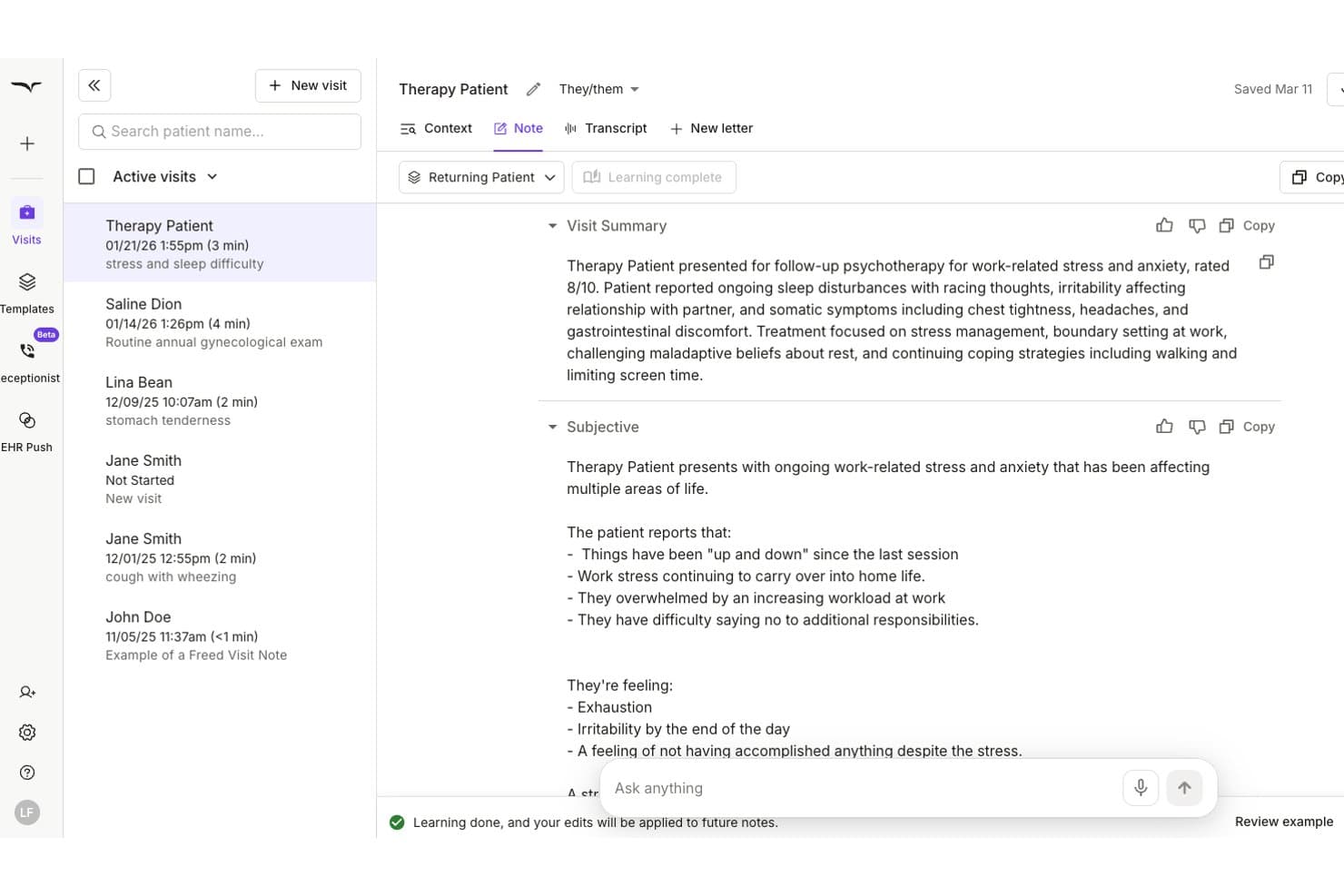
Freed AI auto-generates SOAP notes from therapy sessions securely. Freed AI is an ambient AI medical scribe that captures live patient encounters and generates structured, specialty-specific clinical notes, with HIPAA compliance, SOC 2 Type II certification, and browser-based EHR push integration built in.
Who Is Freed AI Best For?
Freed AI is a strong fit for solo physicians and small independent practices that want a low-setup AI scribe without enterprise procurement hurdles.
Why I Picked Freed AI
I picked Freed AI as one of the best because its ambient listening model is the most hands-off approach to clinical note-taking I've seen. I press record at the start of a visit, focus entirely on the patient, and a structured SOAP note is ready within minutes. The "Learn my format" feature then refines note style after each edit I make, so notes gradually match my voice. Audio recordings are automatically deleted after note generation, keeping PHI handling clean and compliant.
Freed AI Key Features
- Role-based access controls: Set permissions for clinicians, assistants, and administrators to help secure sensitive patient data.
- Specialty-specific templates: Generate notes using tailored templates for over 20 medical specialties and subspecialties.
- One-click EHR export: Push structured notes directly into browser-based EHR systems from the platform.
- Coding assistant: Get ICD-10, CPT, and E/M code suggestions as part of the documentation process.
Freed AI Integrations
Native integrations include Athena and eClinicalWorks. An API is available for custom integrations.
Pros and Cons
Pros:
- Specialty-specific note formatting out of the box
- Notes ready within minutes of visit end
- Ambient listening requires zero manual dictation
Cons:
- No offline mobile dictation mode
- Limited multi-provider team management features
Learn more about Freed AI: Best for AI-powered clinical workflow automation
- 14-day free trial
- From $110/user/month (billed annually)
Visit WebsiteCustomer Rating:4.9/5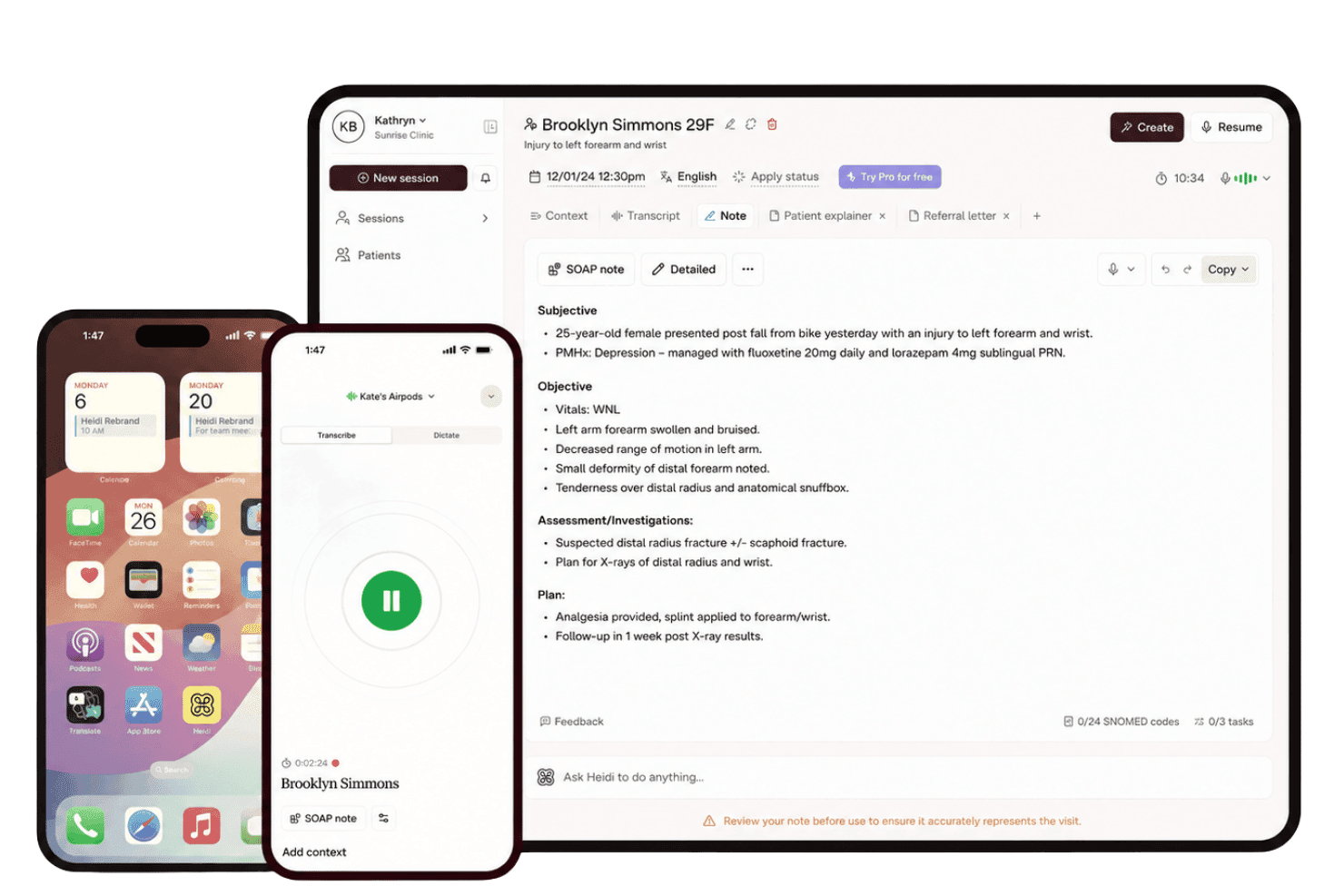
Heidi Health turns patient conversations into structured notes across specialties. Heidi Health is an ambient AI scribe and clinical documentation platform that converts patient conversations into structured notes, with support for 110+ languages, 300+ specialties, and direct EHR write-back.
Who Is Heidi Health Best For?
Heidi Health fits individual clinicians and small-to-mid-size practices across any specialty who want ambient AI documentation without a complex enterprise implementation.
Why I Picked Heidi Health
Heidi Health earns its spot on my shortlist because its ambient AI scribe automates the full clinical workflow, not just transcription. I particularly like Heidi Verify, which flags clinical inconsistencies before you sign off, and Heidi Remote, a dedicated lapel device that captures encrypted audio locally without a phone visible on the desk. Heidi Comms then uses AI to handle patient follow-up communications from the same session.
Heidi Health Key Features
- Multi-language support: Transcribes and documents clinical notes in over 110 languages, including mixed-language conversations.
- Native EHR integrations: Offers direct integration with 30+ EHR and EMR platforms, enabling push-to-chart automation.
- Specialty note templates: Provides customizable templates for structured documentation across 300+ clinical specialties.
- Role-based access and audit logs: Centralizes user permissions and maintains a complete audit trail for every documented session.
Heidi Health Integrations
Heidi Health offers native integrations with Epic, Cerner, Athenahealth, eClinicalWorks, Veradigm, EMIS, SystmOne, Best Practice, Cliniko, Medical Director, Halaxy, and Semble. An API is available for custom integrations.
Pros and Cons
Pros:
- Specialty-specific templates across 300+ clinical areas
- Supports 110+ languages for multilingual clinical settings
- Ambient AI captures full consultation without manual input
Cons:
- Mobile app reliability inconsistent in low-connectivity environments
- Note review still required before EHR submission
Learn more about Heidi Health: Best for browser-based transcription sharing
- 14-day free trial + free demo available
- From £12.90/user/month (billed annually)
Visit WebsiteCustomer Rating:4.5/5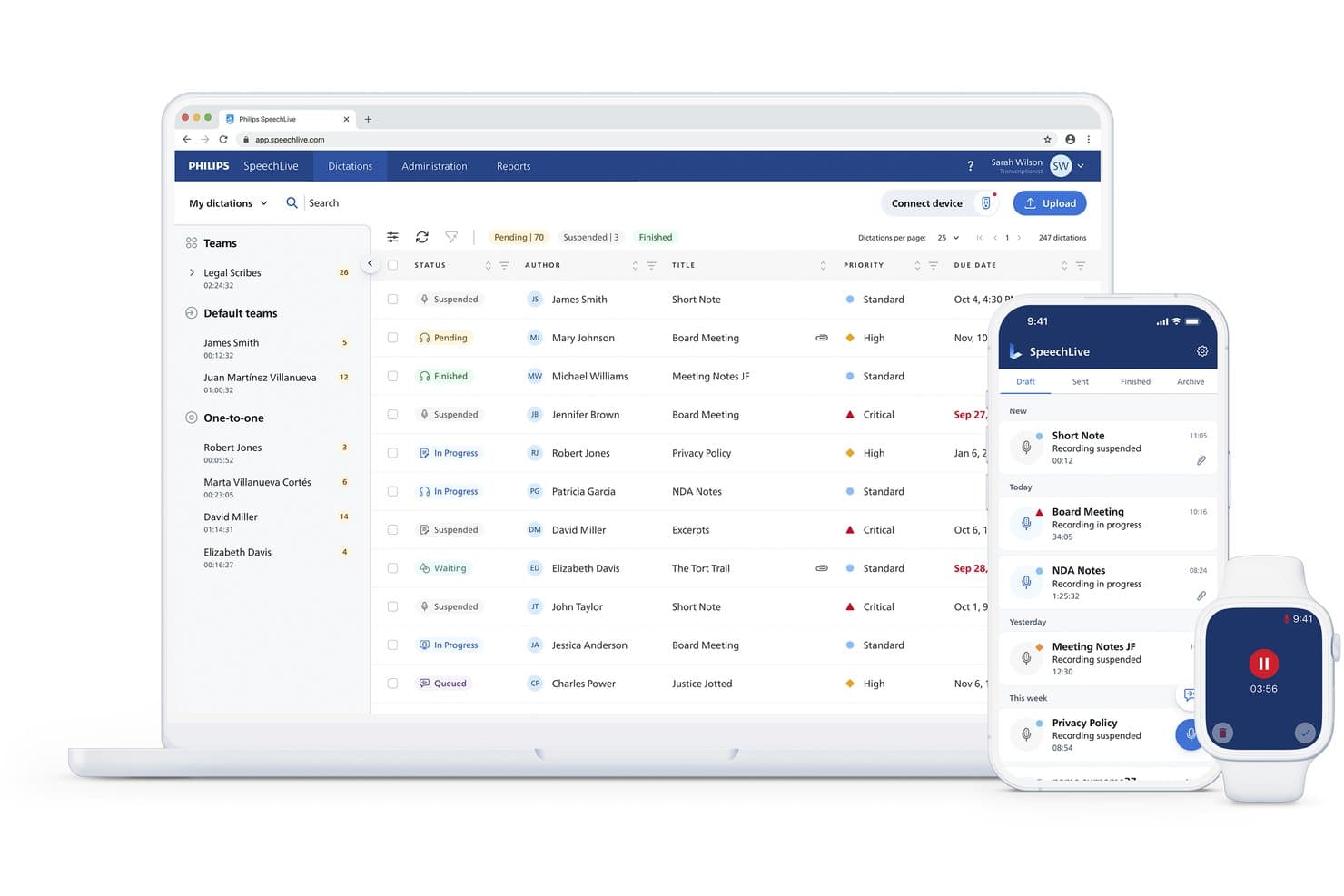
Philips SpeechLive manages dictations across web, mobile, and smartwatch. Philips SpeechLive is a cloud-based dictation and transcription workflow platform built for clinical environments, combining AI-powered speech recognition, browser-based recording, and encrypted audio routing to support HIPAA-compliant documentation.
Who Is Philips SpeechLive Best For?
It's a strong fit for clinicians and practice administrators who already use Philips dictation hardware and want a cloud-connected workflow for managing and routing clinical documentation.
Why I Picked Philips SpeechLive
Philips SpeechLive earns its spot on my shortlist because of how it handles dictation sharing without requiring any installed software. I like that clinicians can record directly in a browser and instantly route that audio to a transcriptionist or AI engine, all within an encrypted Azure environment. The task assignment feature means I can send dictations to specific team members, keeping the documentation workflow organized without manual file transfers.
Philips SpeechLive Key Features
- Medical speech recognition integration: Supports Nuance Dragon Medical One for accurate recognition of medical terminology and specialty vocabulary.
- Role-based access controls: Lets you set user and team permissions so only authorized staff can access PHI and documentation tasks.
- Multi-device compatibility: Works with Philips dictation microphones, iOS and Android mobile apps, web browser recorder, and desktop app.
- Activity logging and reporting: Tracks all user actions and provides customizable reports for audit and compliance needs.
Philips SpeechLive Integrations
Native integrations include Nuance Dragon Medical One and Microsoft Azure. An API is available for custom integrations.
Pros and Cons
Pros:
- Dictations route directly to specific transcriptionists
- Azure-backed encryption supports HIPAA BAA documentation
- Browser-based recording requires no software installation
Cons:
- Mobile app lacks offline dictation sync reliability
- Speech accuracy lags behind dedicated desktop solutions
Learn more about Philips SpeechLive:
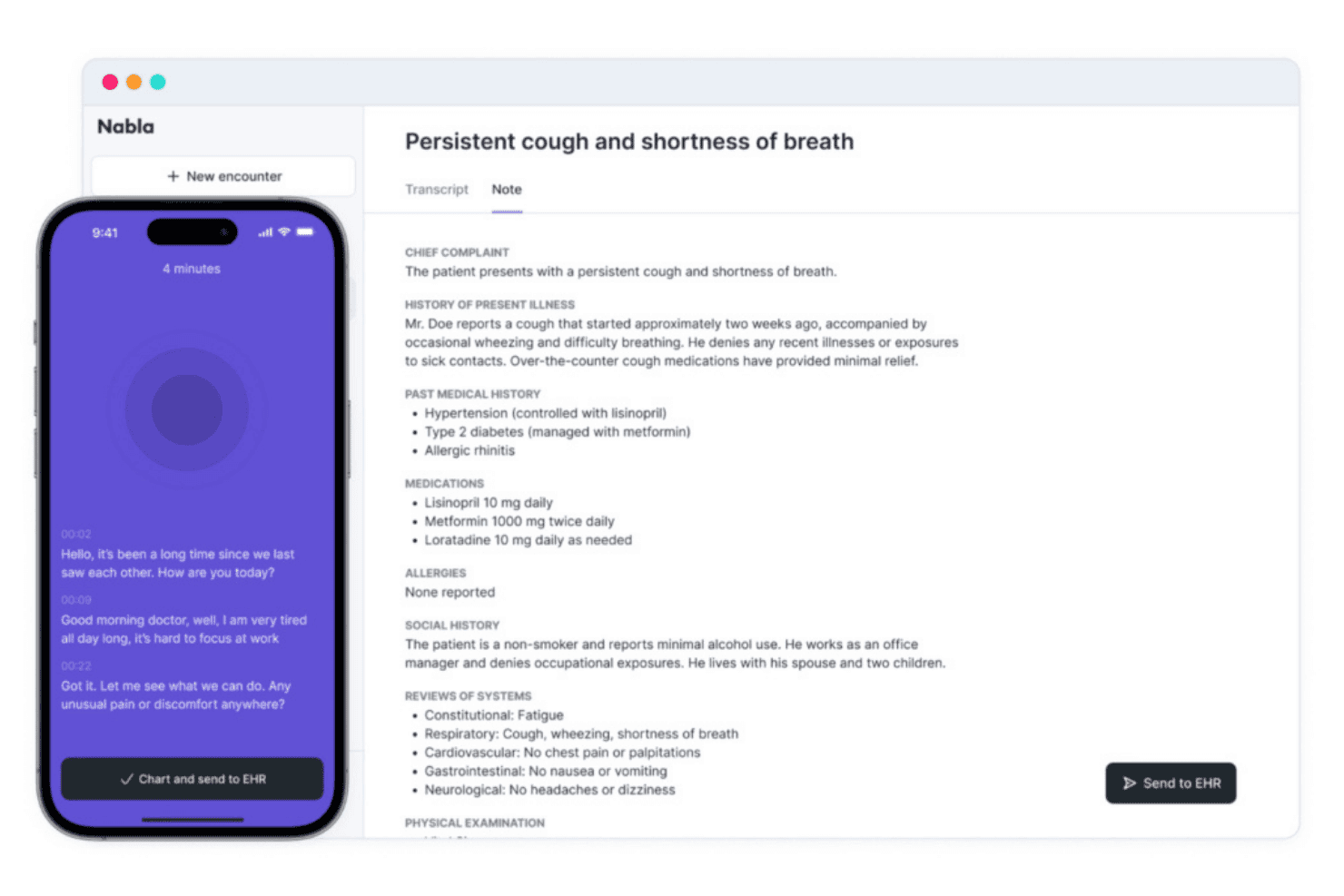
Nabla turns patient conversations and dictation into structured SOAP notes. Nabla is an ambient AI clinical documentation platform that combines real-time at-cursor dictation, automated SOAP note generation, and direct EHR integration across a multilingual, HIPAA-compliant architecture.
Who Is Nabla Best For?
Nabla is a strong fit for mid-to-large health systems and multi-provider practices that need enterprise EHR integration alongside ambient AI documentation.
Why I Picked Nabla
I picked Nabla as one of the best because its ambient AI listens to the patient encounter and generates a structured SOAP note in real time, without requiring any dictation at all. What I find most compelling is Anchor Dictation: you keep speaking while referencing labs or meds in the chart, so the note builds continuously alongside your review. Nabla also discards audio by default after processing, keeping PHI out of long-term storage entirely.
Nabla Key Features
- Native EHR integrations: Nabla embeds directly into Epic, athenahealth, Oracle Health, NextGen, and Greenway Health for seamless clinical workflows.
- Multilingual speech recognition: Nabla supports over 35 languages to accommodate diverse patient and provider populations.
- Customizable dot phrases and templates: Clinicians can trigger predefined text and templates, share them with teams, and tailor documentation to specialty needs.
- Role-based access and audit logs: User permissions, audit trails, and SSO/SAML support keep clinical data access HIPAA compliant.
Nabla Integrations
Nabla offers native integrations with Epic, athenahealth, Oracle Health, NextGen, Greenway Health, and Aryaehr. An API is available for custom integrations.
Pros and Cons
Pros:
- Supports 35+ languages for diverse providers
- Audio deleted by default after processing
- Real-time SOAP notes without manual dictation
Cons:
- Better suited to groups than solo practices
- EHR setup requires dedicated IT support
Learn more about Nabla: Best for specialty-specific medical vocabulary
- Free trial + free demo available
- Pricing upon request
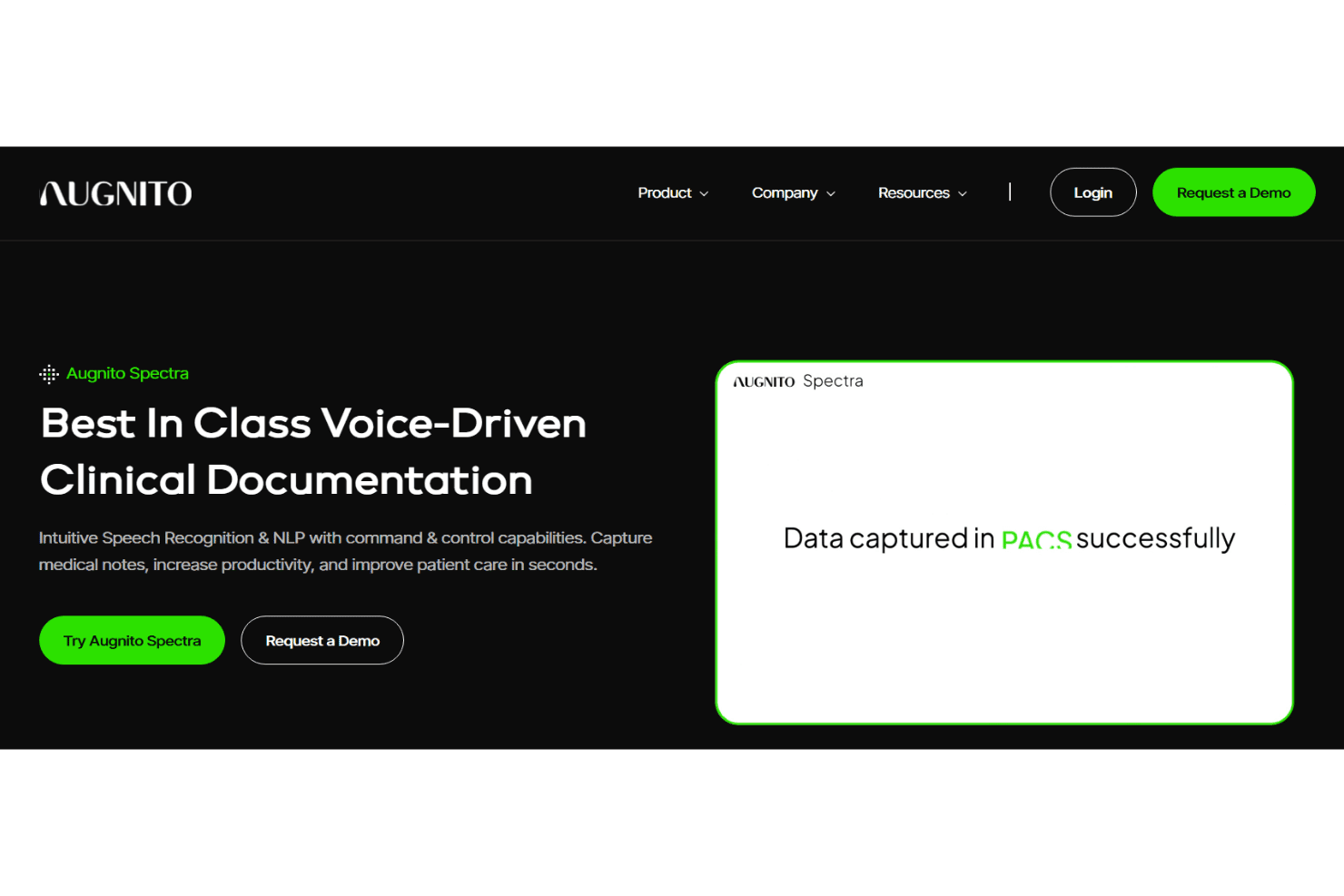
Augnito Spectra converts medical speech into text across desktop, web, and mobile. Augnito Spectra is a cloud-based medical speech recognition platform that lets clinicians dictate directly into EMR, RIS, and PACS systems using specialty-tuned voice AI across desktop, web, and mobile.
Who Is Augnito Best For?
Augnito Spectra is a strong fit for specialist clinicians—particularly in radiology, pathology, and surgery—who produce high volumes of detailed reports.
Why I Picked Augnito
I picked Augnito Spectra as one of the best because its medical vocabulary depth is genuinely unmatched. Covering 55+ specialties and sub-specialties, it recognizes specialty-specific drug names, procedures, and terminology right out of the box, with no voice training required. I also like that it ships with uploadable templates for Imaging Reports, SOAP Notes, and Discharge Summaries, so radiologists and surgeons can dictate into structured formats from day one without building their libraries from scratch.
Augnito Key Features
- Smart Editor with navigation commands: Create and edit notes using voice-directed cursor movement and formatting controls.
- Multi-platform access: Use the tool on Windows, web, Chrome plugin, iOS, and Android apps for flexibility across practice sites.
- Role-based user authentication: Secure logins and permission levels protect clinical notes and patient data.
- Network health monitoring: Built-in tool measures connection quality to support uninterrupted speech-to-text performance.
Augnito Integrations
Native integrations are not clearly documented. Augnito Spectra supports dictation into EMR, RIS, and PACS systems and provides an API for custom integrations.
Pros and Cons
Pros:
- Works across mobile, desktop, and web simultaneously
- Accurate recognition of complex drug and procedure names
- 55+ specialty vocabularies with no voice training
Cons:
- No clearly documented native EHR integrations
- Limited publicly documented compliance certifications
Learn more about Augnito Spectra: Best for ambient clinical conversation capture
- Free demo available
- Pricing upon request
Visit WebsiteCustomer Rating:4.1/5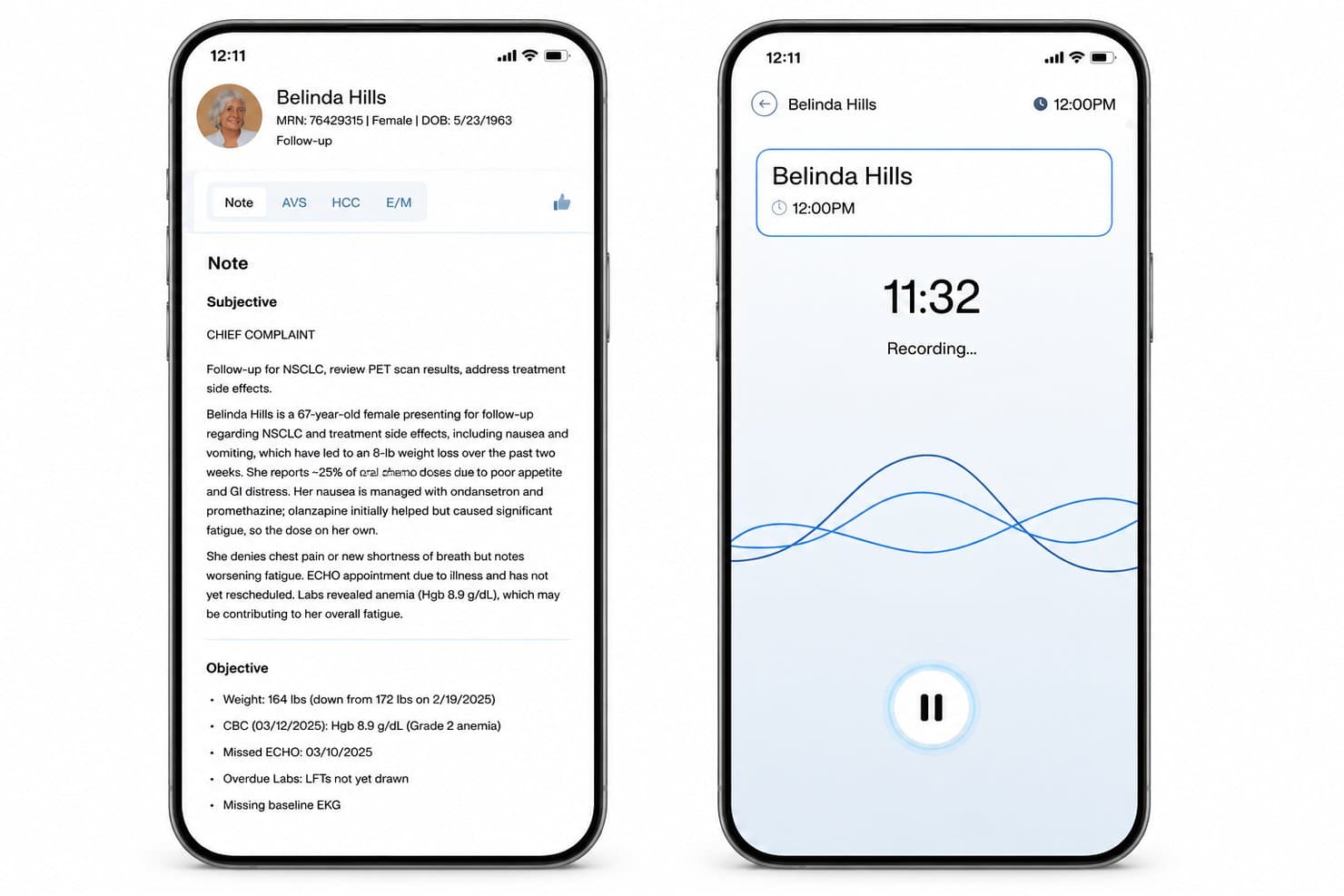
DeepScribe turns patient conversations into structured notes and coding summaries. DeepScribe is an ambient AI medical scribe platform that captures natural physician-patient conversations in real time and generates structured clinical notes, E&M coding, and pre-visit summaries directly inside connected EHR systems.
Who Is DeepScribe Best For?
DeepScribe is a strong fit for specialty clinicians and health systems in high-documentation fields like oncology, cardiology, and gastroenterology.
Why I Picked DeepScribe
DeepScribe earns its spot on my shortlist because it captures clinical conversations differently than any other tool. Rather than dictating into a microphone, it runs in the background during the actual encounter and generates specialty-specific notes from that natural dialog. I especially like the Customization Studio, which learns each provider's preferred note structure from past charts, and Diagnosis Intelligence, which surfaces ICD-10 coding prompts directly from the conversation.
DeepScribe Key Features
- SmartPrep module: Surfaces relevant patient history, labs, and medications before each visit.
- AI coding integration: Automatically generates ICD-10 and E&M codes from the clinical conversation.
- Multilingual support: Supports ambient documentation in over 110 languages for diverse clinician teams.
- Bi-directional EHR integrations: Syncs structured notes and codes with systems like Epic, athenahealth, eClinicalWorks, and OncoEMR.
DeepScribe Integrations
DeepScribe offers native integrations with Epic, athenahealth, eClinicalWorks, AdvancedMD, OncoEMR, and iKnowMed. An API is available for custom integrations.
Pros and Cons
Pros:
- Automatically generates E&M codes from conversations
- Specialty-tuned note generation across multiple clinical fields
- Passive ambient capture requires no dictation commands
Cons:
- Note editing still requires EHR manual review
- Requires consistent internet connection during encounters
Learn more about DeepScribe: Best for automated clinical note generation
- Not available
- Pricing upon request
Visit WebsiteCustomer Rating:4.2/5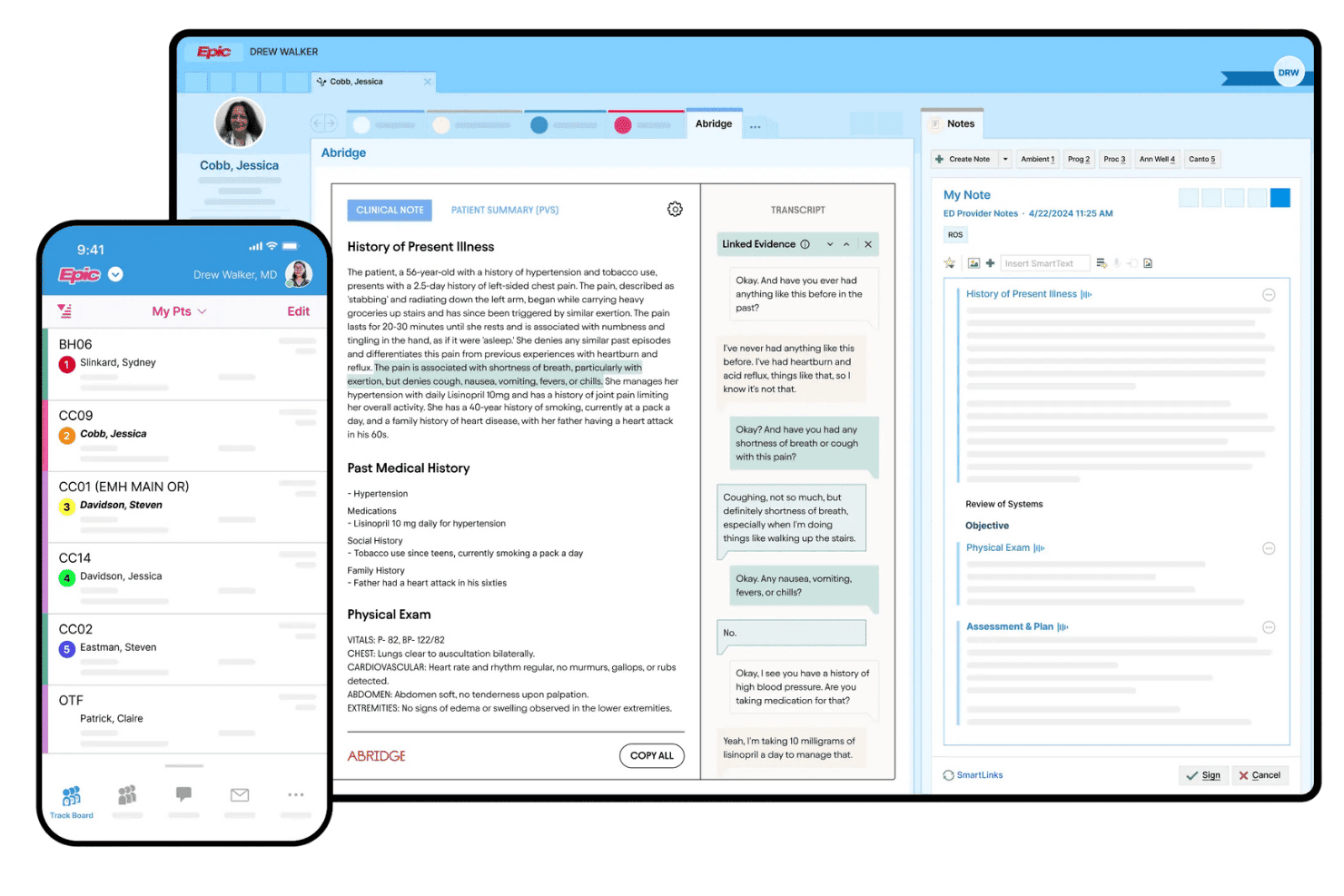
Abridge creates clinical notes across inpatient, outpatient, and emergency care settings. Abridge is an ambient AI clinical documentation platform that converts real-time patient-clinician conversations into structured, specialty-specific notes integrated directly into EHR workflows across inpatient, outpatient, and emergency care settings.
Who Is Abridge Best For?
Abridge is a strong fit for enterprise health systems and large multi-specialty organizations that need AI-driven documentation at scale across clinical teams.
Why I Picked Abridge
Abridge earns its spot on my shortlist because no other ambient AI tool I've reviewed generates a structured, specialty-specific note before the patient has left the room. The Contextual Reasoning Engine builds the draft in real time during the conversation, not after it. I also like that it links every AI-generated note back to its source in the conversation, so clinicians can verify accuracy rather than simply accept the output.
Abridge Key Features
- Epic EHR native integration: Connects directly with Epic Haiku and Hyperdrive for real-time workflow support.
- Multilingual clinical conversation support: Handles over 14 languages, including mixed-language encounters, across clinical specialties.
- Encrypted mobile and cloud workflow: All voice data is secured with end-to-end encryption in transit and at rest.
- Audit-ready governance controls: Provides single sign-on, usage analytics, and role-based permissions to support HIPAA administrative safeguards.
Abridge Integrations
Abridge offers native integrations with Epic Haiku and Hyperdrive for direct documentation within the EHR. An API is available for custom integrations.
Pros and Cons
Pros:
- Source-linked AI supports clinician note verification
- Specialty-tuned notes across diverse clinical settings
- Real-time note generation during patient visits
Cons:
- Limited EHR integrations beyond Epic
- Geared toward enterprise, not solo practices
Learn more about Abridge: Best for voice-enabled charting on mobile devices
- Not available
- Pricing upon request
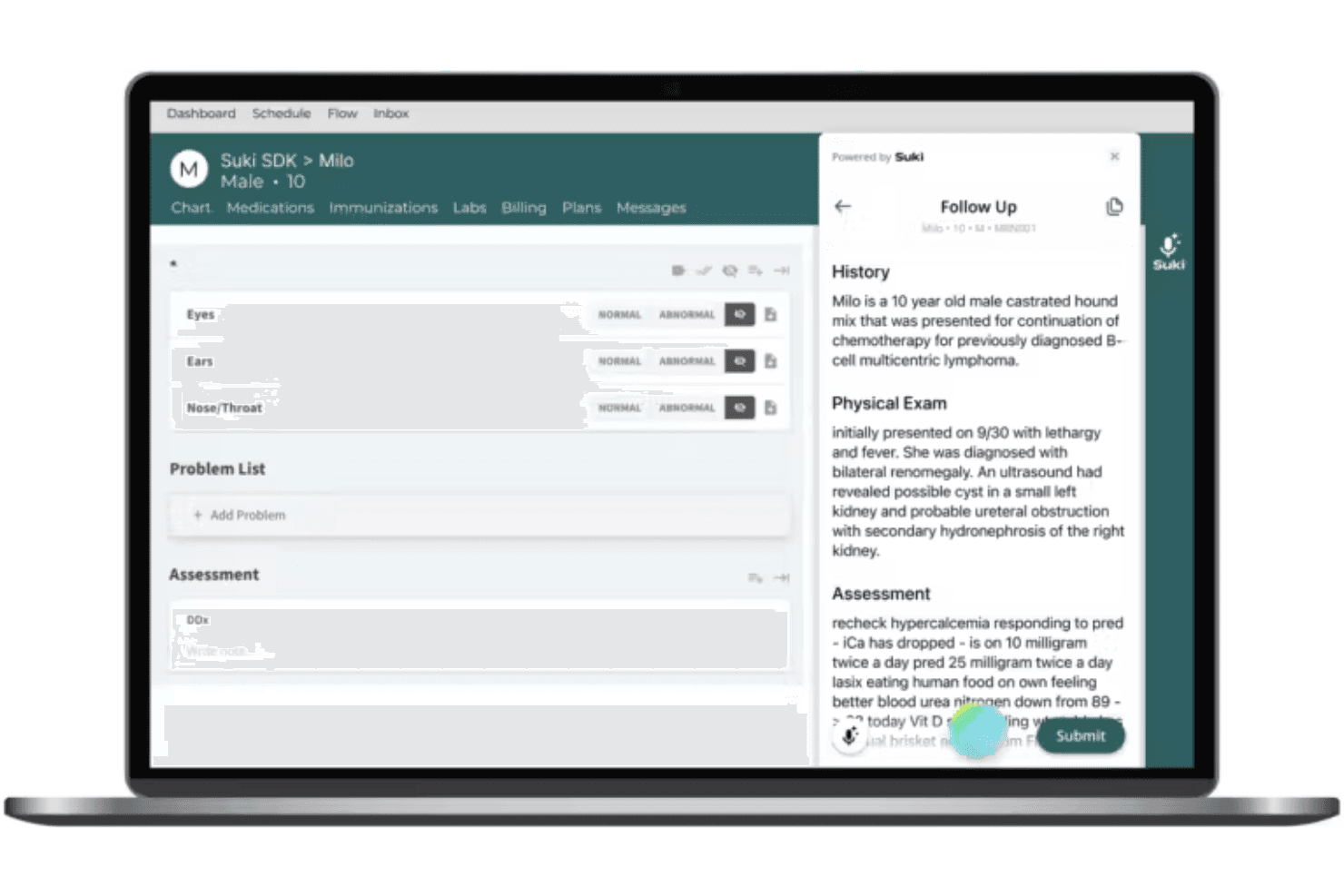
Suki AI turns medical speech into structured clinical notes across specialties. Suki AI is a voice-first ambient documentation platform that combines medical speech recognition, AI-generated clinical notes, and bidirectional EHR integration across 100+ specialties.
Who Is Suki AI Best For?
Suki AI is a strong fit for health systems and multi-provider medical groups that need enterprise-grade ambient documentation across clinical teams.
Why I Picked Suki AI
I picked Suki AI because its mobile experience goes beyond passive recording. On iOS and Android, I can issue voice commands to navigate charts, stage medication orders, and complete notes without touching a keyboard. The ambient documentation engine captures the full patient conversation and generates structured SOAP or H&P notes in real time, while the SOC 2 Type 2 certification and BAA keep every recording and note HIPAA-compliant.
Suki AI Key Features
- Ambient documentation engine: Captures clinician-patient conversations and generates structured clinical notes in real time.
- Custom medical vocabulary: Offers specialty-tuned language models for accurate transcription across more than 100 medical specialties.
- Bidirectional EHR integration: Allows direct note creation and data exchange with Epic, Oracle Health, MEDITECH, and athenahealth.
- Role-based access controls: Provides user permission settings and audit logs to support HIPAA-compliant administration.
Suki AI Integrations
Suki AI offers native integrations with Epic, Oracle Health, MEDITECH, athenahealth, MEDENT, Azalea Health, and Zoom Workplace for Clinicians. An API is available for custom integrations.
Pros and Cons
Pros:
- Specialty-tuned models across 100+ medical specialties
- Strong mobile charting across iOS and Android
- Ambient documentation captures full patient conversations
Cons:
- Note accuracy dips with heavy accents
- EHR setup requires dedicated IT involvement
Learn more about Suki AI: Best for direct EHR voice integration
- Free demo available
- Pricing upon request
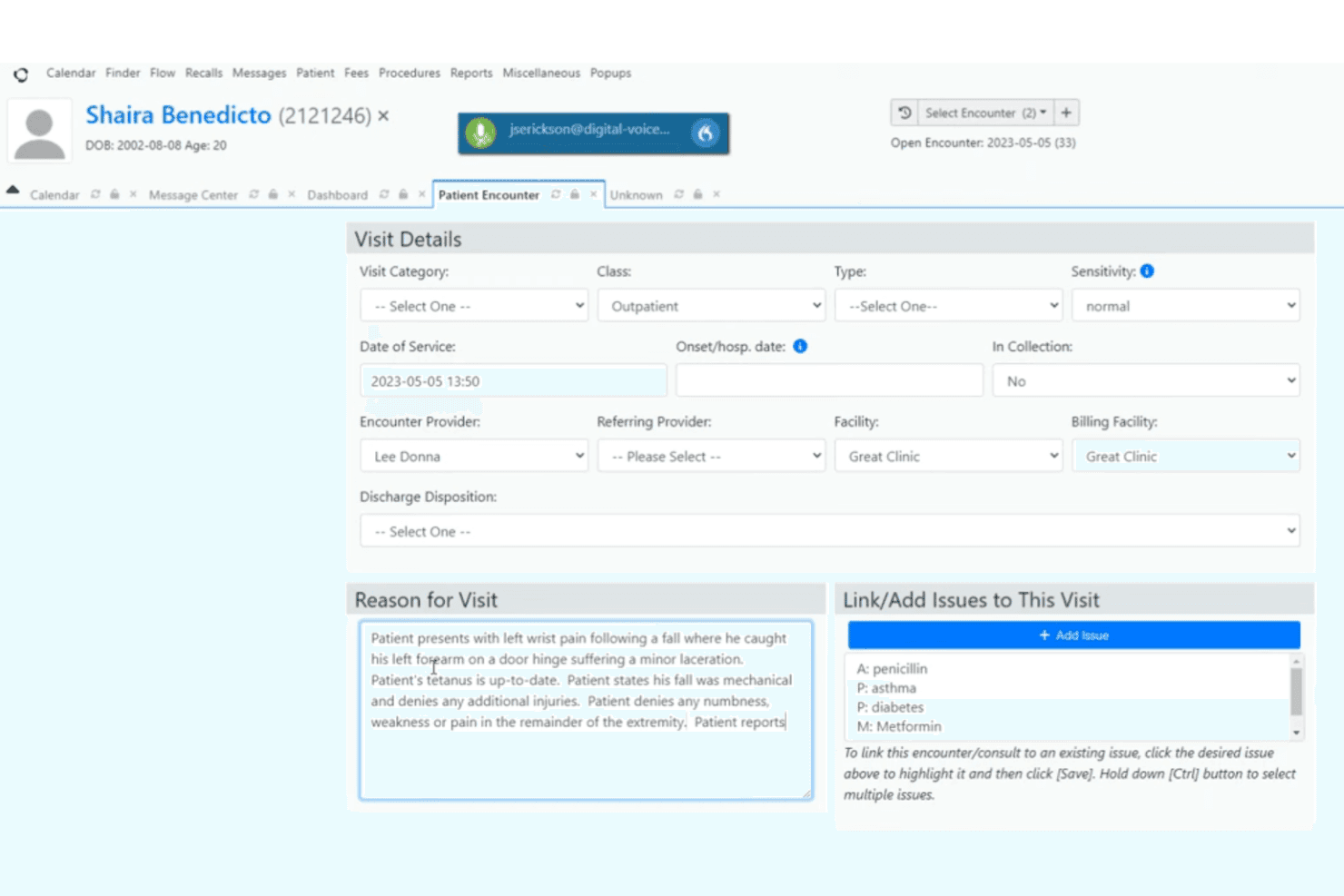
Dragon Medical One supports specialty dictation with AutoText and voice navigation. Dragon Medical One is a cloud-based medical dictation platform that combines specialty-trained speech recognition, direct EHR field dictation, AutoText macros, and voice-driven chart navigation across desktop and mobile devices.
Who Is Dragon Medical One Best For?
It's a strong fit for physicians and clinical documentation specialists who dictate heavily into Epic, Cerner, or MEDITECH and need a voice solution that works natively inside those systems.
Why I Picked Dragon Medical One
Dragon Medical One earns its spot on my shortlist because of how deeply it embeds into EHR workflows. I picked it specifically for Anchor Dictation, which keeps voice focus locked to the active EHR field even when switching between applications. On top of that, Integrated Voice Skills let clinicians navigate patient charts, place orders, and sign notes entirely by voice inside Epic or Cerner, without touching a keyboard.
Dragon Medical One Key Features
- AutoText shortcuts: Clinicians can insert entire note sections or repetitive language using customizable spoken commands.
- Specialty vocabulary libraries: Includes built-in medical terminology for dozens of specialties, improving recognition accuracy for complex terms.
- PowerMic Mobile support: Lets users utilize their smartphone as a secure, wireless dictation microphone in clinical settings.
- Centralized administration: Enables user, template, and AutoText management across teams and departments from a single cloud dashboard.
Dragon Medical One Integrations
Dragon Medical One offers native integrations with Epic, Cerner, MEDITECH, and athenahealth. An API is available for custom integrations.
Pros and Cons
Pros:
- HITRUST-certified with signed BAA at all tiers
- Specialty-tuned vocabulary with continuous speaker learning
- Native EHR cursor dictation across major platforms
Cons:
- Occasional recognition errors with heavy accents
- Setup and EHR configuration requires IT involvement
Learn more about Dragon Medical One: Best for mobile dictation with instant EHR sync
- 7-day free trial + free demo available
- From $199.99/user/month
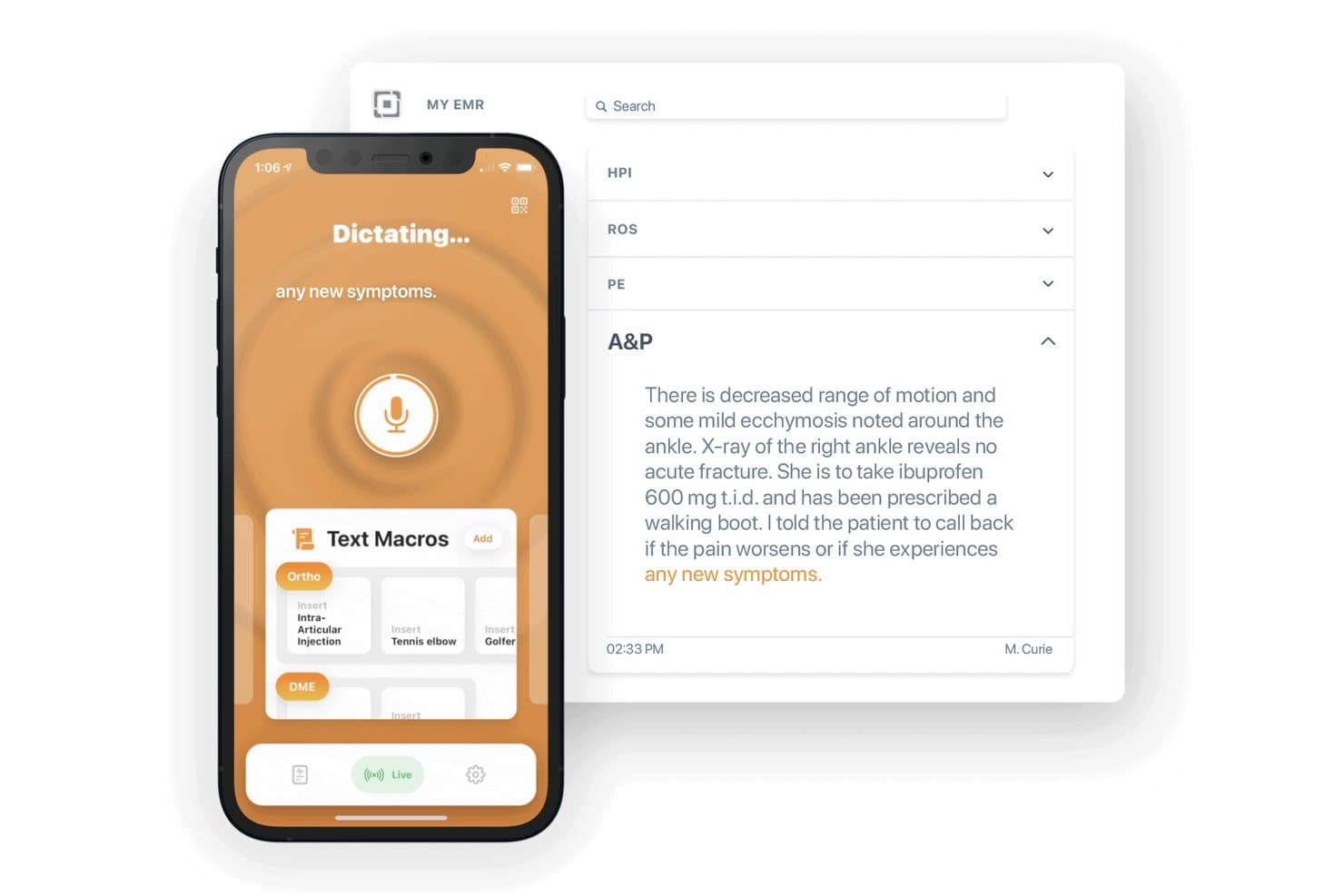
Mobius MD Conveyor supports mobile dictation with specialty-specific speech recognition and voice macros. Mobius MD Conveyor is a HIPAA-compliant mobile dictation tool that pairs an iOS app with desktop software or a USB device to type spoken words directly into any EHR field, with specialty-specific speech recognition and customizable voice-activated text macros.
Who Is Mobius MD Best For?
Conveyor is a strong fit for solo and small-practice clinicians who need to dictate directly into any EHR from a mobile device across both Mac and Windows environments.
Why I Picked Mobius MD
I picked Mobius MD as one of the best because of how its mobile-to-EHR sync actually works in practice. Rather than copy-pasting notes after the fact, I can dictate from my iPhone and watch the words appear live in whatever EHR field my cursor is on, via either the Conveyor QR software or a plug-and-forget USB device. The AI-Adaptive Voice Profile learns my speech patterns over time, so accuracy keeps improving across my specialty-specific vocabulary without manual retraining.
Mobius MD Key Features
- Specialty-specific vocabulary: Choose medical dictionaries tailored to more than 50 specialties for increased dictation accuracy.
- Voice-activated text macros: Trigger predefined text blocks with a spoken command to speed up documentation tasks.
- Secure dictation memos: Store and transmit patient-related voice notes within a HIPAA-compliant enclave.
- Device flexibility: Connect an iOS device to any Mac or Windows computer using companion software or a small USB accessory.
Mobius MD Integrations
Native integrations are not clearly documented. Mobius MD Conveyor works by typing dictated text directly into any open EHR field using its own desktop software or USB device. No marketplace or Zapier integrations are available, and API support is not clearly referenced.
Pros and Cons
Pros:
- Offline dictation syncs automatically when reconnected
- Voice profile improves accuracy over time
- Works with any EHR without special configuration
Cons:
- Limited multi-provider or team-level account management
- iOS-only mobile app excludes Android users
Learn more about Mobius MD:
Outros softwares de ditado compatíveis com a HIPAA
Eis algumas opções adicionais de software de ditado compatível com a HIPAA que não foram incluídas na minha seleção, mas que ainda vale a pena consultar:
- 11nVoqBest for customizable voice shortcuts and macros
- 12Dolbey Fusion NarrateBest for desktop and mobile workflow support
- 13AugmedixBest for remote scribe-assisted documentation
- 14Amazon Transcribe MedicalBest for scalable cloud-based speech recognition
- 15MentalycBest for mental health session transcription
- 16Voicebox MDBest for simple EHR note dictation
- 17UphealBest for therapy session note automation
- 18Sunoh.aiBest for ambient note capture on mobile devices
- 19CommureBest for real-time documentation with audit trails
- 20Twofold HealthBest for actionable insights from clinical notes
How I Evaluate HIPAA Compliant Dictation Software
I split my evaluation into two layers: the baseline every HIPAA compliant dictation tool must clear, and the differentiators—like ambient capture or EHR cursor integration—that set the best apart.
Core Functionality (Table Stakes For This List)
When I'm selecting tools for my list, I rank each one on a scale from 0 (does not offer the functionality) to 5 (excels in this area) for each core functionality listed below. I then calculate the tool's total score into a percentage, using 65% as a benchmark to help assess its overall fit for the list.
- HIPAA Compliance: I check for a signed BAA, end-to-end encryption, and certifications like SOC 2 Type II that validate ongoing PHI protection.
- Medical Speech Recognition: Accuracy across specialty terms matters—I evaluate how well each engine handles drug names, procedures, and abbreviations out of the box.
- EHR Integration: I look for direct integration with major EHRs like Epic, Oracle Health, and athenahealth, not just copy-paste workarounds.
- Custom Templates & Macros: Clinicians save real time with voice commands that insert full note sections, so I evaluate template flexibility and shared libraries.
- Multi-Device Dictation: I consider whether the tool works across desktop, mobile, and web, including support for offline dictation during rounds.
- Audit Logging & Access Controls: Role-based permissions and detailed audit trails help practices meet HIPAA administrative safeguards, so I evaluate depth and configurability.
Once I have a list of tools that meet the criteria, I consider what sets each platform apart.
Differentiating Factors (What Sets Vendors Apart)
Here's how I compare and contrast different vendors:
Standout Features
Ambient voice capture is a key differentiator—tools that listen to full patient conversations and auto-generate SOAP notes can eliminate hours of after-visit charting. I also evaluate real-time EHR cursor integration, where dictated text lands directly in the correct field instead of requiring copy-paste. Specialty vocabulary libraries matter too, especially for practices in cardiology or radiology where first-pass accuracy saves editing time.
Beyond Features
I look at whether BAAs are available across all pricing tiers, not locked behind enterprise plans—solo practitioners need the same PHI protections as large health systems. Deployment flexibility also matters, since some organizations require on-premise or hybrid hosting to meet data residency policies. Total cost of ownership is another factor I evaluate closely, including hidden costs like microphone hardware, per-line transcription fees, and dedicated onboarding or EHR integration engineering support.
Como escolher um software de ditado compatível com a HIPAA
O que é mais importante para o seu consultório: notas precisas da especialidade, verdadeira cobertura da HIPAA, fluxos de trabalho simples no EHR ou reduzir o preenchimento de registos fora do horário?
| Se a sua prioridade é… | Procure… |
|---|---|
| Se a sua prioridade é…Reduzir a documentação fora do horário | Procure…Captação de voz ambiente com notas SOAP automatizadas |
| Se a sua prioridade é…PHI segura e documentação de conformidade | Procure…BAA assinado em todos os níveis de preços |
| Se a sua prioridade é…Fluxo de trabalho em tempo real no seu EHR | Procure…Integração direta com o EHR ao nível do cursor |
| Se a sua prioridade é…Precisão fiável em várias especialidades | Procure…Bibliotecas de vocabulário de especialidades pré-carregadas |
| Se a sua prioridade é…Flexibilidade para requisitos locais | Procure…Opções de modelo de implementação para além da nuvem |
Como avaliar a sua seleção
- Peça um BAA de exemplo: Solicite uma cópia anonimizada do BAA para verificar a linguagem padrão e a cobertura.
- Faça um teste de ditado da especialidade: Teste o produto utilizando cinco casos de exemplo da sua área para verificar a precisão à primeira passagem.
- Verifique o suporte ao fluxo de trabalho do EHR: Agende uma demonstração em direto para observar o ditado em tempo real diretamente nos ecrãs do seu EHR.
- Informe-se sobre os registos de auditoria: Solicite a exportação de um histórico de auditoria que mostre os acessos dos utilizadores durante um período mínimo de 7 dias.
- Pondere o compromisso: Decida se a IA escalável baseada na nuvem ou a implementação local é o requisito mais importante para a sua segurança e operações.
O que é um software de ditado compatível com a HIPAA?
O software de ditado compatível com a HIPAA consiste em ferramentas seguras de conversão de voz em texto, concebidas para que os prestadores de cuidados de saúde captem e transcrevam notas dos doentes, protegendo simultaneamente as PHI. Estas plataformas oferecem reconhecimento de voz de nível médico, cumprem as normas regulamentares de privacidade e permitem aos profissionais de saúde ditar diretamente para os EHR ou exportar notas estruturadas.
Ajudam as equipas ocupadas a reduzir a introdução manual de texto, uniformizar a documentação e manter a conformidade com os requisitos de segurança dos dados em dispositivos de ambiente de trabalho, móveis e Web.
Funcionalidades
Eis as principais funcionalidades que qualquer excelente software de ditado compatível com a HIPAA deve ter:
- Conformidade com a HIPAA: Garante que o software foi concebido para proteger as informações de saúde protegidas, através de encriptação durante a transmissão e em repouso, bem como da assinatura de um Acordo de Associado Comercial.
- Reconhecimento de voz médica: Converte a fala clínica em texto utilizando vocabulários adaptados à terminologia médica, aos procedimentos e aos nomes de medicamentos em diferentes especialidades e na prática geral.
- Integração direta com o EHR: Permite aos prestadores ditar diretamente para os campos dos principais sistemas de registos de saúde eletrónicos, reduzindo a introdução duplicada de dados e os obstáculos ao fluxo de trabalho.
- Bibliotecas de vocabulário especializado: Oferece suporte integrado para linguagem específica de especialidades como cardiologia, radiologia ou saúde comportamental, melhorando a precisão da transcrição à primeira passagem.
- Modelos e macros personalizados: Permite aos utilizadores criar modelos de notas personalizados e comandos de voz, possibilitando uma documentação mais rápida e uniformizada, com menos cliques.
- Registo de auditoria e controlos de acesso: Fornece um acompanhamento robusto da atividade dos utilizadores e registos de auditoria detalhados para cumprir as salvaguardas administrativas durante análises de conformidade ou auditorias.
- Ditado em vários dispositivos: Suporta computadores de secretária, portáteis e dispositivos móveis, permitindo aos profissionais de saúde ditar em deslocação ou durante as rondas aos doentes.
- Captação de voz ambiente: Utiliza IA para captar e transcrever com precisão conversas clínicas completas, e não apenas notas ditadas, permitindo uma documentação mais completa dos doentes.
- Suporte do modo offline: Permite efetuar ditados encriptados sem uma ligação ativa à Internet, sincronizando os dados posteriormente para garantir uma documentação ininterrupta em zonas com conectividade limitada.
- Autenticação e permissões dos utilizadores: Impõe inícios de sessão seguros e acesso baseado em funções, para que apenas o pessoal autorizado possa gravar, rever ou exportar áudio e transcrições sensíveis dos doentes.
Vantagens
A implementação de software de ditado compatível com a HIPAA proporciona várias vantagens à sua equipa e à sua empresa. Eis algumas das que pode esperar:
- Maior segurança das PHI: A encriptação de ponta a ponta e os BAAs assinados reduzem o risco de violações da HIPAA, mantendo as informações dos doentes protegidas durante todo o fluxo de trabalho.
- Documentação clínica mais rápida: O reconhecimento de voz em tempo real e a integração direta com o EHR aceleram a criação de notas, permitindo aos prestadores concentrarem-se mais nos cuidados aos doentes e menos na escrita.
- Redução do preenchimento de registos fora do horário: A captação de voz ambiente e os modelos especializados automatizam a geração de notas, ajudando os profissionais de saúde a recuperar o tempo normalmente perdido com a documentação manual.
- Notas consistentes e precisas: Os vocabulários médicos e os modelos personalizados apoiam uma linguagem e uma introdução de dados uniformizadas, minimizando erros ou omissões na documentação.
- Acesso simples em vários dispositivos: O ditado em vários dispositivos e o suporte offline permitem às equipas documentar os cuidados em qualquer lugar—durante as rondas, em casa ou em deslocação.
- Registos de auditoria preparados para a conformidade: Os registos detalhados e os controlos de acesso baseados em funções simplificam as verificações de conformidade e as auditorias, acompanhando todas as ações nos registos dos doentes.
- Adaptação às necessidades das especialidades: As bibliotecas de vocabulário especializado e as macros personalizadas permitem que diferentes tipos de prestadores documentem casos complexos de forma eficiente, sem formação adicional.
Custos e preços
A seleção de software de ditado compatível com a HIPAA exige uma compreensão dos vários modelos de preços e planos disponíveis. Os custos variam consoante as funcionalidades, a dimensão da equipa, os complementos, entre outros fatores. A tabela abaixo resume os planos comuns, os respetivos preços médios e as funcionalidades normalmente incluídas nas soluções de software de ditado compatíveis com a HIPAA:
Tabela de comparação de planos de software de ditado compatível com a HIPAA
| Tipo de plano | Preço médio | Funcionalidades comuns |
|---|---|---|
| Tipo de planoPlano gratuito | Preço médio$0 | Funcionalidades comunsDitado médico básico, armazenamento limitado e suporte apenas para utilização em computadores de secretária. |
| Tipo de planoPlano pessoal | Preço médio$15-$30/utilizador/mês | Funcionalidades comunsReconhecimento de voz médica, segurança padrão, acesso de um único prestador e opções básicas de exportação para o EHR. |
| Tipo de planoPlano empresarial | Preço médio$35-$65/utilizador/mês | Funcionalidades comunsSuporte para vários prestadores, integração com o EHR, vocabulários especializados, registo de auditoria e ditado em dispositivos móveis. |
| Tipo de planoPlano empresarial de grande escala | Preço médio$70-$120/utilizador/mês | Funcionalidades comunsImplementações personalizadas, opções no local, controlos de conformidade avançados, suporte dedicado e integração inicial. |
Perguntas frequentes
Eis as respostas às perguntas comuns que os compradores podem ter ao comparar software de ditado compatível com a HIPAA:
Como sei qual software de ditado compatível com a HIPAA se adequa ao meu fluxo de trabalho clínico?
Considere como e onde é feita a documentação, quem utilizará o software e se o ditado é feito durante ou depois das consultas dos pacientes. A melhor opção deve corresponder aos hábitos de documentação existentes, sem exigir alterações significativas no fluxo de trabalho.
O software de ditado compatível com a HIPAA pode funcionar com o meu RSE atual?
Muitas plataformas são compatíveis com sistemas RSE comuns, mas a compatibilidade varia consoante o fornecedor e a configuração. Os compradores devem confirmar de que forma o software se liga ao RSE atual antes de tomarem uma decisão.
O software de ditado compatível com a HIPAA é adequado para grandes equipas de cuidados de saúde?
Sim, mas algumas plataformas foram concebidas para profissionais clínicos individuais, enquanto outras suportam grupos médicos maiores e sistemas de saúde. Os compradores devem verificar se o produto consegue suportar a dimensão atual da equipa e o crescimento futuro.
Devo escolher software de ditado compatível com a HIPAA baseado na nuvem ou para computador?
O software baseado na nuvem é frequentemente mais fácil de aceder a partir de diferentes locais e dispositivos, enquanto o software para computador pode ser mais adequado para organizações com postos de trabalho fixos ou requisitos informáticos específicos. A escolha certa depende da forma como a documentação é tratada no dia a dia.
Como devo testar o software de ditado compatível com a HIPAA antes de o comprar?
Utilize uma demonstração ou versão de avaliação com cenários de ditado do mundo real, incluindo terminologia especializada, diferentes formas de falar e o ruído de fundo habitual. Isto proporciona uma visão mais clara do desempenho do software na utilização diária.
O software de ditado compatível com a HIPAA funciona bem em diferentes especialidades médicas?
Algumas plataformas abrangem muitas especialidades, enquanto outras são mais adequadas a áreas específicas da medicina. Os compradores devem verificar se o software foi concebido ou testado para a terminologia utilizada na sua especialidade.