

Programvare for prosjektstyring i helsesektoren gir teamet ditt en sentralisert måte å planlegge, tildele og følge opp kliniske og administrative prosjekter i regulerte helsemiljøer. Team som ditt trenger bedre verktøy for å balansere dokumentasjon, samsvar, kommunikasjon på tvers av team og stramme tidsfrister – uten å sette pasientsikkerheten i fare.
Denne listen samler topprangerte plattformer slik at du raskt kan sammenligne funksjoner for samarbeid, samsvarsadministrasjon og oversikt over arbeidsflyter. Hvis du er klar til å redusere manuelle overleveringer, forbedre oppfølgingen og velge en løsning som passer målene dine, finner du alt du trenger her.
Why Trust Our Software Recommendations
6,700+
Reviews
20
Industry experts
16+
Evaluation factors
14
Years
Our team has been testing and reviewing software since 2012. As medical practice leaders ourselves, we know how difficult—and important—it is to choose the right software.
For this guide, we evaluated tools using hands-on testing and independent research, scoring tools using our selection criteria.
Our reviews reflect our human editorial judgment, not a sales pitch.
Sammenligningstabell: Programvare for prosjektstyring i helsesektoren
Denne sammenligningstabellen oppsummerer prisopplysningene for mine utvalgte programmer for prosjektstyring i helsesektoren.
| Tool | Best For | Trial Info | Price | ||
|---|---|---|---|---|---|
| 1 | Best for customizable clinical project dashboards | Free plan available | From $7/user/month (billed annually) | Website | |
| 2 | Best for tracking regulatory compliance milestones | Free plan available | From $10.99/user/month (billed annually) | Website | |
| 3 | Best for managing cross-functional clinic projects | Free plan available; 14-day free trial | From $9.99/user/month (billed annually) | Website | |
| 4 | Best for secure real-time staff communication | Not available | Pricing upon request | Website | |
| 5 | Best for analytics-driven resource allocation | Free demo available | Pricing upon request | Website | |
| 6 | Best for EHR rollout and onboarding templates | 30-day free trial | From $12/user/month | Website | |
| 7 | Best for multi-site practice project oversight | 2-week free trial; free demo available | From $8/user/month (billed annually) | Website | |
| 8 | Best for role-based compliance workflows | 14-day free trial | From $10/user/month (billed annually) | Website | |
| 9 | Best for automating credentialing processes | 14-day free trial | From $9/seat/month (billed annually) | Website | |
| 10 | Best for HIPAA-compliant care team task tracking | Free demo available | Pricing upon request | Website |


Anmeldelser av den beste programvaren for prosjektstyring i helsesektoren
Nedenfor finner du mine detaljerte sammendrag av den beste programvaren for prosjektstyring i helsesektoren som kom med på kortlisten. Anmeldelsene mine gir en detaljert gjennomgang av funksjonene, de beste bruksområdene og integrasjonene til hver plattform, slik at du kan finne den som passer best for deg.
 Best for customizable clinical project dashboards
- Free plan available
- From $7/user/month (billed annually)
Visit WebsiteCustomer Rating:4.6/5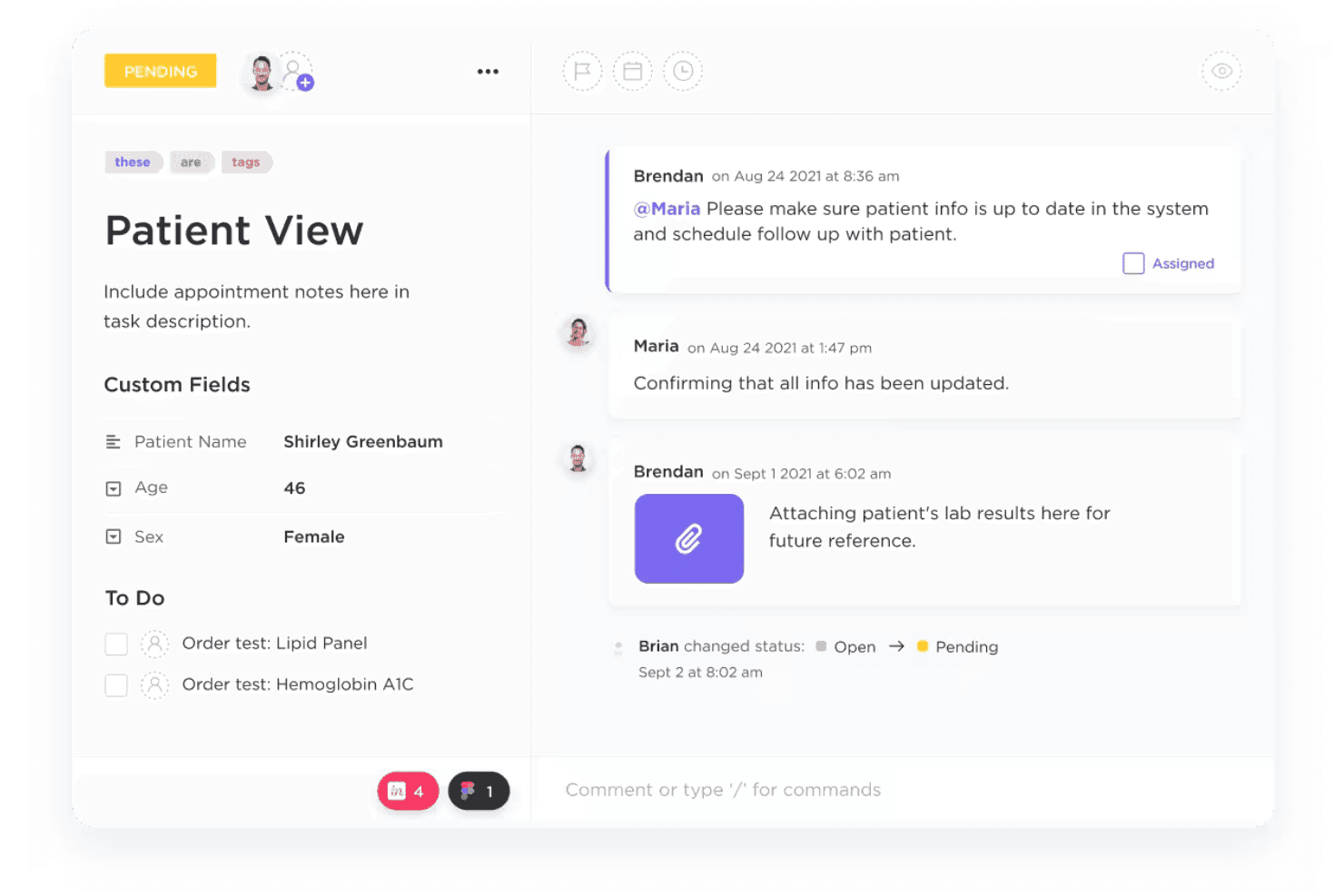
ClickUp configures healthcare tasks, workflows, dashboards, and HIPAA controls. ClickUp is a project management platform that adapts to healthcare teams through customizable workflows, task automation, HIPAA-compliant data handling, and multi-view dashboards for managing clinical, administrative, and compliance projects.
Who Is ClickUp Best For?
ClickUp is a strong fit for clinic operations managers and practice administrators at mid-to-large healthcare organizations coordinating projects across multiple departments.
Why I Picked ClickUp
I picked ClickUp as one of the best because the level of dashboard customization it offers is genuinely difficult to replicate in other tools. I use Custom Fields to track PHI access status, compliance milestone dates, and caregiver assignments all within a single dashboard view. Pair that with Workload view for balancing clinical staff capacity and Board view for visualizing supply replenishment timelines, and you get a setup that maps directly to how healthcare operations actually run.
ClickUp Key Features
- HIPAA-compliant workspace on Enterprise plan: Protects sensitive patient data with signed BAAs, advanced encryption, and audit logging.
- Role-based permission controls: Lets you restrict data and actions by job function or department within large healthcare teams.
- Healthcare-specific templates: Includes templates for patient intake, EHR update request workflows, and compliance documentation.
- Real-time collaboration tools: Offers in-app chat, secure file sharing, and document commenting to connect staff across clinical and administrative departments.
ClickUp Integrations
ClickUp offers native integrations with Google Workspace, Microsoft 365, Slack, Zoom, Drive, GitHub, Jira, Dropbox, Salesforce, and HubSpot. It also connects with Zapier and provides an API for custom integrations.
Pros and Cons
Pros:
- Multiple project views suit varied clinical needs
- HIPAA-compliant workspace available on Enterprise plan
- Highly customizable dashboards for clinical workflows
Cons:
- HIPAA compliance locked behind Enterprise tier only
- Setup complexity can overwhelm smaller clinical teams
Learn more about ClickUp: Best for tracking regulatory compliance milestones
- Free plan available
- From $10.99/user/month (billed annually)
Visit WebsiteCustomer Rating:4.4/5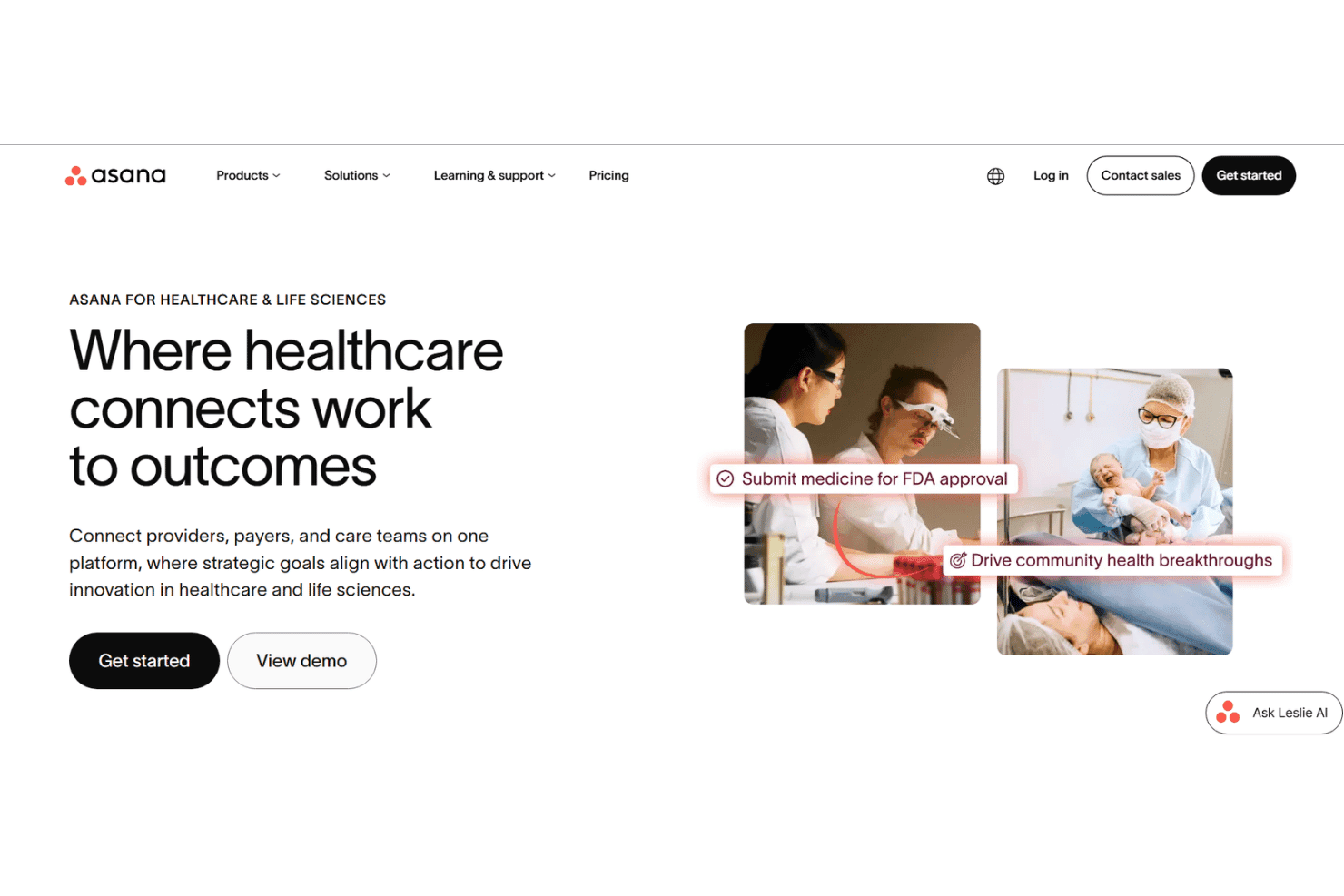
Asana coordinates healthcare projects, compliance, onboarding, and care teams. Asana is a work management platform built for healthcare organizations to coordinate clinical and administrative projects, track compliance workflows, manage credentialing and onboarding, and connect cross-functional teams across providers, payers, and care operations.
Who Is Asana Best For?
Asana is a strong fit for mid-to-large healthcare organizations with dedicated compliance, operations, or administrative teams managing complex, cross-departmental projects.
Why I Picked Asana
I picked Asana as one of the best because of how it handles regulatory compliance tracking at a structural level. I use the workflow builder to assign clear ownership and deadlines to each compliance milestone, so nothing slips through the gaps across departments. What really sets it apart is AI Studio, which actively flags missing documentation and compliance blockers in real time, rather than waiting for a manual review cycle.
Asana Key Features
- Healthcare project templates: Use pre-built workflows for onboarding, compliance, accreditation, and clinical operations projects.
- Role-based permissions: Assign granular access by user, team, or project to safeguard sensitive healthcare data.
- Advanced reporting dashboards: Generate customizable dashboards with real-time progress on tasks, resources, and compliance milestones.
- Secure external collaboration: Invite external stakeholders as guests for limited, project-specific access and file sharing.
Asana Integrations
Asana offers 200+ native integrations, including Slack, Microsoft Teams, Google Workspace, Salesforce, Zoom, Jira Cloud, Tableau, Zendesk, Okta, and Box. It also provides an API for custom integrations and connects with Zapier.
Pros and Cons
Pros:
- Granular role-based access controls built in
- Pre-built templates for healthcare onboarding workflows
- AI Studio flags compliance blockers automatically
Cons:
- Steep setup time for complex clinical workflows
- No built-in HIPAA-compliant messaging feature
Learn more about Asana: Best for managing cross-functional clinic projects
- Free plan available; 14-day free trial
- From $9.99/user/month (billed annually)
Visit WebsiteCustomer Rating:4.4/5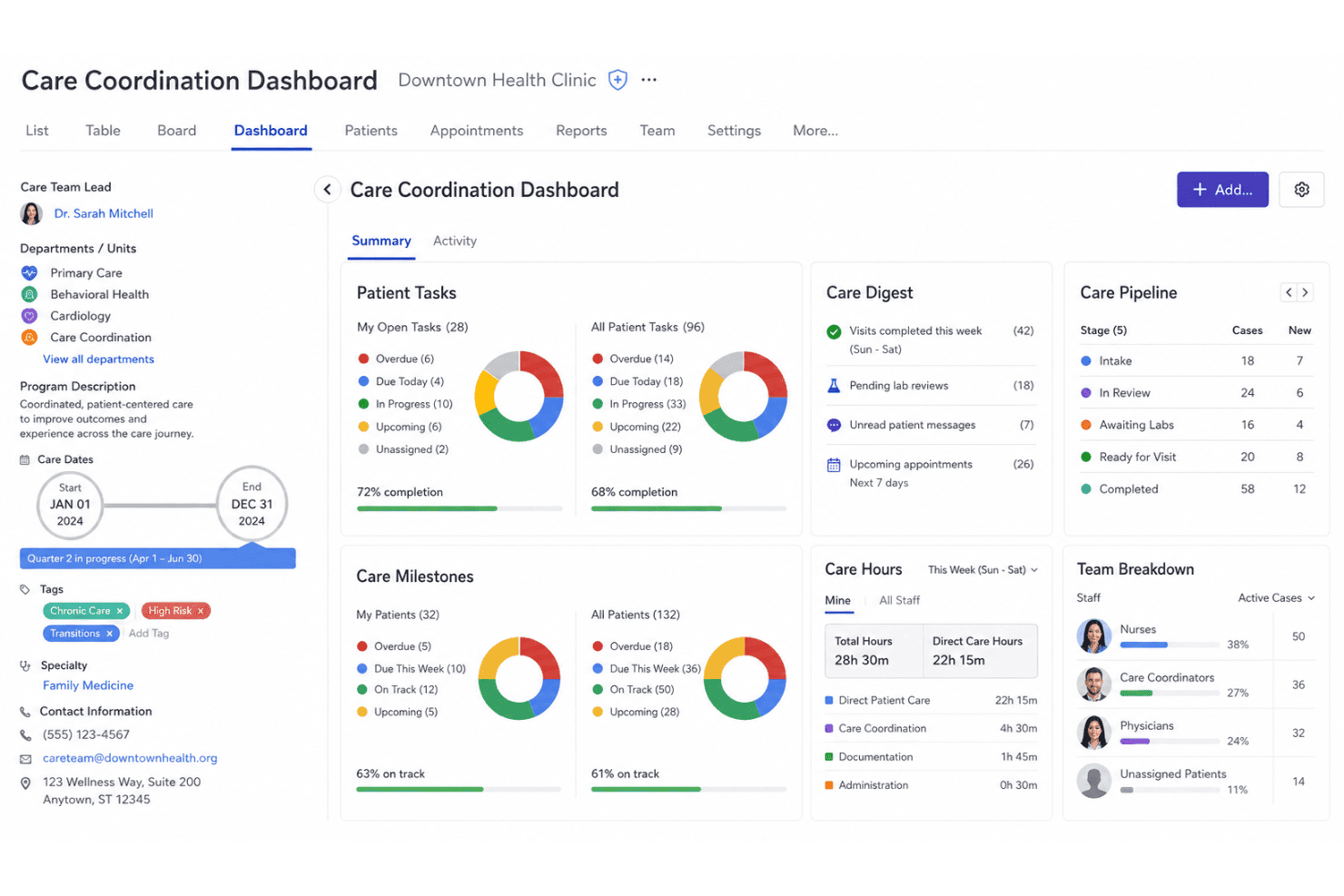
Teamwork.com coordinates tasks, time, resources, schedules, reports, and teams. Teamwork.com is a project management platform built around time tracking, task workflows, and cross-functional team coordination, with resource scheduling, Gantt charts, and reporting tools built into a single workspace.
Who Is Teamwork.com Best For?
Teamwork.com is a good fit for clinic operations managers who need to coordinate tasks, timelines, and resources across multiple departments simultaneously.
Why I Picked Teamwork.com
I've included Teamwork.com in my top picks because its workload planning and live capacity tools let me see how tasks are distributed across clinical and administrative teams in real time. When running multiple clinic projects, the Project Health dashboard gives an at-a-glance status across all of them without digging into individual task lists. I also use Gantt charts with dependency tracking to sequence cross-departmental steps, like linking credentialing milestones to onboarding tasks.
Teamwork.com Key Features
- Time tracking integration: Track billable and non-billable hours directly on tasks and projects for detailed recordkeeping.
- Project templates: Save and reuse custom project templates for recurring initiatives or administrative projects.
- Granular role-based permissions: Control access for each user or group across projects, boards, and sensitive project data.
- Resource management dashboard: Visualize and allocate team workloads to prevent bottlenecks and optimize daily operations.
Teamwork.com Integrations
Teamwork.com offers native integrations with Google Drive, Microsoft 365, Dropbox, SharePoint, Slack, HubSpot, QuickBooks, Xero, Harvest, and Zapier. An API is available for custom integrations.
Pros and Cons
Pros:
- Granular role-based permissions for project access
- Detailed time logs for each task
- Milestone tracking across multiple simultaneous projects
Cons:
- Mobile app lacks full desktop functionality
- No documented HIPAA compliance or BAA
Learn more about Teamwork.com: Best for secure real-time staff communication
- Not available
- Pricing upon request
Visit WebsiteCustomer Rating:4.3/5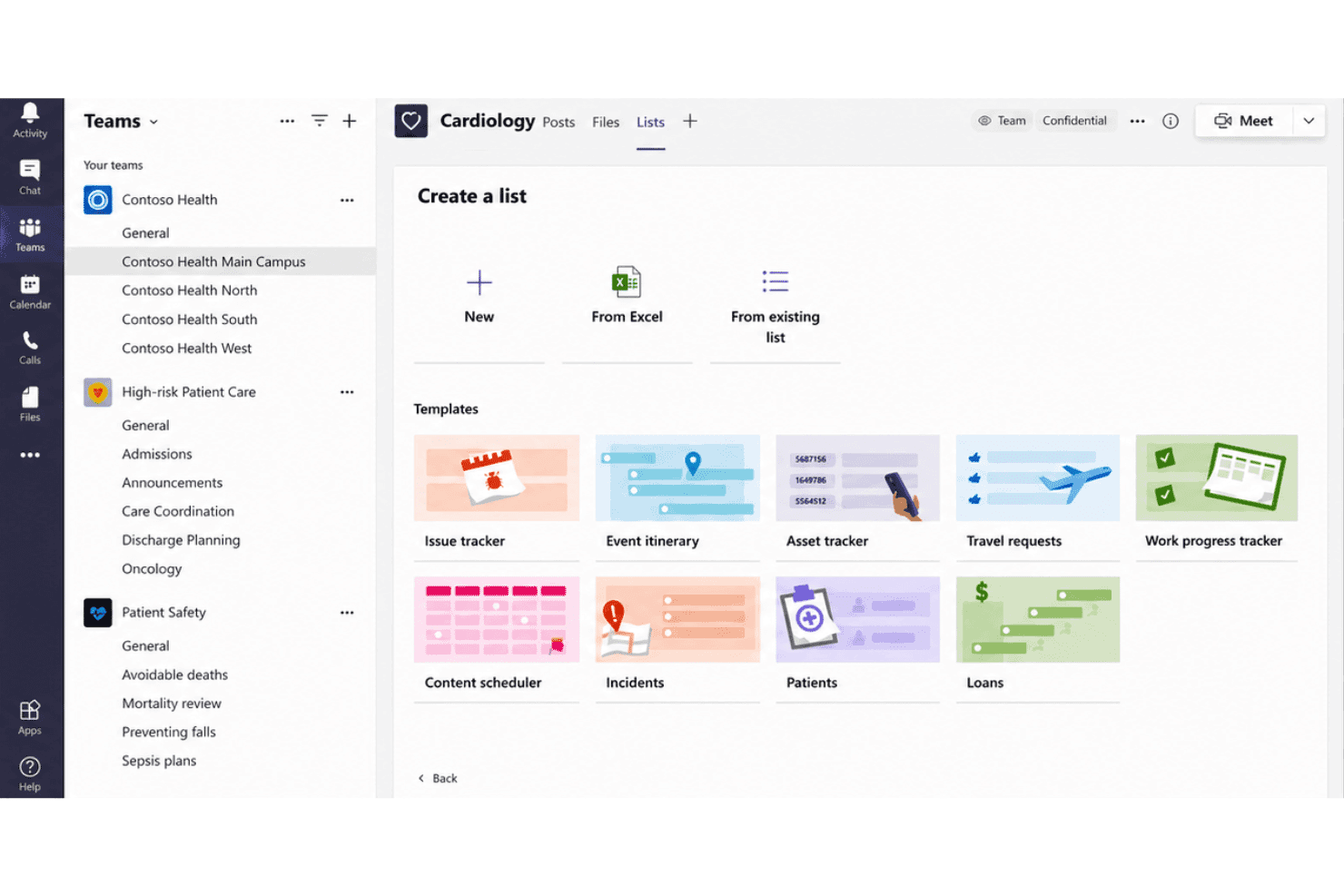
Microsoft Teams connects messaging, meetings, files, scheduling, and EHRs. Microsoft Teams is a communication and collaboration hub that combines secure messaging, video conferencing, file sharing, and scheduling with HIPAA-covered infrastructure and EHR integration for clinical and administrative healthcare teams.
Who Is Microsoft Teams Best For?
Microsoft Teams is a strong fit for healthcare organizations already running Microsoft 365 that need HIPAA-covered communication across clinical and administrative teams.
Why I Picked Microsoft Teams
Microsoft Teams earns its spot on my shortlist because the HIPAA Business Associate Agreement is automatically in effect for eligible Microsoft 365 subscriptions, removing a significant compliance setup burden. I particularly like the Shifts feature for coordinating clinical staff schedules in real time, and the Epic EHR connector lets clinicians launch virtual patient appointments directly from their Epic workflow without logging into a separate system.
Microsoft Teams Key Features
- Channel-based collaboration: Organize conversations, files, and meetings by specific clinical or administrative topics within dedicated channels.
- Role-based access controls: Set granular permissions for who can view, post, and access information in channels, chats, and files.
- EHR integration with Epic: Connects directly to Epic EHR systems, allowing providers to launch patient appointments and coordinate care from within Teams.
- HIPAA-compliant file sharing: Share patient documents and protected health information securely with built-in data encryption and compliance controls.
Microsoft Teams Integrations
Microsoft Teams has native integrations across the Microsoft ecosystem, including Microsoft 365 and Azure. It also offers a native integration with Epic and provides an API for custom integrations.
Pros and Cons
Pros:
- Epic EHR connector for virtual patient appointments
- Shifts feature built in for clinical scheduling
- HIPAA BAA included with Microsoft 365 subscriptions
Cons:
- Task management lacks clinical workflow automation
- No dedicated healthcare project tracking templates
Learn more about Microsoft Teams: Best for analytics-driven resource allocation
- Free demo available
- Pricing upon request
Visit WebsiteCustomer Rating:4.3/5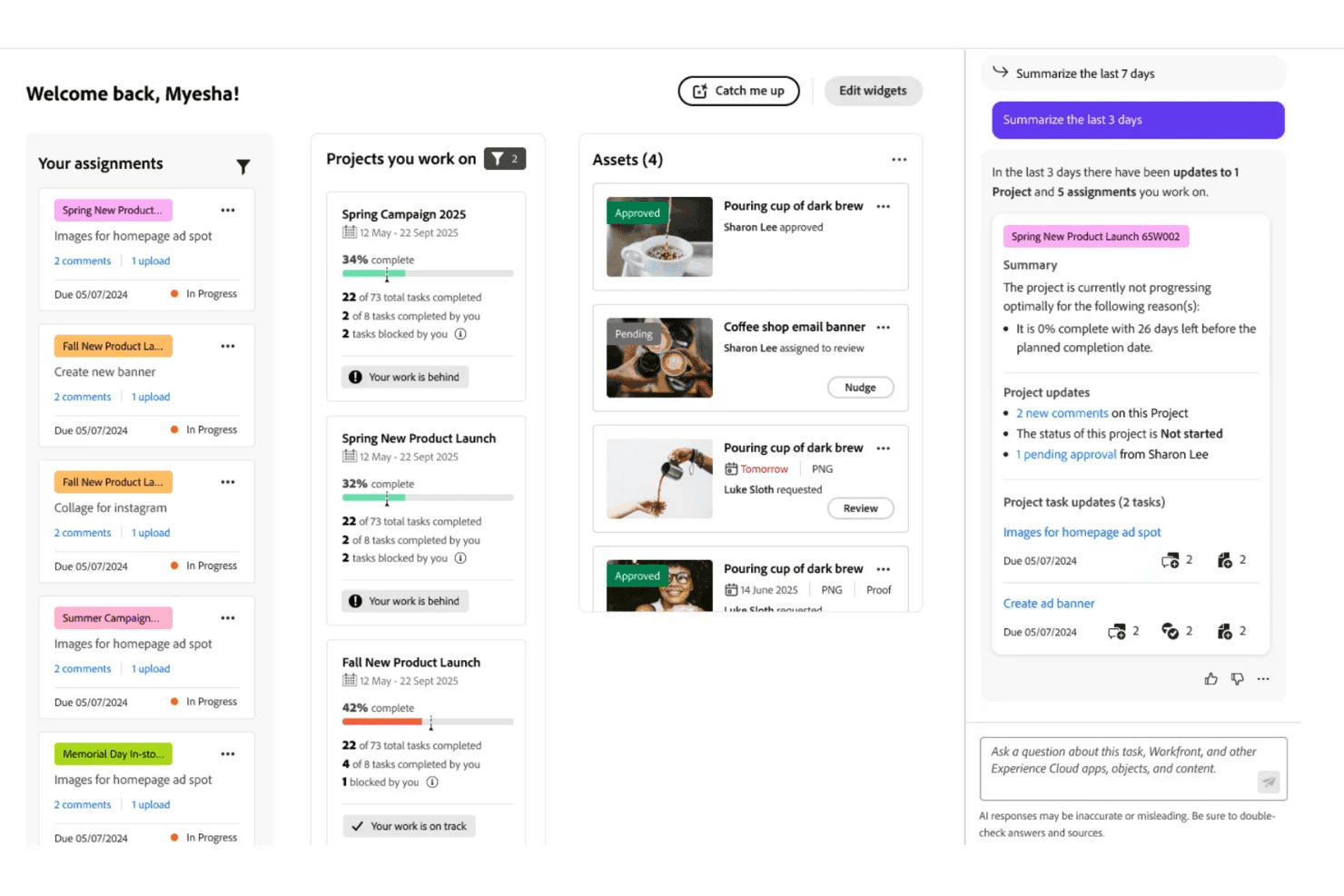
Adobe Workfront directs projects, tasks, resources, approvals, and workflows. Adobe Workfront is an enterprise work management platform that centralizes project planning, task automation, resource allocation, cross-team workflows, and review and approval processes across large clinical and administrative organizations.
Who Is Adobe Workfront Best For?
It's a strong fit for large health systems and enterprise healthcare organizations with complex, multi-team project portfolios managed by dedicated operations or compliance staff.
Why I Picked Adobe Workfront
Adobe Workfront earns its spot on my shortlist because of how precisely it handles resource allocation across large project portfolios. I like that Data Connect pipes workload data directly into BI tools, so I can see exactly where staff capacity is stretched before it becomes a scheduling problem. Portfolio-level reporting also lets me track compliance milestones and resource spend across multiple concurrent initiatives in a single view.
Adobe Workfront Key Features
- HIPAA-Ready package: Enables customers to obtain a signed BAA and advanced compliance tools for regulated workflows.
- Advanced digital proofing: Lets teams review, comment, and approve files or forms with version history and audit trails.
- Custom workflow automation: Supports building automated, role-based review and approval flows with conditional triggers.
- Granular role-based permissions: Allows administrators to define user access by role, team, data field, and project confidentiality.
Adobe Workfront Integrations
Native integrations include Adobe Experience Manager, Adobe Creative Cloud, Microsoft 365, Jira, Slack, Salesforce, and Tableau. An API is available for custom integrations.
Pros and Cons
Pros:
- Granular role-based access controls for PHI
- Highly customizable approval and review workflows
- Deep portfolio-level reporting for compliance tracking
Cons:
- Steep onboarding for non-technical clinical staff
- Complex initial setup requires significant IT involvement
Learn more about Adobe Workfront: Best for EHR rollout and onboarding templates
- 30-day free trial
- From $12/user/month
Visit WebsiteCustomer Rating:4.5/5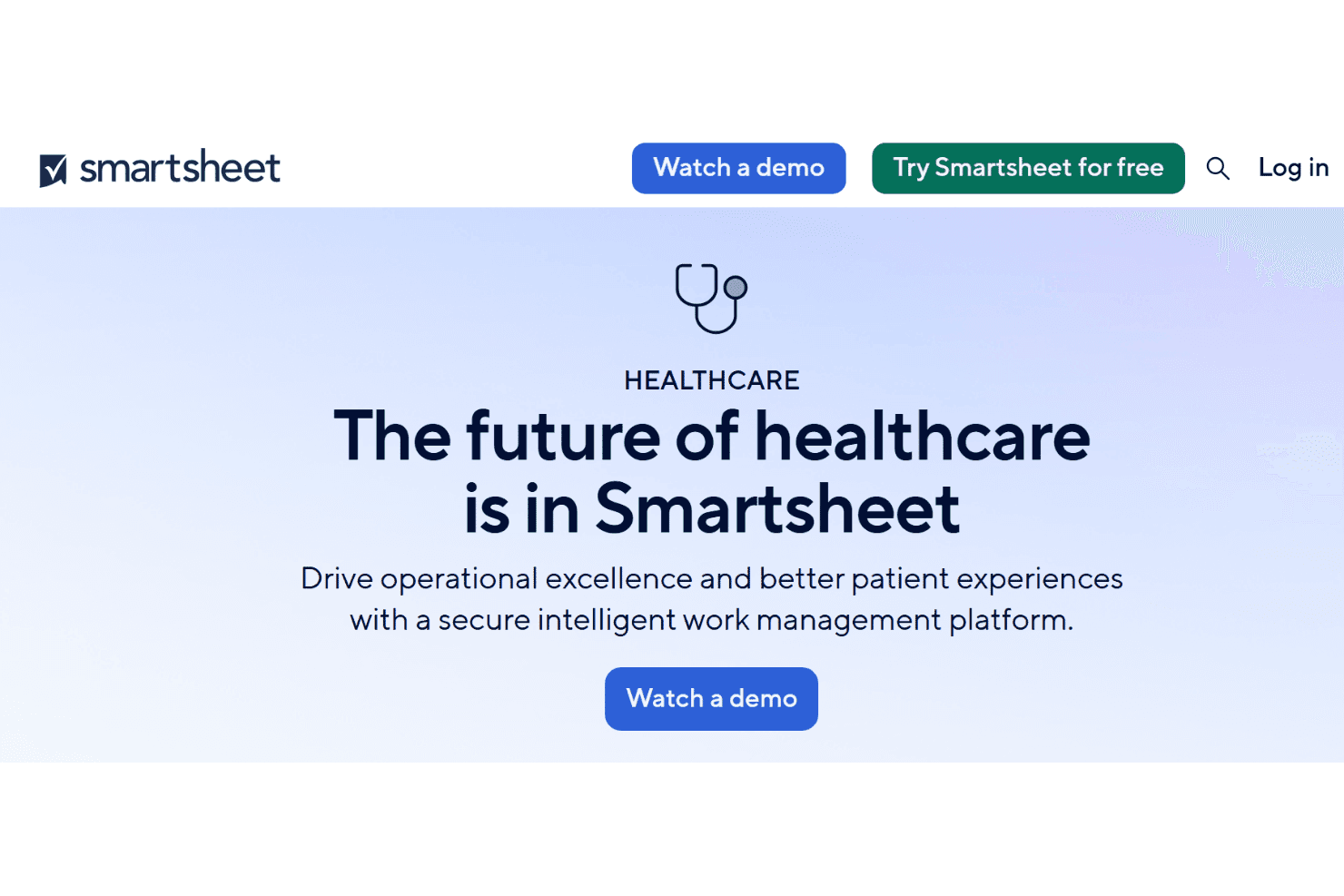
Smartsheet manages clinical projects, compliance, EHR rollouts, and onboarding. Smartsheet is a work management platform built for healthcare organizations to plan, track, and automate projects across clinical operations, compliance, EHR rollouts, staff onboarding, credentialing, and capital initiatives.
Who Is Smartsheet Best For?
Smartsheet is a strong fit for mid-to-large health systems and multi-site clinic networks with dedicated operations or PMO teams managing multiple concurrent projects.
Why I Picked Smartsheet
I picked Smartsheet as one of the best because its IT/IS portfolio management solution is purpose-built for EHR rollout planning, covering everything from technology prioritization to go-live tracking. The clinician onboarding and credentialing templates let teams map out background checks, insurance enrollment, and training schedules in one place. Control Center lets me push template updates across every active project simultaneously, which matters when a rollout spans multiple departments or sites.
Smartsheet Key Features
- Role-based access controls: Set granular permissions for different user types, projects, or sensitive datasets.
- Advanced dashboards and reporting: Build live project dashboards and custom reports to visualize healthcare compliance milestones and resource allocation.
- Integration with Microsoft 365 and Google Workspace: Sync sheets, files, and communication directly with commonly used productivity platforms.
- Automated alerting and reminders: Use rule-based automations to notify staff and escalate critical accreditation or compliance deadlines.
Smartsheet Integrations
Smartsheet offers native integrations across the Microsoft ecosystem, including Microsoft 365 and Azure, as well as Google Workspace, Slack, DocuSign, Jira, Salesforce, ServiceNow, and connects with Zapier. An API is available for custom integrations.
Pros and Cons
Pros:
- HIPAA-compliant with BAA available
- Control Center scales templates across multiple sites
- Pre-built EHR rollout and credentialing templates
Cons:
- Complex setup for non-technical clinical administrators
- No native EHR or EMR system integrations
Learn more about Smartsheet: Best for multi-site practice project oversight
- 2-week free trial; free demo available
- From $8/user/month (billed annually)
Visit WebsiteCustomer Rating:4.7/5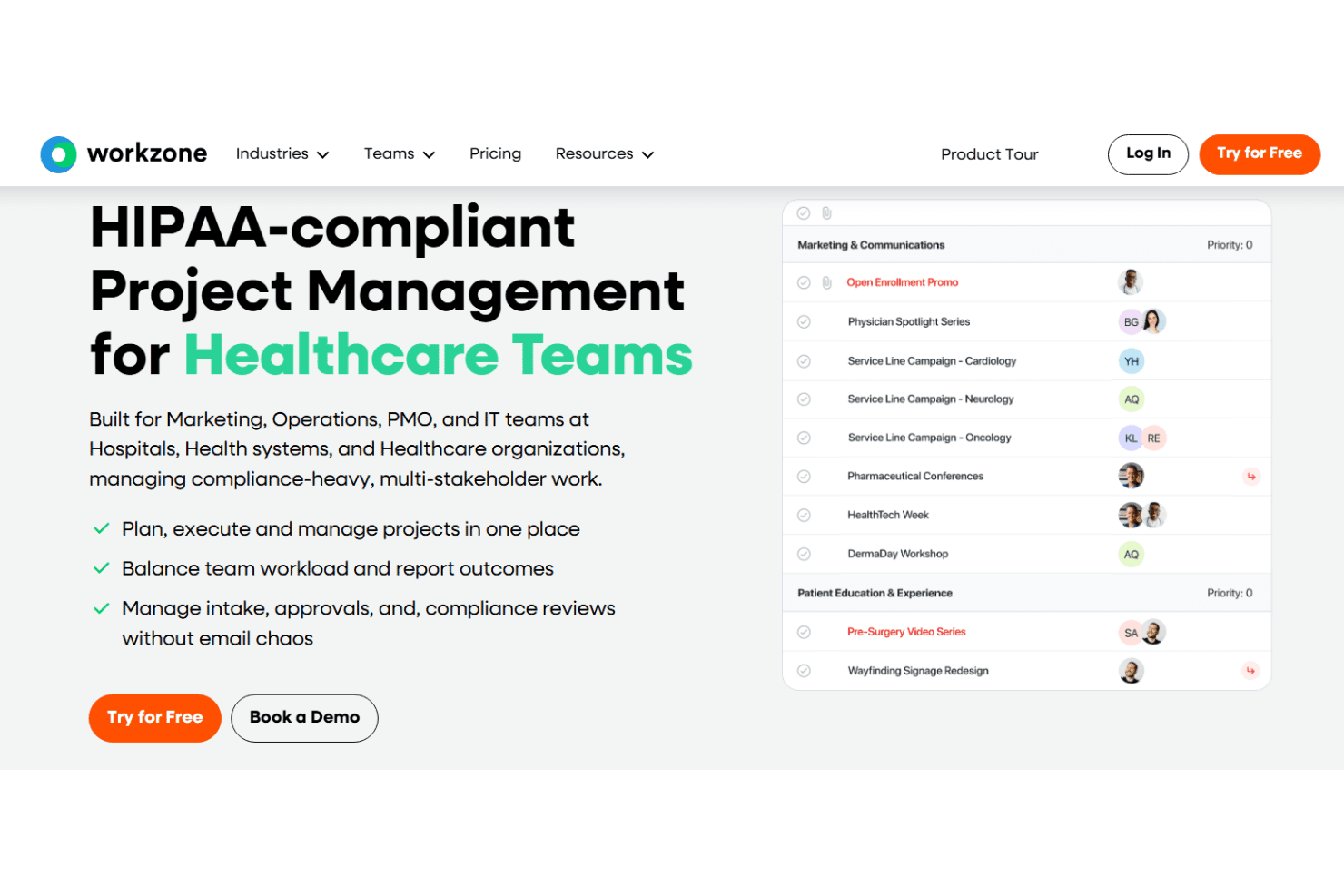
Workzone provides project visibility, workflows, resource planning, and proofing. Workzone is a HIPAA-compliant project management platform that gives healthcare organizations portfolio-level visibility, task and workflow management, resource planning, and proofing tools across clinical and administrative teams.
Who Is Workzone Best For?
Workzone is a strong fit for mid-to-large health systems and multi-site practices where operations and PMO teams need centralized oversight across departments and care locations.
Why I Picked Workzone
Workzone earns its spot on my shortlist because its portfolio view gives operations teams a single pane of glass across every department, care site, and project at once. I particularly like the workspace groups feature, which lets multi-site health systems segment projects by location or service line without losing cross-site visibility. The cross-project dependencies and critical path tools mean my team can flag when a delay at one site cascades into a broader rollout risk.
Workzone Key Features
- HIPAA compliant document management: Store, share, and manage sensitive healthcare files securely with audit trails and access controls.
- Healthcare project template library: Access 200+ templates tailored to accreditation, EHR rollouts, credentialing, and operational initiatives.
- Advanced proofing and approvals: Review, annotate, and request approvals for documents, graphics, and videos directly within the platform.
- Customizable intake forms: Standardize project and task requests across clinical, administrative, and IT workflows with configurable forms.
Workzone Integrations
Workzone offers native integrations with Microsoft Teams, Slack, SharePoint, Google Drive, Box, and OneDrive, and provides an API for custom integrations.
Pros and Cons
Pros:
- Healthcare-specific templates for EHR and credentialing projects
- HIPAA-compliant audit trails on all shared files
- Portfolio-level view across multiple care sites
Cons:
- Reporting customization is narrow compared to competitors
- Mobile app offers limited project management features
Learn more about Workzone: Best for role-based compliance workflows
- 14-day free trial
- From $10/user/month (billed annually)
Visit WebsiteCustomer Rating:4.3/5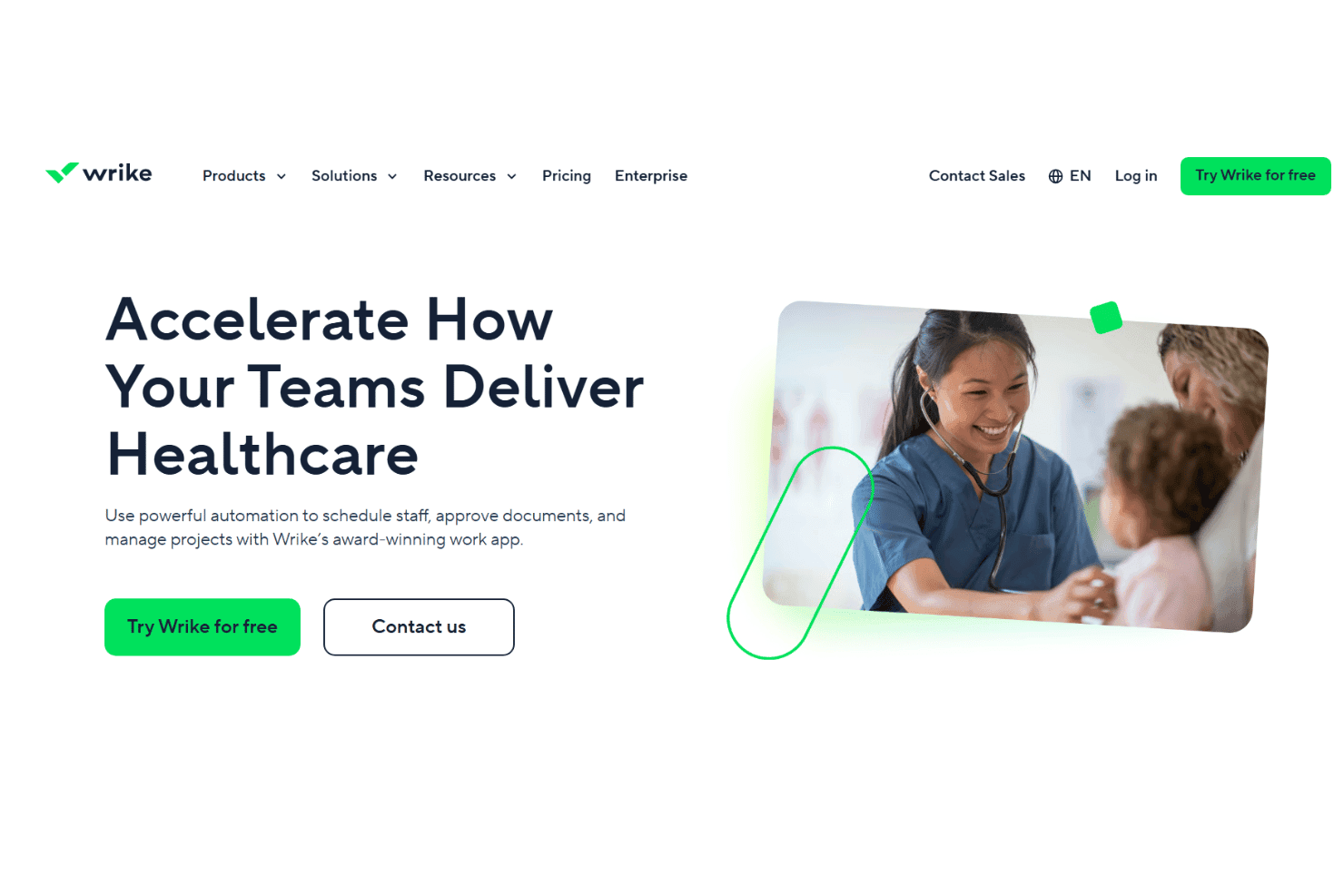
Wrike coordinates healthcare tasks, schedules, approvals, access, and resources. Wrike is a work management platform with task automation, Gantt chart scheduling, role-based access controls, approval workflows, and resource management tools built for clinical and administrative healthcare teams.
Who Is Wrike Best For?
Wrike is a strong fit for mid-size to large healthcare organizations with dedicated operations or compliance teams managing multi-phase, cross-departmental projects.
Why I Picked Wrike
Wrike earns its spot on my shortlist because of how it handles role-based permissions across teams. I can assign access rights by user, role, or group, so a compliance officer's workspace looks completely different from a clinician's. Built-in approval workflows let me route policy documents for sign-off without leaving the platform, and Pinnacle-tier audit logs track every action for accountability during regulatory reviews.
Wrike Key Features
- Gantt chart scheduling: Visualize project timelines and manage dependencies across multi-phase healthcare initiatives.
- Healthcare project templates: Use ready-made templates for project scheduling, communication plans, and contract management workflows.
- Request forms for intake: Capture and auto-route clinical or administrative requests using standardized forms that create and assign tasks.
- Audit-ready reporting: Generate real-time reports and dashboards to track resource allocation, deadlines, and compliance milestones.
Wrike Integrations
Wrike offers hundreds of integrations through its built-in integrations and marketplace, including tools like Google Workspace, Microsoft 365, Salesforce, Slack, Box, Dropbox, Jira, GitHub, Zoom, and Adobe Creative Cloud. It also supports Zapier and provides an API for custom integrations.
Pros and Cons
Pros:
- Pre-built templates for healthcare project types
- Audit logs track every user action
- Granular role-based access controls for compliance
Cons:
- Setup complexity grows with larger healthcare teams
- Reporting customization locked behind higher-tier plans
Learn more about Wrike: Best for automating credentialing processes
- 14-day free trial
- From $9/seat/month (billed annually)
Visit WebsiteCustomer Rating:5/5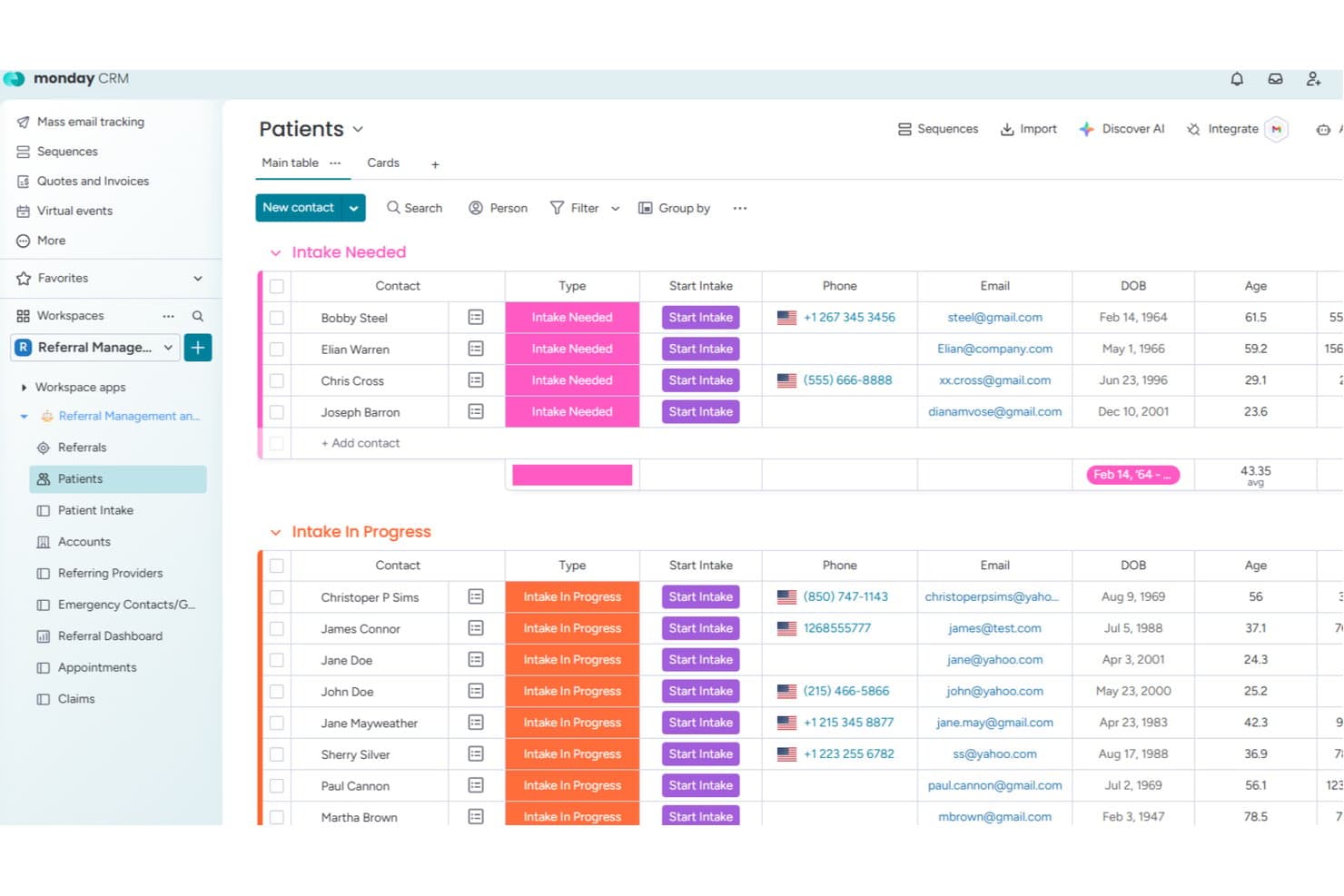
monday.com offers a dedicated Patients board with intake status tracking, contact details, DOB, and age columns for streamlined healthcare patient management. monday.com is a work management platform with a healthcare-specific configuration that includes pre-built boards for patient intake, referrals, appointments, and claims, alongside bi-directional EHR integrations and HIPAA-compliant workflow automations.
Who Is monday.com Best For?
It's a strong fit for mid-to-large healthcare organizations with clinic operations managers or practice administrators overseeing complex, multi-team workflows across clinical and administrative functions.
Why I Picked monday.com
monday.com earns its spot on my shortlist because of how well its automation engine handles the repetitive, step-heavy nature of credentialing. I use cross-board automations to trigger status updates, deadline reminders, and task assignments the moment a credential application moves stages. The pre-built provider boards make it easy to track active applications, expiration dates, and document submissions across multiple practitioners at once.
monday.com Key Features
- HIPAA mode and audit logs: Activate account-wide HIPAA protections and track every action taken on PHI within project workflows.
- Healthcare intake and referral boards: Use purpose-built boards to manage patient intake, referrals, appointments, and claims.
- Granular permission controls: Configure access at the workspace, board, or item level to safeguard project data and sensitive information.
- Bi-directional EHR integration: Sync patient, appointment, and claims data with leading EHR systems to keep records and workflows connected.
monday.com Integrations
monday.com offers hundreds of native integrations, including Slack, Salesforce, HubSpot, Google Workspace, Outlook, DocuSign, Zoom, Microsoft Teams, Jira, and OneDrive. It also connects with Zapier and provides an API for custom integrations.
Pros and Cons
Pros:
- Bi-directional EHR sync keeps data current
- HIPAA-compliant account mode with audit logs
- Pre-built provider credentialing boards available
Cons:
- PHI controls require a higher-tier plan
- No native clinical scheduling or shift tools
Learn more about monday.com: Best for HIPAA-compliant care team task tracking
- Free demo available
- Pricing upon request
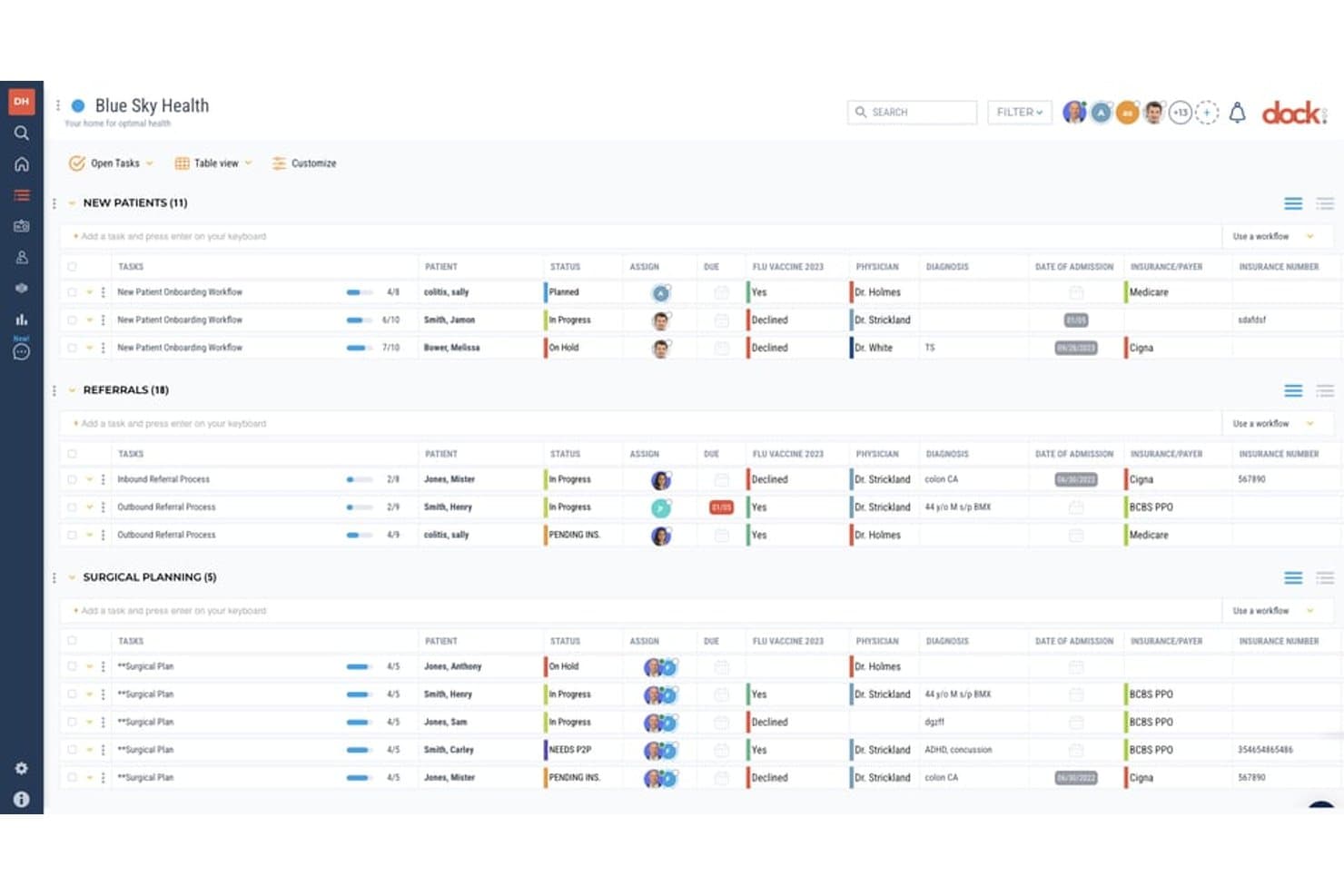
Dock Health offers a table-based project management view for organizing patient workflows, referrals, and surgical planning with fields for status, physician, diagnosis, insurance, and due dates. Dock Health is a HIPAA-native task management and workflow automation platform built specifically for healthcare teams, combining care team coordination, SmartFlows automation, EHR integrations, and patient workflow tracking across clinical and administrative operations.
Who Is Dock Health Best For?
Dock Health is a strong fit for independent medical practices, DPC clinics, and concierge medicine teams that need HIPAA-compliant task and workflow management built into their daily operations.
Why I Picked Dock Health
Dock Health earns its spot on my shortlist because it's the only task management platform I've found built HIPAA-compliant from the ground up, not retrofitted with a BAA. I particularly like SmartFlows, which triggers task workflows directly from EHR events, like a signed note in Elation or a membership status change in AdvancedMD. That means task creation is tied to the EHR itself, and every follow-up step links directly to a patient record inside Dock.
Dock Health Key Features
- Role-based access controls: Manage project and patient data permissions based on clinical or administrative role.
- Pre-built healthcare SmartFlows: Deploy customizable task templates for care transitions, billing, and patient onboarding.
- HIPAA-compliant team messaging: Communicate securely using in-app chat with audit trails for PHI.
- Analytics and dashboard module: Monitor project tasks, overdue items, and operational metrics with visual dashboards.
Dock Health Integrations
Dock Health offers native integrations with Elation, AdvancedMD, athenahealth, Epic, Cerner, DocuSign, Gmail, Google Calendar, Jotform, and RingCentral, and provides an API for custom integrations.
Pros and Cons
Pros:
- Supports care team task delegation by role
- Patient records link directly to tasks
- HIPAA-native design, not retrofitted compliance
Cons:
- Limited fit for large health system PMOs
- Reporting dashboards lack advanced analytics depth
Learn more about Dock Health:
Annen programvare for prosjektstyring i helsesektoren
Her er noen flere alternativer for programvare for prosjektstyring i helsesektoren som ikke kom med på kortlisten min, men som likevel er verdt å se nærmere på:
- 11MedTrainerBest for staff compliance and credential tracking
- 12Zoho ProjectsBest for integrating practice operations tools
- 13InsightlyBest for linking patient data with projects
- 14AirtableBest for building custom clinic workflow apps
- 15HiveBest for visualizing collaborative care projects
- 16NotionBest for organizing clinical SOPs and knowledge
- 17JiraBest for sprint-based healthcare IT rollouts
- 18Modio HealthBest for cross-practice credential management
- 19Comply AssistantBest for HIPAA and accreditation preparedness
- 20symplr ComplianceBest for automated healthcare compliance checks
How I Evaluate Healthcare Project Management Software
I evaluate these platforms on two levels: baseline requirements like HIPAA compliance and task tracking for clinical teams, and differentiators like EHR integrations and credentialing templates.
Core Functionality (Table Stakes For This List)
When I'm selecting tools for my list, I rank each one on a scale from 0 (does not offer the functionality) to 5 (excels in this area) for each core functionality listed below. Then, I calculate the tool's total score into a percentage. Each tool needs to achieve a minimum total score of 65% to be considered for inclusion.
- HIPAA Compliance: I check whether the vendor offers a signed BAA, encryption at rest and in transit, and audit logging suited for workflows that touch PHI.
- Task & Workflow Management: Assigning tasks across nursing, billing, and admin teams requires dependencies, automations, and multiple project views beyond basic to-do lists.
- Healthcare Templates: I look for pre-built templates tailored to projects like EHR rollouts, Joint Commission prep, credentialing cycles, or quality improvement initiatives.
- Role-Based Permissions: Clinical hierarchies matter, so I evaluate whether a tool supports granular access controls at the project, field, and data level for each role.
- Team Collaboration: Secure file sharing, @mentions, and messaging between clinicians and external stakeholders should work without forcing teams onto separate communication channels.
- Reporting & Dashboards: I look for visual dashboards that track compliance milestones, resource allocation, and project status in real time with customizable filters.
Once I have a list of tools that meet the criteria, I consider what sets each platform apart.
Differentiating Factors (What Sets Vendors Apart)
Here's how I compare and contrast different vendors:
Standout Features
Resource and credential tracking matters when you're assigning staff to projects based on active licensure and shift availability. During an EHR rollout, for example, only credentialed clinicians should lead go-live tasks. I also evaluate how well a platform tracks regulatory milestones like accreditation deadlines and ties automated alerts to project deliverables. Patient-centered care coordination is a real differentiator. I look for tools that manage multi-disciplinary care plans alongside operational projects, connecting referrals and case timelines to initiative tracking.
Beyond Features
EHR/EMR integrations are a big factor. I check whether a platform connects natively to systems like Epic or Cerner, or supports HL7 and FHIR standards for clinical data exchange. Implementation support also matters. Shift-based clinical staff can't sit through week-long training sessions, so I look for vendors with onboarding programs adapted to limited screen time. Scalability is worth evaluating too, especially flexible licensing that accommodates occasional physician users alongside daily PMO staff across multiple facilities.
Slik velger du programvare for prosjektstyring i helsesektoren
Det er lett å gå seg vill i lange funksjonslister og kompliserte prismodeller. For å hjelpe deg med å holde fokus mens du arbeider deg gjennom den unike prosessen med å velge programvare, får du her en sjekkliste over faktorer du bør ha i mente:
| Faktor | Hva du bør vurdere |
|---|---|
| FaktorSkalerbarhet | Hva du bør vurdereVil verktøyet støtte klinikken din når du legger til brukere, lokasjoner eller tjenesteområder? Tenk på både klinisk og administrativ vekst, ikke bare antall ansatte. |
| FaktorIntegrasjoner | Hva du bør vurdereKan det kobles til EHR-, planleggings- eller autorisasjonssystemene dine? Be om eksempler på integrasjoner fra virkeligheten, ikke bare API-dokumentasjon. |
| FaktorTilpasningsmuligheter | Hva du bør vurdereKan du tilpasse maler, roller og arbeidsflyter slik at de gjenspeiler prosessene og samsvarsbehovene dine for tjenesteleveranse? Unngå rigide systemer som tvinger frem omveier. |
| FaktorBrukervennlighet | Hva du bør vurdereHvor mye opplæring trenger de ansatte? Se etter intuitiv navigasjon og et tydelig grensesnitt – klinisk ansatte har begrenset tid til opplæring i teknologi. |
| FaktorImplementering og innføring | Hva du bør vurdereHva er forventet tidsplan for utrullingen? Vil leverandøren gi innføringsveiledning spesifikt for helsesektoren, tilpasset skiftbaserte og kliniske team? |
| FaktorKostnad | Hva du bør vurdereHva er den reelle totalkostnaden – inkludert tillegg eller API-tilgang – de neste 1-3 årene? Vær oppmerksom på gebyrer per bruker eller skjulte kostnader for integrasjoner. |
| FaktorSikkerhetstiltak | Hva du bør vurdereEr BAA, kryptering og revisjonslogger inkludert? Se etter dokumentasjon på HIPAA-beredskap, ikke bare påstander på markedsføringssider. |
| FaktorKrav til samsvar | Hva du bør vurdereEr verktøyet i tråd med dine spesifikke krav til regelverk og revisjon (HIPAA, akkreditering, datalagringssted)? Manglende samsvar kan skape kostbar risiko senere. |
Hva er programvare for prosjektstyring i helsesektoren?
Programvare for prosjektstyring i helsesektoren er digitale plattformer som er utviklet for å hjelpe kliniske og administrative team med å planlegge, organisere og følge opp komplekse prosjekter i helsemiljøer.
Disse verktøyene legger til rette for oppgavefordeling, samsvarssporing, arbeidsflytautomatisering og sikker kommunikasjon i regulerte miljøer, noe som gir bedre oversikt og hjelper team med å balansere pasientsikkerhet med driftsmål.
Funksjoner i programvare for prosjektstyring i helsesektoren
Når du velger programvare for prosjektstyring i helsesektoren, bør du se etter følgende viktige funksjoner:
- HIPAA-kompatibel datahåndtering: Gjør det mulig å administrere, lagre og dele sensitive pasientopplysninger på en sikker måte for å oppfylle personvernregler og støtte samsvarsrevisjoner.
- Oppgavetildeling og -sporing: Lar deg tildele, prioritere og overvåke kliniske og administrative oppgaver med tydelige forfallsdatoer og oversikt over ansvaret til hvert teammedlem.
- Rollebaserte tillatelser: Gir detaljert kontroll over hvem som kan vise, redigere og godkjenne oppgaver eller dokumenter, i samsvar med kliniske hierarkier og for å beskytte konfidensielle data.
- Tilpassbare helsesektormaler: Tilbyr prosjektmaler for vanlige arbeidsflyter i helsesektoren, som akkreditering, utrulling av EHR-systemer og godkjenning av personalets kvalifikasjoner, for å fremskynde prosjektoppstarten.
- Sikkert teamsamarbeid: Støtter meldinger, fildeling og diskusjonstråder i plattformen, beskytter sensitive samtaler og sørger for at alle holder seg informert.
- Automatiserte arbeidsflyter: Effektiviserer repetitive eller regulerte prosjektprosesser, som samsvarsdokumentasjon og godkjenninger i flere trinn, for å redusere manuelt arbeid og minimere feil.
- Sporing av regulatoriske milepæler: Gjør det mulig å overvåke og sende automatiske påminnelser om akkrediteringsfrister, revisjoner, rapportering av tilskudd og andre kritiske hendelser knyttet til samsvar.
- Visuelle oversikter og rapporter: Tilbyr sanntidsanalyse som kan tilpasses, for å følge med på prosjektfremdrift, ressursfordeling og regulatorisk status, slik at ledere kan håndtere problemer proaktivt.
- Integrasjon med kliniske systemer: Kobler seg til EHR-systemer, planleggingssystemer og HR-systemer for å redusere dobbeltregistrering, forbedre koordineringen og opprettholde datakonsistens på tvers av driften.
- Mobil tilgjengelighet: Lar klinisk og administrativt personale få tilgang til prosjektdetaljer, oppdatere oppgaver og kommunisere sikkert mens de er på farten, noe som støtter fleksible arbeidsmønstre.
Vanlige AI-funksjoner i programvare for prosjektstyring i helsesektoren
I tillegg til standardfunksjonene i programvare for prosjektstyring i helsesektoren som er nevnt ovenfor, tar mange av disse løsningene i bruk AI med funksjoner som:
- Prediktiv ressursfordeling: Bruker AI til å analysere historiske data om bemanning og pasientvolum, slik at det blir enklere å forutse fremtidige ressursbehov og optimalisere planleggingen av klinikere for kommende prosjekter.
- Automatisert samsvarsovervåking: Skanner kontinuerlig prosjektaktiviteter og dokumentasjon for manglende samsvar og varsler team om potensielle HIPAA- eller akkrediteringsrisikoer før revisjoner gjennomføres.
- Intelligente forslag til arbeidsflyter: Anbefaler prosessforbedringer eller automatiserer repetitive trinn ved å lære av mønstre i tidligere prosjekter, noe som reduserer manuelt oppsett og effektiviserer kliniske arbeidsflyter.
- Naturlig språkbehandling for dokumentasjon: Henter ut viktig informasjon fra møtenotater, e-poster eller talememoer, oppdaterer prosjektoppføringer automatisk og reduserer den administrative belastningen.
- AI-drevet risikoidentifisering: Marker potensielle forsinkelser, flaskehalser eller ressurskonflikter i sanntid ved å analysere prosjektdata, slik at teamet kan gripe inn proaktivt og gjennomføre prosjekter mer effektivt.
Fordeler med programvare for prosjektstyring i helsesektoren
Implementering av programvare for prosjektstyring i helsesektoren gir flere fordeler for teamet og virksomheten din. Her er noen av fordelene du kan se frem til:
- Forbedret samsvarsovervåking: Automatiserer regulatorisk sporing og dokumentasjon, noe som gjør det enklere å være klar for revisjon og oppfylle krav til HIPAA, akkreditering eller sertifisering.
- Bedre teamsamarbeid: Tilbyr sikker meldingsutveksling, fildeling og innsyn i arbeidsflyter, slik at administrativt og klinisk personale kan arbeide koordinert mot felles mål.
- Effektiviserte kliniske arbeidsflyter: Bruker maler, automatisering og oppgavesporing for å hjelpe teamet med å starte prosjekter raskt og minimere manuelle trinn.
- Mer effektiv ressursutnyttelse: Sporer personalets kvalifikasjoner, tildelinger og tilgjengelighet, slik at du kan fordele de riktige ressursene til de riktige prosjektene i sanntid.
- Raskere prosjektgjennomføring: Sentraliserer kommunikasjon, automatiserer påminnelser og tilbyr visuelle oversikter, slik at prosjekter kan gå videre uten unødvendige forsinkelser.
- Handlingsrettet innsikt i resultater: Leverer sanntidsanalyse, tilpassbare oversikter og rapportering for å hjelpe ledere med å identifisere flaskehalser og håndtere problemer proaktivt.
- Redusert administrativ belastning: Automatiserer repetitive oppgaver som samsvarskontroller eller oppdateringer av dokumentasjon, slik at både klinikere og administrative team får mer tid til andre oppgaver.
Kostnader og priser for programvare for prosjektstyring i helsesektoren
Valg av programvare for prosjektstyring i helsesektoren krever en forståelse av de ulike prismodellene og abonnementene som er tilgjengelige. Kostnadene varierer basert på funksjoner, teamstørrelse, tillegg og mer. Tabellen nedenfor oppsummerer vanlige abonnementer, gjennomsnittsprisene deres og typiske funksjoner som er inkludert i programvareløsninger for prosjektstyring i helsesektoren:
Sammenligningstabell for abonnementer for programvare for prosjektstyring i helsesektoren
| Abonnementstype | Gjennomsnittspris | Vanlige funksjoner |
|---|---|---|
| AbonnementstypeGratisabonnement | Gjennomsnittspris$0 | Vanlige funksjonerGrunnleggende oppgavestyring, begrenset brukertilgang, enkle oversikter og brukerstøtte fra fellesskapet. |
| AbonnementstypePersonlig abonnement | Gjennomsnittspris$5–$15 per bruker/måned | Vanlige funksjonerIndividuelle arbeidsområder, grunnleggende integrasjoner, standardmaler og begrenset dokumentlagring. |
| AbonnementstypeBedriftsabonnement | Gjennomsnittspris$15–$40 per bruker/måned | Vanlige funksjonerAvanserte prosjektmaler, rollebaserte tillatelser, teammeldinger, automatisering av arbeidsflyter og standardintegrasjoner. |
| AbonnementstypeVirksomhetsabonnement | Gjennomsnittspris$40–$100+ per bruker/måned | Vanlige funksjonerHIPAA-samsvar, tilpassede integrasjoner, revisjonslogger, avanserte sikkerhetskontroller, dedikert implementering og prioritert brukerstøtte. |
Vanlige spørsmål om programvare for prosjektstyring i helsesektoren
Her finner du svar på noen vanlige spørsmål om programvare for prosjektstyring i helsesektoren:
Hvordan hjelper programvare for prosjektstyring i helsesektoren med overholdelse av regulatoriske krav?
Programvare for prosjektstyring i helsesektoren effektiviserer samsvarsarbeidet ved å spore akkrediteringsfrister, dokumentere revisjonsspor og støtte HIPAA-krav. Dette hjelper deg med å være klar for revisjon og reduserer risikoen for å overse viktige regulatoriske forpliktelser.
Kan disse verktøyene integreres med EHR- og EMR-systemer?
Ja, mange løsninger tilbyr innebygde integrasjoner eller API-integrasjoner med de største EHR- og EMR-plattformene. Dette gjør det mulig å dele data og koordinere prosjekter på tvers av kliniske systemer, noe som reduserer manuell registrering og holder alle interessenter samkjørte.
Hva bør jeg se etter når det gjelder implementerings- og oppstartsstøtte?
Se etter leverandører som tilbyr helsespesifikk oppstart tilpasset skiftbaserte kliniske team og administrativt personale. Støtte for trinnvis utrulling, opplæringsressurser og dedikerte kundeansvarlige kan gjøre innføringen betydelig enklere.
Passer disse verktøyene for både kliniske og administrative team?
Ja, de fleste plattformer støtter både kliniske brukere (leger, sykepleiere og koordinatorer) og administrative brukere. Fleksibel lisensiering og konfigurerbare tillatelser er viktig for å håndtere ulike roller og bruksmønstre i organisasjonen.
Hvilke viktige sikkerhetsfunksjoner bør jeg kontrollere?
Kontroller at programvaren omfatter HIPAA-kompatibel datahåndtering, BAA-avtaler, krypteringsstandarder og rollebaserte tilgangskontroller. Disse sikkerhetstiltakene bidrar til å beskytte sensitiv pasientinformasjon og driftsinformasjon.