
Tebra Bewertung: Vorteile, Nachteile, Funktionen und Preise
Tebra vereint Praxismanagement in einer Plattform – von Terminplanung und Abrechnung über Patientenkommunikation, EHR-Workflows bis zu Praxisabläufen.

Wir bewerten Tools unabhängig und Provisionen helfen, unsere Tests zu finanzieren. Siehe unsere Transparenz richtlinie, unsere Methodik oder schlagen Sie ein Tool vor.
Tebra is a practice management software built for independent medical practices that need billing, scheduling, EHR, and patient engagement in one platform. I'd consider it if you want stronger patient acquisition tools than athenahealth provides. It keeps clinical, billing, and digital marketing workflows in a single system.
Tebra Evaluation Summary
3.9/5
- Pricing upon request
- Free demo available
Warum Sie unseren Software-Empfehlungen vertrauen können
6,700+
Reviews
20
Industry experts
16+
Evaluation factors
14
Years
Unser Team testet und bewertet Software seit 2012. Als Führungskräfte in der medizinischen Praxis wissen wir selbst, wie schwierig – und wichtig – es ist, die richtige Software auszuwählen.
Für diesen Leitfaden haben wir Tools mithilfe von praktischen Tests und unabhängiger Recherche bewertet und dabei unsere Bewertungskriterien angewendet.
Unsere Bewertungen spiegeln unser menschliches redaktionelles Urteilsvermögen wider, keine Verkaufsstrategie.
Tebra Overview
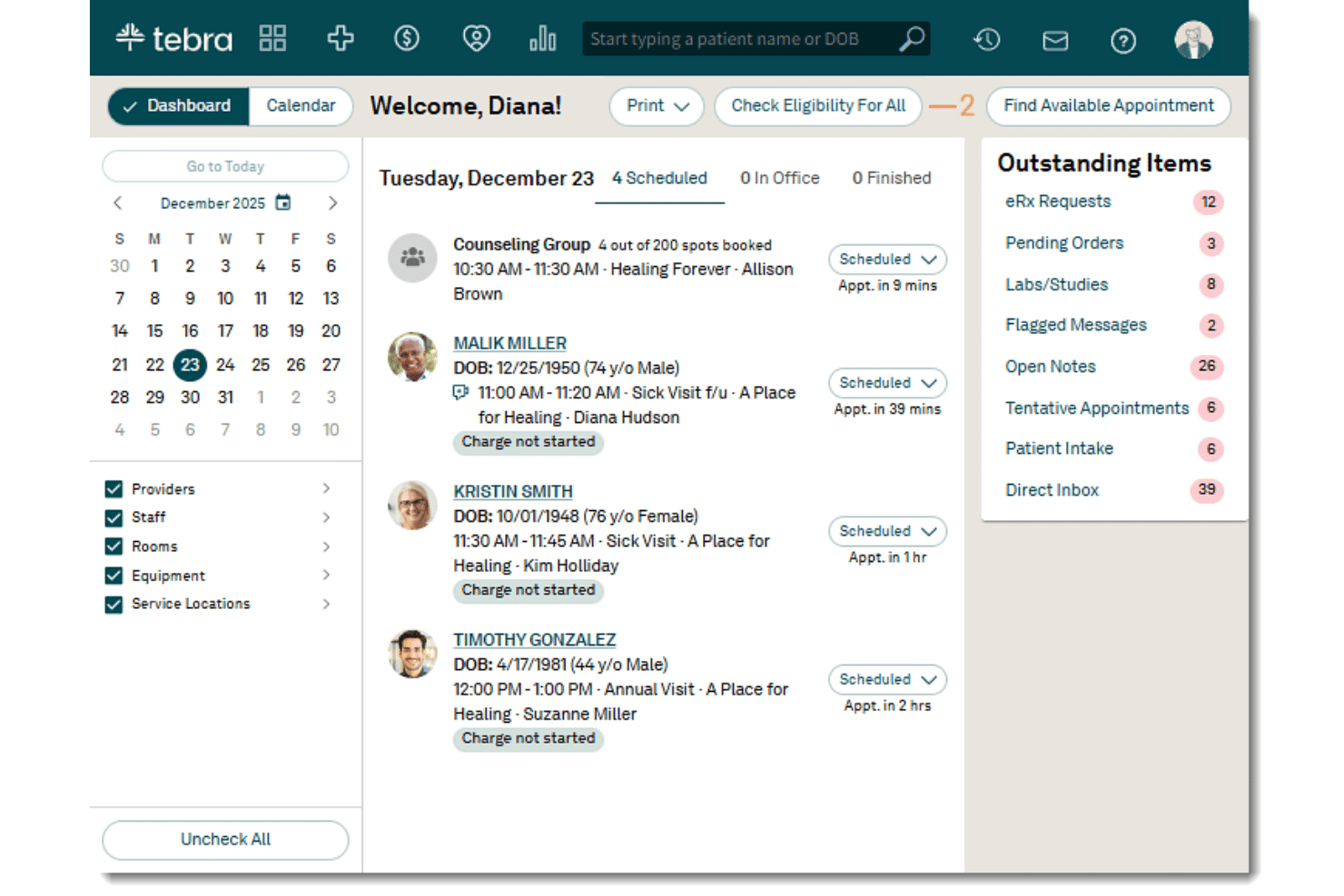
When judging Tebra against the field, its interface is easier to navigate and onboarding is faster than most. The built-in telehealth tools and strong patient communication features make it a top pick if your team values digital engagement. I’ve noticed its integration options and billing automation outperform many alternatives, but custom reporting is less flexible than I’d like.
In my experience, small to midsize practices wanting a solid all-in-one platform will find Tebra hard to beat for price and value.
Pros
- Patient self-scheduling tools help reduce missed appointments.
- Automated billing workflows handle claims and denials efficiently.
- Telehealth features work directly from the main dashboard.
Cons
- Detailed custom reporting options are limited for advanced users.
- Occasional system lags during high-volume usage windows.
- Batch payment posting lacks some advanced filtering options.
Is Tebra Right For Your Needs?
Who Would be a Good Fit for Tebra?
Tebra is a solid choice if you’re in outpatient care, run a small to midsized office, or need easy patient engagement tools built in. Practices that want all-in-one scheduling, billing, and telehealth will see the most value, especially if they need fast onboarding and a clean interface.
Tebra fits best when your team prefers fewer logins and a unified workflow.
- Independent ClinicsTebra simplifies billing and appointment management for clinics with smaller administrative teams.
- Multi-Specialty GroupsCentralized dashboards and flexible scheduling work well for practices with multiple types of providers sharing resources.
- Behavioral HealthTebra’s video visit features and digital intake forms are ideal for mental health professionals delivering remote care.
- Billing DepartmentsAutomated claims and eligibility verification help billing staff process insurance tasks faster without manual back-and-forth.
- Office ManagersAppointment reminders and patient portals cut down phone time and help streamline front-desk tasks.
- New PracticesGuided onboarding and accessible support help new offices set up quickly with minimal hassle.
Who Would be a Bad Fit for Tebra?
Tebra is less useful for large hospital systems, inpatient facilities, or organizations with highly specialized workflow or compliance needs outside outpatient settings. Fully custom or enterprise-scale setups may find the reporting and integration options limiting, as Tebra is designed for standard office-based care.
If you rely on niche EHR features or 24/7 project-based care, Tebra probably isn’t your best match.
- Large Hospital SystemsTebra lacks the advanced customization and interoperability larger hospitals typically require.
- Inpatient FacilitiesFeatures focus on outpatient workflow, so inpatient management and bed tracking aren’t included.
- Specialty SurgicalCenters High-volume procedure scheduling and OR management tools are limited.
- Research OrganizationsTebra doesn’t offer advanced data exports or integrations required for clinical research workflows.
- Enterprise IT DepartmentsCustom integration, deep reporting, and on-premise setup options are not Tebra’s strengths.
- Home Health AgenciesWorkflows and documentation for recurring, home-based episode care aren’t built into Tebra’s suite.
Wie wir Tools testen & bewerten
Wir haben jahrelang daran gearbeitet, unser System zur Softwarebewertung und -prüfung zu entwickeln, zu verfeinern und zu verbessern. Das Bewertungsschema wurde entwickelt, um die Feinheiten der Softwareauswahl und das, was ein Tool besonders effektiv macht, zu erfassen, wobei der Fokus auf den wichtigsten Aspekten des Entscheidungsprozesses liegt. Nachfolgend sehen Sie genau, wie unser Test- und Bewertungssystem anhand von sieben Kriterien funktioniert. So können wir eine objektive Bewertung der Software auf Basis von Kernfunktionen, besonderen Eigenschaften, Benutzerfreundlichkeit, Onboarding, Kundensupport, Integrationsmöglichkeiten, Kundenbewertungen und Preis-Leistungs-Verhältnis bieten.
Kernfunktionen (25% der Gesamtbewertung)
Der Ausgangspunkt unserer Bewertung ist immer die Kernfunktionalität des Tools. Verfügt es über die grundlegenden Funktionen und Eigenschaften, die ein Benutzer erwarten würde? Sind einige dieser Kernfunktionen nur höheren Preiskategorien vorbehalten? Im Kern erwarten wir, dass ein Tool den Basisfunktionen seiner Wettbewerber standhält.
Besondere Merkmale (25% der Gesamtbewertung)
Als nächstes bewerten wir außergewöhnliche, über die Kernfunktionalität hinausgehende Merkmale, wie sie typischerweise nicht in vergleichbaren Tools zu finden sind. Eine hohe Punktzahl spiegelt spezialisierte oder einzigartige Funktionen wider, die das Produkt schneller, effizienter oder für den Nutzer besonders nutzbringend machen. Wir bewerten außerdem, wie einfach sich das Tool mit anderen, üblicherweise im Technologiestack zu findenden Lösungen integrieren lässt, um Umfang und Nutzen der Software zu erhöhen. Tools, die zahlreiche native Integrationen, Anbindungen von Drittanbietern und API-Zugänge für individuelle Erweiterungen bieten, erzielen die beste Bewertung.
Benutzerfreundlichkeit (10% der Gesamtbewertung)
Wir prüfen, wie schnell und einfach es ist, die über die Kernfunktionen definierten Aufgaben mit dem Tool auszuführen. Hochbewertete Software ist gut durchdacht, intuitiv bedienbar, bietet mobile Apps, stellt Vorlagen bereit und vereinfacht komplexe Abläufe.
Onboarding (10% der Gesamtbewertung)
Wir wissen, wie wichtig eine schnelle Anpassung an eine neue Plattform für Teams ist. Daher bewerten wir, wie einfach sich ein Tool mit minimalem Schulungsaufwand erlernen und nutzen lässt. Wir beurteilen, wie schnell sich neue Nutzer ohne Vorkenntnisse einrichten und loslegen können. Lösungen mit wenig oder gar keinem notwendigen Support schneiden am besten ab.
Kundensupport (10% der Gesamtbewertung)
Wir überprüfen, wie schnell und unkompliziert Hilfe per Telefon, Live-Chat oder Wissensdatenbank verfügbar ist. Tools und Unternehmen, die Echtzeitsupport bieten, schneiden am besten ab, während Chatbots am schlechtesten bewertet werden.
Kundenbewertungen (10% der Gesamtbewertung)
Neben unseren eigenen Tests und Bewertungen berücksichtigen wir die Net Promoter Score von aktuellen und ehemaligen Nutzern. Wir prüfen deren Bereitschaft, sich erneut für die Software zu entscheiden, vor allem in Bezug auf die Kernfunktionen. Ein hoher Wert spiegelt eine hohe Zufriedenheit und Weiterempfehlungsrate der Nutzer wider.
Preis-Leistungs-Verhältnis (10% der Gesamtbewertung)
Zuletzt vergleichen wir unter Berücksichtigung aller anderen Bewertungskriterien den durchschnittlichen Einstiegspreis mit den Kernfunktionen und den weiteren Kriterien. Software, die mehr Leistung für weniger Geld bietet, schneidet besser ab.
Core Features
Online Scheduling
Patients can book appointments through a secure, mobile-friendly portal. This cuts down on phone traffic and helps fill open slots quickly.
Insurance Eligibility Verification
Tebra checks patient insurance in real-time before appointments. This helps prevent claim denials and speeds up billing.
Digital Intake and Forms
Patients complete registration and intake forms online before their visit. Responses are instantly added to their chart with less manual entry.
Appointment Reminders
Automated reminders go out by text, email, or phone. This reduces no-shows and keeps patients informed.
Billing and Claims Management
Tebra automates claims submission, payment posting, and denial management. Practices get paid faster without chasing down paperwork.
Telehealth Visits
Video visits launch right from the Tebra dashboard—no extra logins. This makes offering virtual care simple for both staff and patients.
Ease of Use
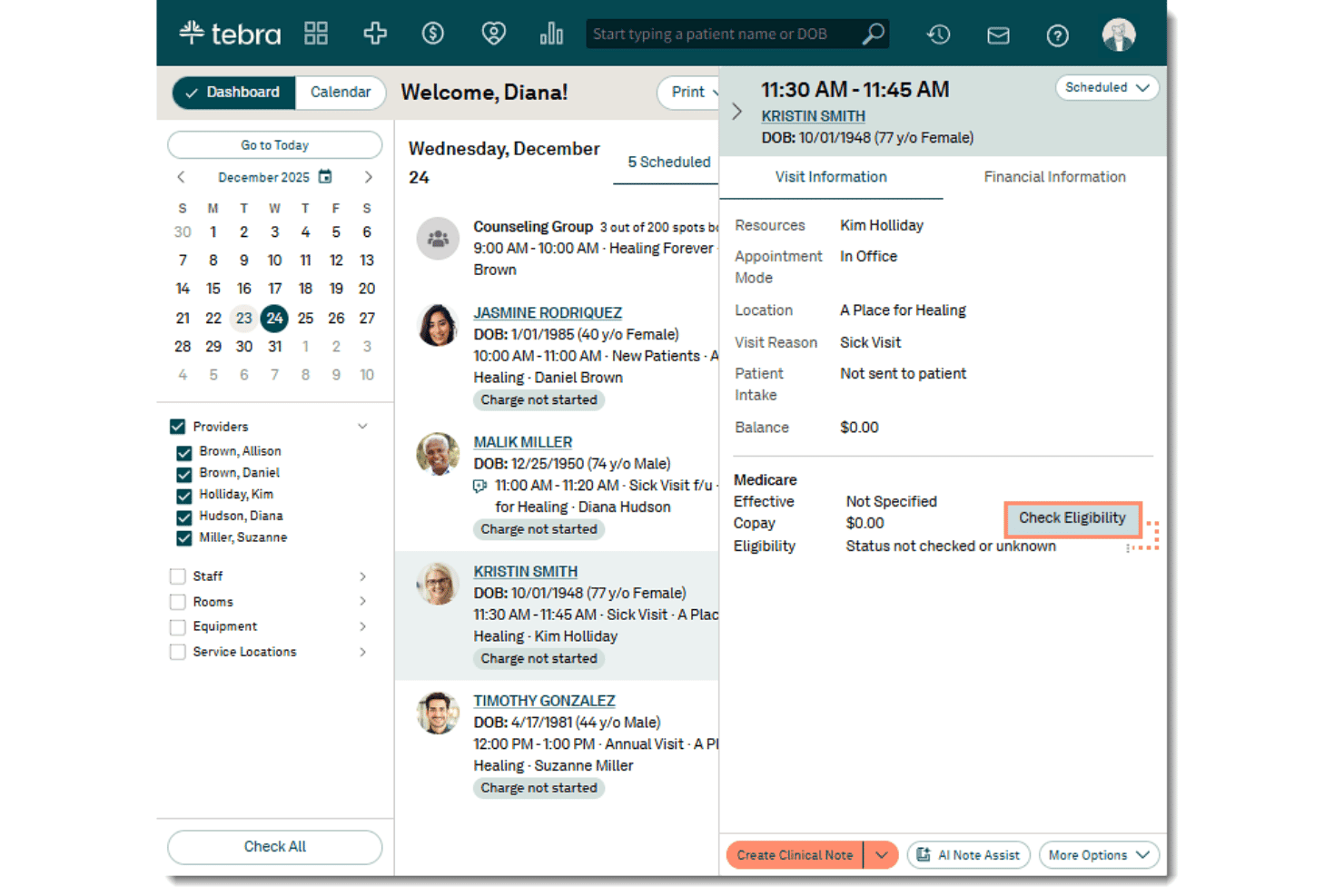
Tebra stands out for its clean dashboard and streamlined workflows, letting most staff pick it up without much training. Scheduling, claims, and telehealth are all accessible from one login, and users appreciate that appointment reminders and billing tools don’t require digging around.
I’ve seen fewer complaints about clutter or confusion compared to similarly featured systems.
Integrations
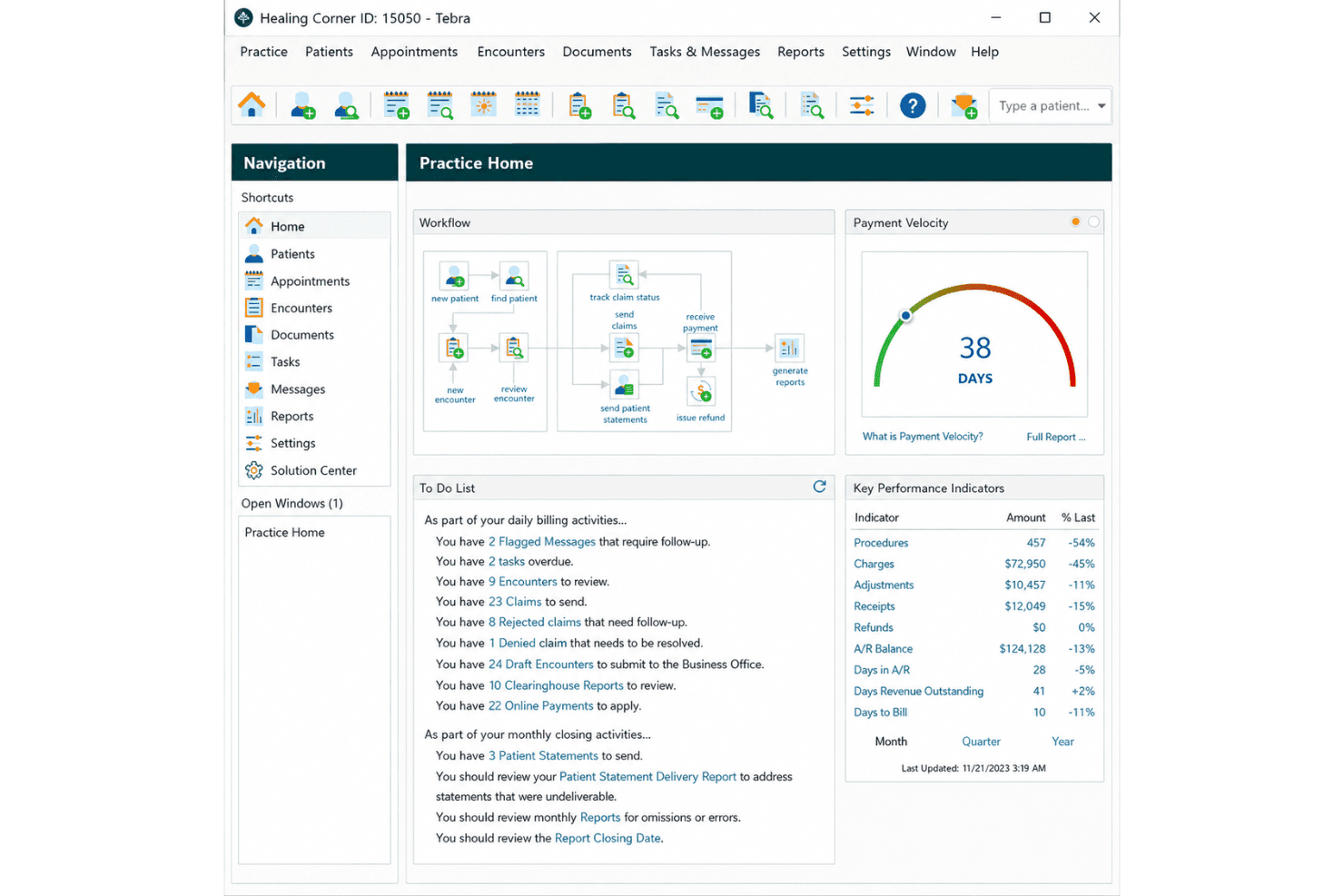
Tebra integrates with Quest Diagnostics, LabCorp, Change Healthcare, Surescripts, ECW, Elation Health, Athenahealth, QuickBooks, Surescripts, and Twilio, among others.
Tebra also offers an API for advanced connections and works with select third-party integration tools.

Tebra Specs
- API: Yes
- Appointment Scheduling: Yes
- Athlete Management: No
- Audit Management: No
- Calendar Management: Yes
- Compliance Tracking: Yes
- Customer Management: No
- Dashboard: Yes
- Data Export: Yes
- Data Import: Yes
- Data Visualization: Yes
- Electronic Prescribing: Yes
- External Integrations: Yes
- File Sharing: Yes
- File Transfer: Yes
- Health Management: Yes
- HIPAA Compliance: Yes
- Inventory Tracking: No
- Multi-User: Yes
- Notifications: Yes
- Organization Management: Yes
- Patient Management: Yes
- Project Management: No
- Regulatory Alerts: No
- Risk Assessment: No
- Scheduling: Yes
- Supplier Management: No


